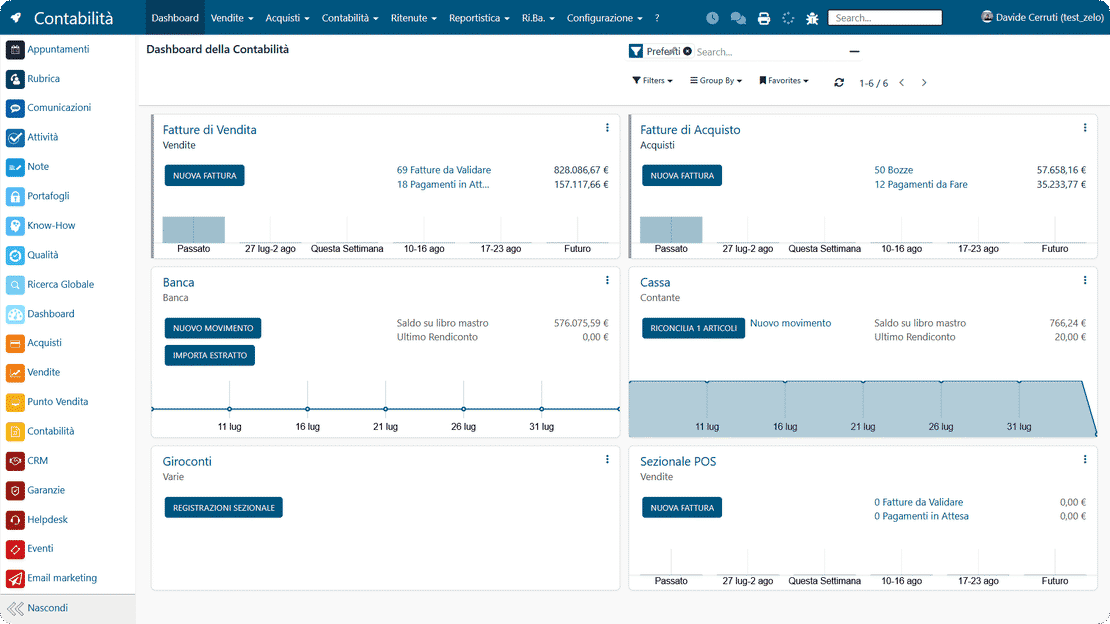
Invoices, due dates and tax compliance in one management system

The Accounting module in Zelo ERP writes the bookkeeping entries and the mandatory tax documents starting from your company’s operational data. Financial flows, general accounting and cost analysis by project and cost center live in one place.

Request a free demo
Zelo ERP Accounting module: e-invoicing, due dates and tax compliance

Invoices, due dates and registers under control

With Zelo ERP the gaps close between documents, due dates and reports: your clients receive correct documents and know exactly where payments and credit notes stand.

Business accounting under control

The Administration and Accounting tools in Zelo ERP keep documents, due dates and reports connected. Invoices, receipts, payments and VAT registers sit in one place, so the numbers you base decisions on are reliable, including analytical accounting on projects.

  • Sales and purchase invoices, always tracked
  • XML files created and exported in a few clicks
  • Receipts, payments and recurring items under control
  • Accounting registers and VAT settlements in order
  • Chart of Accounts you can adapt to your company
Concrete benefits for your clients

When administration and accounting run well, your clients notice: correct documents, fast turnaround, fewer errors and clear information on payments and notes. The result is trust and timelines you can count on.

  • Invoices that are complete and easy to read
  • Shorter issuance times
  • Credit notes handled without hassle
  • Tracked payments, fewer misunderstandings
  • Due-date information that is precise

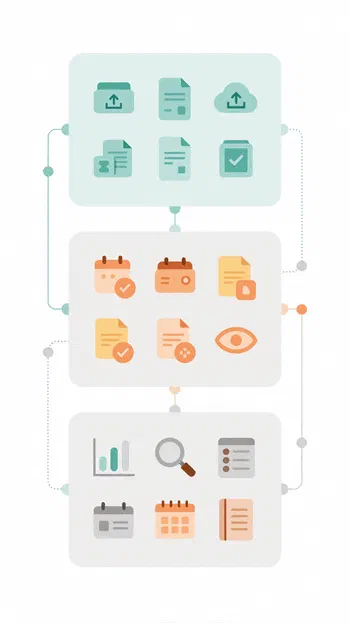
Simplify accounting in three steps

From an orderly import of sales documents to instant control of due dates and receipts, up to reporting and analytical accounting for projects and cost centers.

1. Import

You create, upload or import invoices and register sales and purchase documents in an orderly way.

2. Control

Due dates, receipts and payments, including recurring ones, with instant visibility on what is open and what is closed.

3. Analyze

You generate VAT registers and reports, up to analytical accounting for projects and cost centers.

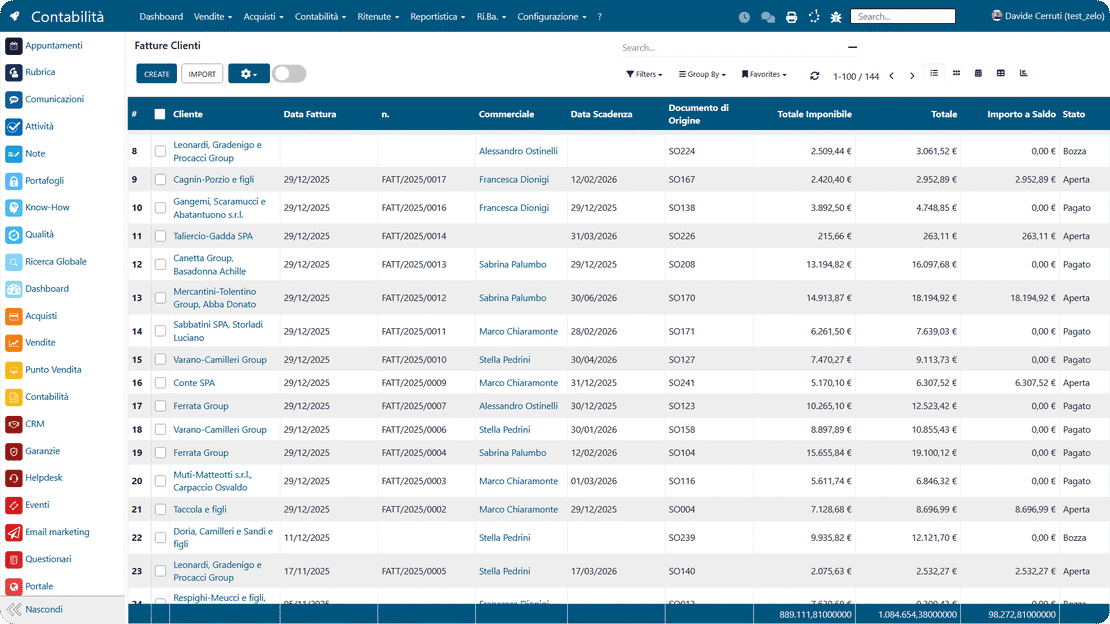
Accounting workflow in Zelo ERP: import invoices, control due dates and analyze reports

XML e-invoicing

It covers the whole e-invoicing workflow: generating the XML documents, issuing them and recording credit notes. It also handles transaction totals and keeps the administrative data tied to company operations consistent.

XML e-invoicing in Zelo ERP: generation, issuance and credit notes
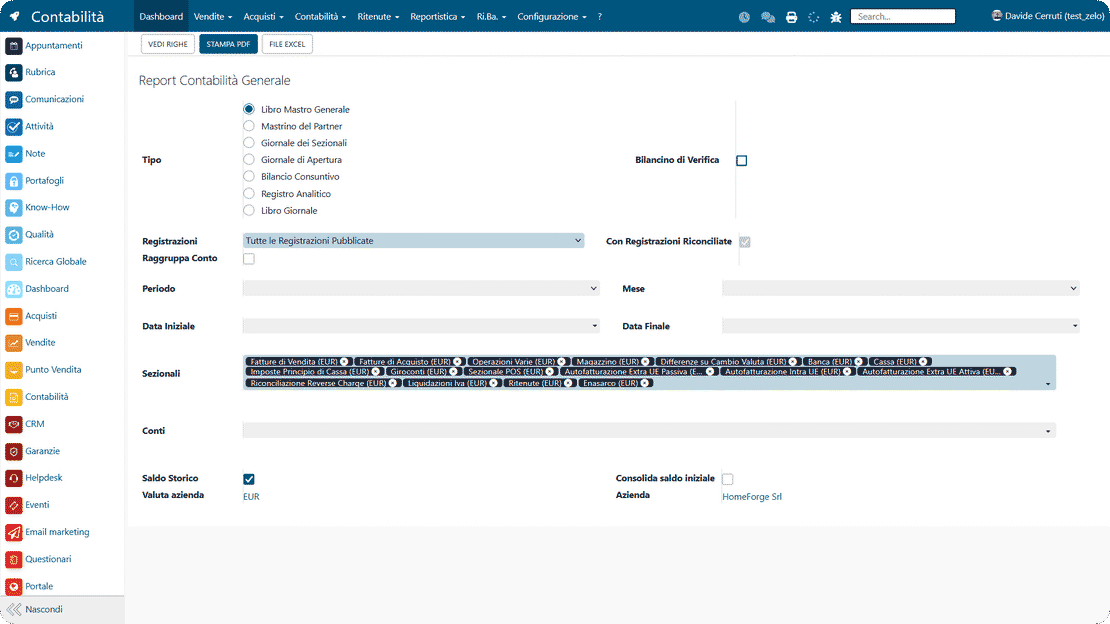
Tax compliance in Zelo ERP: VAT registers, settlements and accounting books

Tax compliance

It supports the main recurring tax work: calculating periodic VAT settlements and checking withholding taxes. Accounting entries stay aligned with regulatory requirements and with the administrative deadlines on the calendar.

Accounting entries

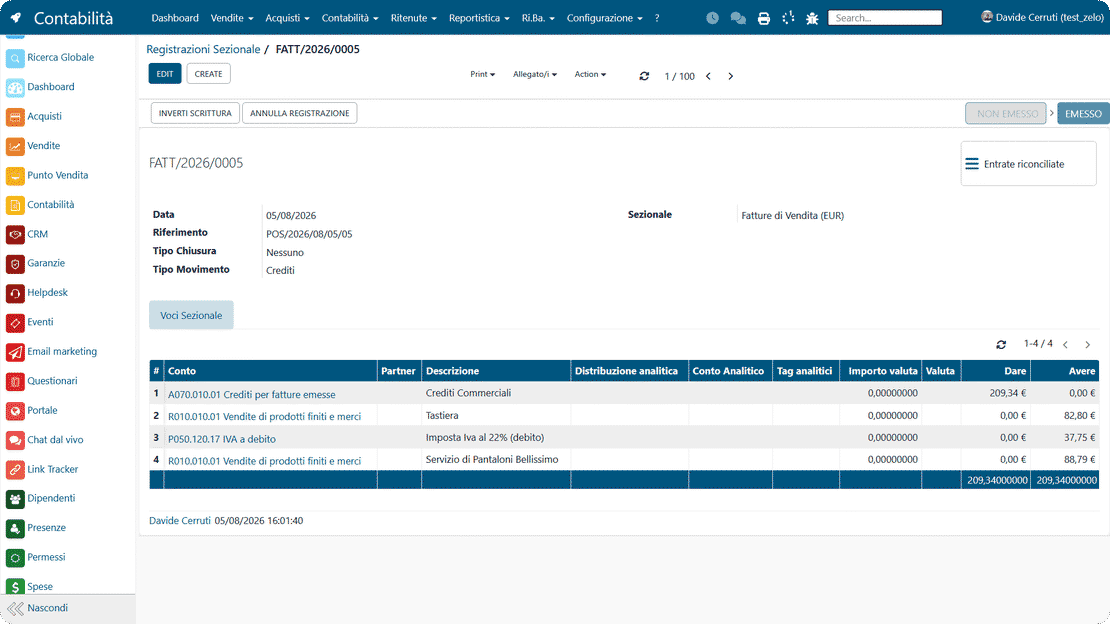
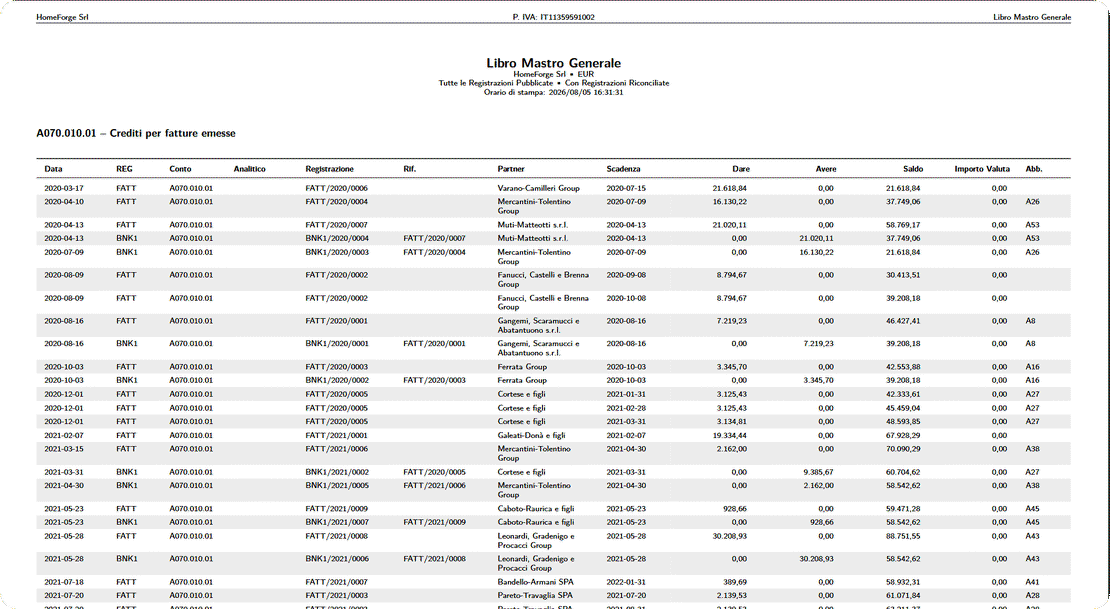
Entries update automatically from sales and purchase operations, and the movements stay consistent with general accounting. The general journal, subledgers and chart of accounts are fed from the same data, which means fewer mismatches and fewer manual postings.

Accounting entries in Zelo ERP: general journal, subledgers and chart of accounts updated automatically
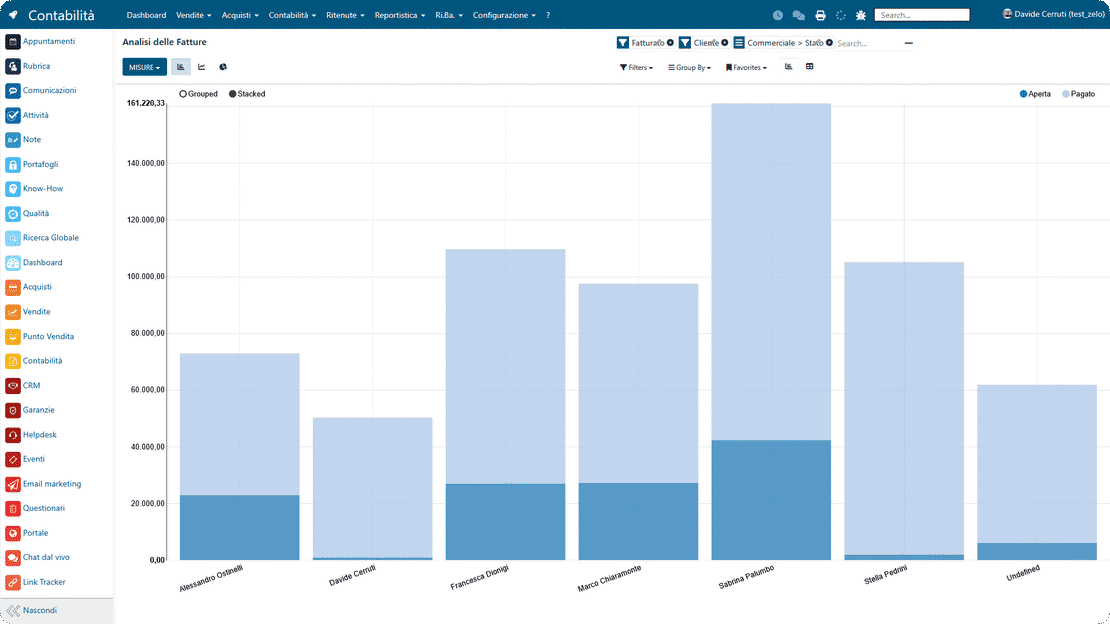
Financial reporting in Zelo ERP: trial balances and analytical accounting

Financial reporting

You can review trial balances and use reporting tools to read the financial data and monitor how the company is doing. Analytical accounting is built in, so costs, revenues and cost centers are measured precisely.

Cash flow management

Receipts and payments are tracked in one place and linked to the related documents and administrative processes. Because the data is connected, reconciling across sales, administration and accounting control takes less work.

Cash flow dashboard in Zelo ERP: reconciliation of receipts and payments

5 questions about the
Accounting Management module

Answers to the most common questions on features, integrations and costs.

Yes. The Administration and Accounting area covers issuing sales invoices and receiving purchase invoices, including credit and debit notes. Documents, statuses and due dates stay consistent, with no manual steps between spreadsheets and separate tools.

Yes. The tool imports and exports XML files, which is what you need for orderly e-invoicing. It cuts repetitive work, avoids the usual copy/paste errors and keeps your accounting data clean.

You manage receipts and payments with due dates and terms, recurring ones included, so you always know what is open, what is settled and what is about to fall due. Importing bank statements lets you reconcile income and expenses on the fly.

Yes. The accounting part manages VAT registers and settlements, and the Chart of Accounts can be customized. That is how you adapt Zelo to your business and keep the entries consistent.

Yes. Besides general accounting, Zelo handles analytical accounting with dynamic accounts and sub-accounts, analytical budgets and real-time updates of the analytical balances. It is a practical way to see the real profitability of projects and activities.

Tools integrated with the
Accounting Management

See the tools integrated in Zelo ERP.
No license cost for installed modules, number of users or enabled workstations

call to action

Invoicing, due dates and accounting in one digital flow

Bring e-invoicing, due dates and analytical accounting together in one management system. Request a demo with our experts and see how it fits your company.
Request your free demo