Activities, reminders and follow-up: no opportunity forgotten

Zelo ERP schedules and tracks your operational activities (calls, meetings, documents) and links each one to quotes, orders and customer records. When you complete an activity, Zelo proposes the next one and files the feedback in the history.

Request a free demo
Zelo ERP Activity Management module: activities, sequences and reminders linked to quotes and customers

No activity forgotten: more opportunities for you and your customers

Reminders, quotes and follow-ups run on a guided process: you stop losing opportunities and customers get answers on time.

What changes in your working day

Every day you lose opportunities because you forgot to call a customer back or send a quote. Zelo ERP’s Activity Management links every contact to a guided sequence and reminds you of every deadline.

  • Quotes, orders and invoices with integrated todo lists
  • Zelo proposes the next activity to complete
  • Keeps a note for every interaction with customers
  • Never forget an important deadline again
  • Standardize your company’s commercial processes
What your customers notice

When you never forget a call-back or an update, customers experience a company that stays on top of things. They tend to come back, and they leave positive reviews.

  • No request goes unanswered or forgotten
  • You spot needs before they turn into problems
  • Customers notice that nothing slips through
  • Quick follow-ups increase customer satisfaction
  • The complete history improves every future interaction

How activity management works

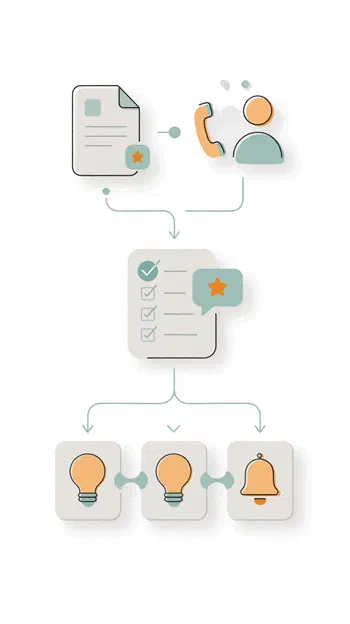
Three guided steps: link the activity to the right document, complete it with feedback, and Zelo proposes the next action on its own.

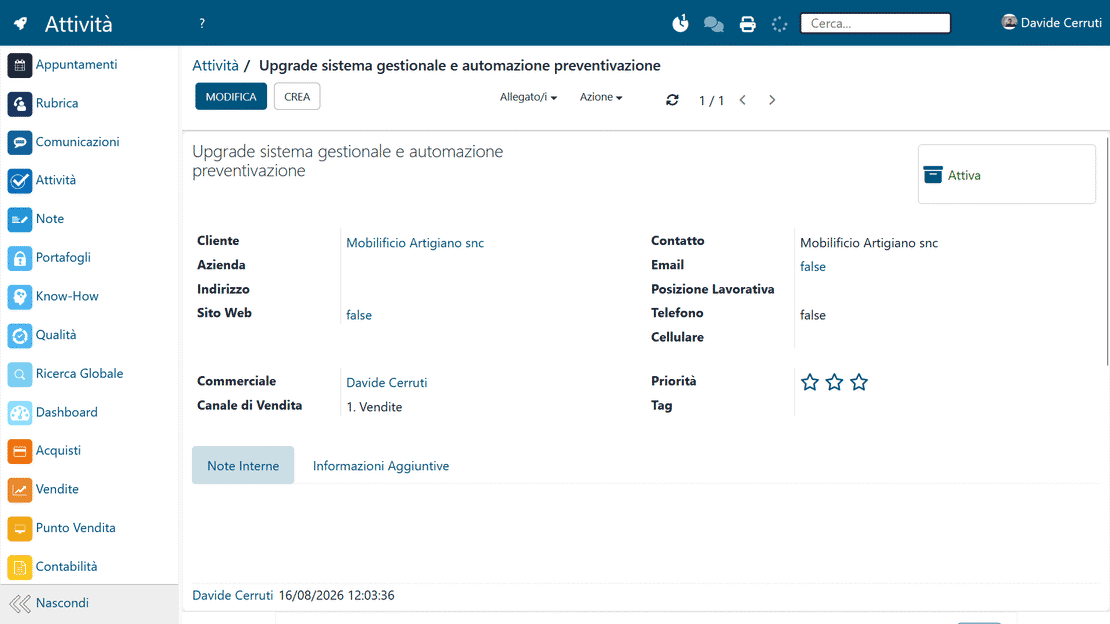
Associate an activity with any object in Zelo: quote, order, invoice, project or contact. Choose the type (call, meeting, visit) and set the date.


2. Complete

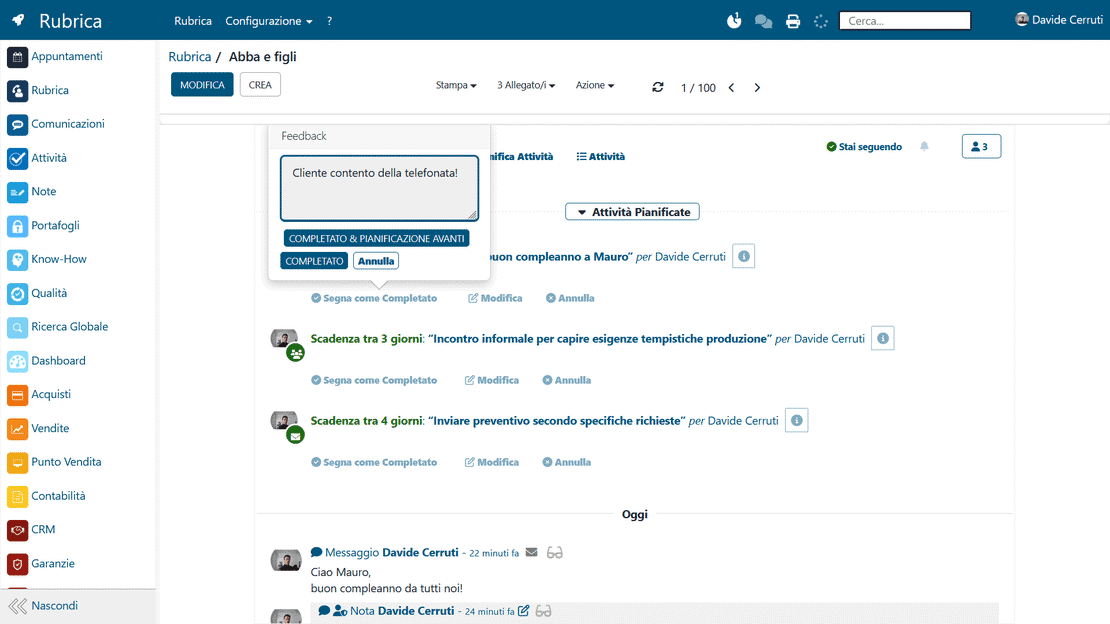
When the activity is done, tick it off as completed and add your feedback. Zelo records everything in the history of the document and the contact.


3. Continue

Zelo proposes the next activity automatically, following the templates you configured. The sequence runs on its own, and you stop losing opportunities.

Zelo ERP Activities module: the three steps Link, Complete and Continue

Document Association

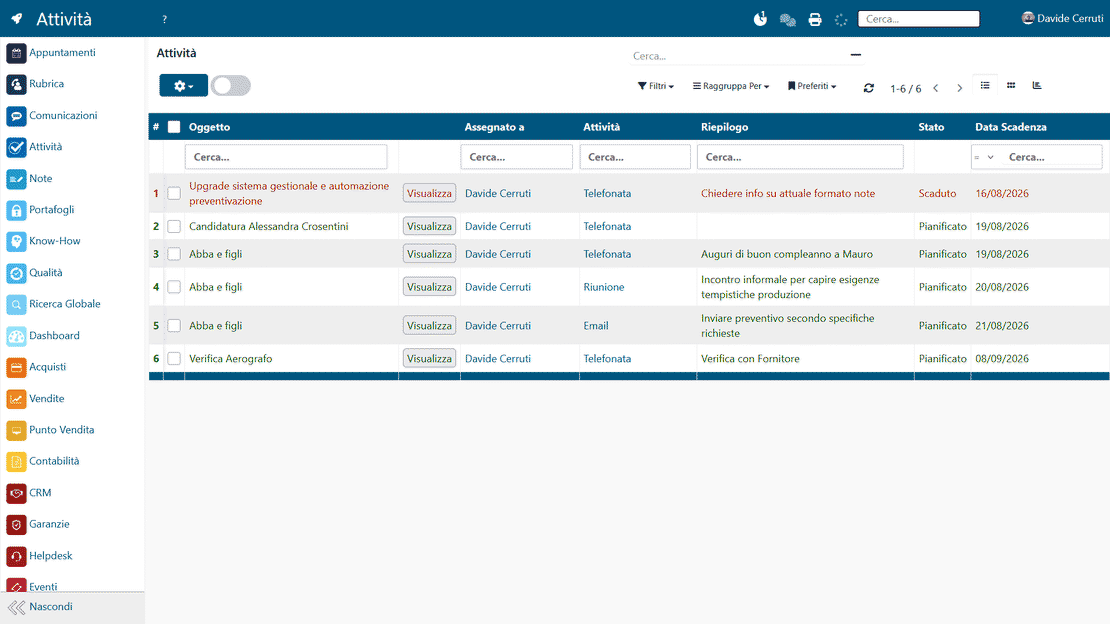
Every activity links to a specific document or contact in the ERP, so the operational context is one click away. Each action stays attached to the business process it belongs to.

Activities in Zelo ERP: links to customers, quotes and projects
Automated activity sequences in Zelo ERP: follow-up proposed after a quote

Automated Sequences

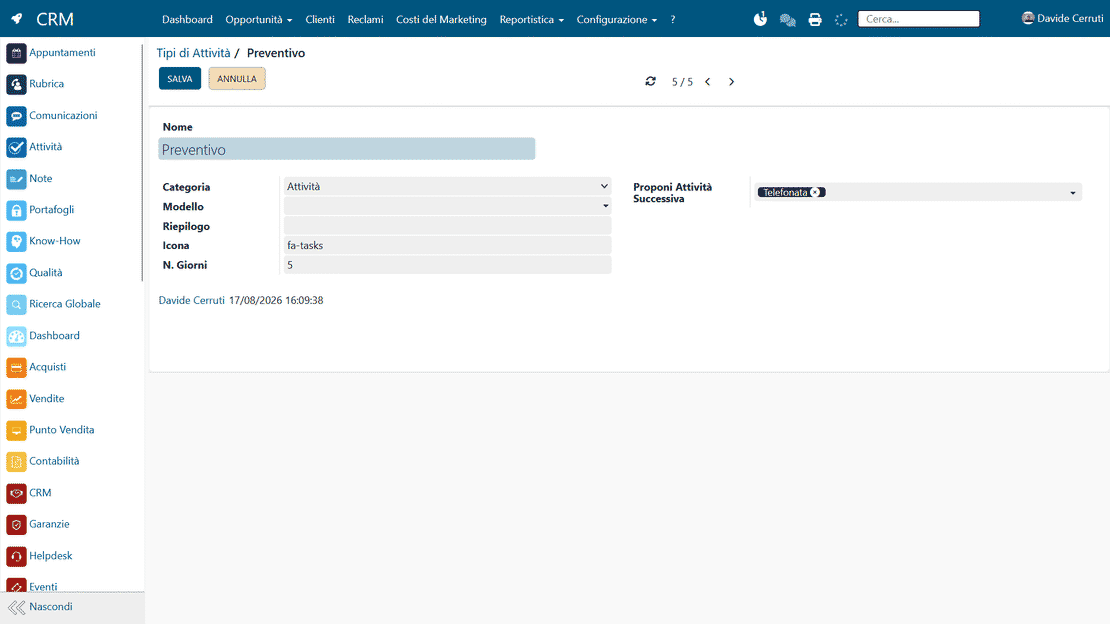
Activity templates can be linked into a logical sequence. When you complete one activity, the next appears automatically. Recurring processes stop depending on memory, so errors and oversights drop.

Multichannel Notifications

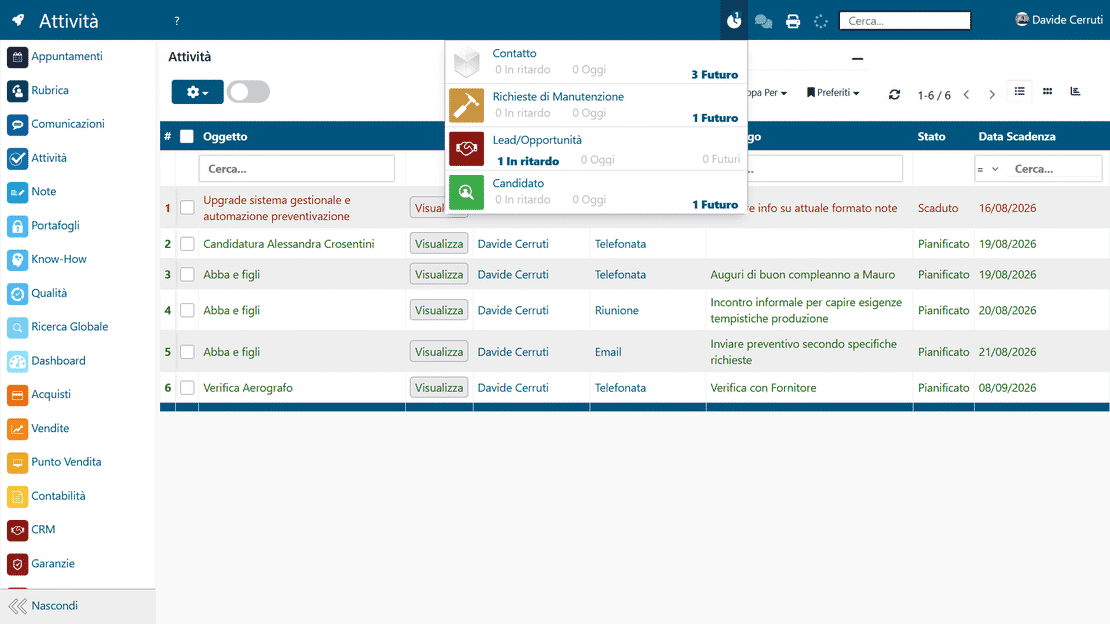
Scheduled activities generate reminders by email and inside the ERP. You can see upcoming deadlines along with completed and overdue activities, which keeps daily priorities on schedule.

Activity notifications in Zelo ERP: alerts on desktop and email
Activity feedback in Zelo ERP: notes at completion

Feedback Log

When an activity ends, you write notes and feedback, and Zelo saves them in the history of the customer or document. Over time this builds a structured record of every interaction.

Integrated Calendar

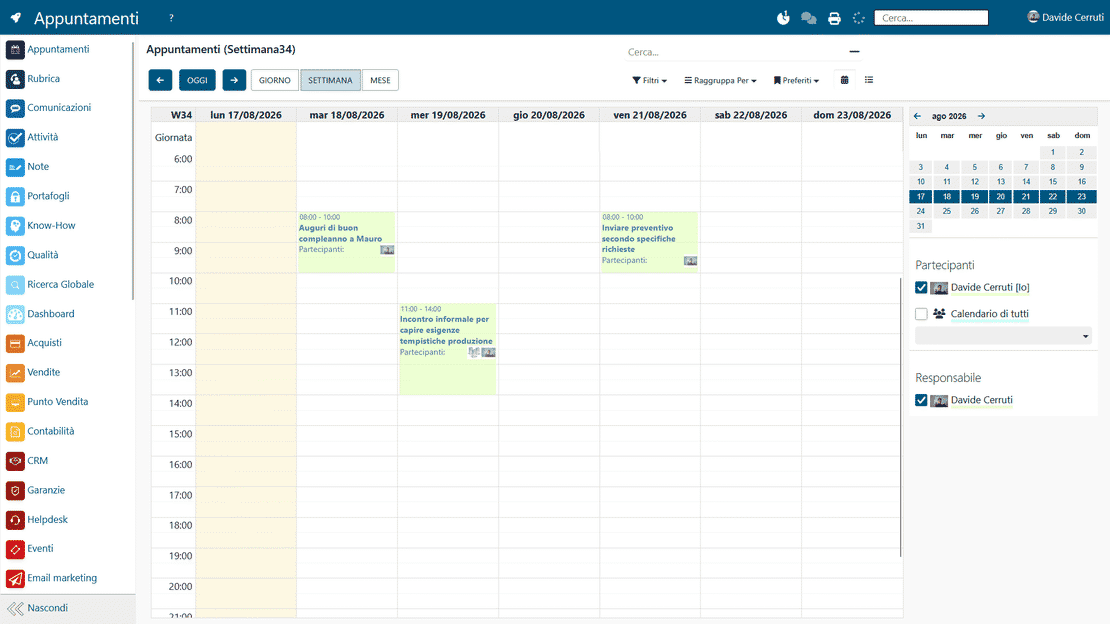
Activities appear in a shared, filterable calendar. You can check deadlines by day, week or month, and filter by user, customer or type.

Activity calendar in Zelo ERP: day, week and month views
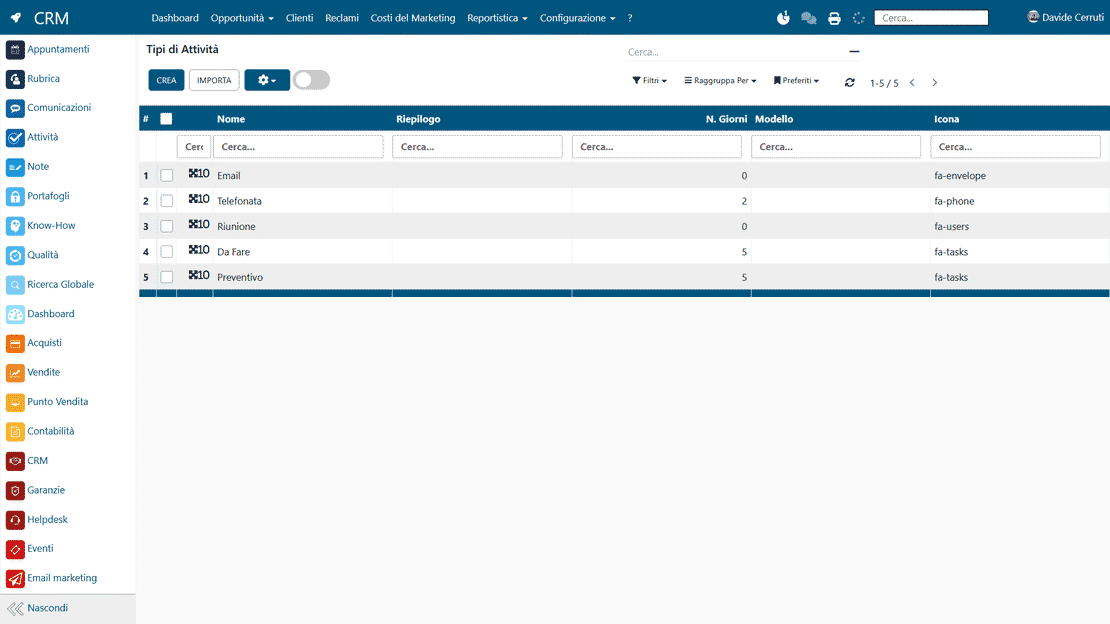
Activity templates in Zelo ERP: custom types and sequences

Custom Templates

You can define activity types that match your business processes. Each template carries its own rules, sequences and settings, so procedures stay standard without locking you in.

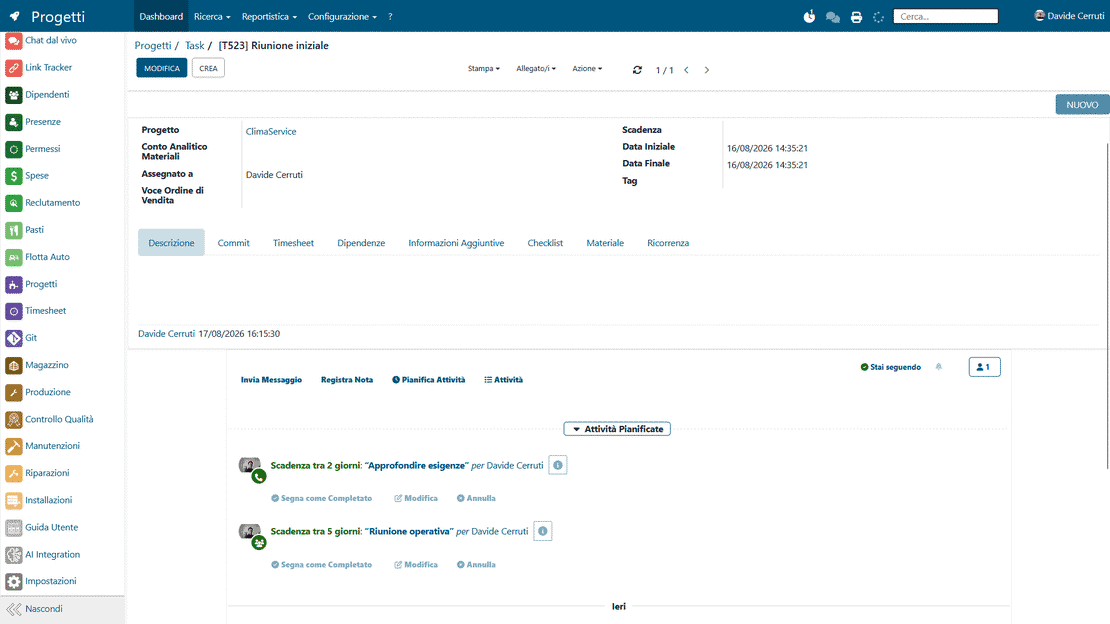
Separation from Tasks

Activities are kept separate from project tasks and analytical accounting. They handle operational and relationship actions, not job order management. The two areas stay distinct, so nothing overlaps.

Activities and project tasks in Zelo ERP: distinction and link

5 questions on the
Activity Management module

Straight answers on features, integrations and costs.

Activities in Zelo are operational actions linked to commercial documents (quotes, orders, invoices) or contacts (customers, suppliers). They cover phone calls, meetings, visits and follow-ups. Project Tasks belong to project and job order management: they link to analytical accounting and plan the operational work through timesheets and hour reporting. Activities keep a sale moving; Tasks track the work on a job order. The two tools answer different needs and work well together.

Yes. You create activity templates and decide which activity Zelo proposes automatically once you complete the previous one. For example, after the “Presentation call” activity Zelo can propose “Send quote”, and after the quote “Phone follow-up after 3 days”. The sequence then walks you through your commercial process step by step, so essential steps don’t get skipped. Every company builds its own sequences around its own processes.

Reminders reach you on two channels: email and the ERP interface. You decide when to be notified (for example one day before the deadline, on the same day, or when overdue) and for which activity types. The notification center lists activities that are due, completed and overdue, with filters by user, activity type or customer. Notifications also flow into the internal communication system, so you hear when a colleague completes an activity on a customer you are following.

Yes, the Activity Management tool works with all Zelo ERP modules. You can link activities to quotes, sales and purchase orders, active and passive invoices, warehouse movements, projects, tasks, contacts (customers, suppliers, partners), helpdesk support requests and contracts. Every object in Zelo can carry its own list of activities. So you stop looking in a thousand different places for what you must do: open the document or the contact and see all linked activities, past and future.

Yes, it comes as standard in Zelo ERP together with all the other modules. There are no limits on the number of activities, custom templates or notifications. Zelo does not charge per user or per installed feature, so all your employees can use the activity management system freely. Zelo is one complete, integrated ERP where the tools exchange data with each other: you never have to buy separate modules or extra feature licenses.

Tools integrated with the
Activity Management

Discover all the tools integrated in Zelo ERP.
No licensing cost, per installed modules, per number of users or per enabled workstations

call to action

No opportunity lost: every follow-up at the right moment

We’ll show you how to automate your commercial activities and follow-ups in Zelo ERP.
Request a free demo