Automate texts, translations and descriptions with Zelo ERP’s AI

The tool connects Zelo ERP to one or more AI engines, so you can use AI directly on your business data: write translations, product descriptions and marketing texts, and check every result before publishing.

Request a free demo
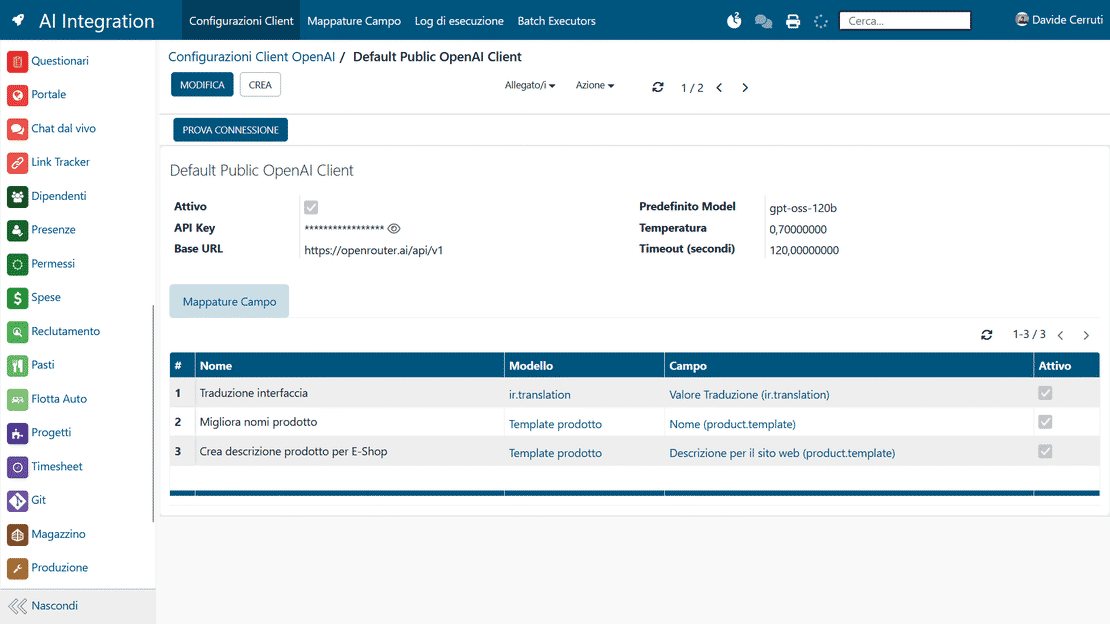
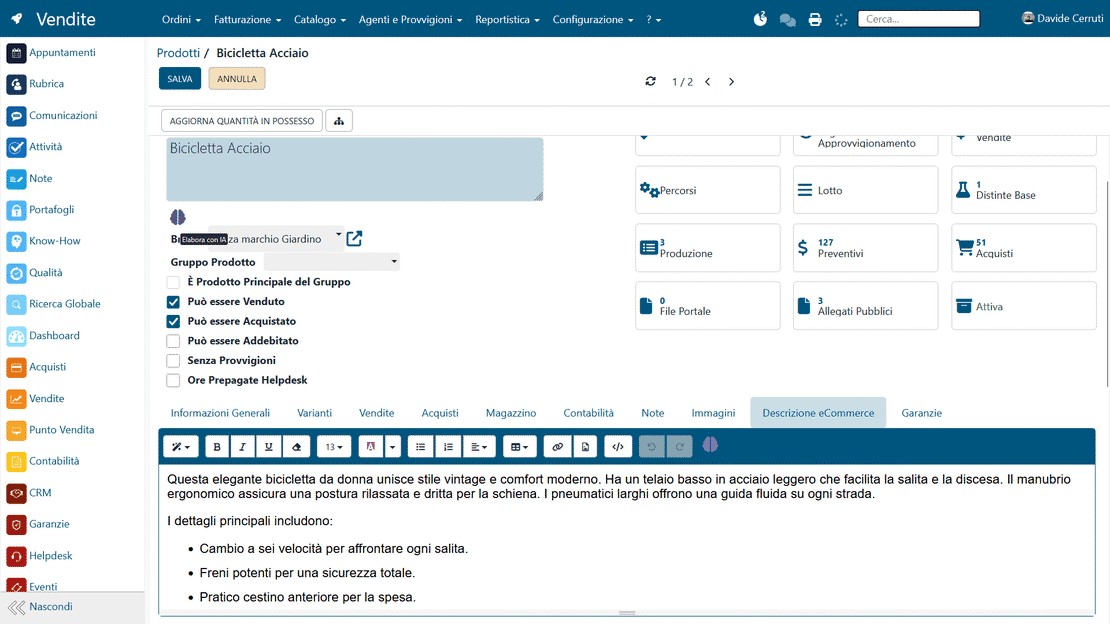
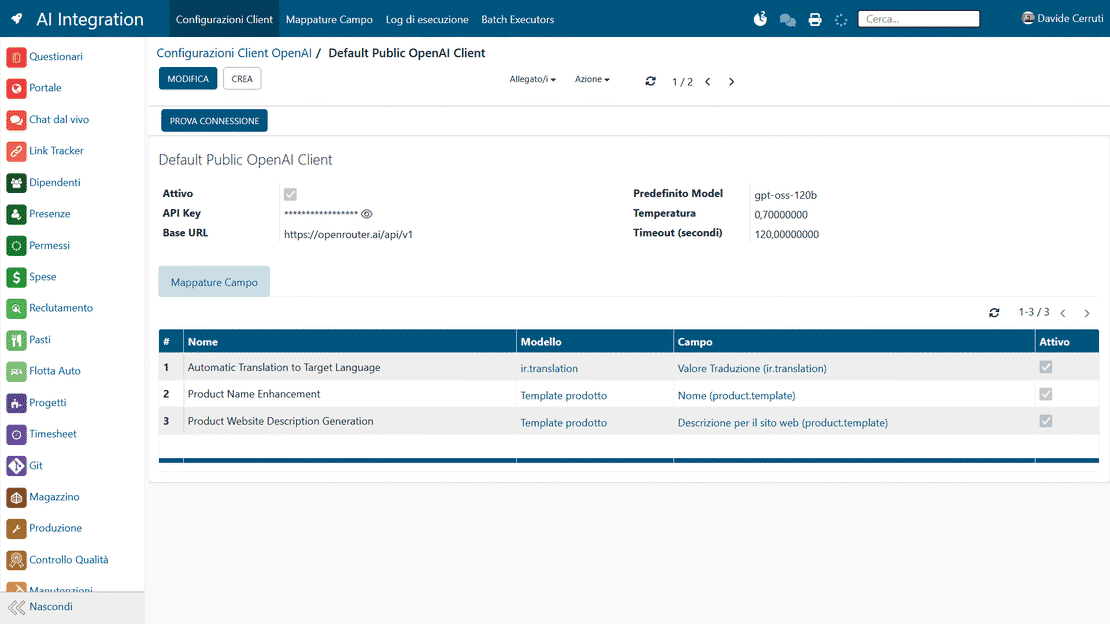
Zelo ERP AI Integration module: panel for connecting to artificial intelligence engines

Business content generated with artificial intelligence

AI works on your business data to produce translations, product descriptions and texts. The company saves time, and customers receive the same information in multiple languages.

Less manual work on business texts

The AI integration with Zelo takes over the repetitive work on translations, product descriptions, texts and reporting. AI runs inside the ERP system, so errors drop and publishing and data updates get faster across the whole company. Here are some examples:

  • Automatic translation of the interface and ERP content.
  • Product names improved with sales in mind.
  • SEO product descriptions for online shops.
  • Custom prompts for different business departments.
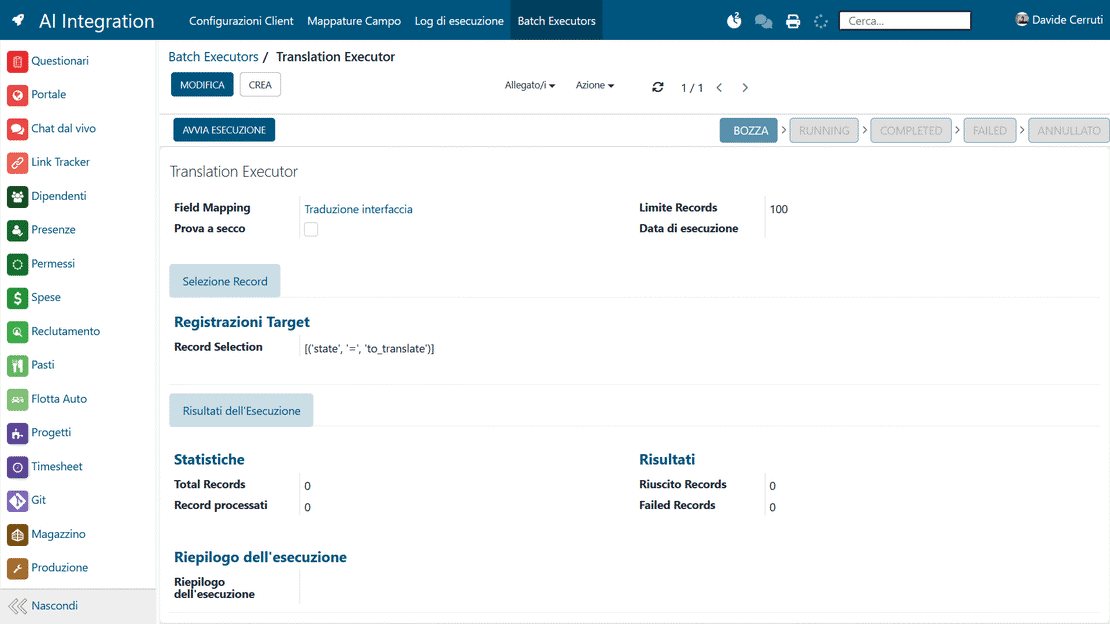
  • Bulk AI runs on product lists and documents.
Clear product descriptions that shorten the purchase decision

Customers see up-to-date, consistent product descriptions on every channel and in multiple languages, so doubts and requests for clarification shrink. Every operation can be automated. For example:

  • Complete and easy-to-understand product descriptions.
  • Always up-to-date information on prices and features.
  • Consistent texts across catalogues, documents and online shops.
  • Accurate translations for foreign customers and distributors.
  • Fewer errors and inconsistencies between documents.

Activate artificial intelligence
in three simple steps

Connect the AI engine, configure fields and prompts, launch the automations. The guided path works in a few clicks and needs no specialized technical skills.

1. Connect

Connect Zelo ERP to your business AI system: choose an online service, a multi-model gateway or a local installation, whichever fits your organization.


2. Configure

Map the fields of the ERP management software, write the AI prompts and set the rules for the automations you want to run.


3. Automate

Run the AI tool on single records or in batch. Read each suggestion and approve it where appropriate.

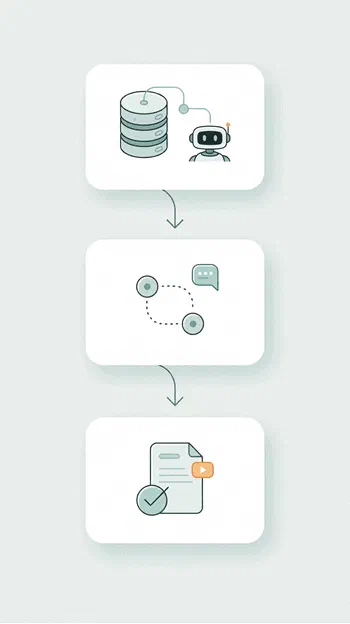
AI integration in Zelo ERP: diagram of the three steps of the configuration flow

AI integration in the ERP system

Zelo ERP connects to multiple business AI systems, in the cloud and on local servers. Small and medium-sized businesses can therefore pick the AI engine that fits the way they work. Data moves between the ERP system and the natural language processing platforms with no intermediate steps.

AI integration in Zelo ERP: selection of the AI engines that can be connected
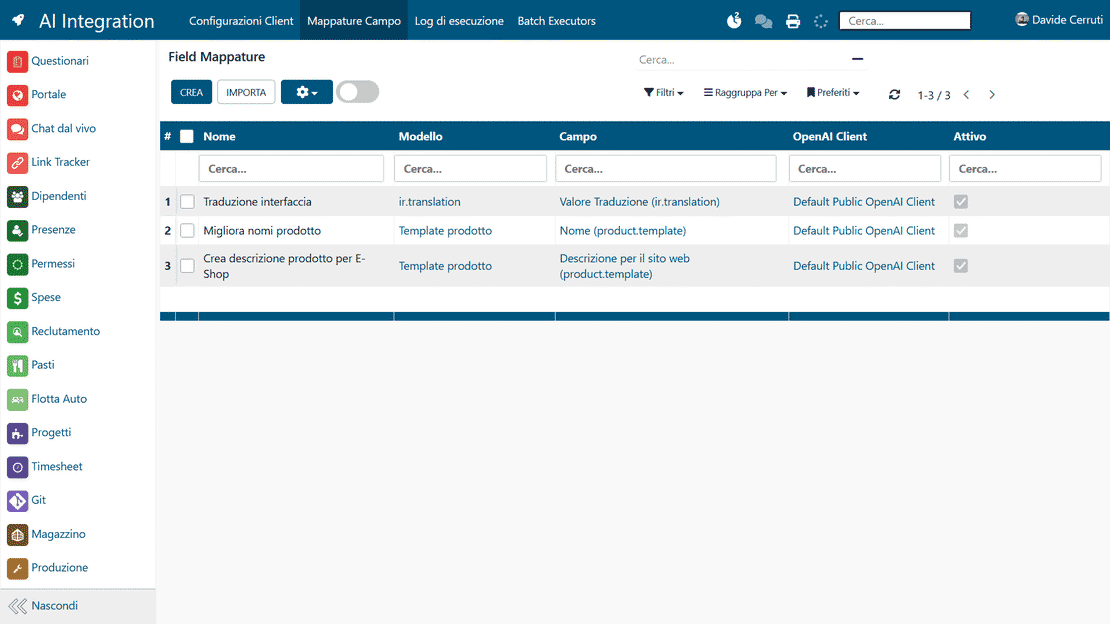
Field mapping in Zelo ERP: association between management fields and AI parameters

Precise data mapping

The tool links Zelo ERP fields to AI parameters, so each run works on exactly the data you chose. Through a flexible mapping, you decide which information gets analyzed or enriched by external computation models. The ERP–AI integration therefore respects the system’s native data structure.

Automation of operational texts

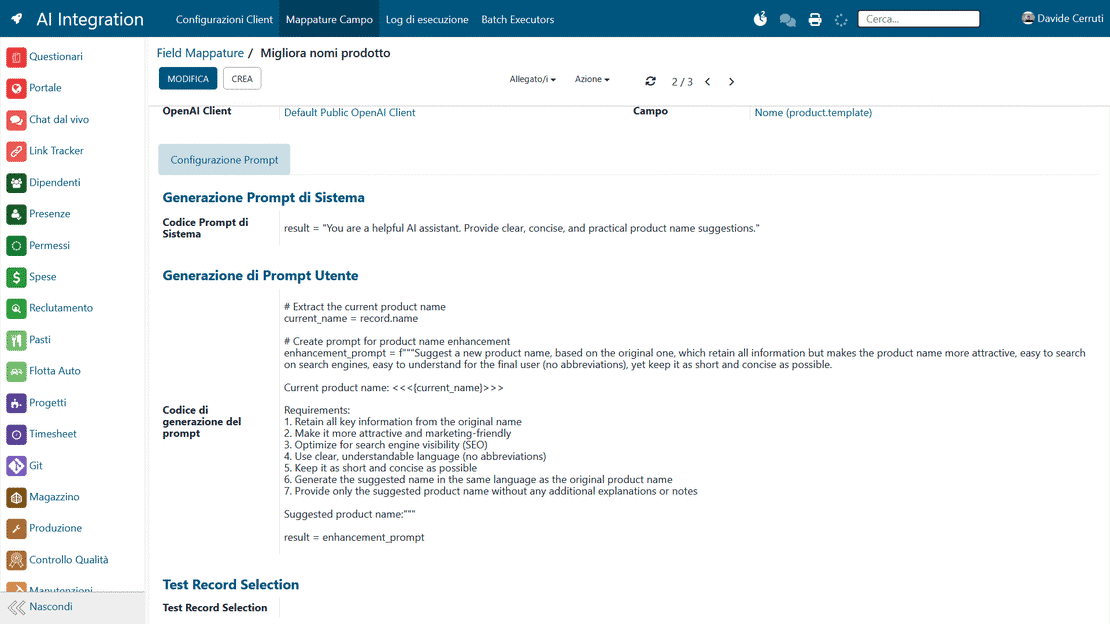
The system automates business ERP texts: translations, product names and detailed descriptions for e-commerce. With custom prompts, the AI works directly on text fields and improves their linguistic quality and relevance. The hours once spent writing content by hand shrink drastically.

AI prompts in Zelo ERP: composing and testing the automation on a test item
AI review process in Zelo ERP: comparison between the original text and the proposal before applying it

Guided and controlled process

The AI works with the CRM, sales, warehouse and marketing areas to keep the information in Zelo ERP consistent. Every department then works with the same texts and the same descriptions along the whole chain, with no discrepancies between business units.

Benefits for users and customers

The AI integration produces multilingual content that helps end customers decide what to buy. The company publishes accurate descriptions and professional translations, and tells the market facts that can be verified. The technical data of the ERP management software turns into content people can actually use.

AI automation button in Zelo ERP: launch on a single field directly from the record

5 questions about the
AI Integration module

Answers to the most frequent questions about features, integrations and costs.

No. The tool connects to multiple business AI systems. You can integrate online services such as ChatGPT, Claude, Perplexity or Z.ai, multi-model systems such as Openrouter or Abacus.ai, and local solutions such as Ollama, LM Studio or Llama.cpp. Each process can use the technology that suits it, with a single point of control inside the ERP system. You configure the connections from Zelo ERP’s settings and can change them over time without disrupting users’ work.

The AI integration in Zelo automates texts and operations. You can translate interface fields and content, improve product names and descriptions, write more compelling texts for the online shop, and standardize internal notes and comments. In practice, anything you now spend time rewriting, adapting, clarifying or repeating can be AI-assisted. Manual review and approval remain in your hands, so the results stay consistent with your company’s style.

No, the tool is built for small, medium and micro businesses without dedicated technical teams. The interface guides the system administrator through choosing the fields to map and writing the basic prompts, and you can start from suggested templates and adapt them to your industry. Once the flow is configured, operational users work directly from Zelo ERP by pressing a few buttons and never deal with the technical side of business AI.

Quality rests on two things: how well the prompts are configured, and human control over the outputs. During setup you can specify the tone of voice, language, length and structure of the texts. When the AI processes the content, Zelo ERP shows the original version next to the AI’s proposal, so you can compare the two and quickly accept, edit or discard the result. The system helps produce better and more consistent texts, while the final judgment stays with people.

No, the goal is to speed it up. Calls to business AI systems happen only when requested, on one or more selected records. From the user’s point of view, Zelo ERP works as always: select the items, start the processing, wait for the response and decide what to save. You can also limit AI to specific roles or departments, which keeps the load and the costs under control. Most daily operations continue untouched, with AI available when you need it.

Tools available with the
AI Integration

See all the tools integrated into Zelo ERP.
No licensing cost, for installed modules, for number of users or for enabled workstations

call to action

Let the AI write, you make the decisions

Talk to our Business Analysts and see how to automate translations, product descriptions and business texts.
Book your free demo