Digital clock-in and payroll reports: attendance under control

Zelo ERP records employee attendance through tablets in kiosk mode, badges and PINs, GPS, and the cloud. The module tracks hours worked, even off-site, and produces the reports payroll and accounting need.

Request a free demo
Zelo ERP Attendance module: clock-in from tablets in kiosk mode and hour reports

Reliable attendance for your company, punctual service for your customers

Clock-in, geolocation, and payroll reports in one environment: you eliminate errors and manual work, and customers get their service on time.

Simple attendance, reliable data for your company

Manual attendance tracking creates errors, delays, and disputes over hours worked. With Zelo ERP, clock-in, geolocation, and payroll reports sit in one software designed for SMEs and micro-enterprises.

  • Clock-in from a tablet in kiosk mode.
  • Badge, NFC, and PIN for each employee.
  • Automatic geolocation of entry and exit.
  • Attendance list filterable by period and person.
  • Attendance reports ready for accurate payroll.
Reliable staff, customers who notice the difference

When attendance data is clear, employees work better and projects hit their time and cost targets. Customers notice the punctuality and continuity, and staff availability holds no surprises.

  • Teams always present when promised to the customer.
  • Fewer delays in deliveries, projects, and on-site interventions.
  • More consistent service over time.
  • More reliable and transparent resource planning.
  • Clear reports of hours worked, easy to share if needed.

Configure, clock in, analyze: error-free attendance

Turn on attendance tracking in a few minutes: a tablet at the entrance, a badge or PIN for each employee, and reports ready for payroll.

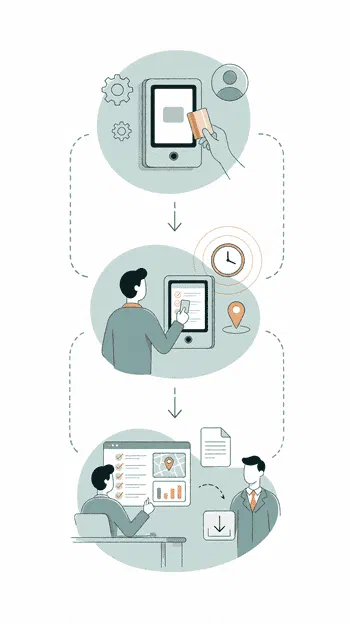
1. Configure

Set up employees, badges, PINs, and working hours in Zelo ERP, then connect a tablet in kiosk mode at the company entrance.

2. Clock in

Employees clock in at the tablet with a badge or NFC chip; the system records the times and coordinates, even remotely.

3. Analyze

HR reviews the attendance lists, geolocations, and reports, then exports the data for the accountant, the employment consultant, and payroll.

Workflow of the Zelo ERP Attendance module: configuration, clock-in, and data analysis

Kiosk Mode on Tablet

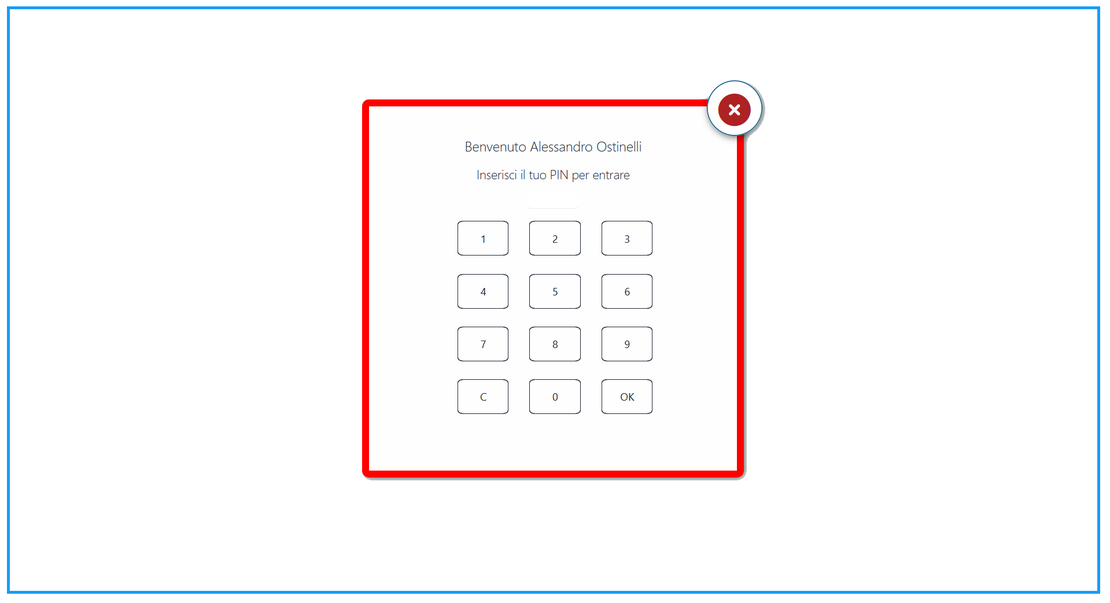
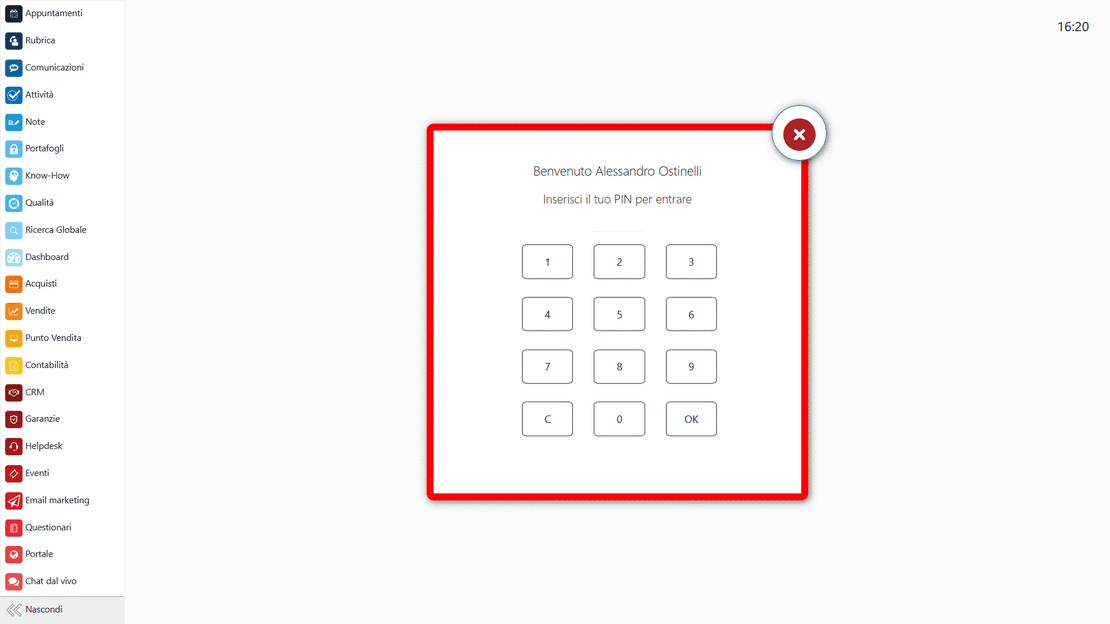
Any standard tablet can become a fixed terminal at the company entrance. Employees check in and out quickly with a personal PIN or a badge. All on-site attendance data lands in one place, and paper logs and outdated time clocks are gone.

Kiosk mode on tablet in Zelo ERP: clock-in with PIN or badge at the entrance
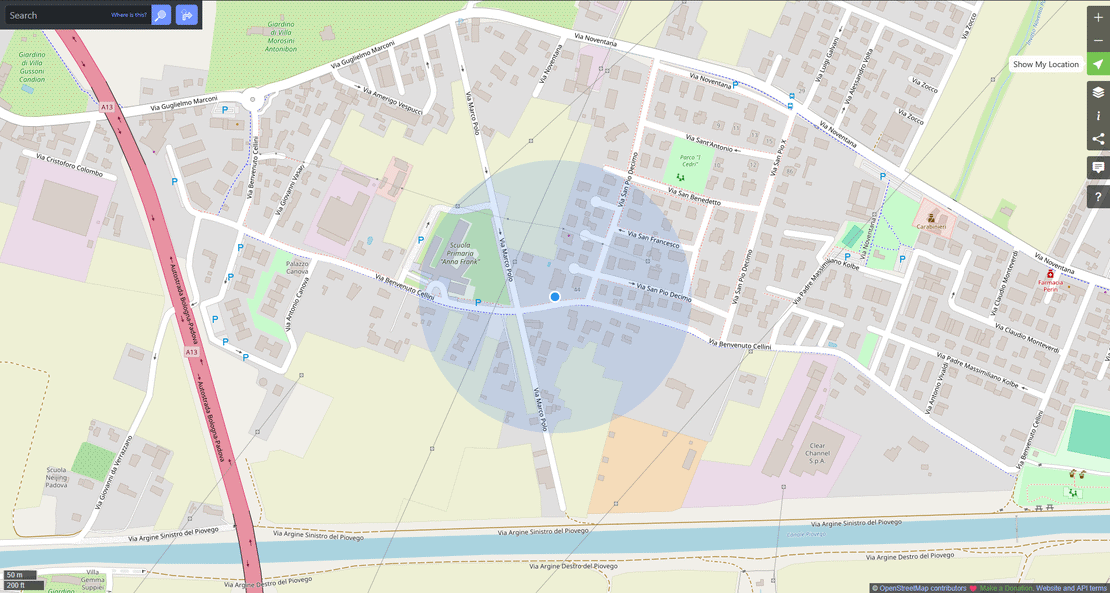
GPS geolocation in Zelo ERP: map of employee entry and exit clock-ins

GPS Geolocation

When field staff clock in from a mobile device, the system stores the exact GPS coordinates. It verifies who is actually at the job site, the customer, or the branch office, and documents work done on the move. The location data stays in the database for reference and compliance checks.

Real-Time Synchronization

Every entry and exit event reaches the Zelo ERP server over the cloud connection as it happens. HR can see in real time who is present at the company or at which external work site, and the data is available immediately. No more waiting to load hour sheets manually at month end.

Real-time synchronization in Zelo ERP: actions on attendance and updated employee status
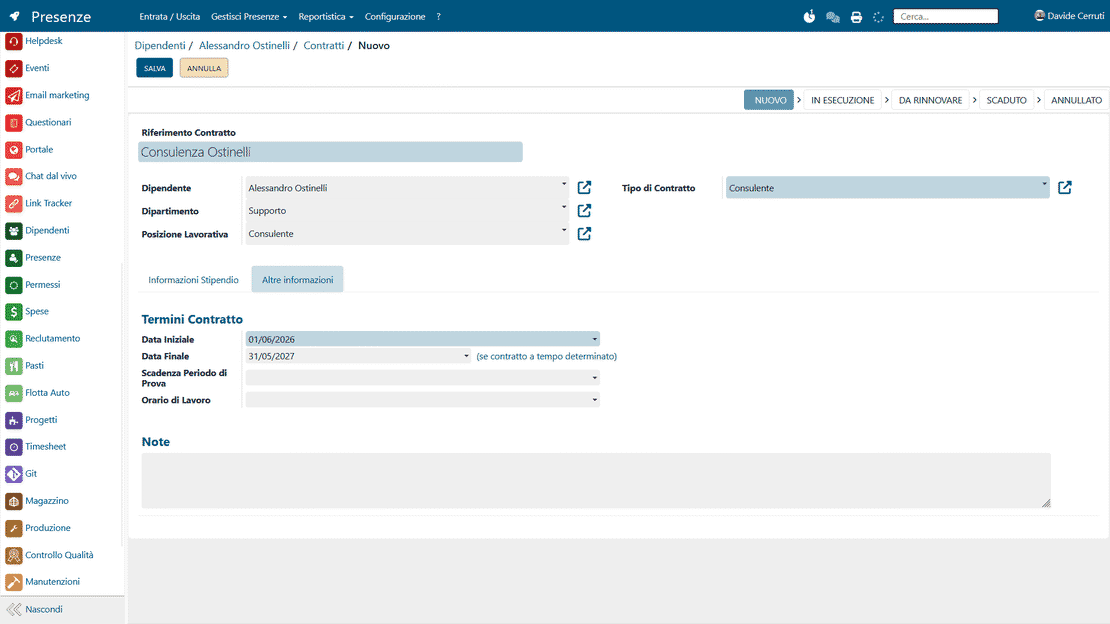
Integration with Human Resources in Zelo ERP: schedules, leave, and attendance on the employee card

Integration with Human Resources

Attendance tracking connects natively to the complete employee master data, with contractual details and working-time profiles. The recorded hours feed the individual timesheets automatically and speed up the calculation of overtime and allowances, plus the approval flows for vacation and leave. Every entry stays consistent with company policies and current regulations.

Reporting for Invoicing

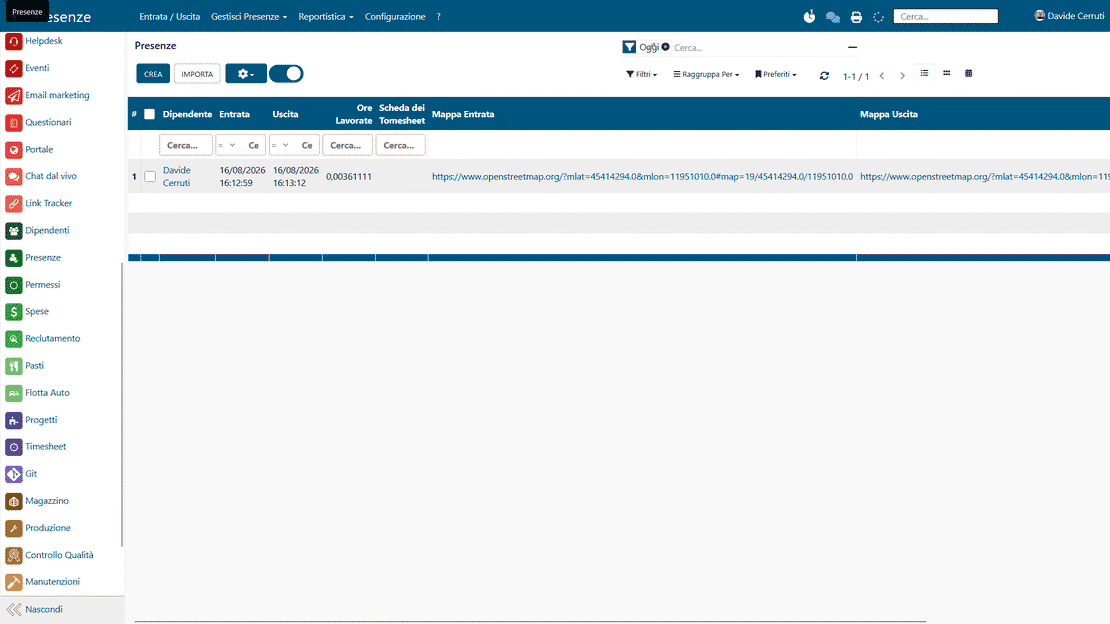
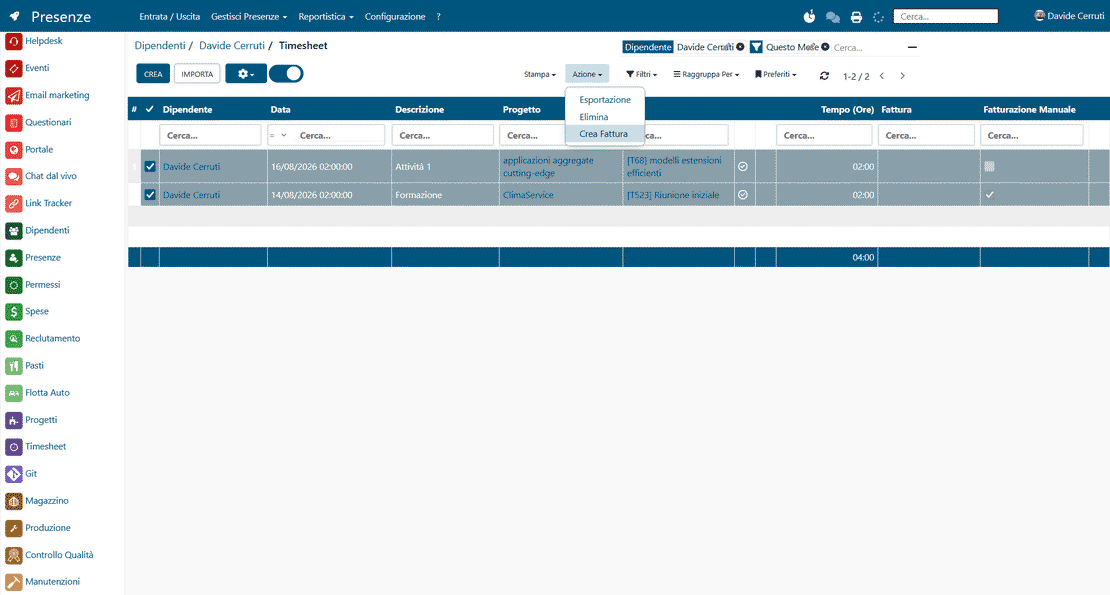
The module produces detail and summary reports that link the actual hours to the projects, customers, or cost centers defined in the management system. From there you can account for the activities precisely and invoice professional services to clients. Data can be exported in various formats for analysis of productivity and personnel costs.

Attendance reporting in Zelo ERP: hours by project and customer, ready for invoicing
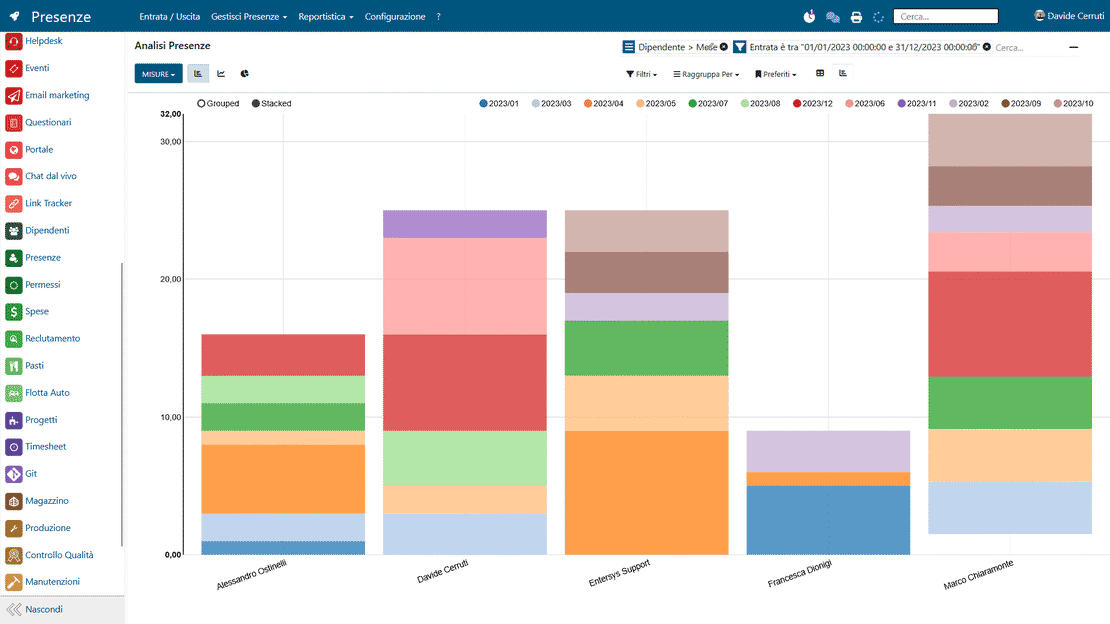
Multi-device access in Zelo ERP: attendance analysis and dashboards from PC, tablet, and smartphone

Multi-Device Accessibility

The whole attendance system runs in a responsive web interface you open from a computer, tablet, or smartphone with authorized credentials. Supervisors can view the dashboards and approve attendance justifications from any workstation, including when working from home. Everyone operates on one up-to-date, protected data source.

5 questions about the
Attendance Management module

Answers to the most frequent questions about features, integrations, and costs.

Yes. Zelo ERP uses badges, NFC chips, or personal PINs tied to the employee profile, and records every entry and exit with date, time, and, if needed, geographic coordinates. Kiosk mode limits the tablet to clock-in only, which cuts errors and tampering. Every operation is also traced in the system: Attendance and HR managers can consult historical logs and reports, so anomalies stand out far more easily than with traditional attendance management.

Yes. The attendance tracking tool can geolocate clock-ins and link them to precise coordinates, which you view on a map via OpenStreetMap. Entry and exit are tracked for people working off-site, at job sites, or with customers, all through a single system covering tablet and PC. The data stays centralized, so HR managers can analyze it, check it, and report on hours worked.

Zelo ERP has a dedicated area for attendance reporting, where you filter by period, employee, department, and other variables. From there you generate summary reports of hours worked, absences, overtime, and leave. The reports are built to be handed straight to accountants and employment consultants, who produce the payroll with consistent, complete data and fewer clarification requests and reprocessing rounds.

No, and this is one of the main advantages for SMEs. For tablet-based attendance tracking you only need a regular tablet or a PC at the company entrance, set up in Attendance kiosk mode. Employees clock in with badges, NFC chips, or PINs, with no expensive time clocks to buy. Adoption is quick and inexpensive, and the system extends easily to different sites.

Yes. Alongside attendance, Zelo ERP includes a complete module for leave, vacation, and summaries. You can configure leave types, approval processes, assignment requests, and annual summaries. Approved leave feeds into the attendance reports and can automatically generate calendar events or internal timesheets. One platform covers attendance, leave, contracts, and costs, instead of spreadsheets and disconnected systems.

Tools integrated with
Attendance Management

Discover all the tools integrated in Zelo ERP.
No licensing cost, for installed modules, for the number of users, or for enabled workstations

call to action

Paper logs off, accurate attendance on: payrolls go out on time.

Talk to our Business Analysts: in a free consultation we show you how to activate kiosk-mode tablets and geolocation for your team.
Request a free demo