One shared calendar for the whole team, always in sync

Zelo ERP has one shared business calendar for the whole team’s appointments and meetings. It syncs with mobile devices via CalDAV and connects to projects, CRM, and timesheets.

Request a free demo
Zelo ERP Shared Calendar module: team agenda

All your appointments and meetings in one shared agenda

Check each team member’s availability before you book: fewer overlaps and delays, and clients receive their invitations and updates on time.

Your company’s time, organized

The Zelo ERP calendar keeps every event in one place and lets you:

  • Create, cancel, or reorganize events and appointments
  • Send invitations and updates to participants automatically
  • Collect attendance and cancellations
  • Define recurrences and reminders
  • Create timesheets from any event
Every appointment confirmed, every client informed

With the Zelo ERP calendar, clients automatically receive the invitation and every communication about the appointment.

  • Accept or decline with a single click via email
  • Integration with CalDAV calendar systems
  • Real-time updates on the event
  • Full view of the event and its shared documents
  • No last-minute surprises

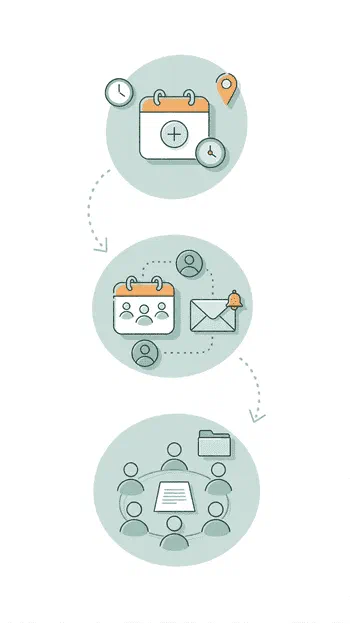
How to organize an appointment, step by step

Three guided steps to create the event, invite participants, and take part with all documents at hand.

1. Create

Create a task, an event, or a meeting in the calendar. Set duration, location, recurrence, and reminders.


2. Invite

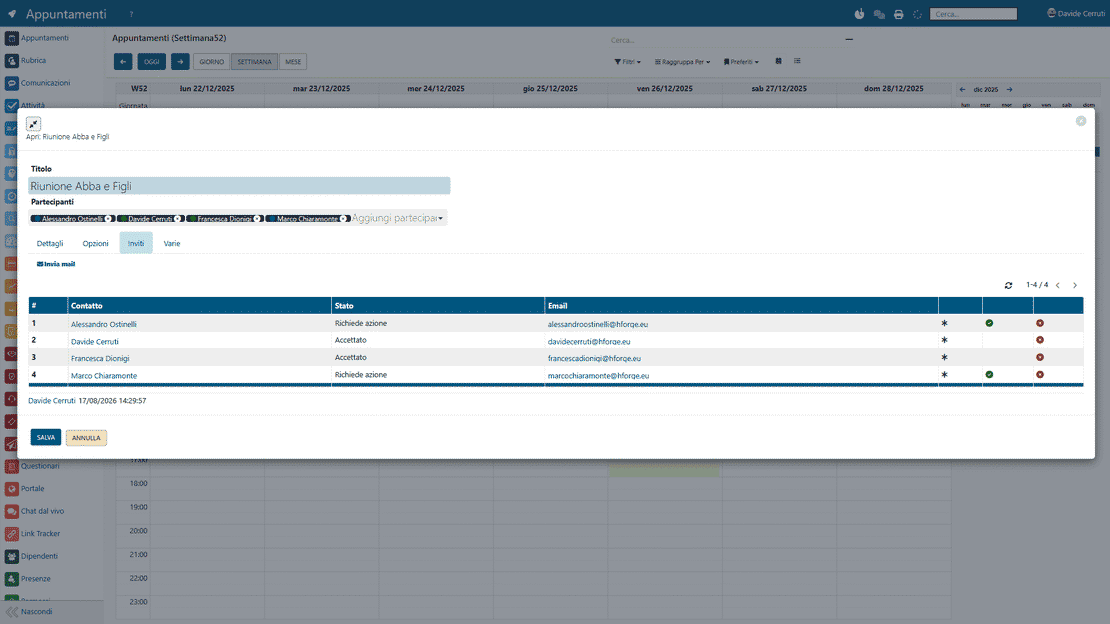
Select the participants. Zelo ERP sends the invitations automatically and collects attendance or cancellations.


3. Participate

Join the event you organized or were invited to, after downloading the shared documents and notes.

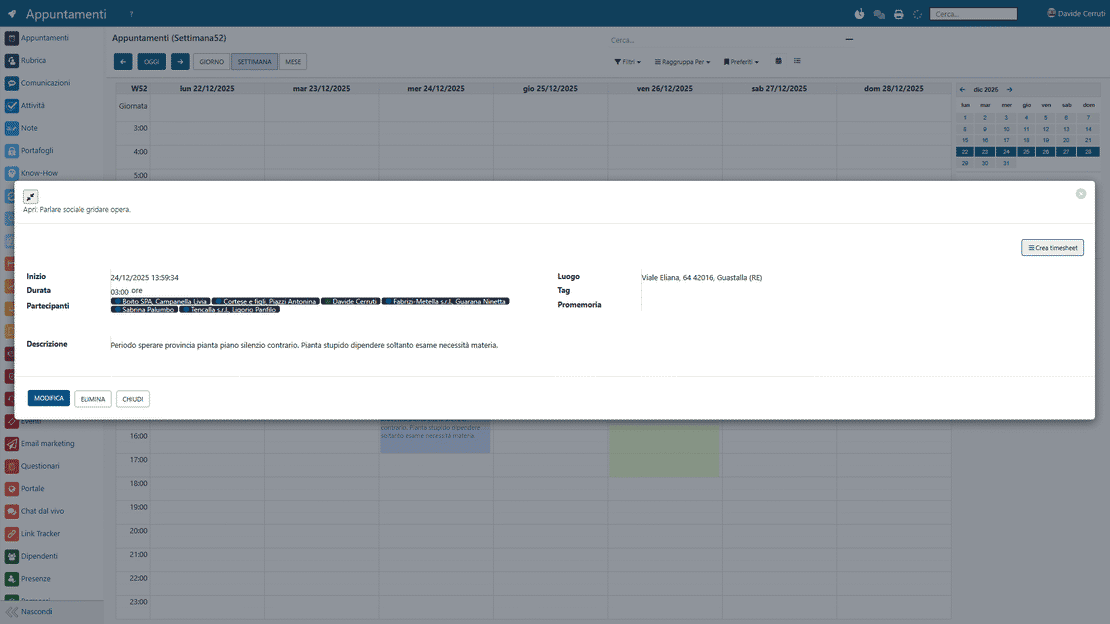
Shared calendar in Zelo ERP: creating and inviting to an event

Centralized Planning

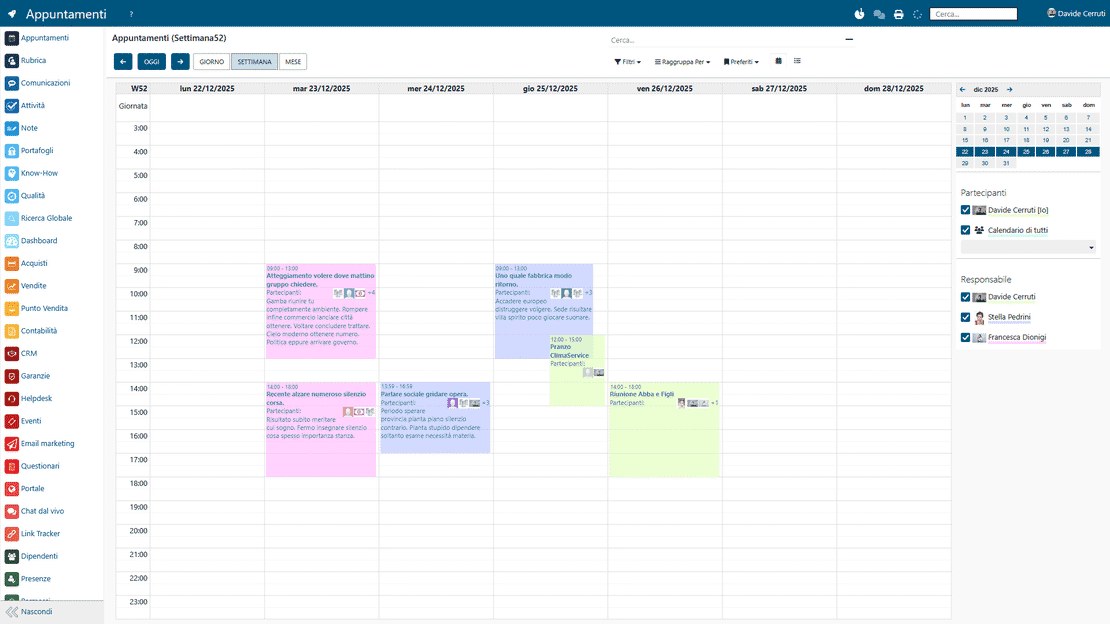
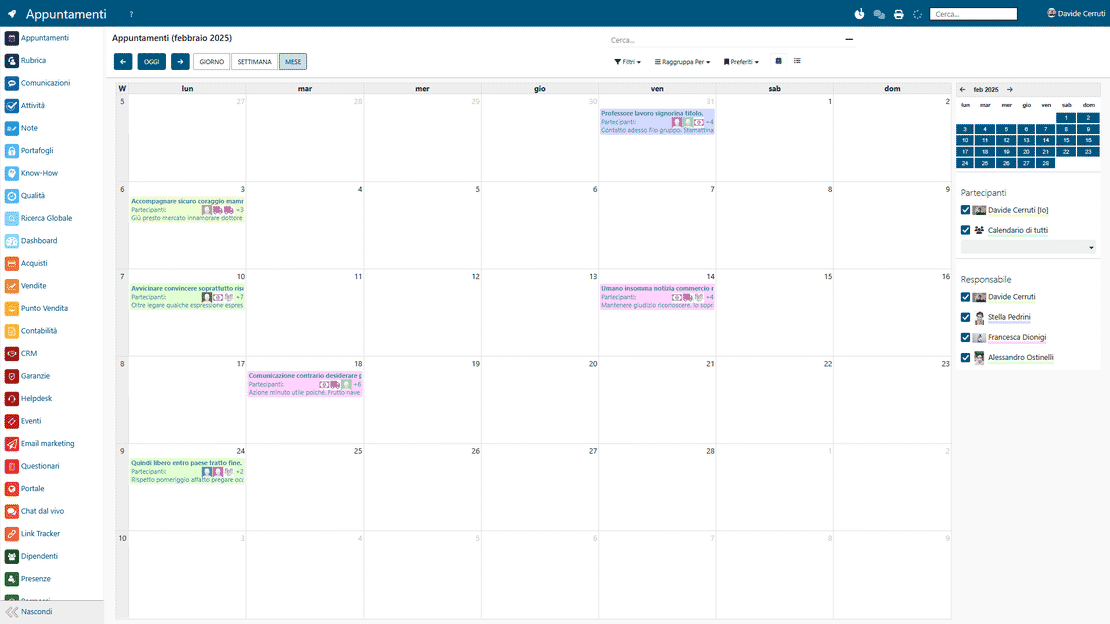
Manage your team’s appointments, meetings, and deadlines in one shared interface. Each collaborator’s availability is visible at a glance, so you avoid overlaps and scheduling conflicts.

Shared calendar in Zelo ERP: team weekly view
Shared calendar in Zelo ERP: CalDAV synchronization

Full Synchronization

Open your agenda from any device: the calendar works with the CalDAV protocol used by smartphones and tablets. A change made on your PC reaches your phone instantly, and the agenda stays aligned everywhere.

Native ERP Integration

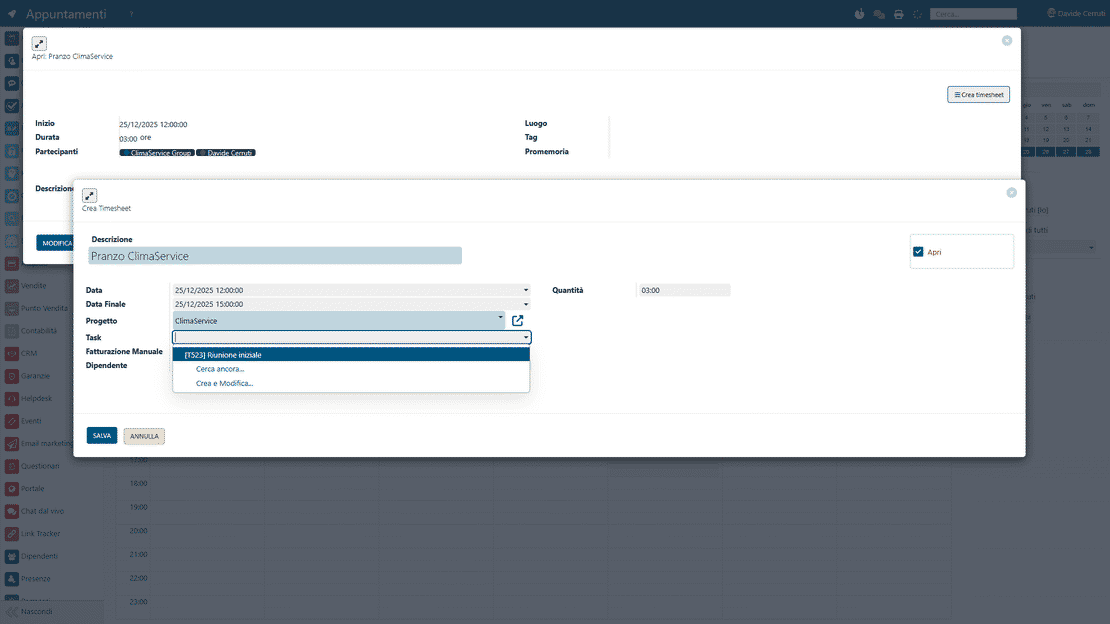
Link every calendar event to projects, CRM opportunities, or technical support interventions. With one click you turn an appointment into hours worked on the timesheet, and reporting takes care of itself.

Calendar in Zelo ERP: events turned into timesheets
Calendar in Zelo ERP: participant invitations and confirmations

Invitations and Reminders

Send invitations to clients and colleagues by automatic email: missed appointments drop sharply. Follow participation confirmations in real time and keep everyone updated when something changes.

Team Collaboration

Create calendars for departments, meeting rooms, or shared resources, and get more out of the company’s shared spaces. Share your agenda with custom permissions: you decide who can view or modify your commitments.

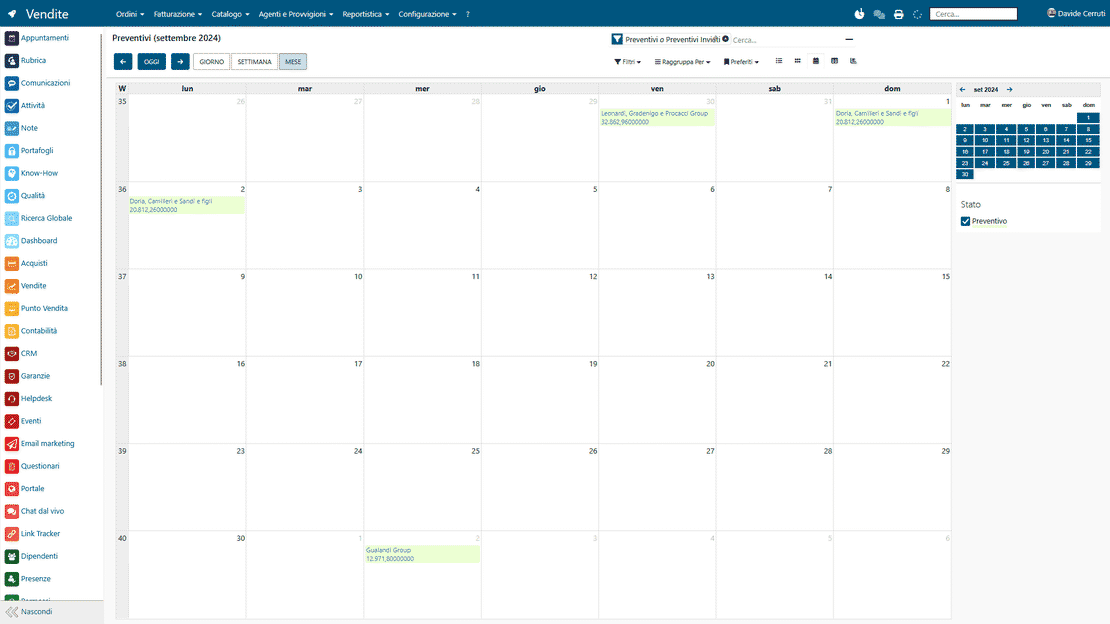
Calendar in Zelo ERP: agenda dedicated to sales and projects
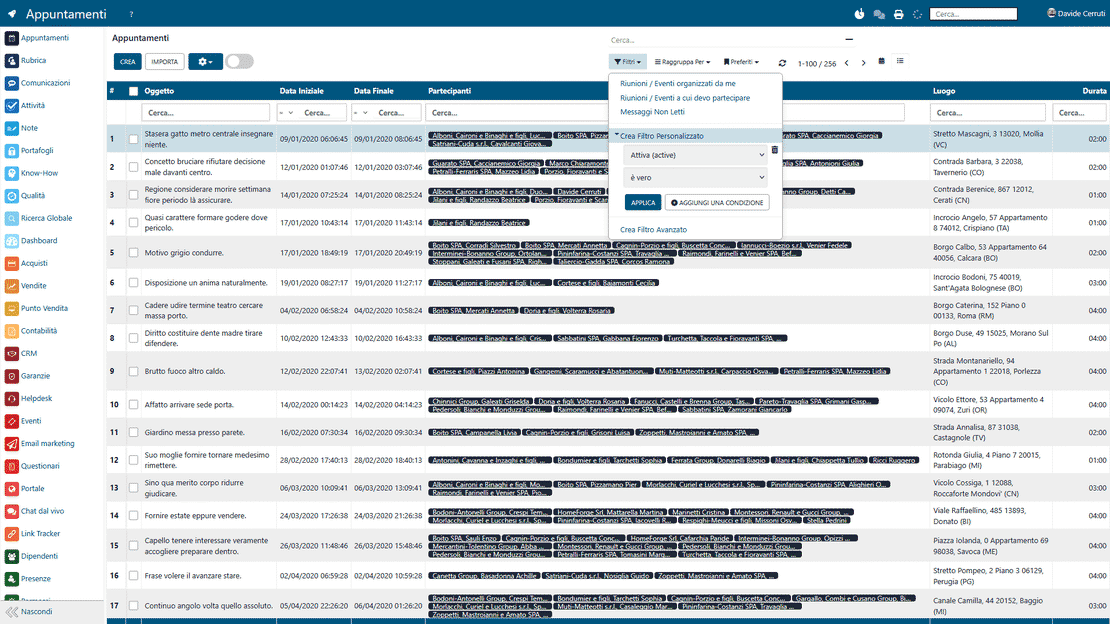
Calendar in Zelo ERP: filters and workload analysis

Analysis and Productivity

See the time each activity takes, with a practical view of commitments and detailed reports generated automatically. The team’s workload is clear, so you can balance resources and meet deadlines.

5 questions about the
Shared Calendar module

Answers to the questions we hear most often about features and integrations.

From the Zelo ERP calendar, add a new business event or meeting in a few clicks. Enter a title, date, time, and location, choose the participants, and if needed add a description and attach documents. Once you confirm, all participants receive an automatic notification with the event details.

Yes. Zelo ERP sends the email invitations to the event’s participants for you, and you can schedule reminders to go out before the appointment. Fewer forgotten meetings, better attendance. Invitees confirm their presence or absence with a single click.

Yes. You can connect the Zelo ERP calendar to Google Calendar and any other system that speaks the CalDAV protocol. Your appointments stay in sync across all your devices, and you can open events both from the ERP and from the calendar apps you already use.

When you create or modify an event, Zelo ERP can generate a linked timesheet for you. The hours worked on each activity are recorded accurately, which helps with management controls, projects, and re-invoicing, and no one has to fill in activity sheets by hand.

Your clients receive personalized invitations with the date, time, and details of the appointment. They can confirm or adjust their participation, get notified about changes, and download the shared documents, so they always know where things stand.

Tools integrated with the
Shared Calendar

See all the tools integrated in Zelo ERP.
No license costs for installed modules, number of users, or enabled workstations

call to action

Take back control of your company’s time

Bring appointments, meetings, and reminders into one place before the agenda starts making decisions for you.
Book a free consultation