All your company’s data in a customized dashboard

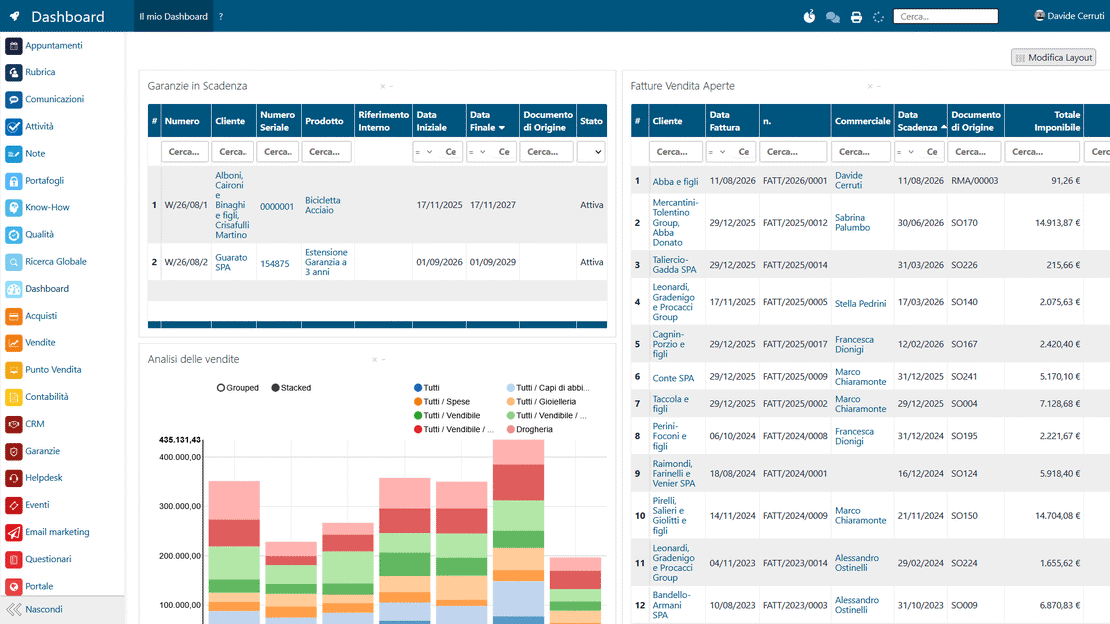
The Zelo ERP dashboard collects data from every business area into a single view and updates it in real time. Each user builds their own with charts, tables, saved filters and goal widgets.

Request a free demo
Zelo ERP Dashboard module: custom KPIs and widgets on sales, accounting and inventory

A dashboard tailored to your company and your customers

The data that matters on one screen, so errors and downtime drop and your customers get faster, more reliable answers.

Monitor your business from a single screen

Cut out scattered Excel files, errors and downtime. With the Zelo ERP custom dashboard you monitor your business in real time, from one screen, with only the data you actually use.

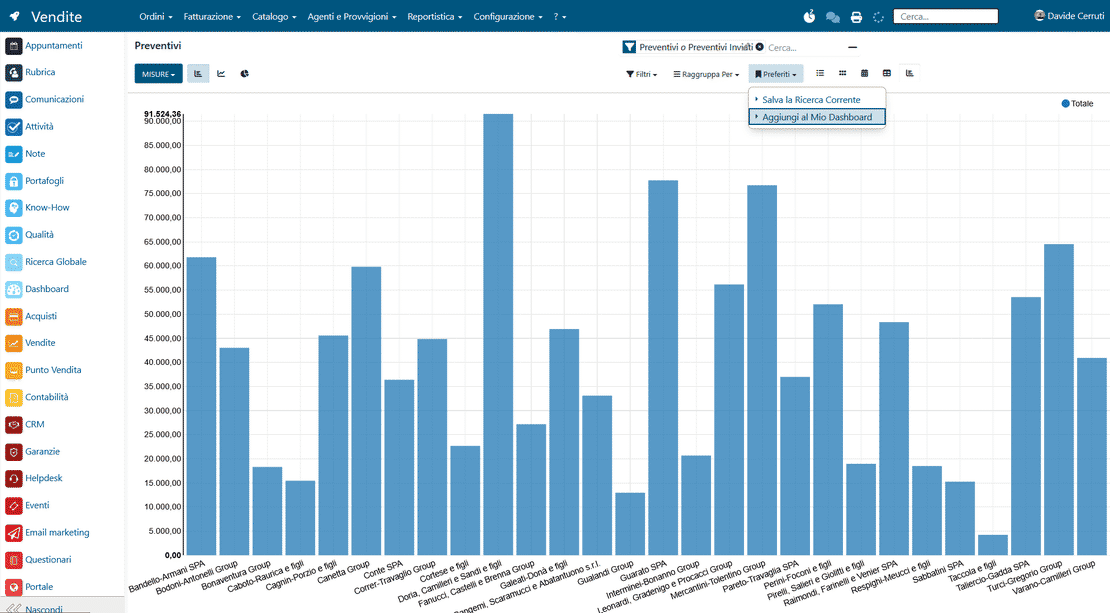
  • Save views and filters from any area of the ERP system
  • Always-updated charts, tables and goal widgets
  • Drag & drop layout, customizable by every user
  • Fast access to your business data
  • Save and share data and images
Fast responses and reliability customers notice right away

Customers notice it when sales, deliveries and support run on data that is always current. Replies arrive faster and promises are kept.

  • Quotes and orders followed through without critical oversights
  • On-time deliveries thanks to always-updated data
  • Faster, better-organized customer support
  • Fewer billing and communication errors
  • Quick decisions when the customer is waiting for a reply

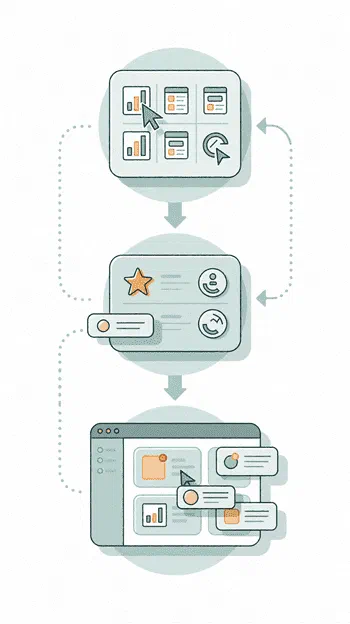
Your dashboard in three steps

Pick the views you use every day, save them with a click and arrange them with a drag, and your whole business sits on one screen.

1. Pick

Select charts, lists and reports in any area of the Zelo ERP system and filter them the way you need.


2. Save

Add the view to Favorites and save it to your custom dashboard with a click, ready to use every day.


3. Watch

Drag the widgets around and create a different layout for each role and process: real-time business control on a single screen.

Zelo ERP Dashboard module: the three steps Pick, Save and Watch

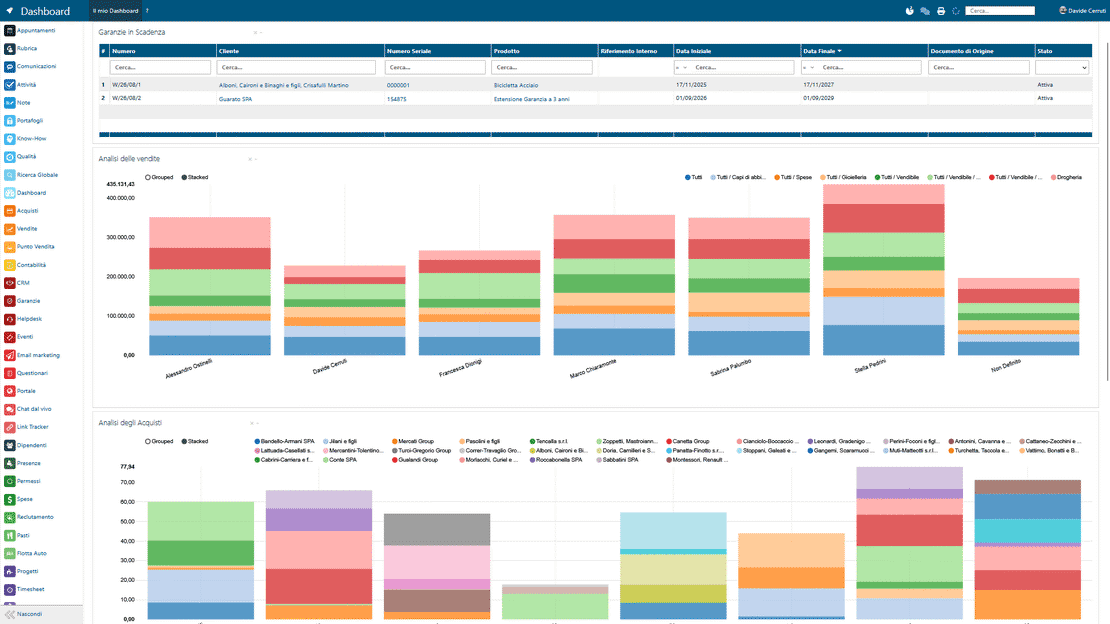
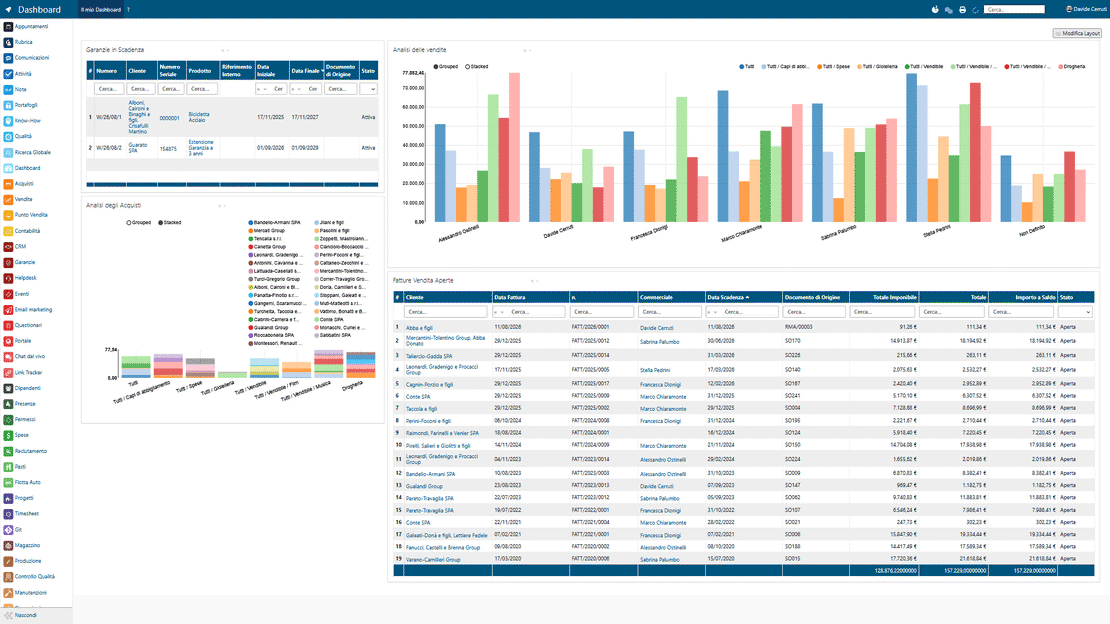
Centralized view of the data

Sales, accounting, inventory, projects and operational activity all share one screen. You read the overall trend at a glance, without going back and forth between modules.

Dashboard in Zelo ERP: sales, accounting and inventory data in a single view
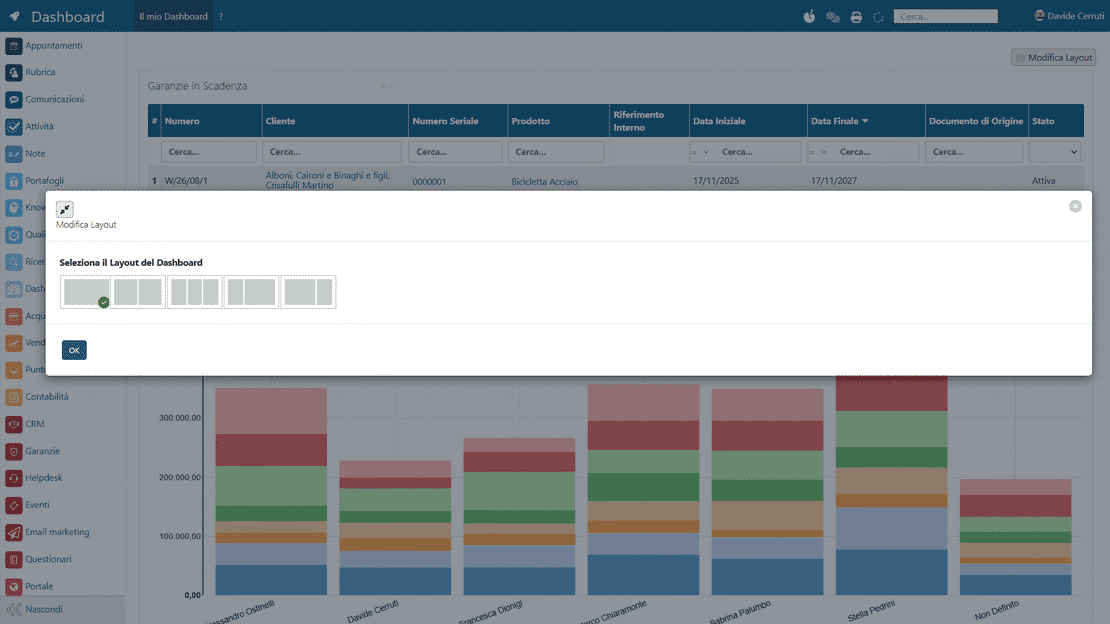
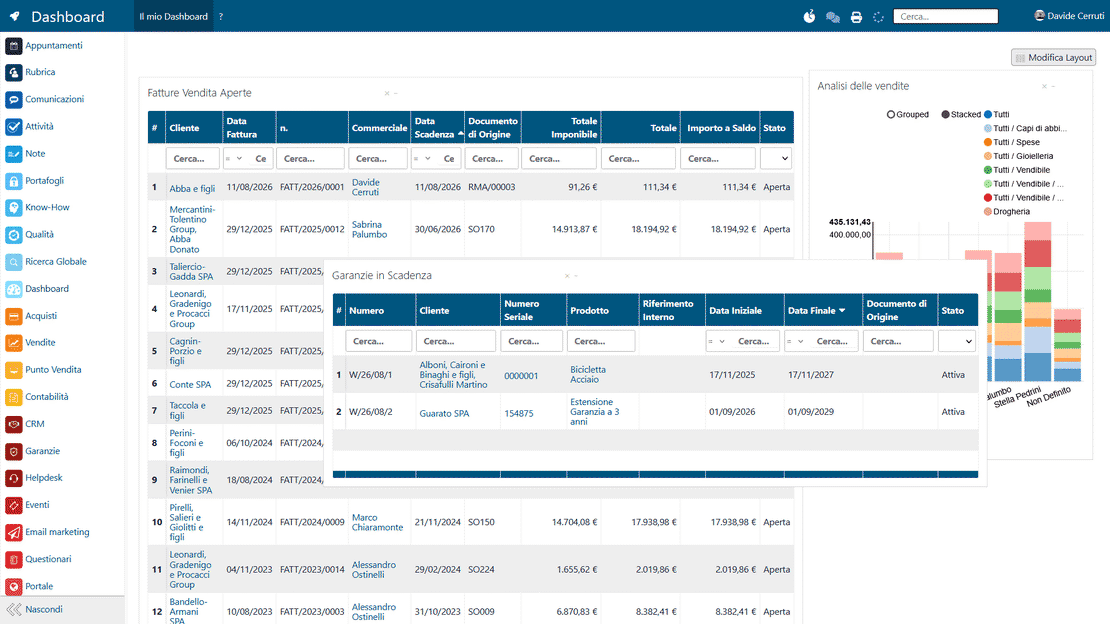
Customizable layout in Zelo ERP: chart widgets and tables rearranged with drag & drop

Fully customizable dashboards

Each user builds their own view around their role and the numbers they check every day. You pick the widgets, arrange them freely and adapt the interface to your work. There are no technical constraints.

Data updated in real time

The dashboard syncs automatically with the integrated ERP modules. Change a document and the connected widgets update at once; there is nothing to refresh by hand.

Real-time data in Zelo ERP: KPIs updated without manual intervention
Integration with the ERP modules in Zelo ERP: saved filters, charts and pivot tables

Integration with all Zelo modules

The dashboard connects natively to CRM, accounting, sales and inventory. The data is consistent and shared across the different business areas, with no duplication or misalignment.

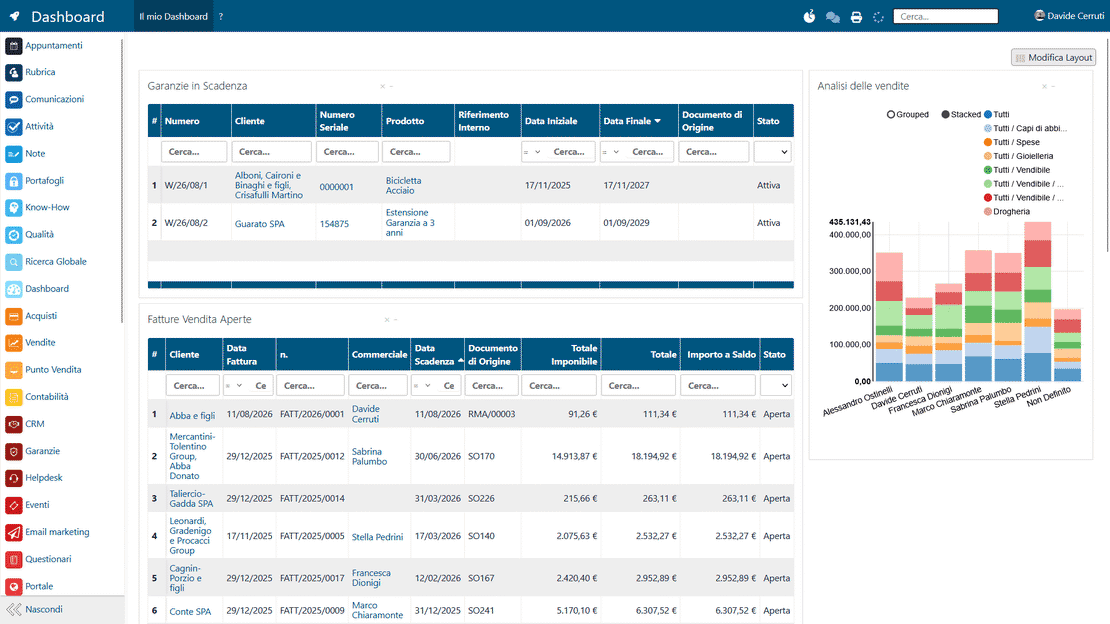
Simple, visual interface

The layout is built on charts, KPIs and summary views, and everything moves with drag & drop. No technical skills needed to organize the content.

Zelo ERP dashboard interface: charts, KPIs and drag & drop widgets
Decision support in Zelo ERP: deadlines, performance and KPI critical issues

Support for operational decisions

Deadlines, performance and critical issues surface through key indicators that are always up to date. Daily checks are quick and decisions arrive on time.

5 questions about the
Custom Dashboards module

Answers to the most frequent questions about features, integrations and costs.

No, it is designed for both. Every user creates their own dashboard by saving the views they use most often: the sales rep checks quotes and opportunities, the accountant tracks invoices and overdue payments, the operative follows production orders and open tickets. The ERP adapts to the real roles in your company.

Yes. The dashboards read the data in Zelo ERP directly: invoices, orders, leads, inventory, projects, hours worked. Update a document or create a new one and the connected widgets show the current state at once. No manual exports, no external Excel sheets: real-time control is already on your main screen.

It is designed for SME users. You go to the area you care about (e.g. Sales, Accounting, CRM), filter and group the data the way you need, then save it to Favorites and add it to your Dashboard with a click. Rearranging widgets is drag & drop. Everything runs through guided steps inside the ERP system, with no code.

Yes. You can think of them as “role dashboards”. The sales rep gets a view focused on deals, quotes and orders; accounting sees invoices, overdue payments and collections status; management reads summary indicators on sales, margins and cash flow. Zelo ERP supports these configurations to help Italian SMEs and small businesses standardize their controls without weighing down daily work.

When you stop hunting for information across various screens, you answer customers quickly and accurately: expected delivery date, status of an order, open invoices, tickets in progress. Custom dashboards keep this data in one view, so response times, errors and misunderstandings all drop. Customers read that as reliability.

Tools integrated with
Custom Dashboard Management

See all the tools integrated in Zelo ERP.
No license cost for installed modules, number of users or enabled workstations

call to action

Make sense of the data you already have

Our Business Analysts will show you your SME’s numbers on one clear screen, always up to date.
Request a free demo