Chat, notifications and company social network in a single ERP

The Communications tool in Zelo ERP puts notifications, chat and discussion channels inside the ERP. Talk to colleagues and partners, share files, and assign followers to any object to track its progress in real time.

Request a free demo
Communications module of Zelo ERP: company chat and notifications

Notifications and chat that keep teams and customers up to date

Instant notifications cut internal delays, and chat replaces a good share of internal email. Customers can follow their orders, quotes and projects live.

What changes for your company

Instant notifications cut delays and chat replaces a good share of internal email. The activity feed keeps everyone current on what colleagues are doing.

  • Real-time notifications, so decisions don’t wait for the next meeting
  • Chat with private and public conversations
  • Followers added automatically, with updates as things change
  • Notifications share the same data as the ERP: no second copy to keep in sync
  • One panel for all company communications
Customers see the status of their work live

Through the internal social network, customers follow their orders, quotes and projects as the status changes. Updates arrive on their own: no one has to chase them by email.

  • Live updates, no waiting on email replies
  • Real-time chat for internal support
  • Every communication kept in history, traceable later
  • Custom notifications, so you only hear about events that concern you
  • Chatter on every record, so the discussion stays with the document

Up and running in three steps

Subscribe to the channels you need, invite the right people, and start working in the same place where the data lives.

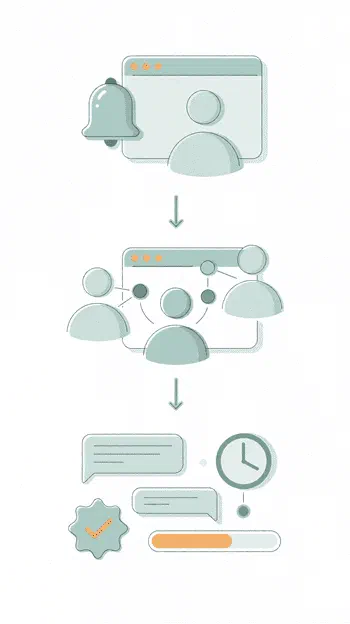
1. Activate

Subscribe to chat channels from the Communications panel and receive notifications coming from Zelo ERP records


2. Connect

Invite colleagues, suppliers or customers to your private or public channels, or just chat with them in real time.


3. Collaborate

Exchange messages, approve requests, follow updates as they happen and check the progress of projects or jobs.

Communications in Zelo ERP: channels, chat and collaboration in one place

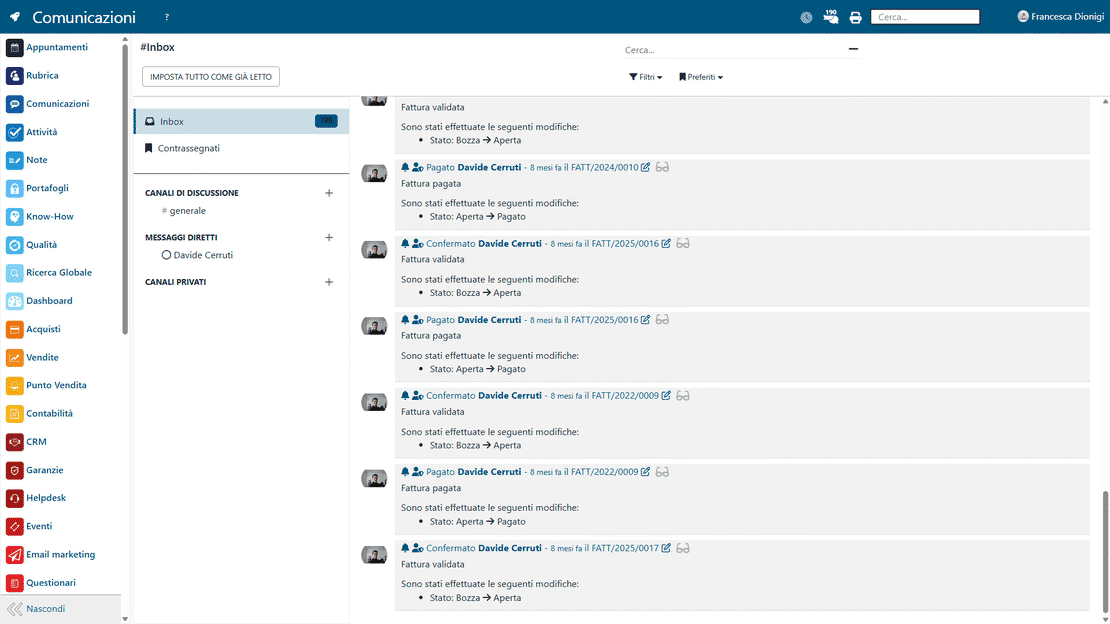
Notifications and Reminders

Zelo sends automatic alerts and custom notifications for upcoming deadlines, document status changes or critical events it detects. Each one reaches the right user in real time, so updates on orders and payments are visible at once. Operations stay under control and the risk of oversights or delays drops.

Notifications in Zelo ERP: alerts and reminders via email and browser
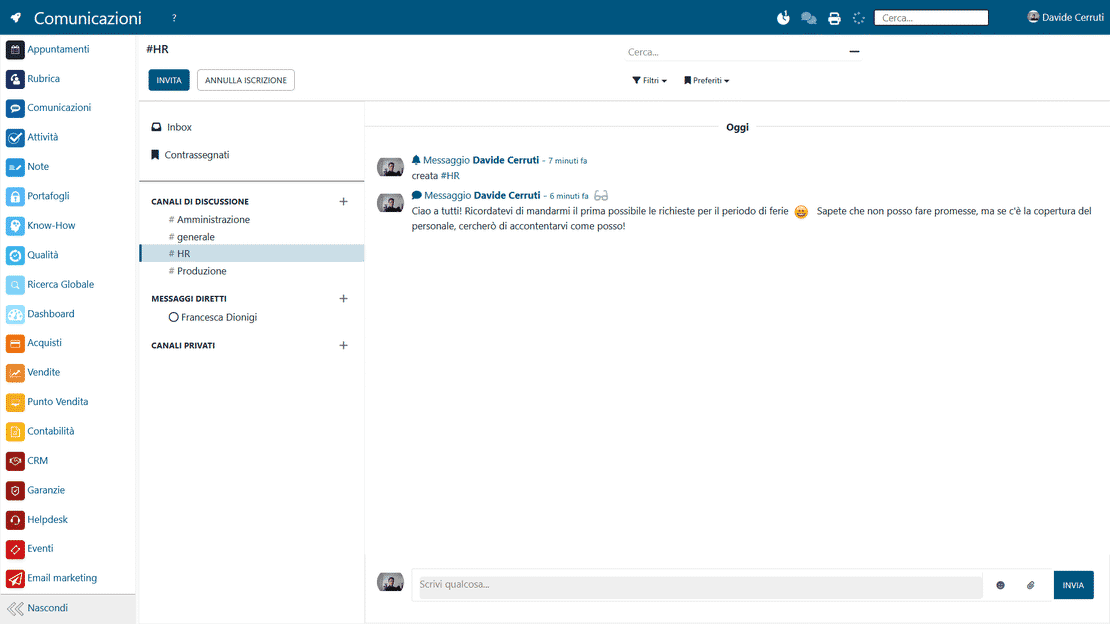
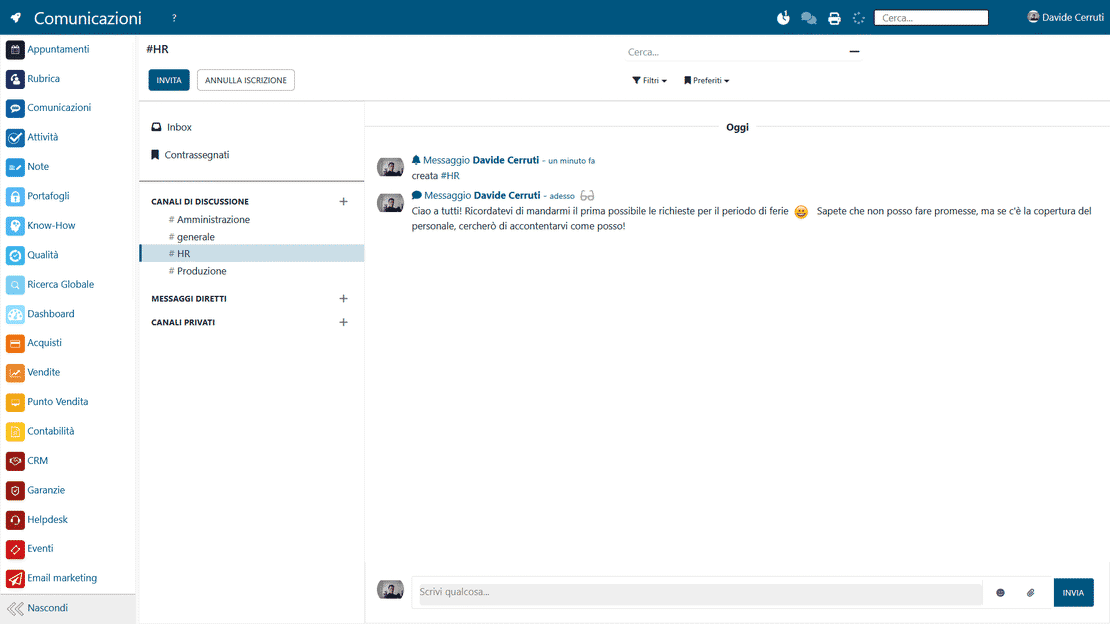
Communications in Zelo ERP: public and private discussion channels

Discussion Channels

Create public or private discussion spaces for a work team, a project or a whole department. Users only see the channels they have been invited to or authorized for. Information moves across offices without the fragmentation you get with separate external messaging apps.

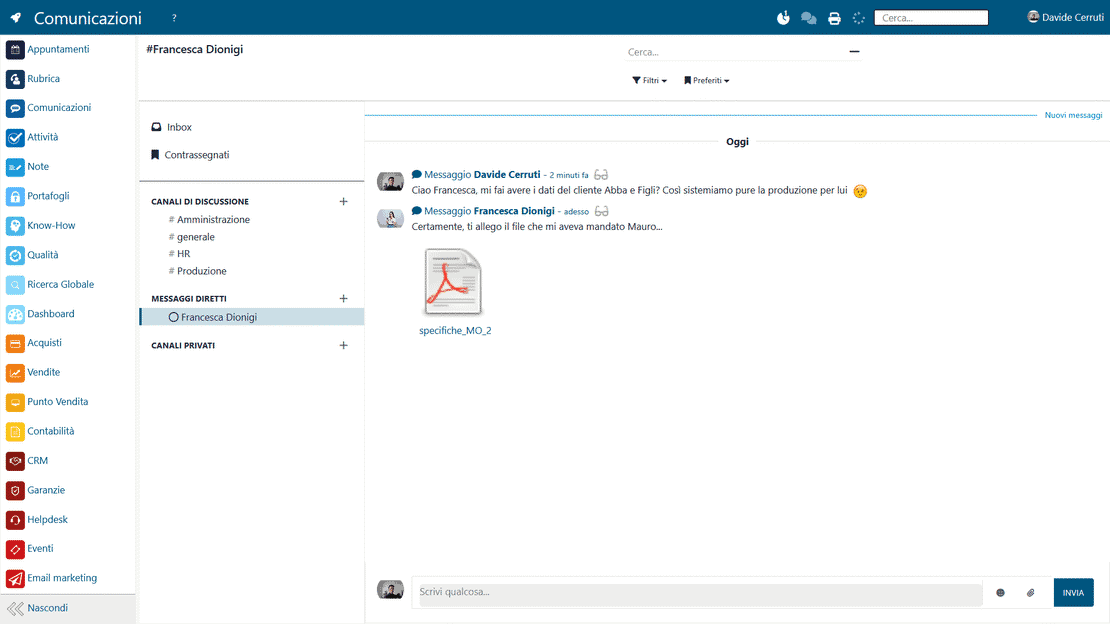
Real-Time Chat

Colleagues exchange information, technical data and files without ever leaving the interface. You can attach business documents and direct links to Zelo ERP forms, and sort out operational questions on the spot. Conversations stay inside the company perimeter, which helps both security and response speed.

Chat in Zelo ERP: real-time internal messaging
Company social network in Zelo ERP: activity feed

Company Social Network

An activity feed shows progress, collects comments and records what each collaborator did. Every update entered in the system produces an activity line that the people involved can read, so the decision-making process becomes visible to the whole organization. The ERP turns into a shared environment where company information stays preserved and reusable.

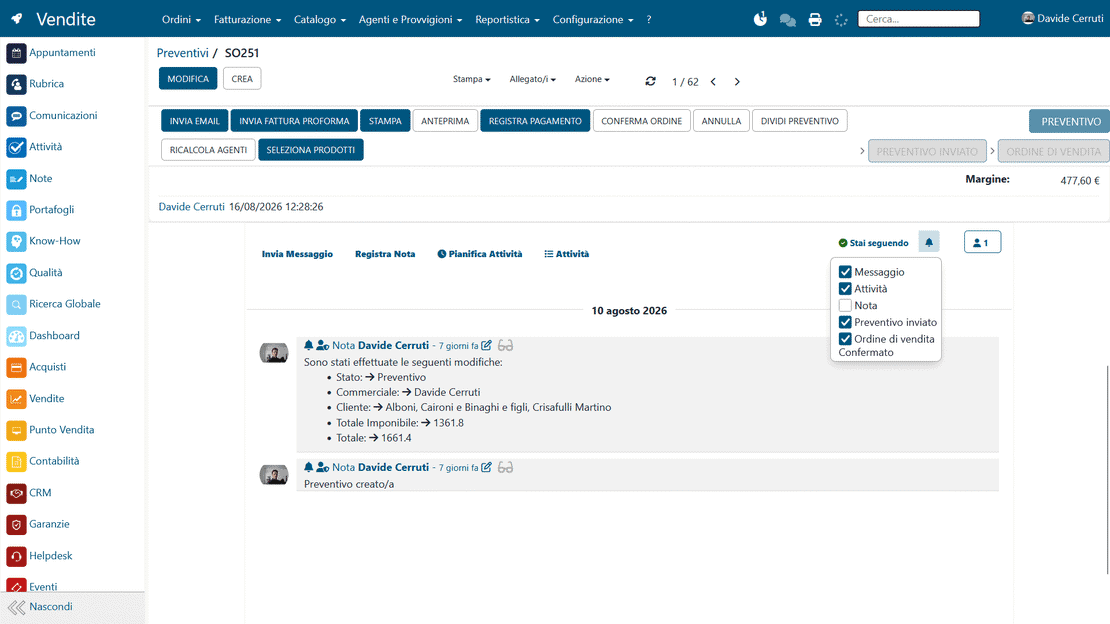
Follower Management

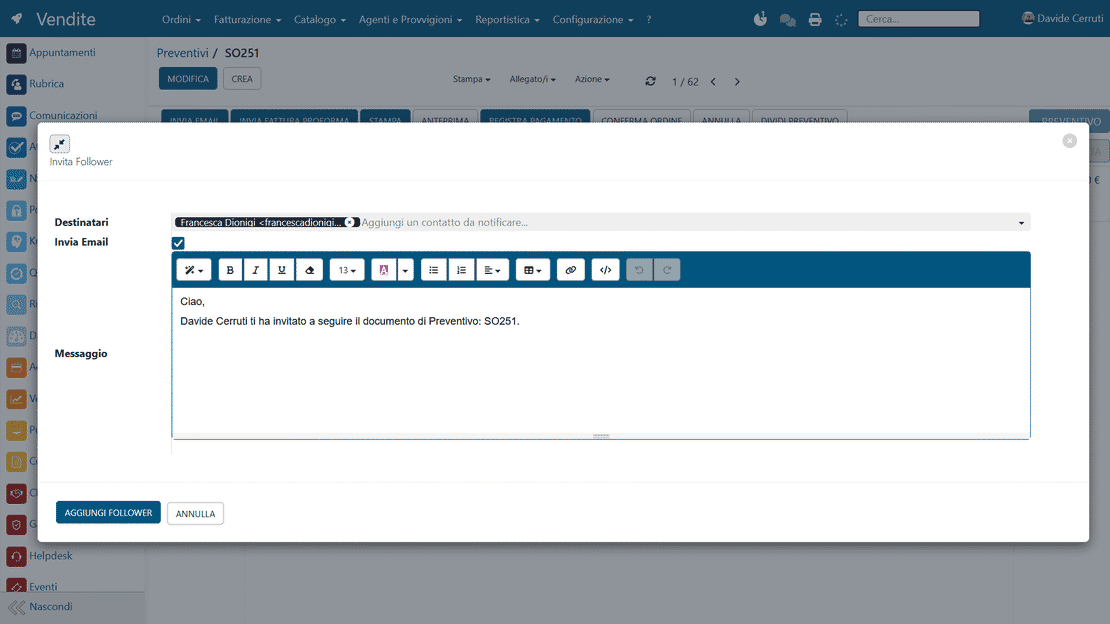
Assign one or more users as followers of objects such as quotes, production orders, bank statements or active sales jobs. For each follower, define which types of notification to receive on that object, so only relevant information gets through. Each area manager gets targeted updates and can supervise the work without drowning in messages.

Followers in Zelo ERP: notifications on followed objects
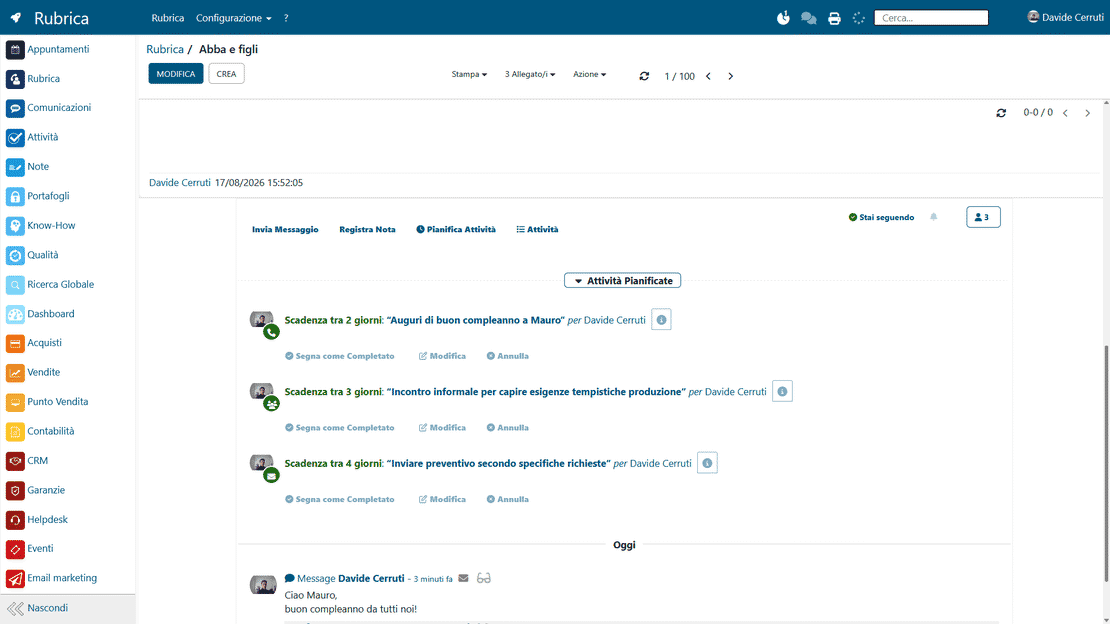
Communications in Zelo ERP: chatter on quotes, orders and projects

ERP Objects Integration

Conversations are linked natively, in both directions, to the sales, purchasing, production, logistics and accounting data in the system. Open a document’s card and you see its whole discussion history: every business operation keeps its own memory. Communications stay attached to the operational context, with all the data you need to decide.

5 questions about the
Communications and Notifications module

Answers to the questions we hear most often, from features to integrations and costs.

Notifications are generated automatically by every event (order, task, approval) and appear at once on the dashboard and in the chat. Nothing critical slips past you.

Yes. Channels can be public or private; invite only the project members and the sensitive data stays private.

Every record (partner, quote, order) has a “Follow” button. Followers get automatic notifications each time the status changes, which is what builds the network of updates.

Messages and notifications travel encrypted with dedicated protocols, and access is controlled by the roles and permissions the ERP administrator defines.

Yes. Chat and notifications connect natively to CRM, Accounting, Inventory, Projects, Purchasing, Sales and every other module, over a single consistent data flow.

Tools integrated with Communications and Notifications Management

All of these tools are part of Zelo ERP.
No license cost for installed modules, number of users or enabled workstations

call to action

Fewer meetings, more notifications that count.

Notifications, chat and the internal social network help you decide faster. Let’s talk about how to bring them to your SME.
Talk to a consultant