Organize online and in-person corporate events with Zelo ERP

The Events module in Zelo ERP follows an event from start to finish: registrations, ticket sales, badges, the talk agenda and the final accounting. Online registrations arrive straight from the website or the customer portal.

Request a free demo
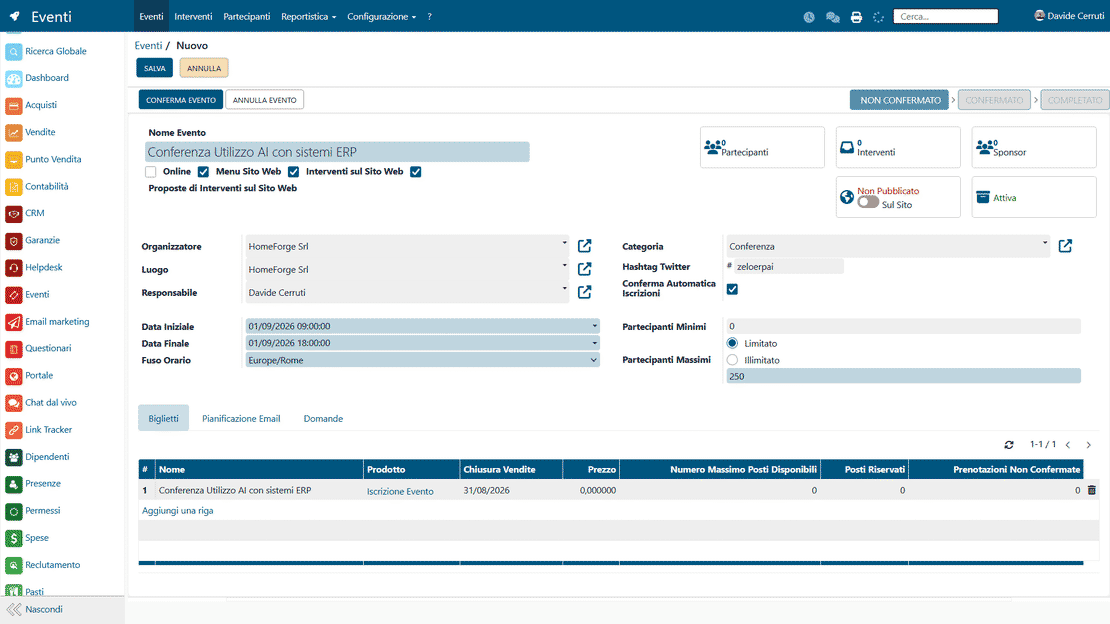
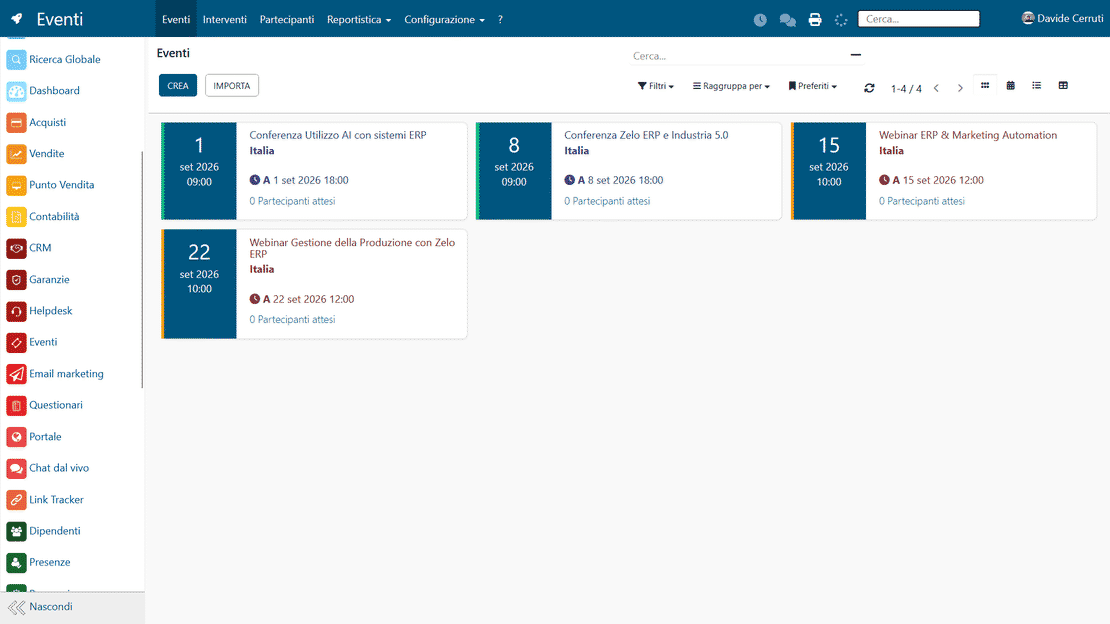
Zelo ERP Event Management module: event configuration

Faster registrations and logistics, participants always informed

Your team runs registrations, attendance and the agenda from a single screen; participants get their confirmations, reminders and badges without anyone writing emails by hand.

Why keep all your event organization in one place?

Without dedicated software, an event turns into a juggling act of emails, files and phone calls. Zelo ERP keeps registrations, attendance, the agenda and communications in one place, which means fewer errors and delays for your team.

  • Event categories with rules and preconfigured email templates.
  • Registrations and ticket sales managed as part of sales.
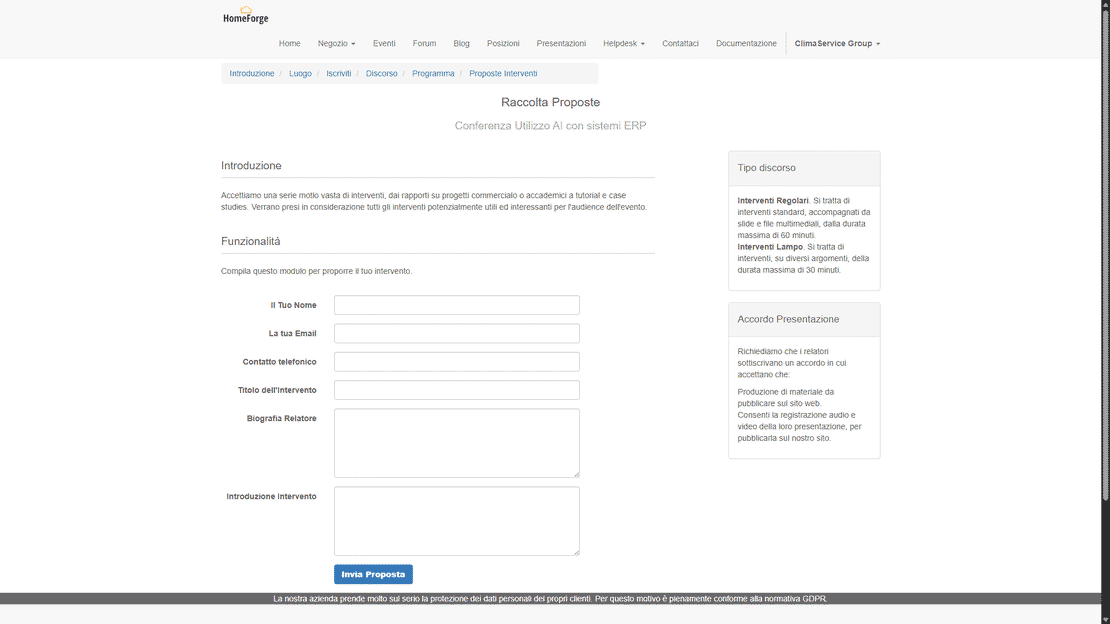
  • One shared agenda for talks, speakers and venues.
  • Automatic emails: confirmations, reminders, badges, thank-yous.
  • Participant list with confirmation, actual attendance and reports.
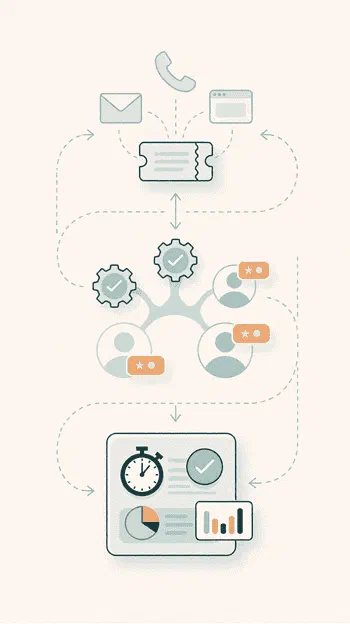
A clear participation path from the first click

Participants register online, receive confirmations and reminders on time, and find their badge and a clear agenda waiting on arrival. People notice when an event is well run.

  • Fast online registration from the website or the portal.
  • Confirmation and reminder emails, always on time.
  • Badges printed and ready at the entrance.
  • A clear talk program, easy to browse online.
  • Post-event surveys, short and quick to fill in.

From setup to analysis in three steps.

Set up the event in a few minutes, promote it with automated communications and ticketing, and measure attendance on data that flows straight into your corporate CRM.

1. Configure

Define all the event data in Zelo ERP: online or in-person, capacity, tickets, agenda, questions for participants and visibility on the customer portal.

2. Promote

Publish the event on the website, collect registrations and manage ticket sales. Confirmation emails, reminders, badges and practical messages to participants go out automatically.

3. Analyze

During and after the event, check actual attendance, survey responses and participant ratings; the links to CRM, sales and sponsors let you measure results and plan the follow-up.

Event management in Zelo ERP: setup, promotion and analysis

Setup and Ticketing

Custom categories, minimum and maximum capacity, several ticket types for online and in-person events. Online bookings arrive in one place and Zelo updates the available spots in real time. Registrations and ticket sales sit on the standard sales and product records.

Event management in Zelo ERP: setup and ticketing
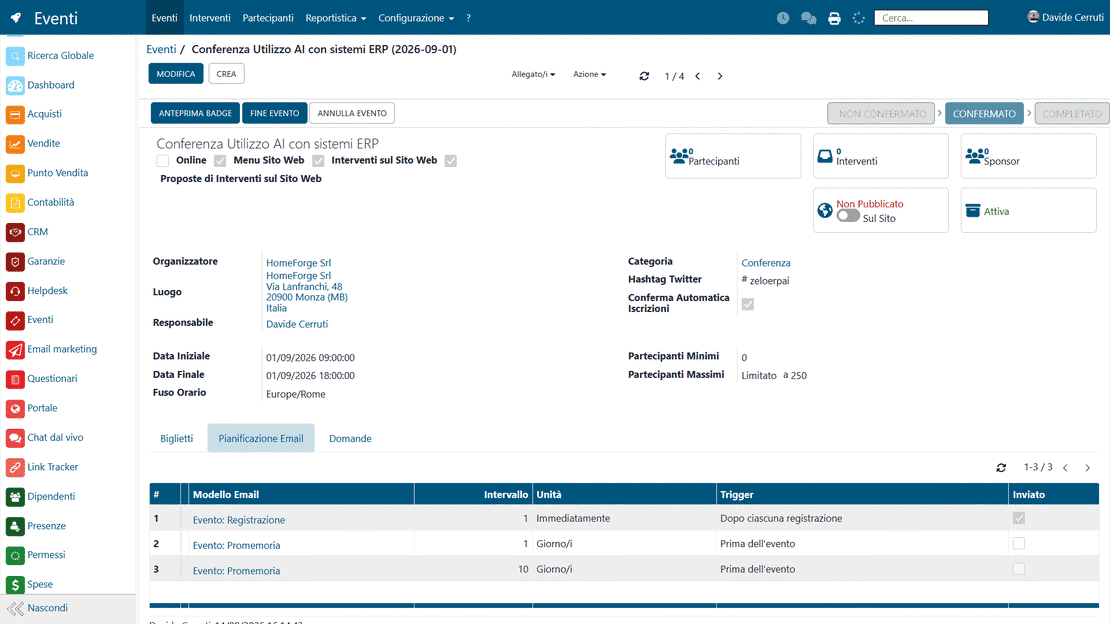
Event management in Zelo ERP: confirmation and reminder emails

Integrated Communication

Zelo schedules confirmation emails, reminders, badges and operational messages automatically. The native CRM connection lets you segment participants, leads and customers, with waiting lists and a full log of every interaction.

Logistics and Materials

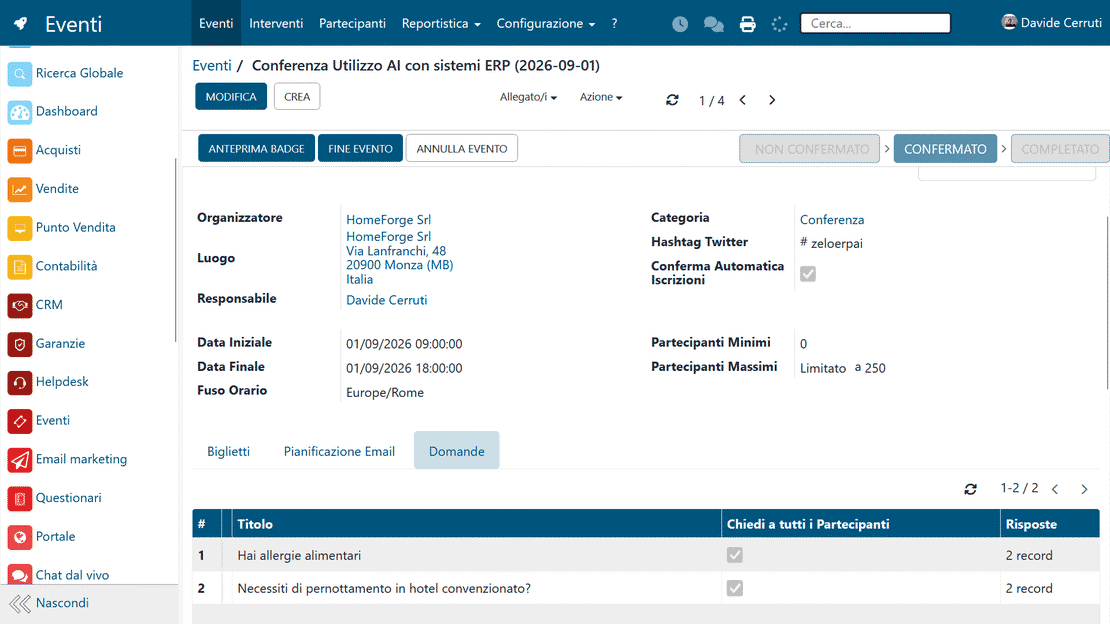
Agenda, talks, speakers and venues live in one shared view. The event program is published on the website or on the customer portal; Zelo produces the identification badges and manages the sponsors linked to the event.

Event management in Zelo ERP: participant questions and logistics
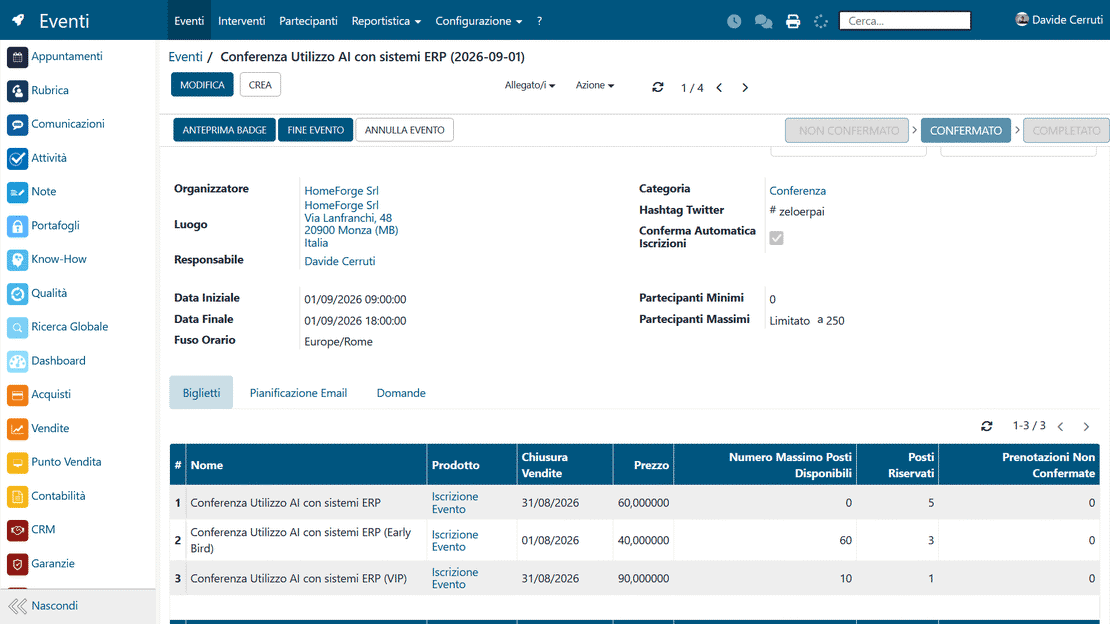
Event management in Zelo ERP: bookings and available spots

Administrative Control

For paid events Zelo generates orders and accounting documents and links them to analytical accounting to track costs, revenues and margins. Tickets and sponsorships stay inside the company’s administrative flows.

Talk Management

Every talk has its own status, time and speaker. Talk proposals arrive directly from the website; attendance and feedback are collected so you can compare results across events.

Event management in Zelo ERP: talk agenda and speakers

5 questions about the
Event Management module

Answers to the questions we hear most often about features, integrations and costs.

Yes. Event management in Zelo ERP is built to be flexible: it works for large events open to customers and partners as well as for small internal ones (workshops, training courses, sales meetings, private product presentations). You decide whether to publish the event on the website, limit the number of spots, make it free or paid, collect bookings only or manage ticket sales. Communication follows the same logic: for an internal event you can send invitations to your team alone; for an external one you can use confirmations, reminders, badges and surveys. One standard process covers every type of event, so you cut organizational complexity and keep a centralized history you can use to compare participation and results over time.

Every event can have one or more ticket types, free or paid. For each ticket you set the linked product, the sales closing date, the price, the maximum number of spots and the overall event capacity. When someone registers from the website or the customer portal, Zelo ERP records the participant, generates the sales order lines if the event is paid, and updates the available spots in real time. For free events you can still collect names and apply capacity limits so the room doesn’t overflow. A few clicks show the list of registrants, confirm attendance, mark actual presence, send badges and targeted messages, without copying data from one system to another.

Yes. Zelo ERP includes a section dedicated to talks. For each talk you define the title, the event it belongs to, the speaker, the date, the time, the duration, the location and tags. Talks move through a customizable kanban board, so you can see at a glance which are in draft, confirmed, published or cancelled. The talk program can be published on the website, where participants can check the schedule at any time. You can also enable a form that lets the public propose talks from the website, handy for conferences or events with a call for papers. Agenda, speakers and submissions stay coordinated in the ERP, with no scattered emails.

Yes. Zelo ERP links event management to email planning and email marketing. For each event you can set up automatic templates (registration confirmation, badge, reminder, thank-you) with their own timings and triggers. From a dedicated smart button you can also write a manual email to everyone registered for a given event, say to announce a schedule change or send the slides. After the event you can segment the participants and use the Email Marketing area for follow-up campaigns, material delivery, more detailed satisfaction surveys or related commercial proposals. Every message stays tracked in Zelo ERP, so you can see what was sent, to whom, and with what results.

Event participants can be linked to existing CRM contacts, leads or customers, or become new qualified contacts themselves. Paid tickets turn into sales orders and, from there, accounting documents. Event sponsors are managed as entities linked to CRM and sales, so you can measure the value and return of each partnership. Email marketing lets you target precise segments of participants in later campaigns. Participation data, feedback and revenue feed the company reports, so you can compare events, measure commercial results and get better at running corporate events over time.

Tools integrated with the
Event Management

See all the tools that come integrated in Zelo ERP.
No license cost for installed modules, for number of users or for enabled workstations

call to action

Registrations under control, from the first invitation to the final report.

Request a personalized demo and see Zelo ERP in action.
Request your free demo