From receipt photo to accounting entry, without the paperwork

Employees upload receipts by photo or email and managers approve them in a few clicks. Every approved expense generates its accounting entries and is linked to projects and cost centers, without manual errors.

Request a free demo
Zelo ERP's Expense Reimbursement module: expense report with receipt photo and approval

Digital expense reports: more time for customers

When reimbursements are handled digitally, the bureaucracy shrinks: costs stay under control and your team has more time for customers.

Fewer errors and more control
over expense reimbursements

Paper slips and scattered files lead to errors and give no visibility on costs. Zelo ERP is a single software for company expense reimbursement that digitizes the whole process, from receipt photo to accounting entry.

  • Automatic expense creation from emails with an attached receipt
  • Reimbursement requests composed of multiple entries
  • Approval workflow with mandatory reasons
  • Automatic accounting entries on dedicated expense accounts
  • Linking reimbursements to projects and analytic accounts
More time for customers,
less for bureaucracy

When reimbursements are fast and transparent, your team spends less time on internal bureaucracy and more time with customers.

  • Faster response times on quotes and visits
  • Salespeople focused on customer needs
  • More controlled budget for representation activities
  • Better planned, less improvised business trips
  • Less stressed team, more attentive relationships

From receipt photo to accounting

Three guided steps take each expense from receipt capture to the accounting entry, without paper slips or manual data entry.

1. Capture

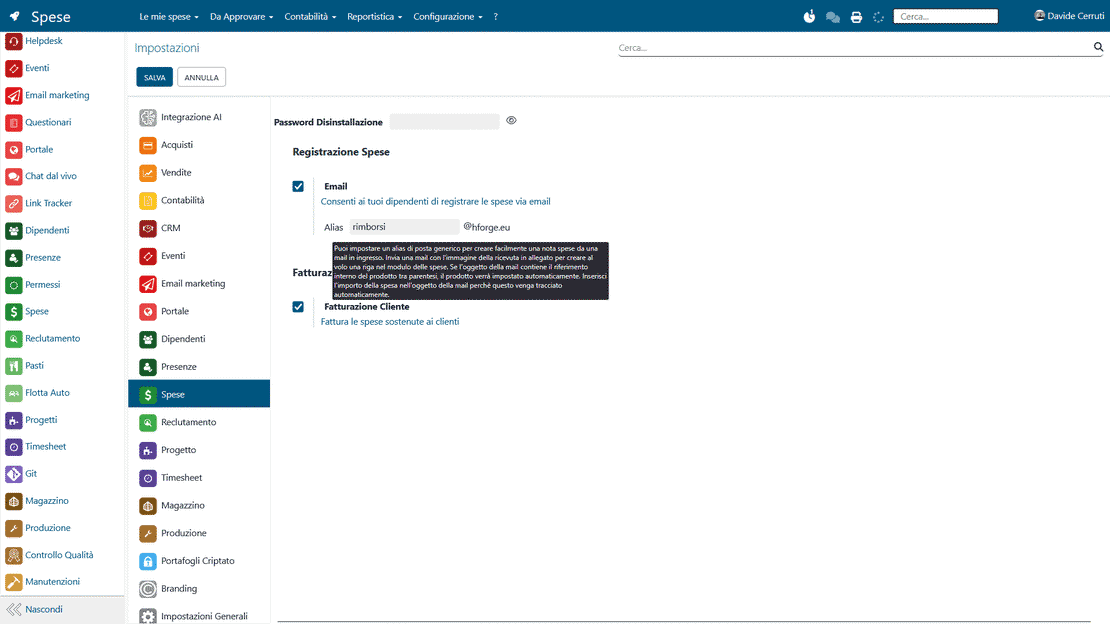
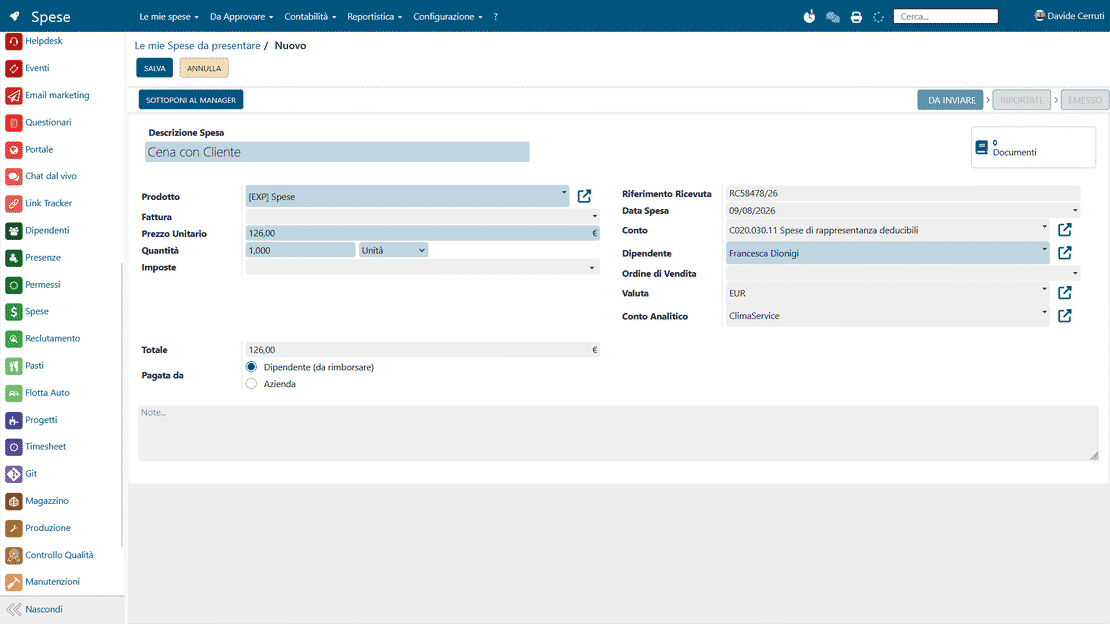
The employee photographs the receipt and emails it to the dedicated address: Zelo ERP creates the expense automatically, with the amount and the expense product already filled in.

2. Group

Periodically, the employee selects the expenses incurred and generates a single expense reimbursement request, ready to be sent to the manager according to company rules.

3. Approve

The manager reviews each expense report and approves or rejects it with a reason, while Zelo ERP generates the accounting entries and updates analytic accounts and cost reports.

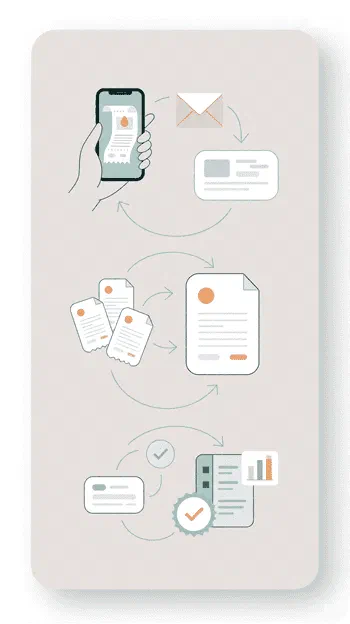
Workflow of the Zelo ERP Expense Reimbursement module: receipt capture, grouping, and approval

Automatic capture

An expense report is created immediately from a photo sent by email or uploaded from the interface. The algorithm extracts the essential data from the receipt, such as the amount and date, so the employee has less to type. The document is stored digitally, which prevents paper originals from getting lost during business trips.

Automatic capture in Zelo ERP: reimbursement request generated from an email with an attached receipt
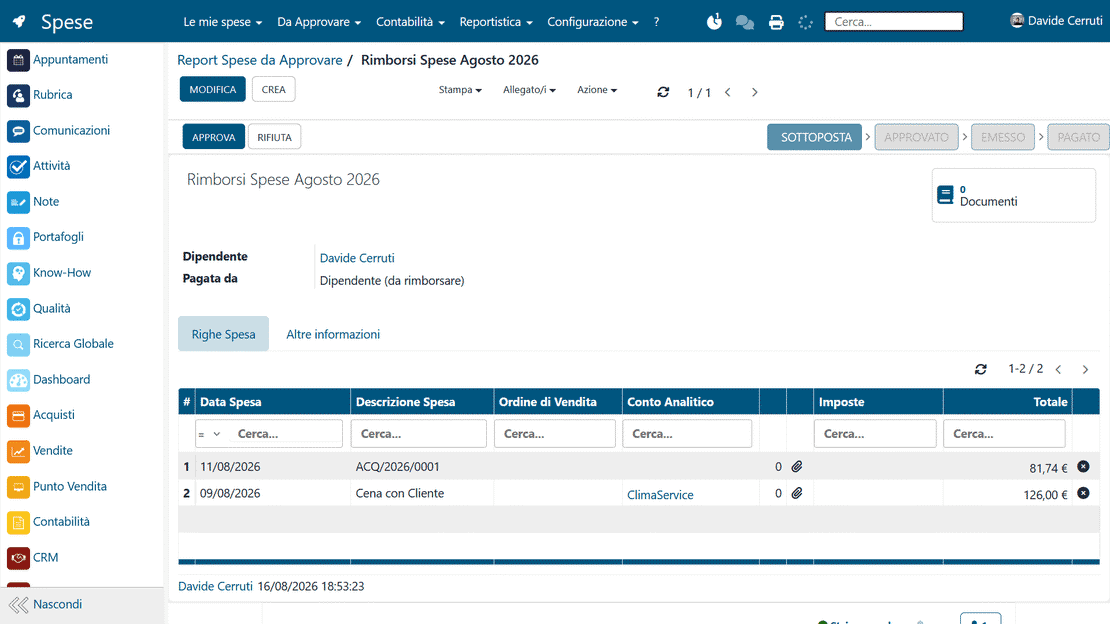
Approval workflow in Zelo ERP: manager approves or rejects reimbursement requests with a reason

Approval workflow

Managers validate or reject reports in one place, and every operation is tracked. A rejection requires a specific reason, which the employee receives immediately so they can correct the request. The predefined hierarchical flow keeps the status of every request under control.

Automatic accounting

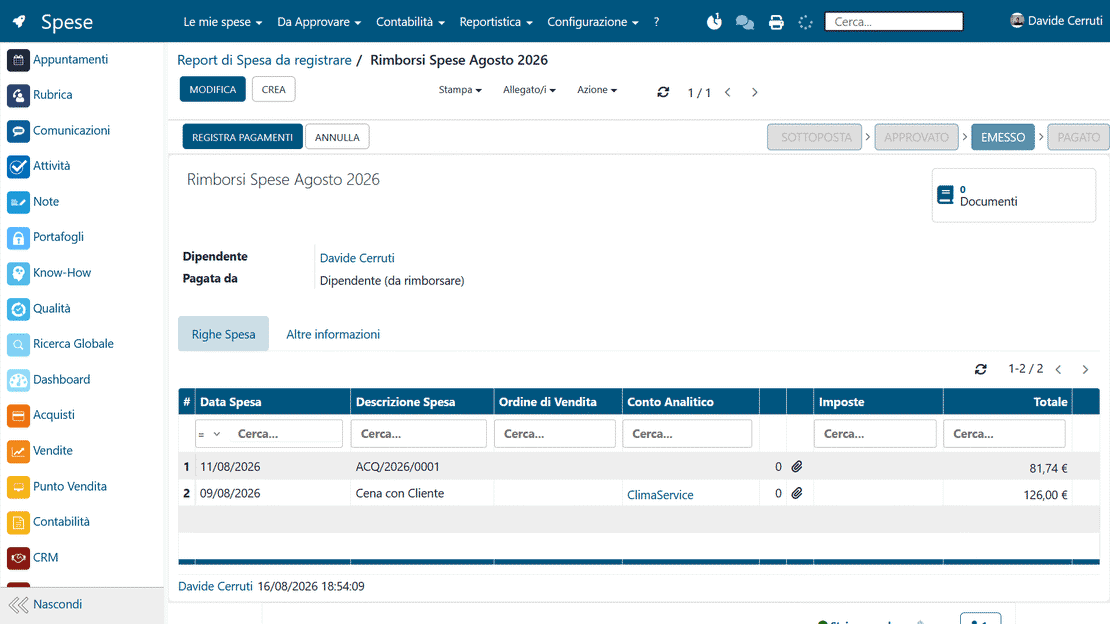
When the accounting department validates the reports, Zelo ERP generates the corresponding journal entries and prepares the payment orders. HR and accounting no longer type the same data twice, and transcription errors become rare. The process ends with financial reconciliation: every outgoing payment is documented and recorded.

Automatic accounting in Zelo ERP: accounting entries generated from expense reimbursement
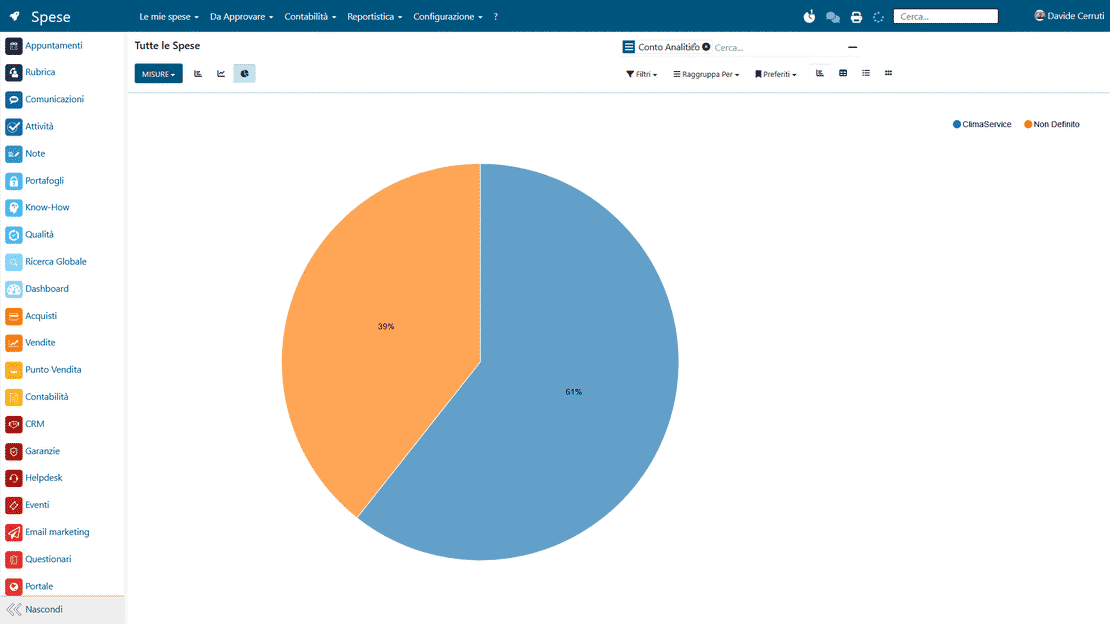
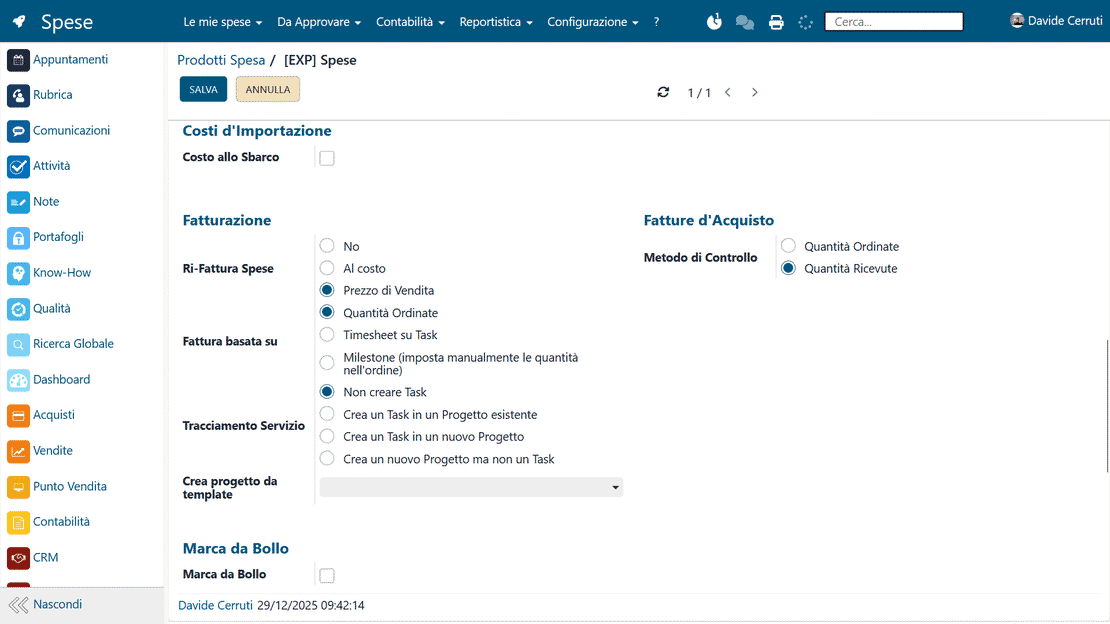
Cost analysis in Zelo ERP: expenses by employee, analytic account, period, and product

Cost Analysis

Every expense item is linked to specific projects, contracts, or cost centers, so budgets can be monitored analytically. Reporting is detailed and in real time: management can see the impact of travel expenses on the margins of each activity. Financial planning and management control rest on accurate, up-to-date data.

Native integration

Reimbursement data is shared natively with HR and fleet management, giving an overall view of costs. Fuel and vehicle maintenance costs are linked directly to the employee’s profile and the active rental contracts. On this basis Zelo also calculates mileage allowances and expected fringe benefits automatically.

Native integration in Zelo ERP: expense reimbursements linked to accounting, purchasing, sales, and fleet

5 questions about the
Expense Reimbursement Management module

Answers to the most frequent questions about features, integrations, and costs.

In Excel each expense report means manual entries, attachments scattered across emails, and no way to trace who approved what. Zelo ERP gives you a structured flow: the employee enters the expense in a form or sends a simple email with the receipt photo, and the system creates the entry linked to the employee and the correct expense product. Reimbursement requests are built by selecting several items and sent to the manager, who approves or rejects them with a reason. All data stays centralized and filterable by period, employee, analytic account, and project, so the work of administration and management control gets simpler.

Yes. One of the strengths of Zelo ERP, compared to a simple employee expense reimbursement app, is the complete integration with accounting and management control. Every expense can be linked to an analytic account, a project, or a sales order, so you know precisely how much you are spending on a contract, for a customer, or for a business area. The accounting entries generated when the reimbursement is recorded keep these links, so the analyses on margins, commercial costs, and travel stay accurate.

The manager can approve or reject either the whole reimbursement report or a single item. When a single expense is rejected, the system opens a window where the reason is mandatory, so the employee immediately sees what is wrong (the amount, a missing receipt, a company policy). Rejecting an item can lead to the rejection of the entire report, which the employee can then correct and resubmit. Every step is traceable and follows the internal rules, with no room for disputes over what happened.

Once the reimbursement request is approved, Zelo ERP moves it to the list of requests to be recorded. From there, a click on “Publish accounting entries” generates the entries on the cost accounts and, if configured, on the correct subsidiary ledger (e.g. purchase invoice for expense reimbursements). When the reimbursement is paid to the employee, the related payment is recorded and the administrative cycle is closed. Manual errors, duplicate entries, and misalignments between the accounting office and the treasury are reduced accordingly.

For an Italian SME or micro-enterprise, the benefits are mostly practical. No more time lost chasing receipts, signature sheets, and outdated files: digital management of receipts and reimbursements makes everything faster. Costs are under control, because you can analyze how much you spend on travel, representation, or specific customers. The process is clear to both employees and managers, which cuts disputes and misunderstandings. And since Zelo ERP integrates with its other modules, you get a single view of sales, projects, HR, and accounting, with no disconnected solutions.

Tools integrated with the
Expense Reimbursement Management

All the tools integrated in Zelo ERP.
No license cost per installed module, per number of users, or per enabled workstation

call to action

From receipt to accounting entry, without the paperwork.

Talk to our Business Analysts and see how to automate expense reports, approvals, and accounting entries.
Request a free demo