Support tickets, prepaid hours and billing in a single management system

The billing and support tool keeps technical support tickets, administrative processes and prepaid hour packages together. Communications with customers stay in one place and intervention times go into timesheets: you know how many hours you worked, for whom, and how many are left to bill.

Request a free demo
Zelo ERP Helpdesk module: support tickets, timesheets and customer prepaid hours

Quick answers for customers,
hours and costs under control for you

Every ticket records who answered, how long it took and how many hours it used: the customer sees the status of the request, you see what to bill and how many prepaid hours are left.

Tickets, prepaid hours and priorities in a single helpdesk

Without structured helpdesk software, support requests get lost among emails, phone calls and Excel sheets. The helpdesk in Zelo ERP keeps tickets, prepaid hours and priorities in one place: fewer disputes, fewer delays, less unbilled work.

  • Automatic ticket routing to support teams.
  • Customer portal for requests and support history.
  • Prepaid hours management with remaining hours calculation.
  • Mandatory timesheets for ticket closure and reports.
  • Automatic email notifications at every status change.
The customer sees ticket status without calling

With the helpdesk in Zelo ERP, customers see ticket status at any time, know how many hours their prepaid packages have consumed and every answer stays on record. Whoever has already explained the problem once doesn’t repeat it over the phone.

  • Always-available portal to open tickets quickly.
  • Real-time status updates on every request.
  • Complete history of messages, attachments and solutions.
  • Clear reports with consumed and remaining hours.
  • Service rating for immediate feedback.

Support and assistance in three steps.

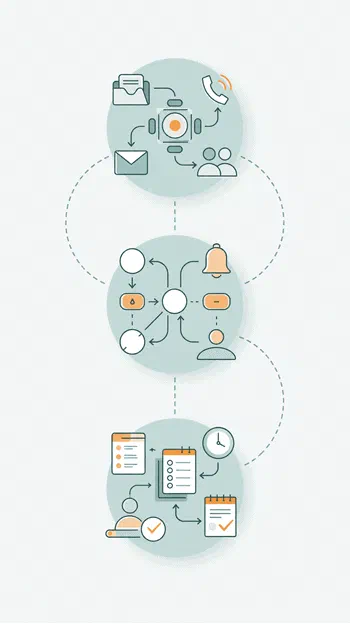
From automatic receipt of the request to assignment and time reporting: every ticket leaves a complete trail.

1. Collect

Collect all support requests from the customer portal, by email or phone: each report becomes a tracked ticket in the helpdesk right away.

2. Assign

Based on area, ticket type and priority, Zelo ERP assigns the ticket to the right support team and notifies the customer and the operators in real time.

3. Monitor

Operators work the ticket, log time in the timesheet, update the status: the system updates prepaid hours, history and reports, so support stays under control from opening to closure.

Helpdesk in Zelo ERP: request collection, team assignment, prepaid hours and report control

Ticket centralization

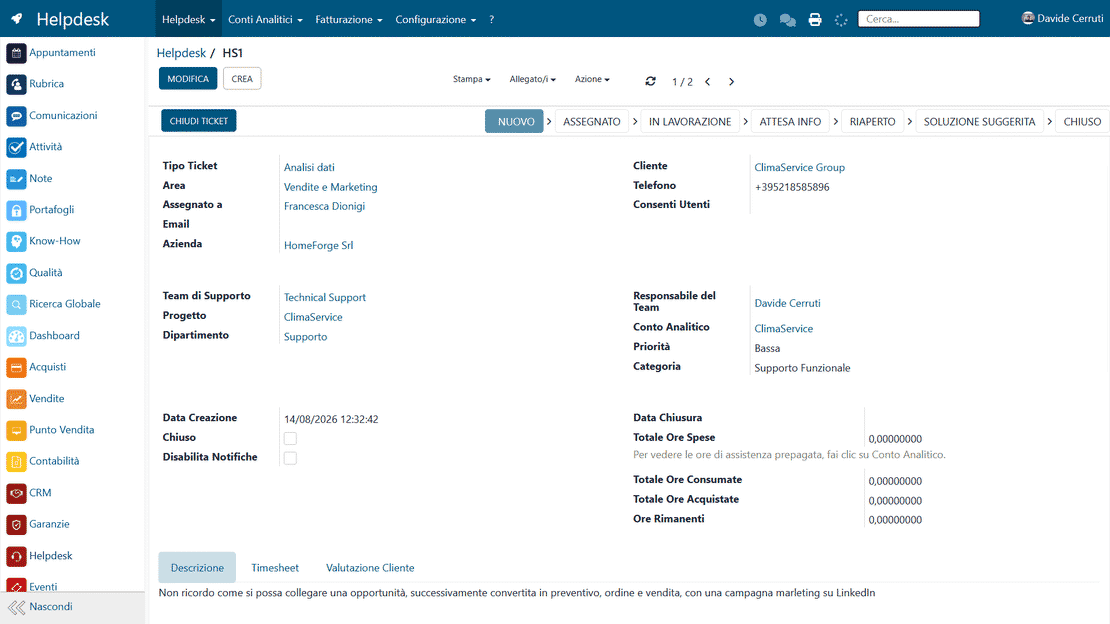
All support requests arriving by email, phone or portal end up in one environment, linked to the CRM master data and project management. Every report stays tracked from opening to closure, and support teams always work with up-to-date customer data.

Ticket centralization in Zelo ERP: requests from email, phone and portal in a single queue
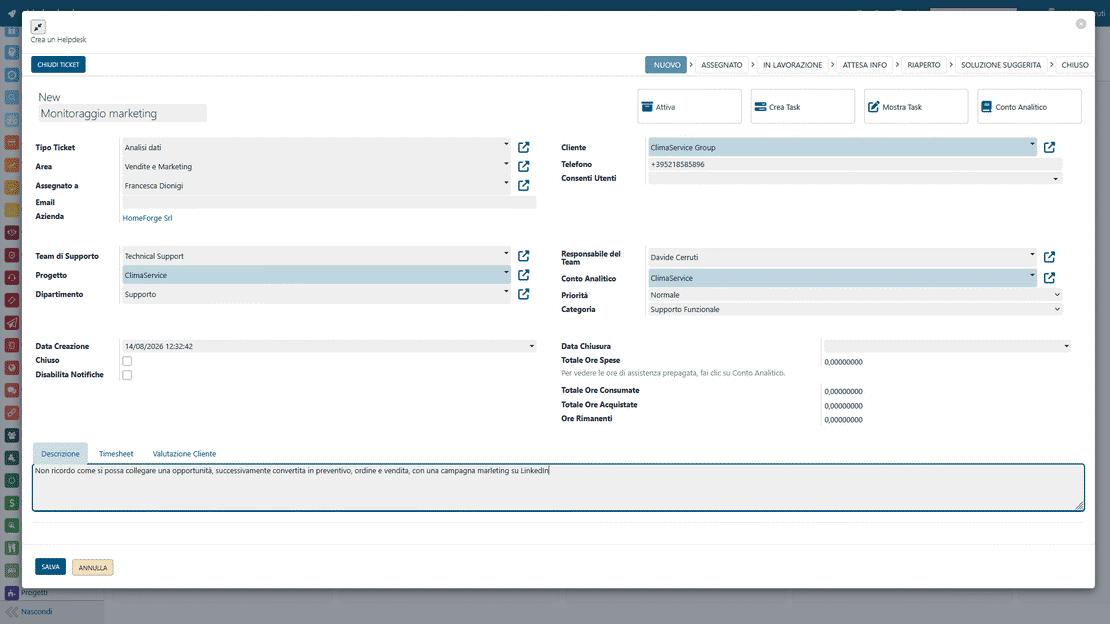
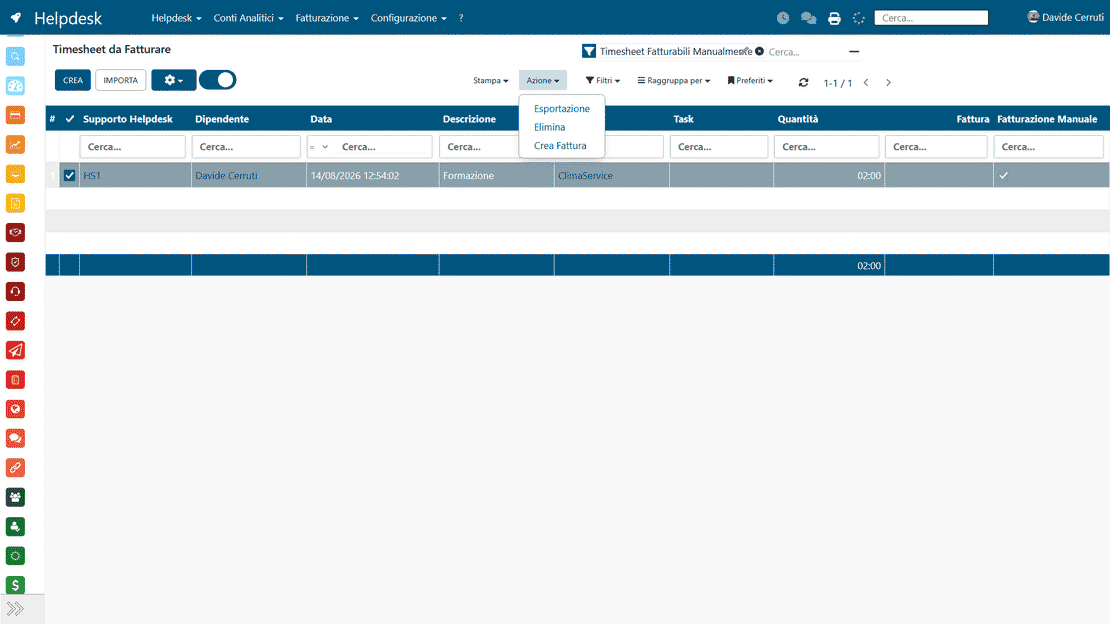
Prepaid hours monitoring in Zelo ERP: reports on consumed and remaining hours per customer

Prepaid hours monitoring

Operators log the time spent directly on the ticket sheet: Zelo deducts the hours from the customer’s prepaid packages and calculates the remaining balance in real time. The report you see is the same one the customer can receive: no more arguments about how many hours were spent.

Customer self-service portal

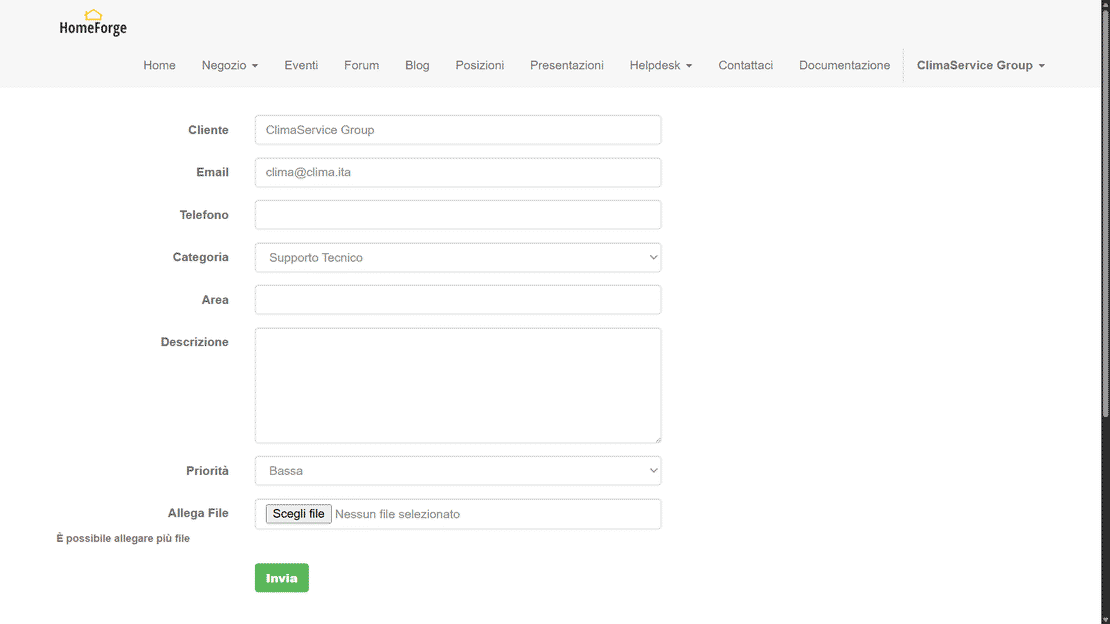
Users get a private area to open reports, upload attachments and browse the complete history of interventions over time. Authorized contacts can follow the progress of their tickets without calling the company for updates. Seeing the response history and the solutions adopted makes the customer trust the service more and cuts most of the front-office workload.

Customer self-service portal in Zelo ERP: opening tickets and intervention history independently
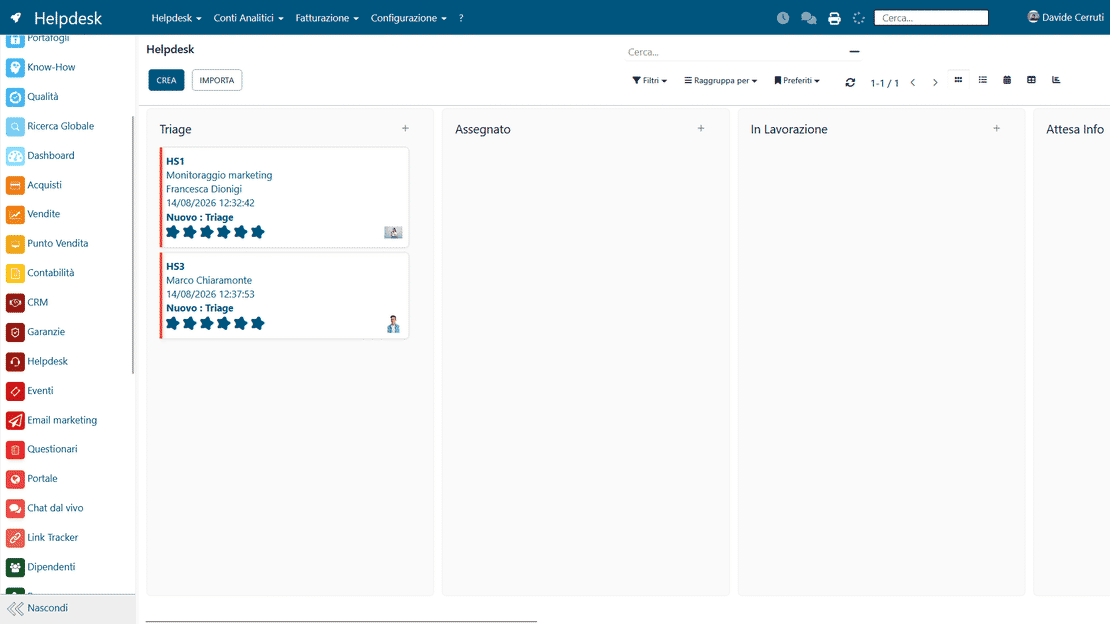
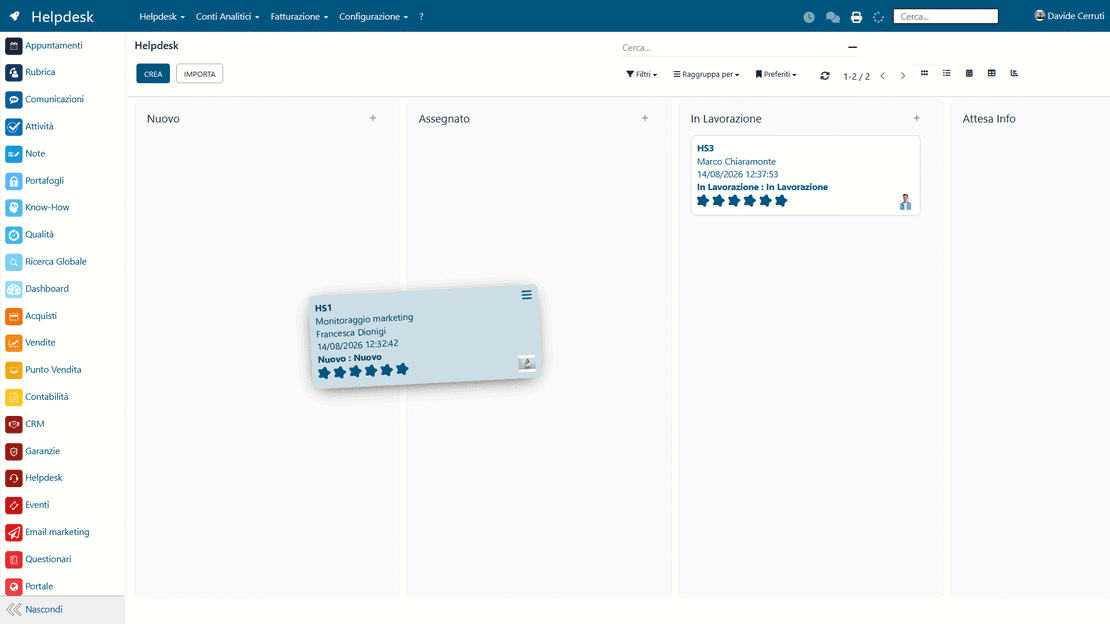
Ticket pipeline in Zelo ERP: configurable teams, ticket types, intervention areas and priorities

Workflow automation

Tickets follow predefined rules to the right department and appear on graphical interfaces that show progress statuses and priorities. Zelo ERP assigns each request to the team specialized in the subject and emails everyone at every status change. In the Kanban view, managers see workloads at a glance and can step in on issues or tickets left pending.

Accounting integration

Every support activity is linked to accounting: you check billing, costs incurred and the deadlines of active support contracts. Helpdesk data feeds company reports: you know how much each customer is worth and how much each support team costs, with numbers instead of impressions.

Helpdesk integration in Zelo ERP: billing, analytical accounting and customer master data linked to tickets

5 questions about the
Helpdesk Management module

Answers to the most frequent questions about features, integrations and costs.

Yes. The helpdesk is built for micro, small and medium businesses that today handle support in a fragmented way, between emails, Excel sheets and phone calls. You can start with a few users and a single support team, configuring only the areas, stages and ticket types you need. As you grow you add support teams, more detailed stages, dedicated projects for your most important customers and prepaid hour packages. Since the helpdesk is part of the ERP management software, you never re-enter customers, products, contracts or invoices twice. Even a micro business ends up with structured support ticket management, with data ready for analysis, cost control and punctual billing.

For each customer you create a support project and the linked contract, where you define how many support hours you sell and at what price. When your operators work a ticket, they log the time in the Timesheet tab and say whether the hours fall inside the prepaid package. Zelo ERP updates the consumed and remaining hours automatically, both in internal summaries and in the printable helpdesk reports for the customer. You can also handle recurring invoices or after-the-fact billing, with products specific to the helpdesk. Manual tallies disappear and support becomes a measurable service inside company accounting, with fewer disputes over hours.

Yes. The helpdesk in Zelo ERP includes a customer portal where authorized users open new requests, attach documents and check the status of tickets at any time. They see whether a request is new, in progress, awaiting information or closed, and they read the complete history of messages, internal notes and applied solutions. Every status change can trigger an automatic email, so the customer doesn’t have to call to ask “where are we”. If you use prepaid hour packages, the summary report can also show the total hours spent and remaining: full transparency, on both sides.

Yes. The helpdesk is natively linked to CRM, Projects, Accounting, Warranties and Events. A ticket can generate or link to a project task, a product warranty, a support contract or a sales opportunity. The hours logged in the timesheets are used both to monitor prepaid hour packages and to create punctual invoices. What you learn about customers and their recurring problems can feed product improvement, email marketing campaigns, training or dedicated events. The helpdesk then also contributes to keeping those customers.

The setup is guided and gradual. First we configure the essentials together: support areas, ticket stages, support teams and the main support projects. Then we build one or more ticket templates, define the basic routing rules and activate the customer portal for authorized users. You can start with simple ticket management and later add support contracts with prepaid hours, advanced reports, custom notifications and integrations with other Zelo ERP modules. The interface is in Italian and designed for SMBs, so the team adopts the new tool quickly and old habits based on emails and spreadsheets fade out over time.

Tools integrated with the
Helpdesk Management

All the tools integrated in Zelo ERP are included.
No licensing cost for installed modules, number of users or enabled workstations

call to action

Tickets, hours and invoices: support inside the management software

Book a free demo and watch your company’s support flows running on real data.
Request a free demo