Employee records, leave and org chart in one place

The HR module in Zelo ERP keeps employee records, attendance and leave in one place. Staff data feeds accounting, projects and timesheets, with no double entry.

Request a free demo
Zelo ERP's HR module: employee records, leave and the staff org chart

Organized staff records, better customer care

When records, leave and access rights live in one place, errors and paperwork shrink. Teams work from the same data and customers get a reliable service.

Less HR chaos, more control over your workforce

Employee management does away with separate files and conflicting details. Contacts, private data and HR settings sit in one place, so you make fewer mistakes and always know where you stand on leave and badges.

  • Work and private data kept separate
  • Employee and user linked instantly
  • Remaining leave always visible
  • ID/PIN badges for access
  • Clear hierarchy and departments

Organized HR data, faster answers for customers

When internal data is in order, staff answer faster. Customers hear back on time, and service continues even when someone is away. Good HR software ends up improving the customer experience too.

  • Faster and more consistent responses
  • Fewer errors in contacts
  • Service continues during absences
  • Clearer internal responsibilities
  • A service that feels more professional

The HR process in three steps

From creating a profile to managing leave and hierarchy: three guided steps to build a staff archive you can rely on.

1. Create

Enter the employee profile with work contacts, department, role and schedule. Fill in only the required fields and save.

Associate the employee with the linked user so that access, responsibilities and operations line up. Set up the ID/PIN badge and registration rules.

3. Govern

Manage private data with proper permissions, check remaining leave and keep the hierarchy clear in the company org chart.

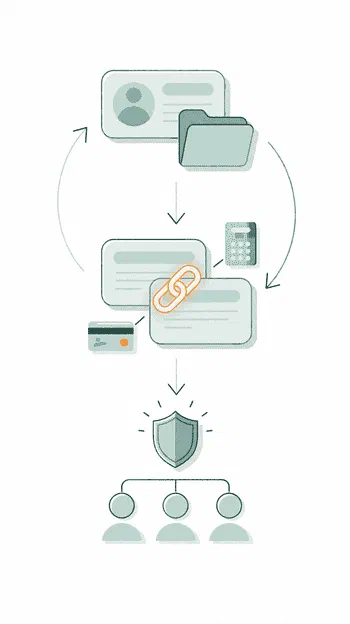
Zelo ERP HR module workflow: employee creation, user linking and leave management

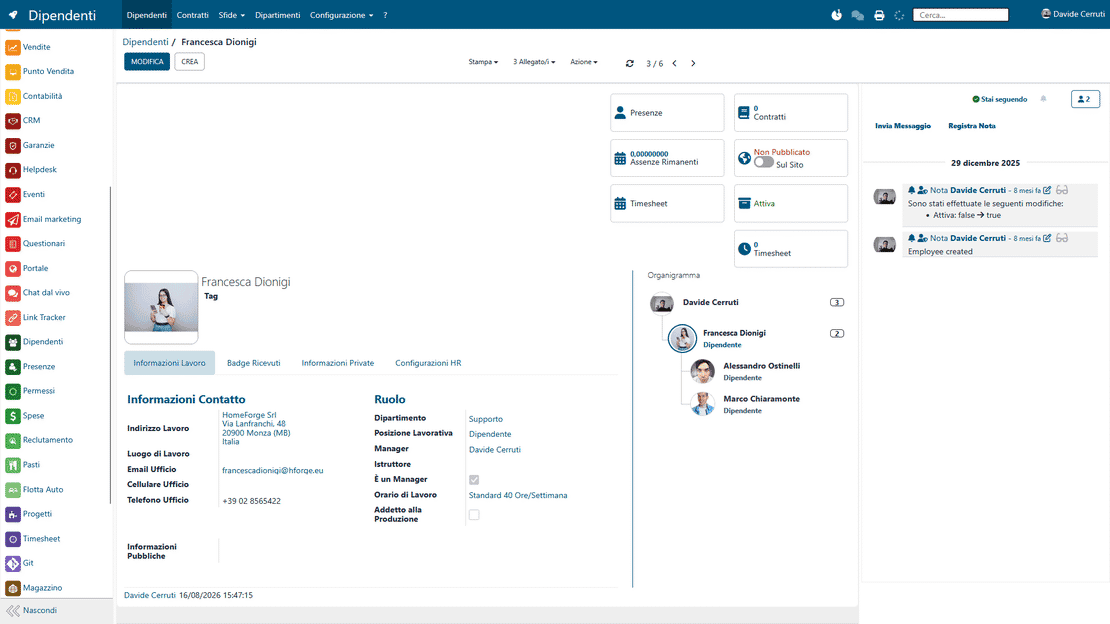
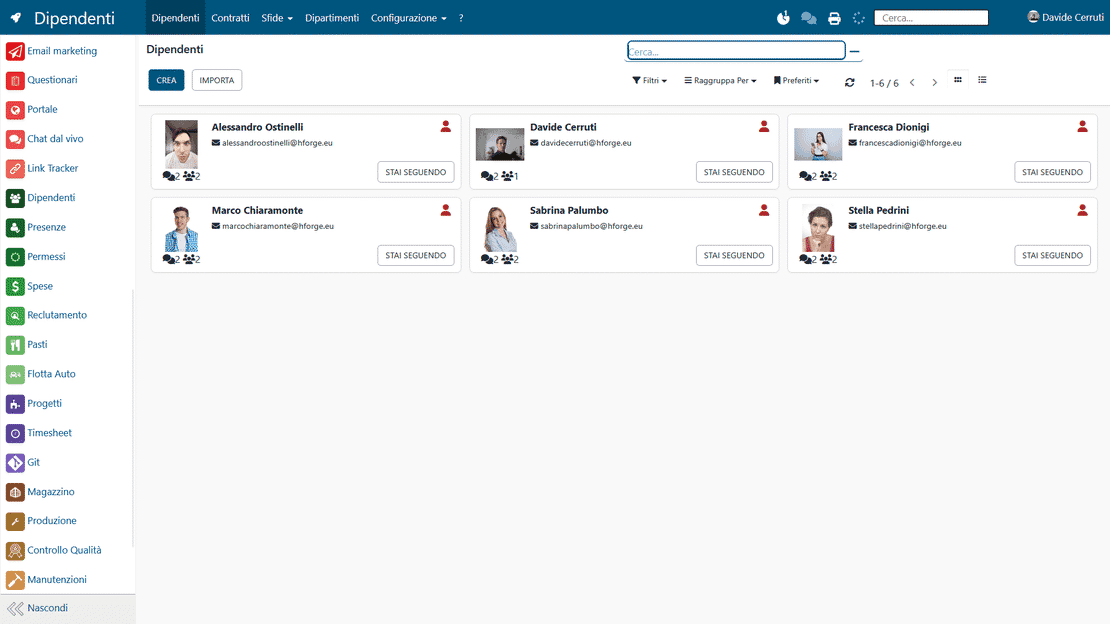
Unified Employee Records

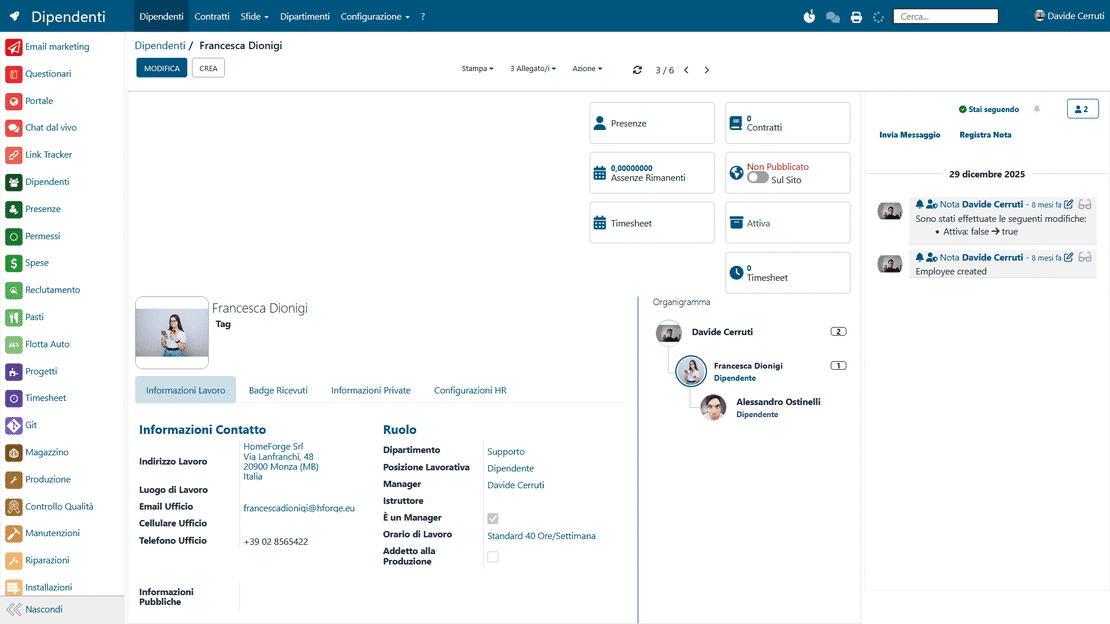
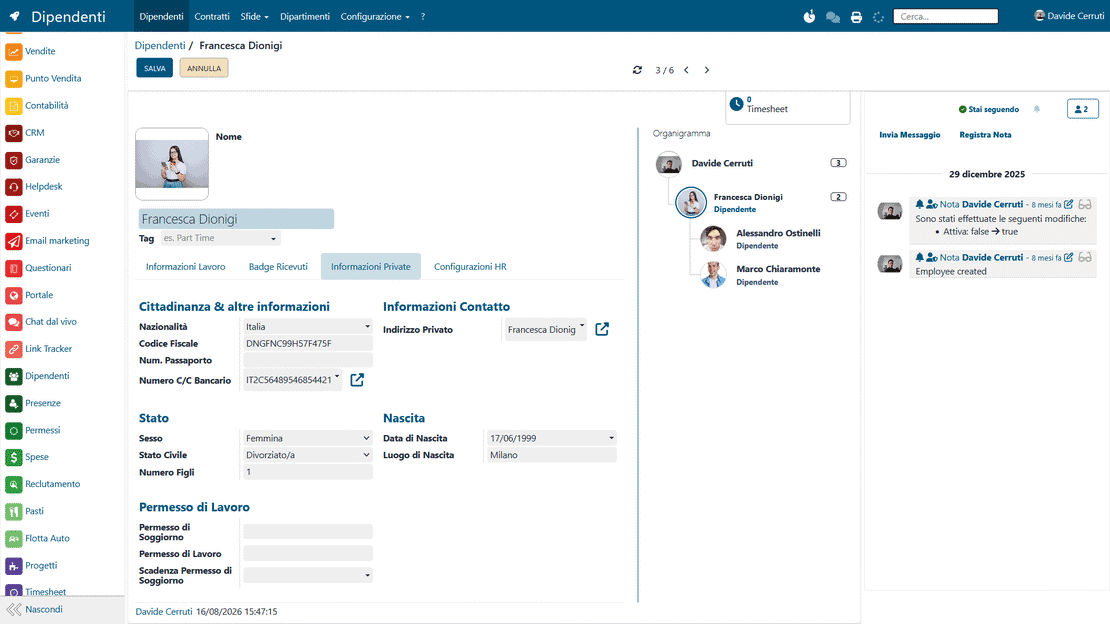
Zelo keeps all staff record information in one protected, structured database. Public data for company collaboration and sensitive private data for administration sit on the same card, separated by granular access permissions that protect personal information.

Unified employee records in Zelo ERP: work data and private data on the same employee card
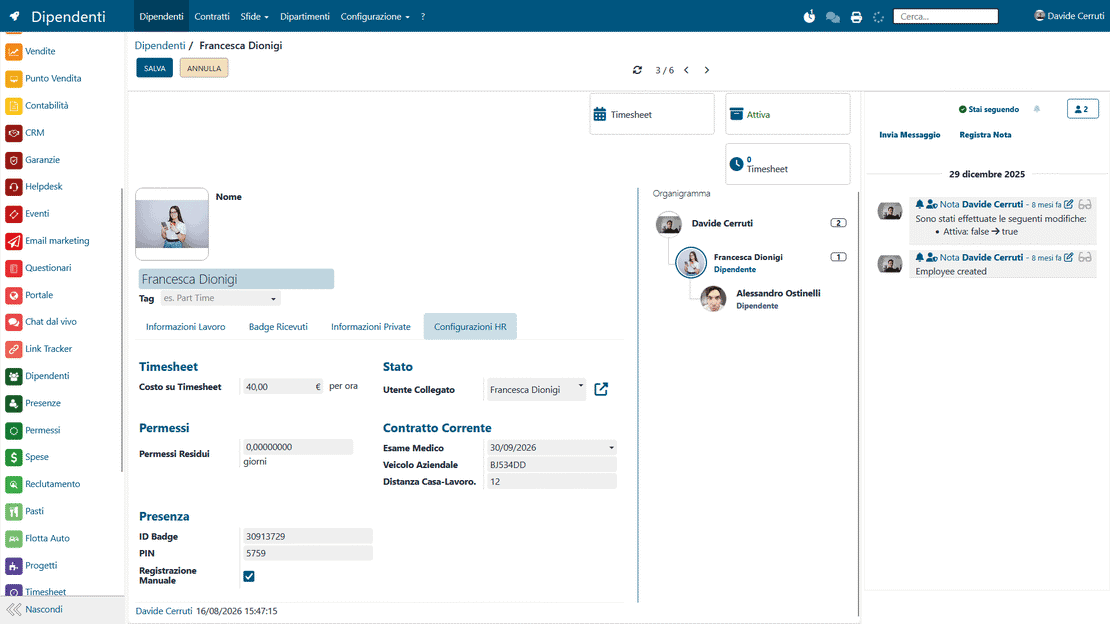
Linked user in Zelo ERP: association between the employee profile and the user account

Linked User

The employee profile and the active user account are linked directly, both ways, inside the management platform. The setup keeps responsibilities and access to work areas aligned. The link removes double entry: every action in the system is traceable to the right person.

Attendance Monitoring

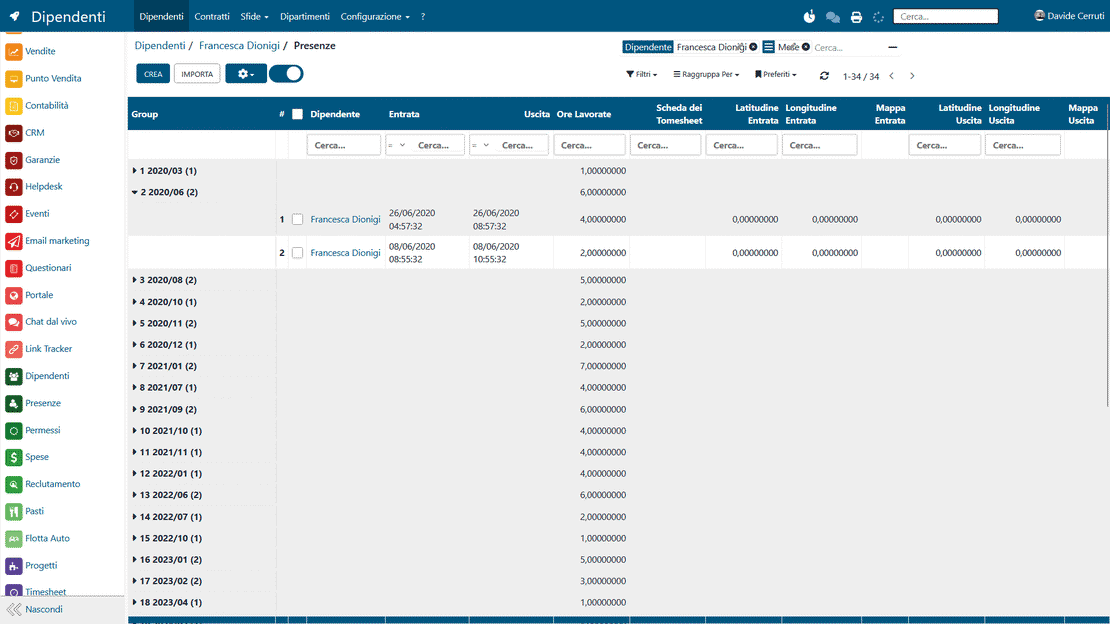
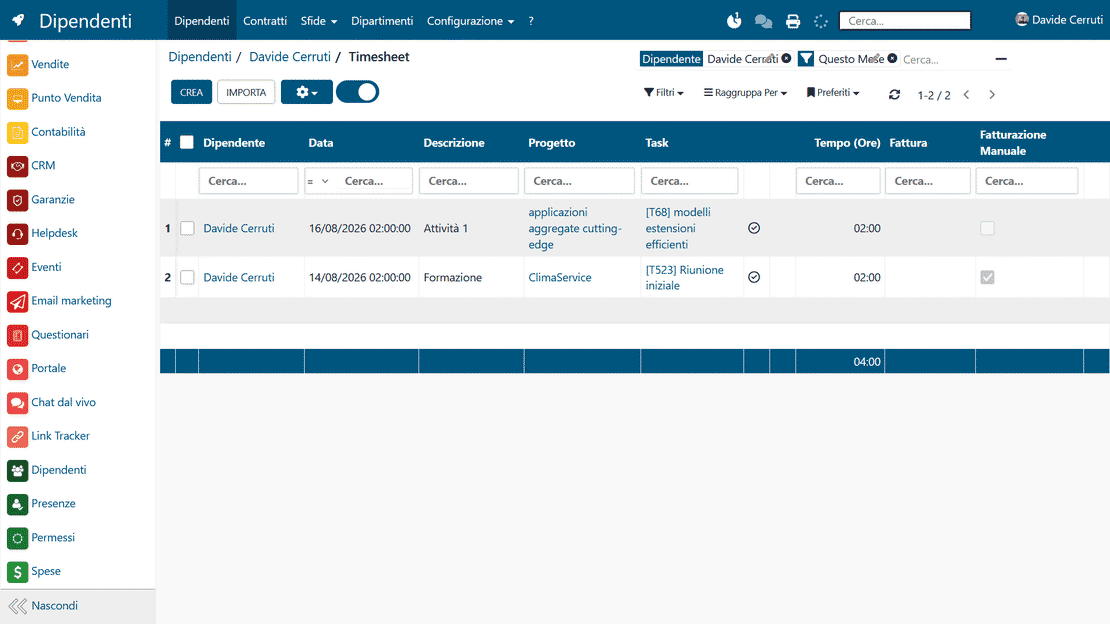
Attendance tracking runs on ID badges and unique PIN codes assigned to each person. Zelo calculates remaining leave automatically and monitors working hours based on the contracts and schedules you set. Time clock data flows straight into the analytics modules and keeps the view of team availability current.

Attendance monitoring in Zelo ERP: time clocks, customized schedules and remaining leave per employee
Company hierarchy in Zelo ERP: the staff org chart drawn automatically

Company Hierarchy

You define the organizational structure by assigning roles, departments and reporting relationships among collaborators. Zelo maps the company org chart and shows department heads and reporting lines at a glance. The same mapping helps with approval flows and with distributing workloads across units.

ERP Integration

Staff data stays in sync with the CRM, Timesheet, Project Management and accounting modules. The hourly rate and annual salary stored in the records let you calculate project margins and fixed costs accurately. Change an employee’s status and every linked business process updates instantly.

ERP integration in Zelo ERP: staff data in projects, timesheets and expense reimbursements
Data security in Zelo ERP: choosing private and visible fields on the employee card

Data Security

Specific HR configurations limit the visibility of the most critical fields. The software draws a line between work contacts visible to everyone and confidential documentation accessible only to authorized roles. Every access to and modification of a personal card leaves a trail you can verify.

5 questions about the
Human Resources Management module

Straight answers to the questions we hear most often.

In Zelo, the same person can have both profiles. The user is what logs into the system (username, password and permissions to access areas). The employee holds work and personal data in the Employees area. Linking the two keeps access and HR information consistent and avoids duplicated, inconsistent data.

Yes. The employee card holds both work information and private information. Private information stays visible only to managers or HR staff with the right permissions, so confidentiality is protected while the archive remains complete.

Yes. In the employee’s HR settings you can enter the Badge ID and PIN used for attendance operations, for example on a dedicated device. The information is already on the person’s card, so there is nothing to set up twice.

The employee profile has a dedicated field for remaining leave, calculated from the leave types that have a limit. HR and managers can check availability and plan ahead without rebuilding the picture by hand from different sources.

Yes. Enter role, department and manager correctly and Zelo shows the hierarchy and where the person sits in the organization. For an SME that means clarity on responsibilities, substitutes and decision channels.

Tools integrated with the
Human Resources Management

All the tools integrated in Zelo ERP.
No license costs based on installed modules, number of users or enabled workstations

call to action

Bring order and control to the management of your workforce.

Talk to our Business Analysts about bringing records, leave and the org chart together in one management suite.
Talk to an expert