Systems, installations and interventions under control

The Installations Management module in Zelo ERP catalogs systems and installations and plans on-site interventions, all in one place. Maintenance schedules, costs and who did what stay linked to the same record, so you always know what is installed where and who worked on it.

Request a free demo
Zelo ERP Installations module: hierarchy of systems, technical data and interventions calendar

Technical data where you need it,
reliable interventions for the customer

All systems, installations and interventions in one place: the technician who arrives on site already has the record, the history and the passwords, and the customer gets a service that shows up on time.

From scattered information to a single map of your systems

If the information about your installations lives in people’s heads, in emails and in scattered files, you risk errors, delays and hidden costs. Zelo ERP gathers technical data, maintenance work and projects in one system management software designed for companies.

  • Customizable hierarchical structure of installations and systems
  • Complete history of technical interventions with outcomes and notes
  • Shared interventions calendar, filterable by team
  • Linking of installations to projects and analytical accounts
  • Management of elements and attributes, including sensitive passwords
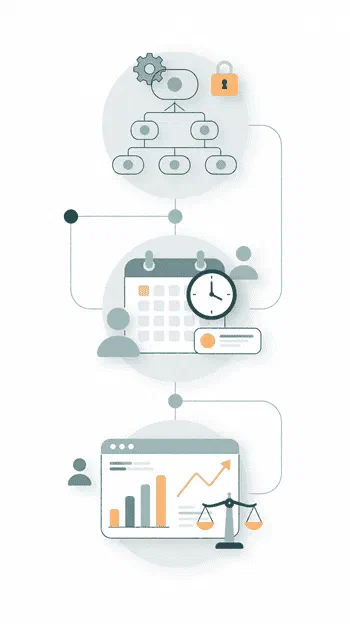
The customer sees a reliable service

When every technician arrives with the intervention history and technical details already at hand, the customer notices. Zelo ERP helps you deliver interventions on time, with fewer errors and clearer communication about systems and installations.

  • On-time interventions and fewer last-minute reschedules
  • Prepared technicians who already know the system and its history
  • Fewer repeated requests for passwords and technical details
  • Clear intervention reports that are easy to share
  • A service that comes across as structured and professional

Three steps: map, plan, analyze

Map your systems, plan interventions on the shared calendar and analyze costs and margins in one workflow.

1. Map

Define installations, systems and sub-installations in a clear hierarchy, with all the elements and attributes you need, so nobody has to guess.

2. Plan

Use the Zelo ERP interventions calendar to schedule interventions, recurring tasks and emergencies, assigning resources and times that everyone can see.

3. Analyze

Link every installation to your projects, check the intervention history and the analytical accounts, and evaluate costs, revenue and the quality of your service.

Installations Management in Zelo ERP: systems map, interventions planning and cost analysis

Hierarchy of systems

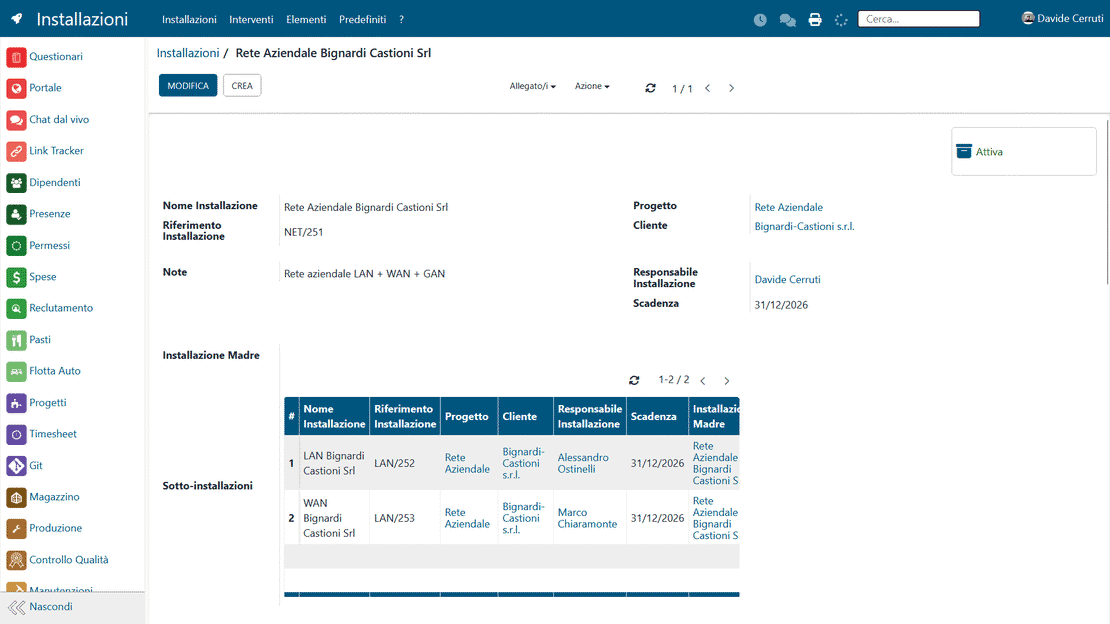
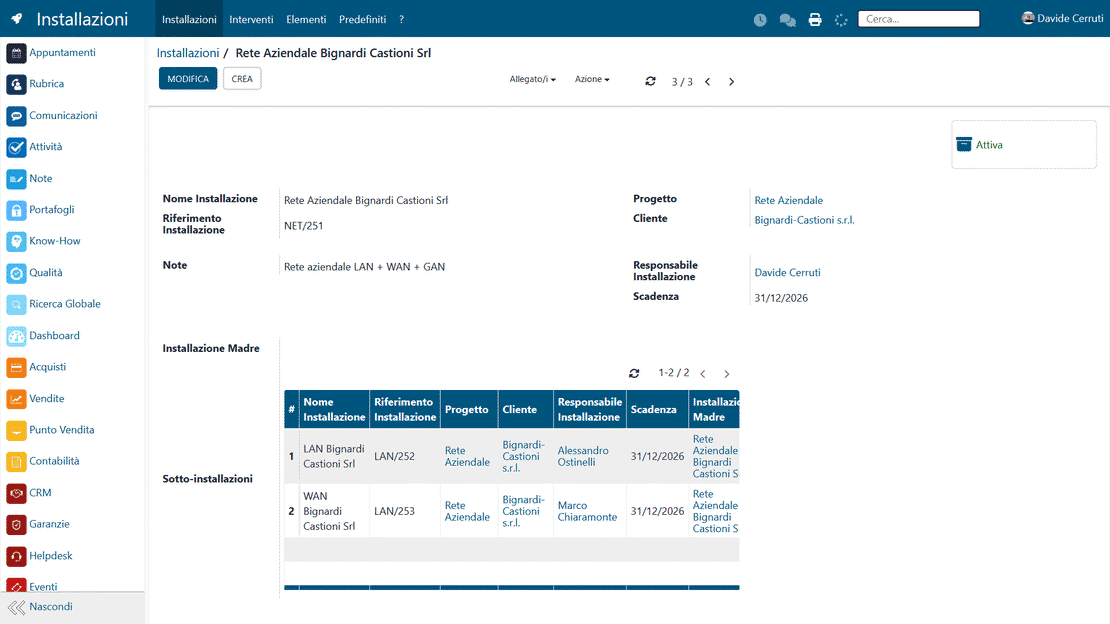
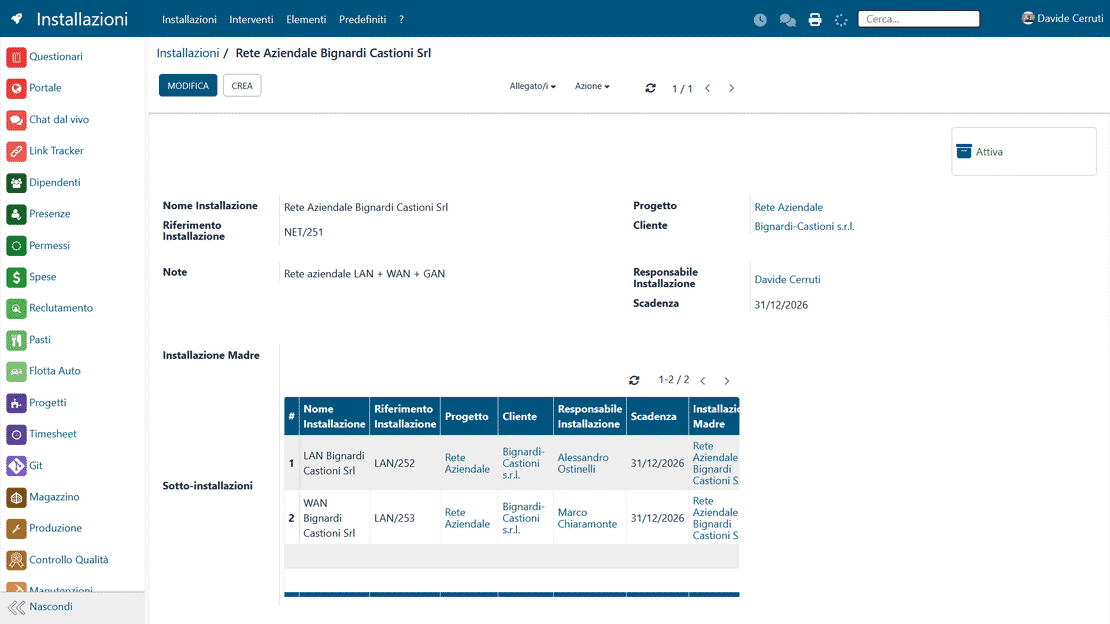
Installations are organized in a hierarchy of main installations and sub-installations, which represents even complex and distributed systems faithfully. Whoever looks for a system finds it on the first try, in the same place where the person who works on it left it.

Hierarchy of systems in Zelo ERP: main installations and sub-installations
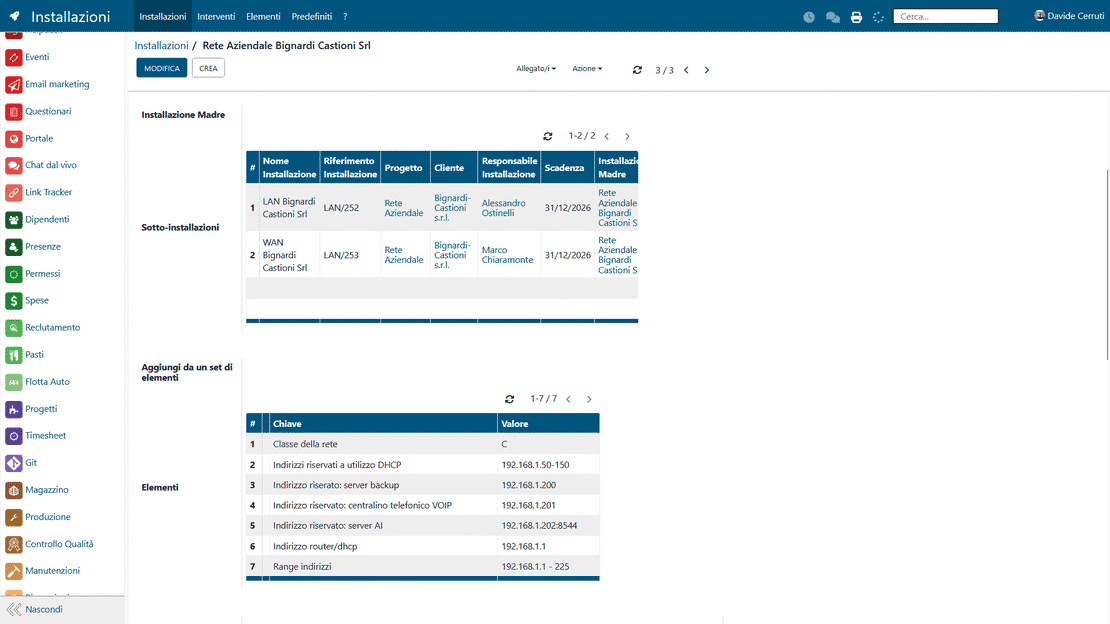
Centralized technical data in Zelo ERP: configurations, passwords and specifications in the installation record

Centralized technical data

All technical information ends up in one installation record: physical elements, attributes, codes and passwords. Whoever needs to intervene finds data that is up to date at that moment, instead of hunting for it among emails and notes.

Interventions planning

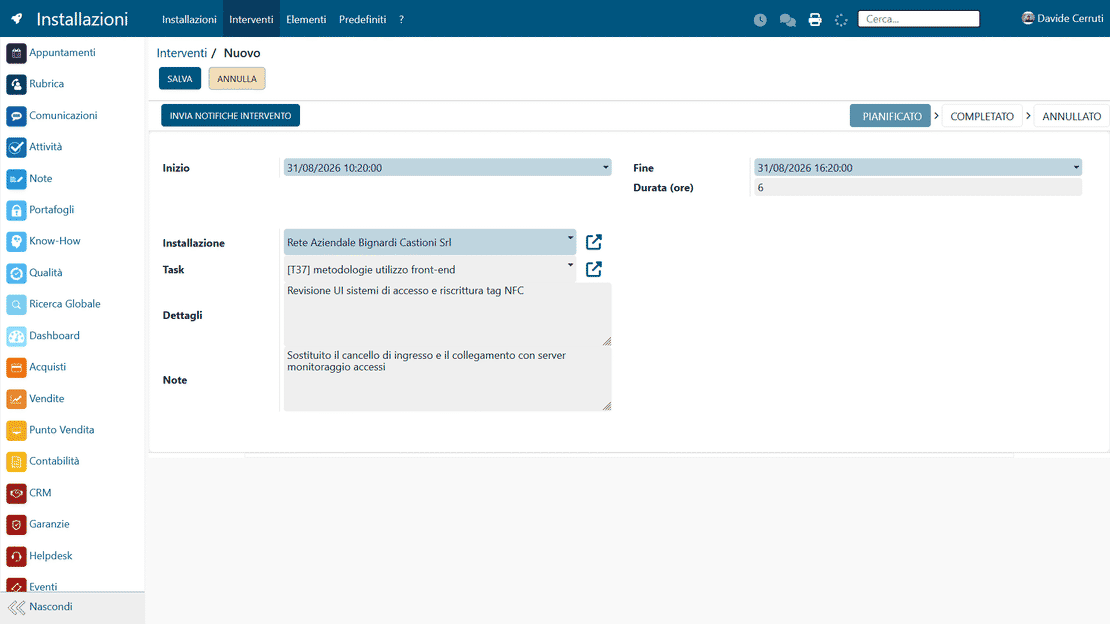
Technical interventions sit in a shared calendar that is always current: ordinary and extraordinary maintenance planned ahead, with tasks and priorities visible to every team.

Interventions planning in Zelo ERP: shared calendar with ordinary and extraordinary maintenance
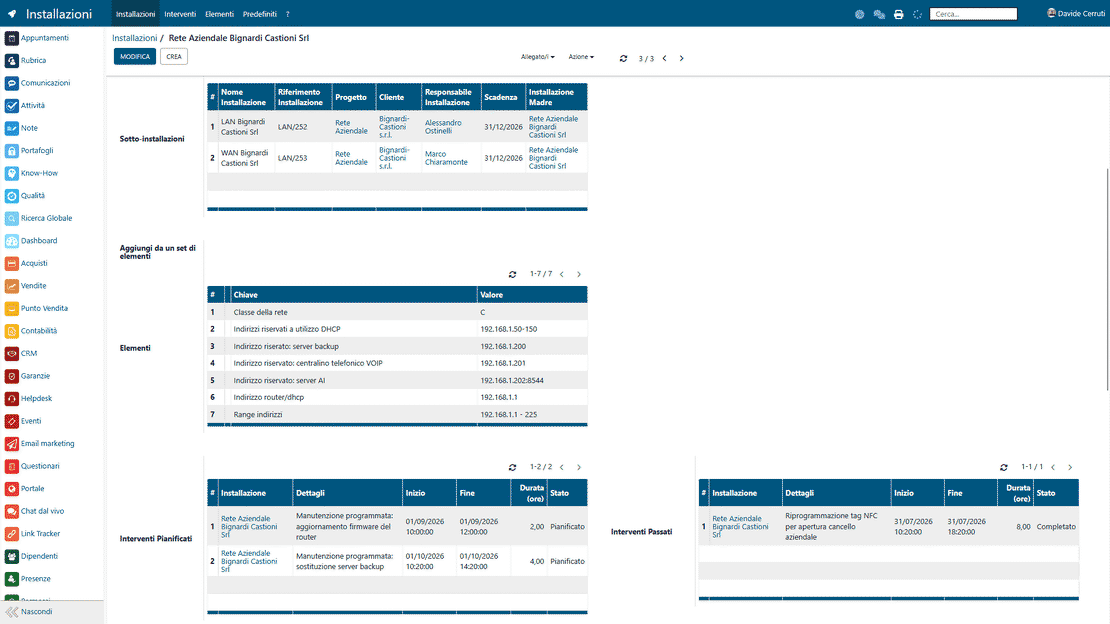
Interventions history in Zelo ERP: activity history and outcomes for every installation

History and analysis

Every installation keeps its full history of interventions over time. You look back at past activities and the results they produced, and you decide on replacements or new interventions based on what has already been done.

Integration with the rest of Zelo ERP

Installations link to company projects and orders, and operational data flows into analytical accounting: the costs and margins of every system sit next to its technical record, inside the same ERP.

Integration of Installations in Zelo ERP: linkage with projects, calendar and analytical accounting

5 questions about the
Installations Management module

Answers to the most frequent questions about features, integrations and costs.

Zelo ERP lets you represent every installation with a customizable hierarchy: main system, sub-installations, individual components and specific attributes such as passwords, codes and serial numbers. Information no longer sits scattered across separate documents or in the technicians’ emails. You can link every installation to the customer, to the project and to the interventions performed, and build a complete history you can consult in a few clicks. If you manage complex or multi-site systems, that means fewer errors and an easier handover between colleagues.

Yes, that is exactly the goal. The Zelo ERP interventions calendar gives you a shared, always current view of the activities planned on every installation or system. You can filter by customer, technician, type of intervention or status, so overlaps and omissions come to light right away. Compared to Excel or paper, you have a living system, linked to the installation records and to the intervention history. When an intervention is closed, the information flows automatically into the history and the linked projects, giving you the full picture, operational and financial.

Certainly. Every installation can be linked to an existing project or order in Zelo ERP. The hours, materials and interventions associated with the system then contribute automatically to the analytical accounts of the project. If you also use the production management modules, the linkage becomes natural: you see how the installation affects overall costs, margins and resource saturation. You move from isolated technical management to control that covers both the technical and the financial side, which suits SMEs that want a production management software connected to the field.

In the installation record you can define custom attributes to store sensitive information such as passwords, access codes or specific configurations in a structured way. This data no longer sits scattered across emails, sheets of paper or messages on the technicians’ phones: it is available in a controlled, tracked context, accessible only to the people who need it for their work. That reduces the risk of loss, of outdated duplicates or of unsafe communication with the customer, and keeps internal teams and partners aligned. For an extra layer of security you can also use the Wallet tool of Zelo ERP.

Yes, installations management in Zelo ERP scales up and down without fuss. If you have few installations, it spares you from keeping everything “in your head” or in improvised sheets, and builds a clean, consultable history from the start. If the installations grow over time, the same structure lets you add sub-installations, components, interventions and links to projects without changing how you work. Start simple: the features of a full business management software are there when you need them.

Tools integrated with
Installations Management

See all the tools integrated in Zelo ERP.
No license costs for installed modules, number of users or enabled workstations

call to action

Bring systems and interventions into your ERP

Book a free demo and see how to digitize the records, calendar and history of your installations.
Request a free demo