Your company know-how in an integrated operating manual

The Knowledge module of Zelo ERP turns your operational documentation and business procedures into an integrated operating manual. Each user finds the technical information at the exact point where they work, with no need to dig through shared folders.

Request a free demo
Zelo ERP Knowledge module: operating manual with procedures linked to projects and work orders

Business procedures become a shared, working manual

Instructions and practices are centralized in a digital manual that is always at hand. The team works uniformly and clients always receive the same answers.

The know-how stays in the company, even when people change

Without know-how management, every personnel change slows work down. With Zelo ERP you store procedures, instructions and practices directly in the ERP system, link them to projects and guide anyone to work correctly and uniformly.

  • Categories and sub-categories for every business area
  • Instruction pages with texts and attachments
  • Linking to projects, work orders and analytic accounts
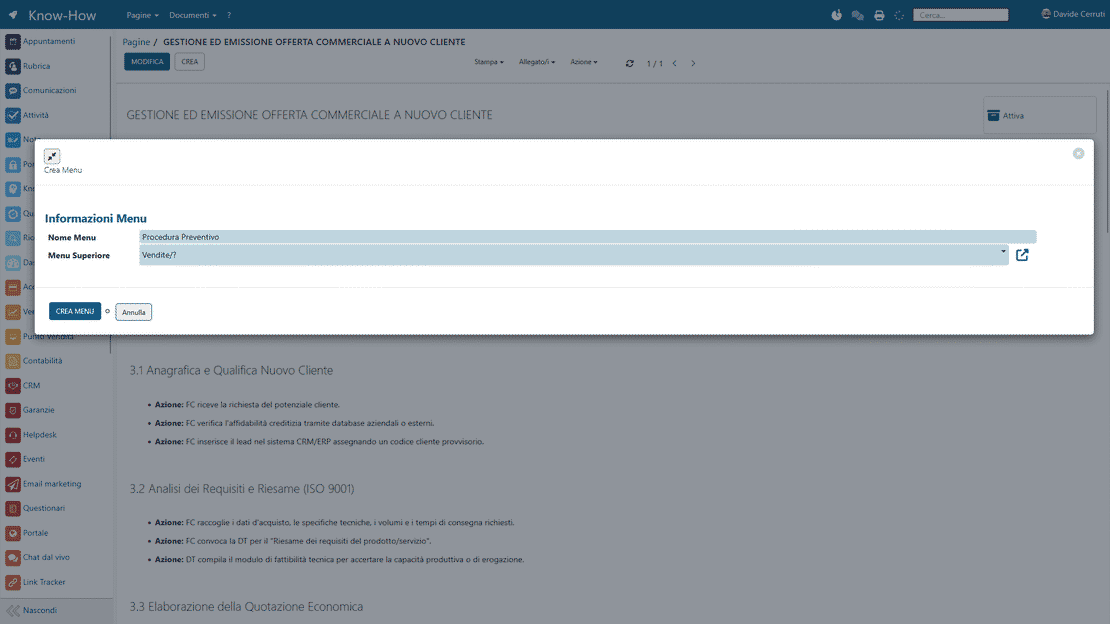
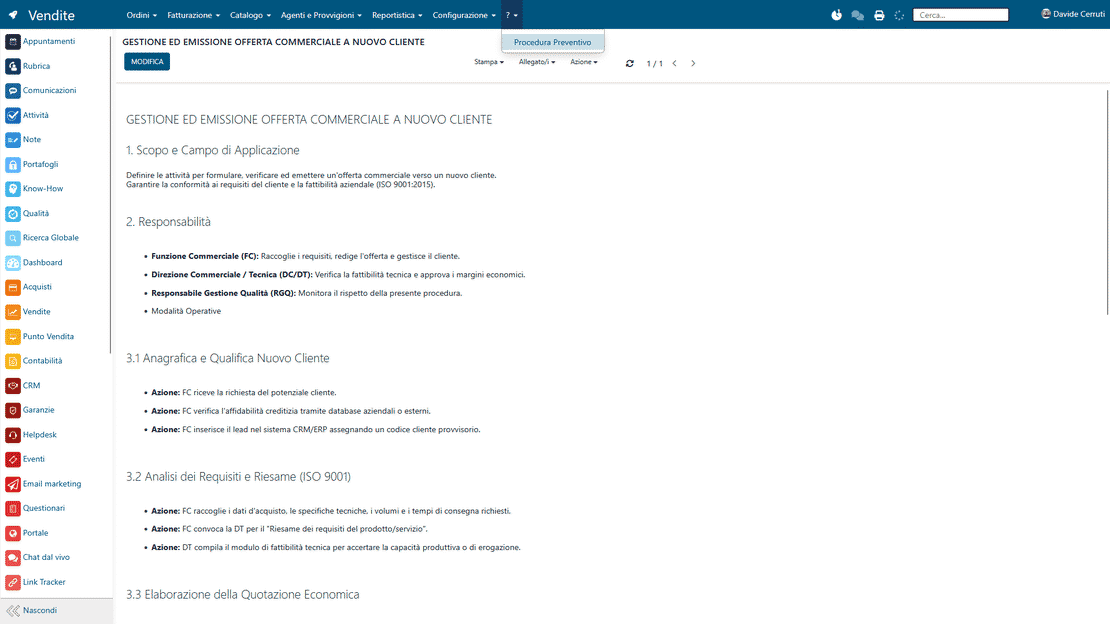
  • Menu items leading to the most-used procedures
  • Rapid search in the integrated operating manual
Consistent answers that win customer trust

When your team follows clear, shared procedures in the ERP system, customers perceive continuity, precision and reliability. Know-how management in Zelo ERP reduces errors, oversights and inconsistent answers, so the quality of service improves and trust grows over time.

  • Consistent answers regardless of who responds
  • Faster, more predictable handling times
  • Fewer errors on orders, invoices and deliveries
  • Greater transparency on processes and responsibilities
  • The impression of an organized and reliable company

Build, link and apply company knowledge

Three guided steps to create, link and apply business instructions. Procedures stay within reach of the team during its daily work, without extra effort.

1. Create

Create categories, sub-categories and pages for know-how management in the company. Write instructions, attach documents and define operational standards and responsibilities in a simple, guided way.

Link each page of the integrated operating manual in the ERP system to projects, work orders and menu items. The procedures appear exactly where users work every day.

3. Apply

During their activities in Zelo ERP, users open contextual instructions, follow the business procedures in the ERP and update the know-how with notes, additions and continuous improvements.

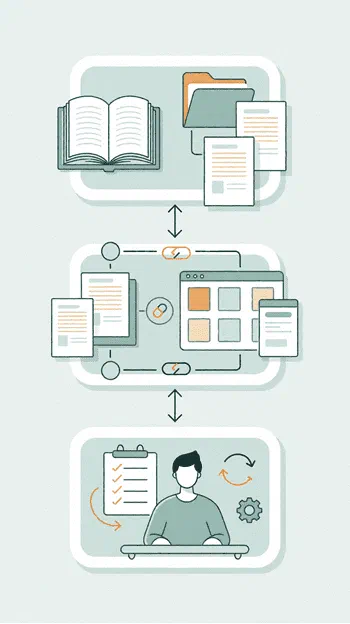
Zelo ERP Knowledge module: the three steps Create, Link and Apply

Procedure centralization

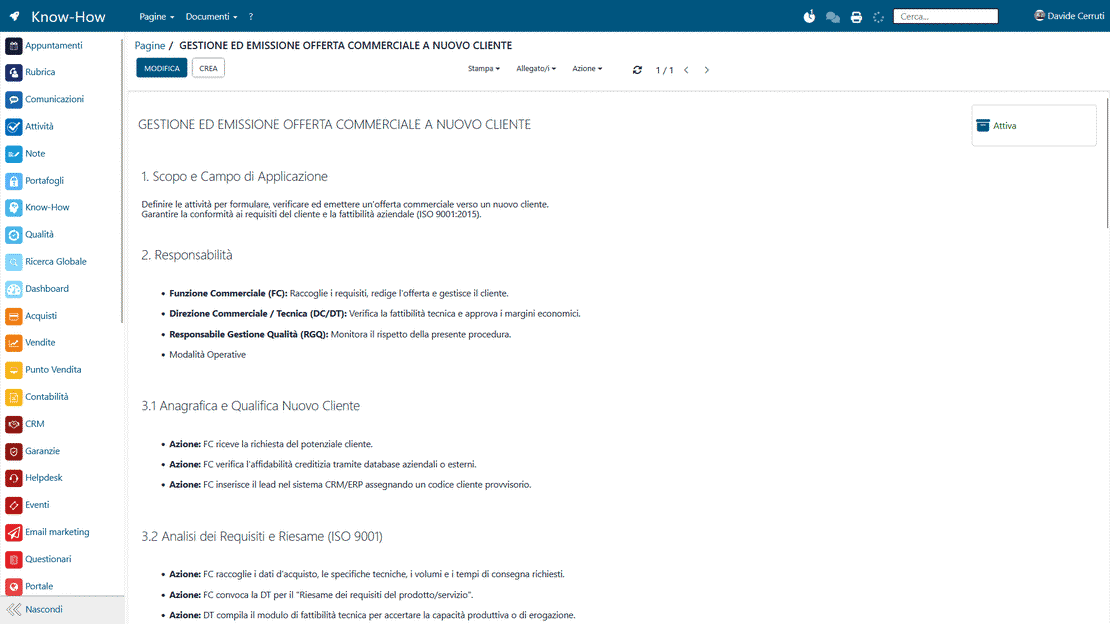
The procedures are collected in a digital operating manual organized in categories and browsable pages. Skills scattered across people and files become an organized documentary asset: the company knowledge stays archived and the internal processes consistent.

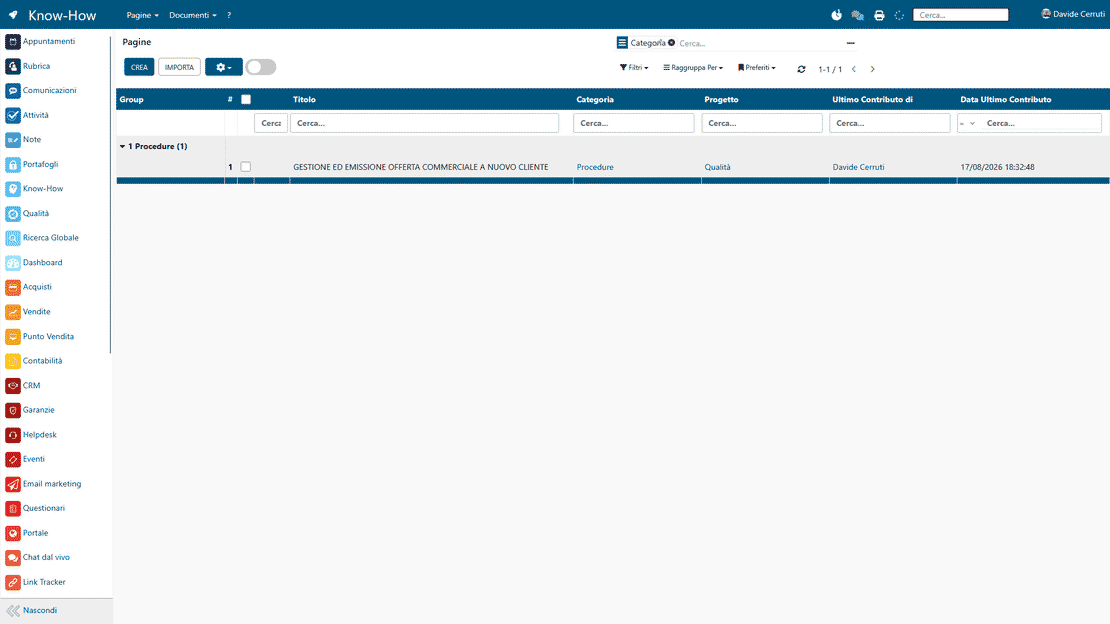
Business procedures in Zelo ERP: categories, pages and sub-categories of the manual
Contextual integration in Zelo ERP: instructions linked to projects and work orders

Contextual integration

Every instruction page links directly to the projects and work orders of the management flow. The operator finds the information they need at the exact moment of execution, without interrupting their daily activities.

Immediate accessibility

A rapid search system finds technical instructions and operational data in real time. Each team member answers their own questions autonomously, with no dead time.

Access to procedures in Zelo ERP: Knowledge pages reachable from the menu
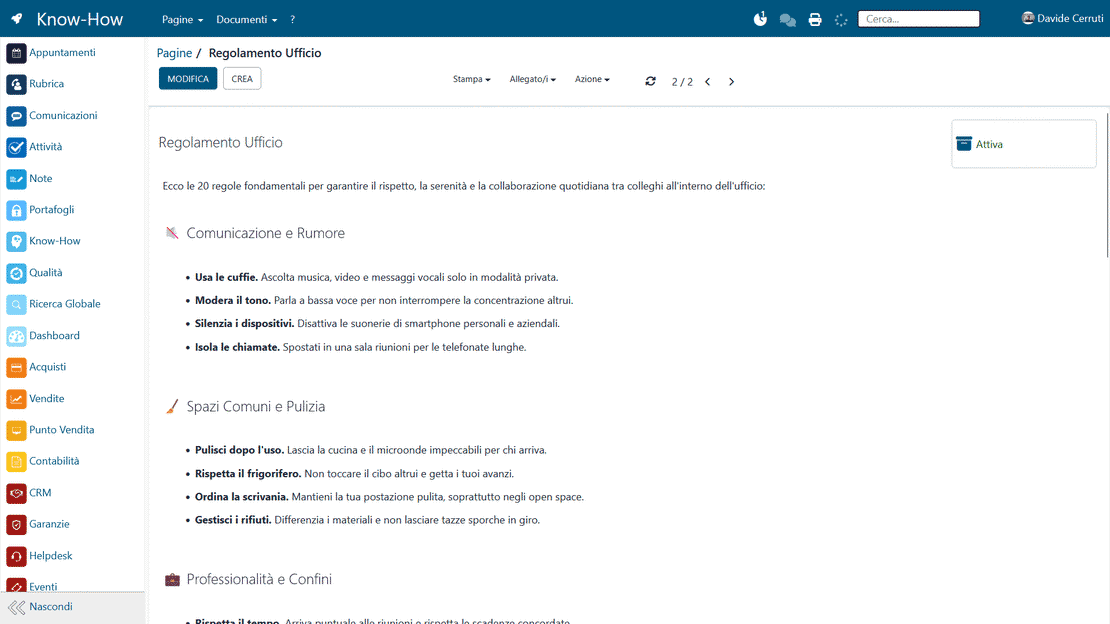
Onboarding in Zelo ERP: shared documentation for new users

Onboarding support

New hires find the procedures written by their more experienced colleagues and become operational in less time. The handover is smooth and learning errors drop.

Dynamic updating

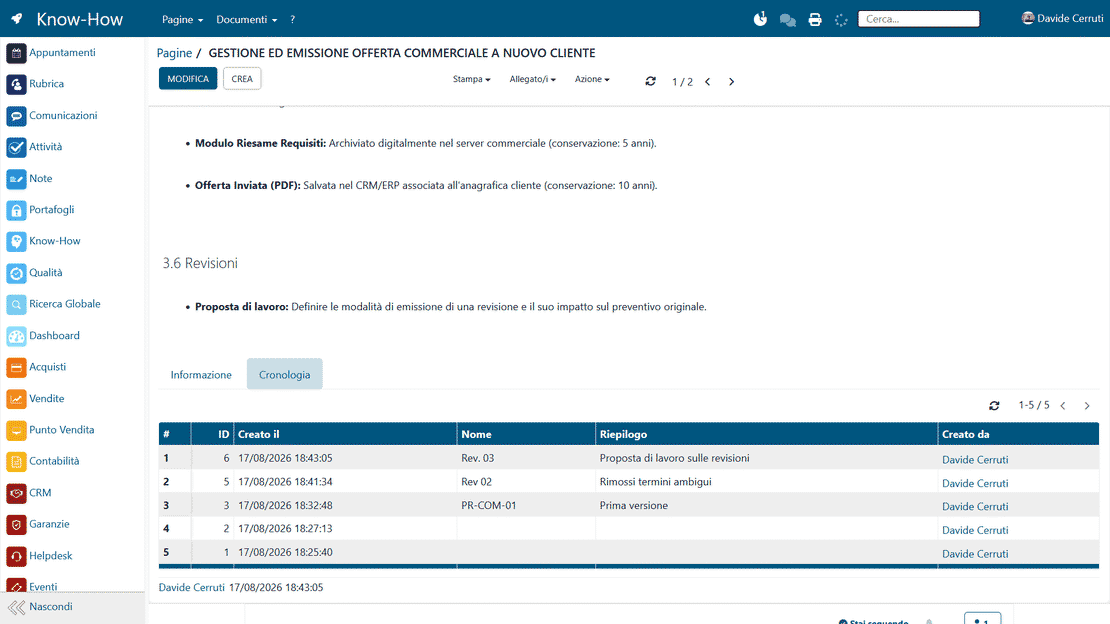
Every page keeps its revision history, so the departments always follow the latest standards and regulations and the organization stays aligned on the same operational criteria.

Version history in Zelo ERP: revisions and updates of procedures

5 questions on the
Company Know-how Management module

Answers to the most frequent doubts on features, integrations and costs.

In Zelo ERP, company know-how management is a tool that turns knowledge and work instructions into structured pages, accessible directly from the ERP. You can create categories and sub-categories, write texts, insert examples and attach documents. The difference from a simple file archive is the integration: every page can be linked to projects, work orders, analytic accounts and menu items of the different areas (for example Projects, Accounting, Warehouse). When a user works on a work order or on a document, they always have the right instructions at hand, without leaving the ERP system or searching in shared folders. In practice it is an operating manual integrated in the ERP system, always updatable and shared, designed for micro, small and medium enterprises.

Personnel changes are normal in small and medium enterprises: new hires arrive, colleagues take on different roles over time. Without a structured know-how management in the company, every change slows work down, generates errors and forces senior staff to keep explaining the same things. With the Knowledge tool of Zelo ERP you can document procedures, check-lists, document examples and good practices once and make them available to everyone. Newcomers quickly find out what to do and how to do it, right in the screens they use every day, while the more experienced ones can focus on higher-value activities. Onboarding improves and the risks linked to the exit of key people shrink, which makes growth more sustainable.

Yes. One strength of Zelo ERP is precisely this integration between know-how management and the projects, work orders and analytic accounting modules. Every Knowledge page can be linked to a specific project or analytic account; from the work order sheet you can then immediately access the dedicated operational instructions, for example how to enter costs, how to fill in a timesheet or how to manage milestone billing. This practical link between procedures and financial data keeps the team’s behavior consistent and makes management control easier, because everyone follows the same criteria during operations.

The risk exists when the manual is separate from the daily work tools. The difference of know-how management in Zelo ERP is integration: instructions do not stay locked in a PDF on the server, but are linked to projects, orders, accounting modules and the menus of the individual areas. The user never has to remember to “go read the manual”, because they find the link to the right page right where they are working. You can also start light: document the 5–10 most critical procedures first (for example complaint handling, work order analytic accounting, month-end closings) and expand gradually. The operating manual integrated in the ERP system is born from real needs this way, and is perceived as a concrete help rather than additional bureaucracy.

The time depends on how detailed you want to be, but the initial setup is fast. In general SMEs start by defining a few main categories (for example Administration, Projects, Warehouse, Quality) and a few key pages with the most critical procedures. Thanks to the simple interface of Zelo ERP, creating a Knowledge page is similar to writing a document: title, text, optional attachments and links to projects or menu items. You can work iteratively: publish a first version, let the team use it and, based on feedback, improve it. Every minute invested in writing a procedure is repaid many times over, because it reduces repeated questions, errors and the time needed to onboard new colleagues.

Tools integrated with the
Company Know-how Management

See all the tools integrated in Zelo ERP.
No license cost, for installed modules, for number of users or for enabled workstations

call to action

Don’t leave the know-how in the heads of a few.

Procedures, emails and files become a shared operating manual, linked to projects and always up to date. Fewer errors, and less dependence on individuals.
Talk to a Business Analyst