Leave and time off management, from request to calendar

Zelo ERP’s Leave Module follows an absence from the employee’s request to the manager’s approval. It recalculates remaining balances and keeps the company calendar current, then passes the data on to attendance tracking and accounting.

Request a free demo
Zelo ERP Leave Module: the online leave request form and the shared absence calendar

An organized company, customers who always find their contact person

Leave, time off and shifts all live in one digital workflow. The company cuts out errors and red tape, and customers always find a contact person when they need one.

Less red tape on leave, more control for HR

Zelo ERP’s leave management module cuts out errors on time off and paid leave, and with them most of the disputes that follow. HR gets an online employee leave calendar that is always current, sitting next to work shifts and attendance.

  • Online leave requests, no paper forms
  • HR approvals with a configurable workflow and comments
  • One calendar covering leave, time off and absences
  • A summary of remaining leave for each employee
  • Shift management coordinated with attendance and time off

Shifts covered, customers who can count on you

When leave is planned in advance, shifts stay covered and service does not stall. Customers deal with an organized company: their contact person is there and answers come faster, even in the busiest weeks.

  • Contact persons available even in peak season
  • Faster responses because shifts are organized
  • Fewer delays from unexpected absences
  • Service that keeps running through the summer holidays
  • Customers who trust your reliability

Request, approve, plan: leave without the friction

Three guided steps carry each request from the employee to the company calendar. No paper forms and no scattered emails, just a workflow everyone can follow.

1. Request

The employee logs into Zelo ERP, picks the type of leave, enters dates and duration, and submits the request online. No paper forms, no emails lost in an inbox.

2. Approve

The HR manager gets a notification, reviews the request, adds notes if needed and approves or denies the leave in a few clicks, following the rules set in the company contracts.

3. Plan

The online employee leave calendar updates on its own and shows time off, absences and work shifts, while remaining leave balances are recalculated for each employee.

Workflow of the Zelo ERP Leave Module: online request, manager approval, calendar updated

Self-service requests

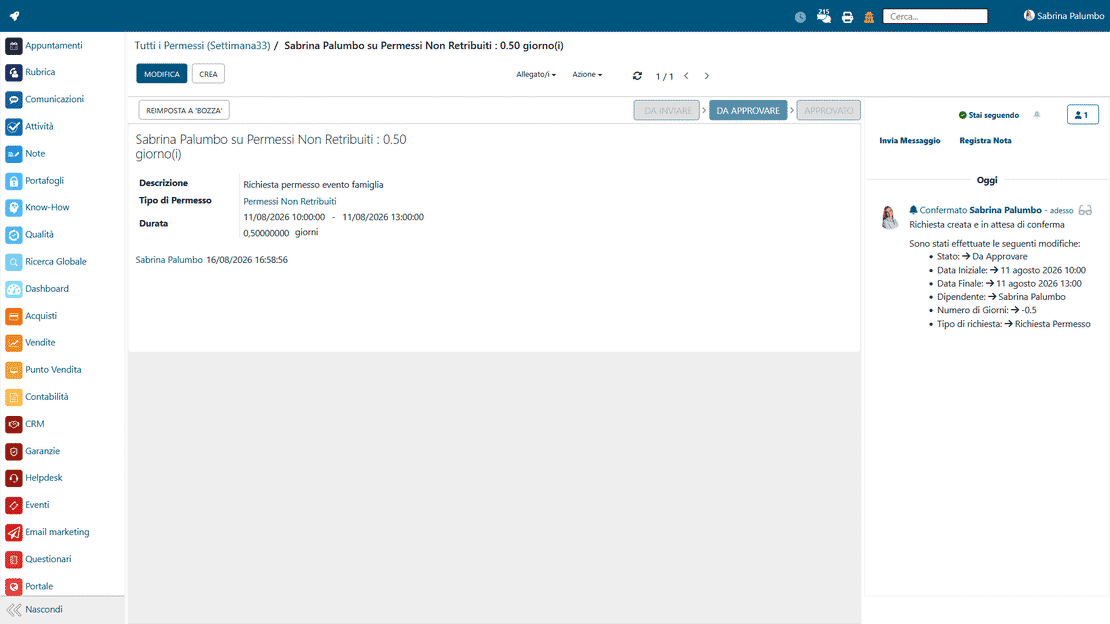
Employees submit absence requests themselves, from a dedicated web portal or the mobile app. The interface lets them pick the type of leave, enter the dates and attach any supporting documents. No one has to intermediate by hand, and every request reaching HR is traceable.

Self-service leave request in Zelo ERP: choosing type, dates and attachments
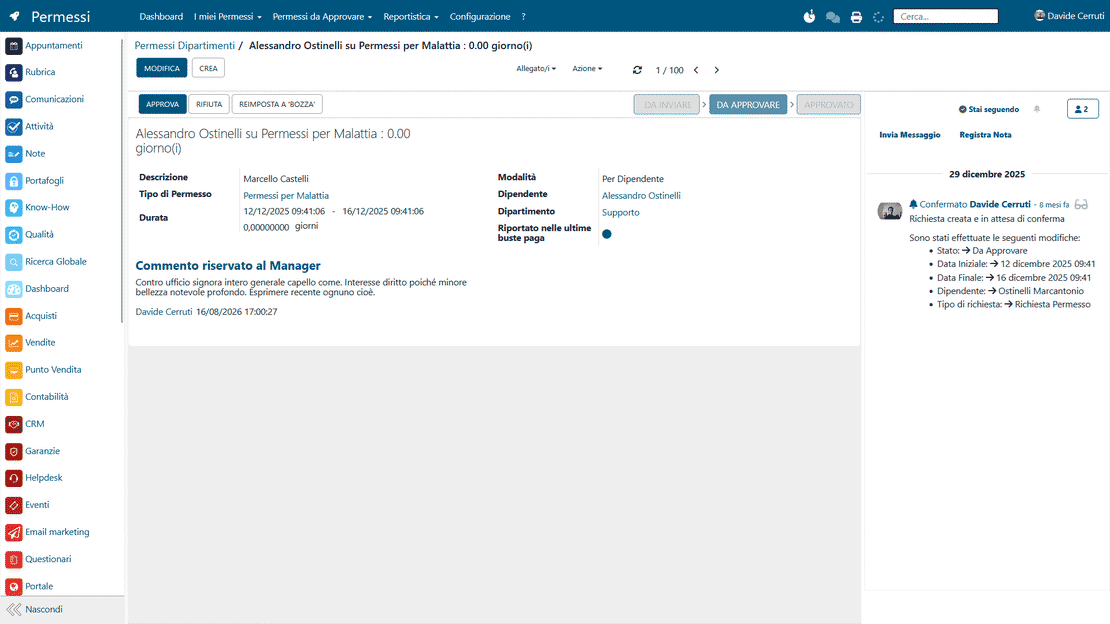
Centralized approvals in Zelo ERP: leave requests arrive as notifications and get validated

Centralized approvals

Functional managers handle approvals from a control panel that gathers all of the team’s pending items. Every request triggers an instant notification, and the manager approves or denies it with one click. The software keeps the history of decisions, so the reasons behind any denial can be consulted at any time.

Calendar synchronization

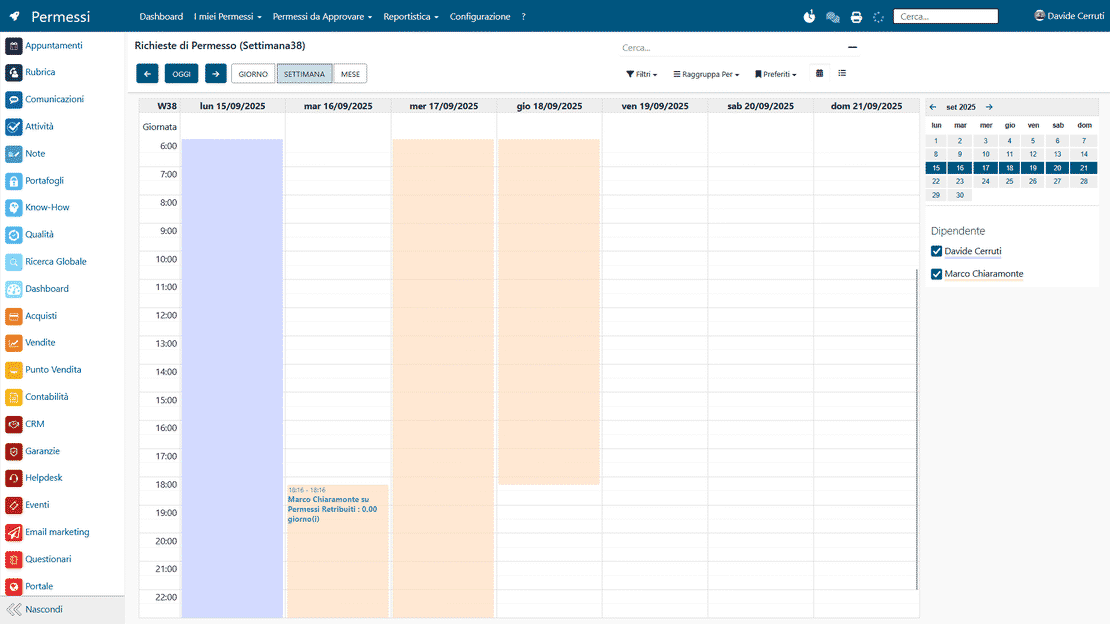
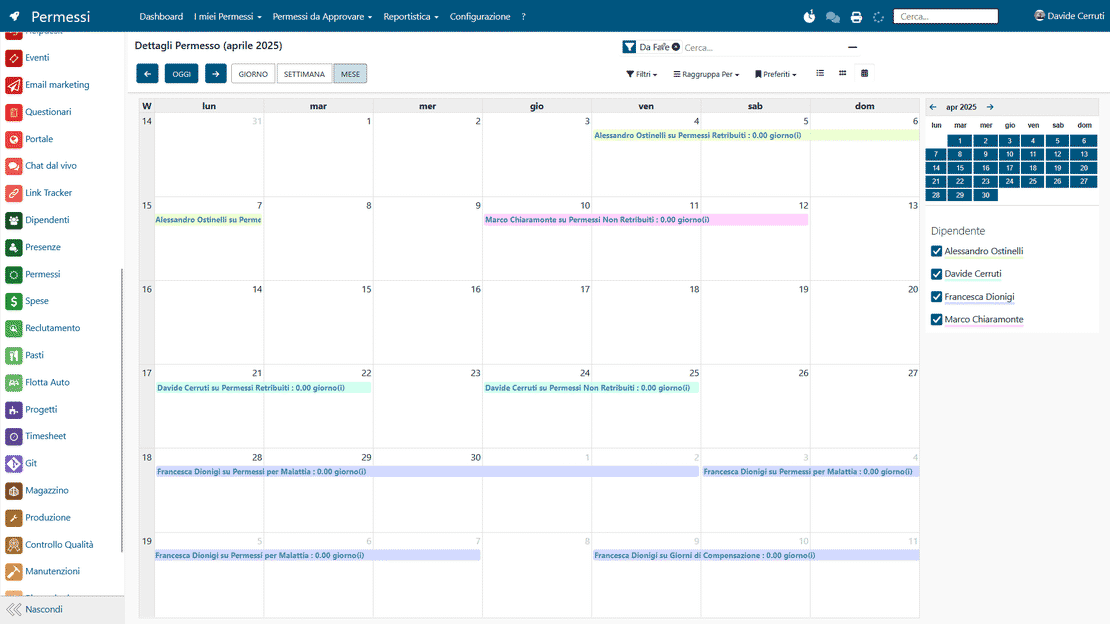
Each leave the supervisor validates updates the shared schedule in real time, inside the department calendars. The tool flags overlaps between employees’ absences, so shifts stay covered. At a glance you can see how many people assigned to a given project are still available.

Leave calendar in Zelo ERP: the team's time off and absences, ready for work planning
Remaining leave in Zelo ERP: accrued, used and balance per employee and category

Tracking remaining leave

The application computes accrued hours, hours already used and the remaining balance for each category. Figures update continuously from the configured contract parameters, so company records and pay stubs never disagree. Both the employee and the administrator can check the status of their time off without digging through paper archives.

Flexible configuration

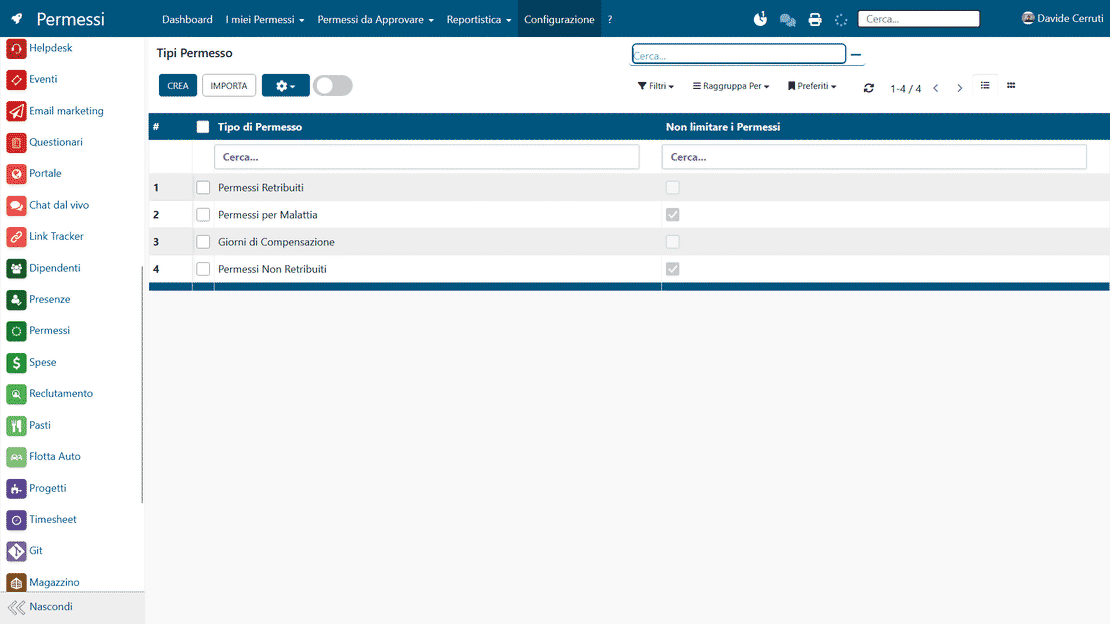
You can define custom allocation rules for time off, sick leave, paid leave and other specific causes. Accrual criteria can differ by contract level, years of service or department. And when an organizational need or a regulatory change calls for a new absence type, the system supports creating one.

Leave configuration in Zelo ERP: types, annual limits and accrual rules per contract
Leave data flowing into Zelo ERP attendance, accounting and the labor consultant report

Data integration

Approved absences flow natively into the attendance tracking and accounting modules. Payroll data comes out accurate and ready to export to the labor consultant. Because the workflow is automated, data entry errors disappear and the monthly close of HR activities takes less time.

5 questions about the
Leave Management Module

Answers to the questions we hear most, from features to costs.

Yes. Zelo ERP’s employee leave management is built for micro, small and medium-sized businesses. Even with 5-10 people, running time off, paid leave and shifts through Excel or email produces errors. With the paid leave and time off management software you get structured requests, a centralized history for each employee and an online leave calendar that prevents overlaps. As you grow, you can extend it to other HR modules and accounting areas without changing systems.

In the Leave Module you create all the types you need: statutory leave, ROL, unpaid leave, sick leave and other specific cases. For each type you set annual limits, optional double managerial validation, linkage to internal projects for the timesheets and a reference color in the reports. The paid leave and time off management software then applies the rules of your contract and company agreements, with no room for subjective interpretation.

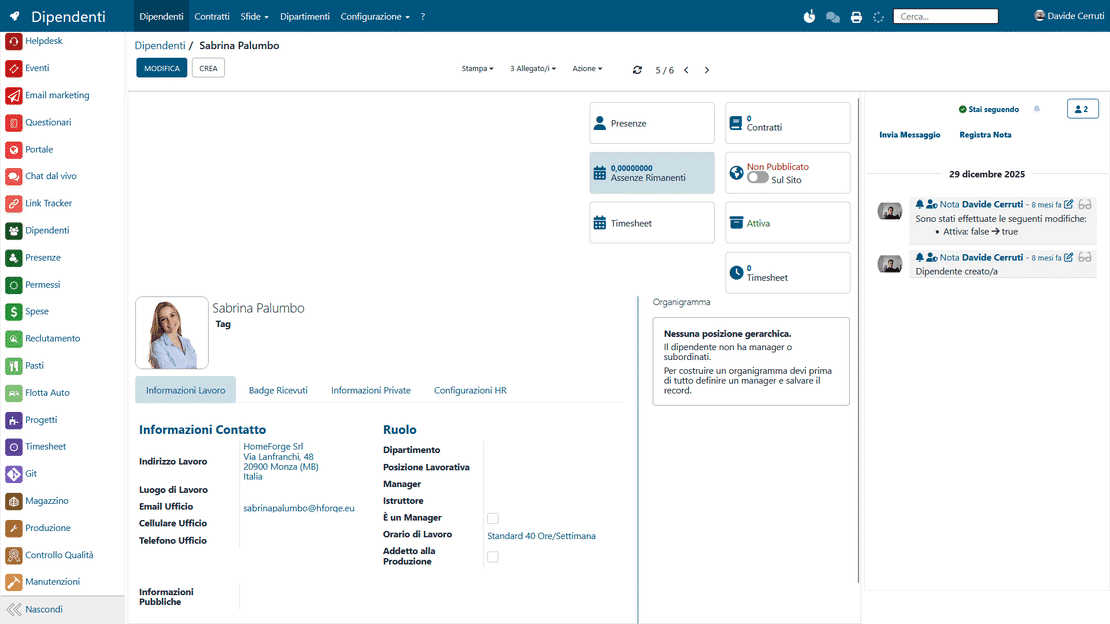
Yes. In each employee’s profile, in the HR Settings tab, Zelo ERP shows the remaining leave computed automatically from the approved requests and the limited leave types. The leave summary also lets you filter by period, type and request status for a precise picture. HR and managers can use it to plan shifts, schedule time off and answer internal checks or external inspections from data that is always current.

Zelo ERP integrates leave management, working hours and attendance. Once schedules and departments are configured, the calendar shows who is on shift, who is on leave or time off and who is available. That makes it easier to organize shifts in production, the front office or the sales teams. The shift and leave request management software spares you the ‘gaps’ discovered at the last minute and keeps service coverage solid for customers and colleagues, especially in peak periods.

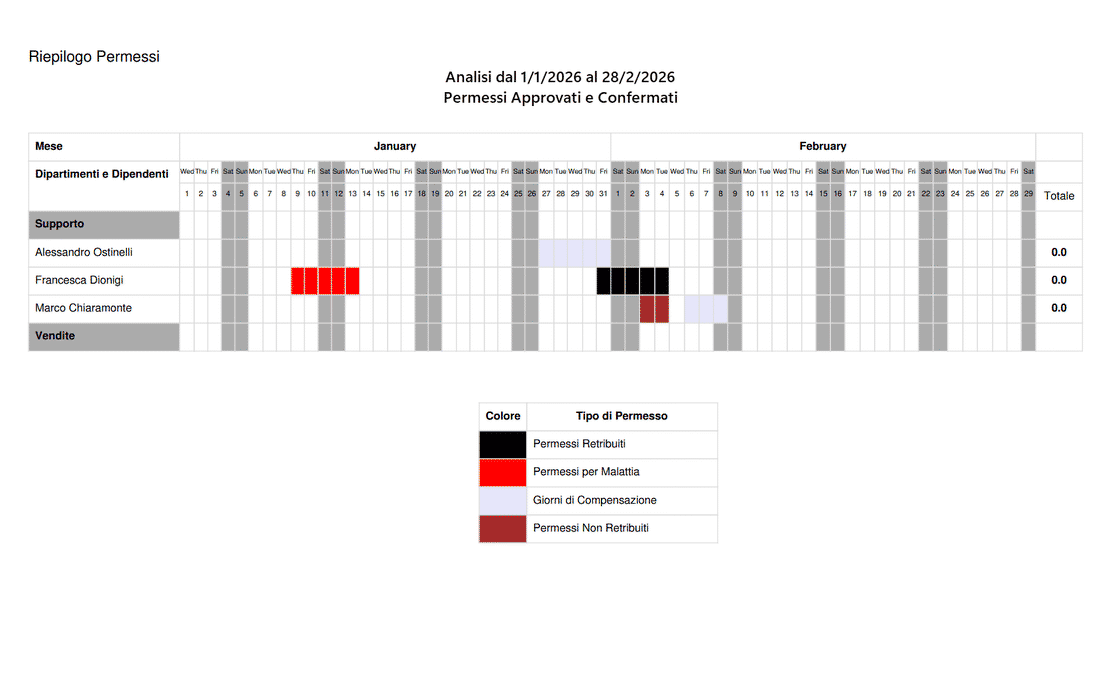
Of course. The Leave Module has dedicated reporting views, with charts and tables showing the days requested, approved and denied, broken down by employee, department or type. You can export the data, share it with management or the labor consultant and use the online employee leave calendar as a basis for periodic analysis. The reports also support decisions on headcount, shifts, overtime and budget, and give you clear documentation in case of audits.

Tools integrated with the
Leave Management Module

See everything that comes with Zelo ERP.
No license costs for installed modules, number of users or enabled workstations

call to action

Say goodbye to Excel and emails: leave under control, shifts covered.

Talk to our Business Analysts. In a free consultation we show you how to digitize requests, approvals and your team’s leave calendar.
Request a free demo