Live chat on your website, answered inside Zelo ERP

Zelo ERP’s live chat adds a text chat to your website and moves every message into the management software in real time. Operators answer visitors, the full history of each conversation is kept, and every chat can be linked to an existing lead, quote or support ticket.

Request a free demo
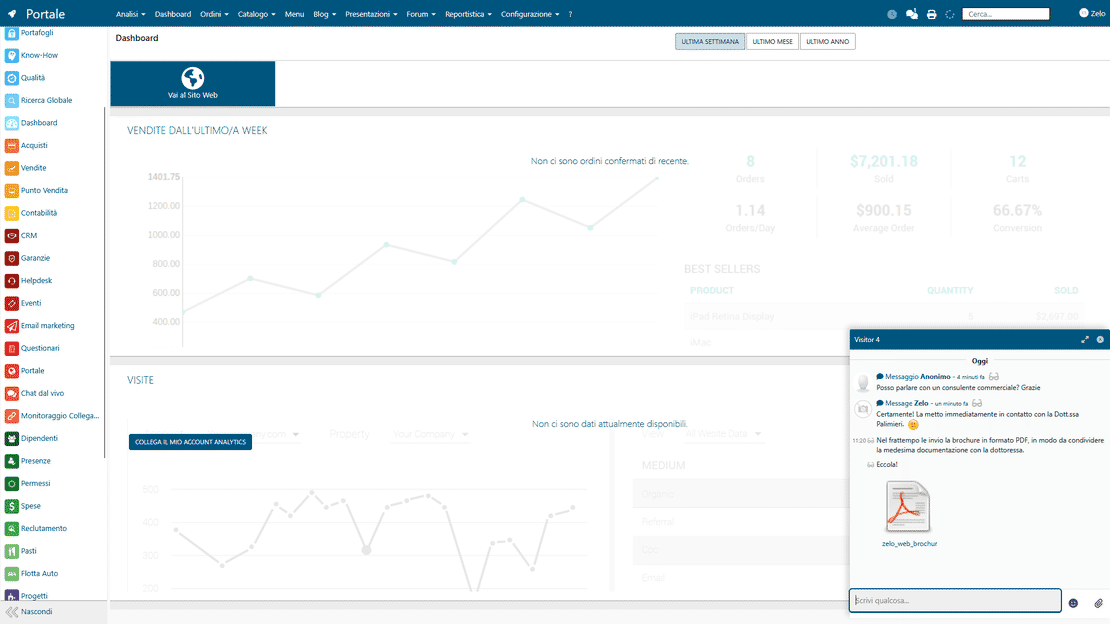
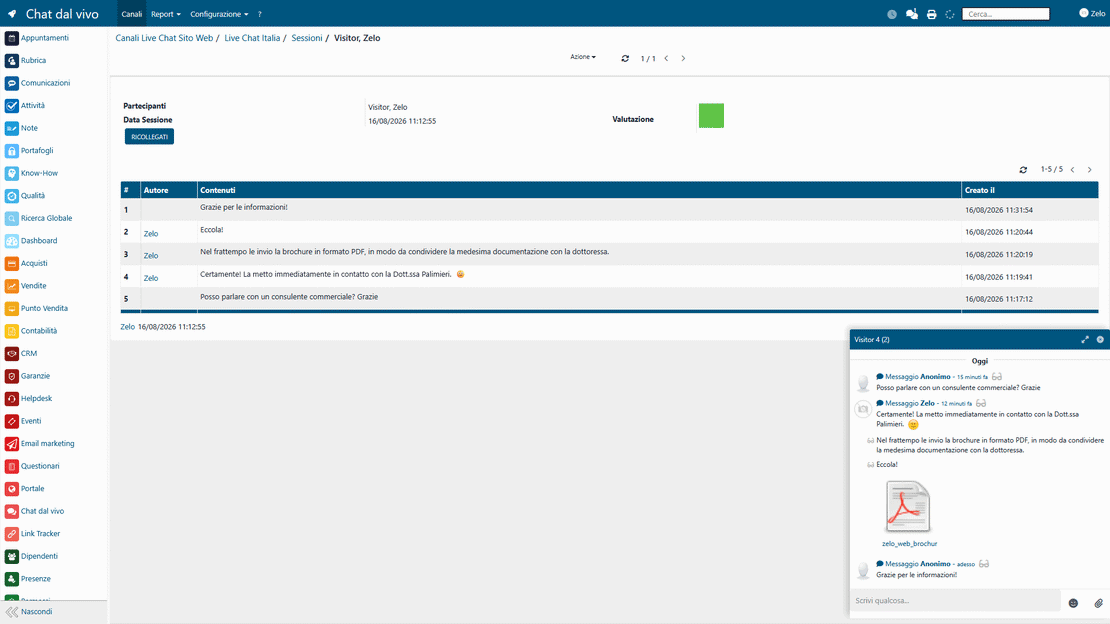
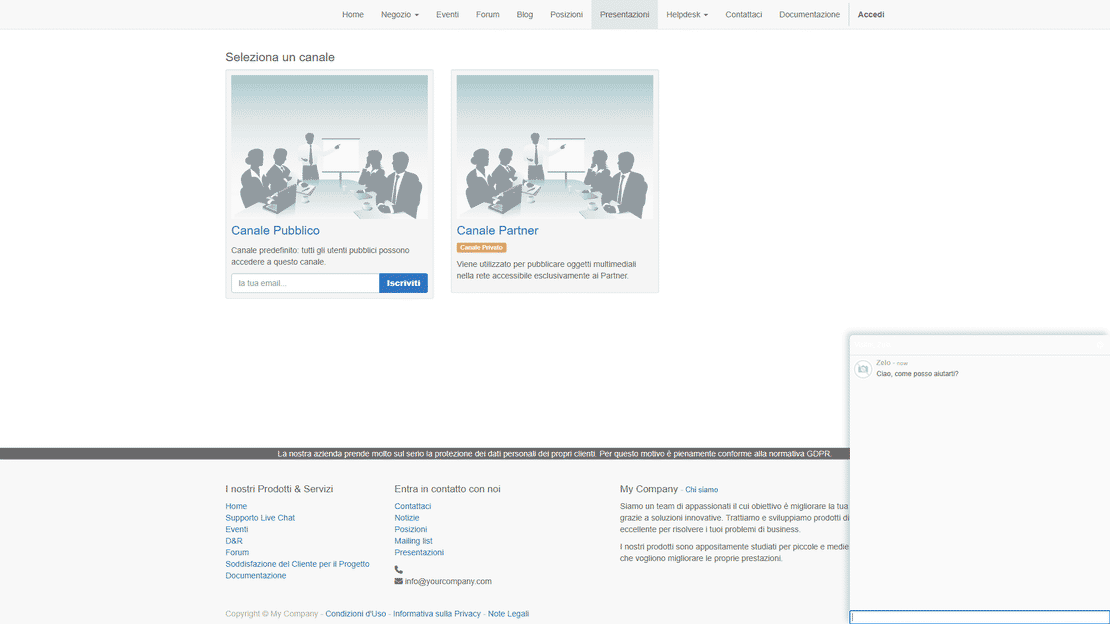
Live Chat module in Zelo ERP: website visitor conversations answered from the management software console

All your website conversations in one place

Collect every request from the website and keep the conversation on the customer master record. Whoever answers already sees the history, the documents and the open orders, so nothing gets lost between channels.

Every conversation stays in the management software, not on WhatsApp

Without a chat connected to the ERP, requests end up scattered across emails and phone calls. With Zelo you keep track of every session, cut down on errors and give customers fast answers, measured in the statistics.

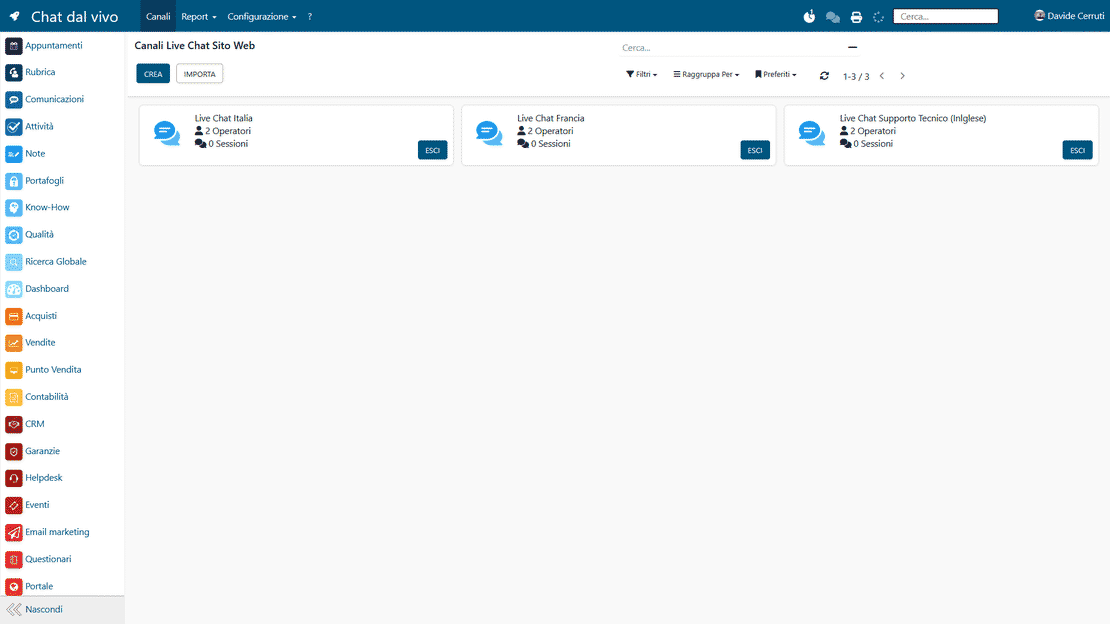
  • Several live chat channels for the website and the Customer Portal
  • Automatic rules that assign each chat to an operator
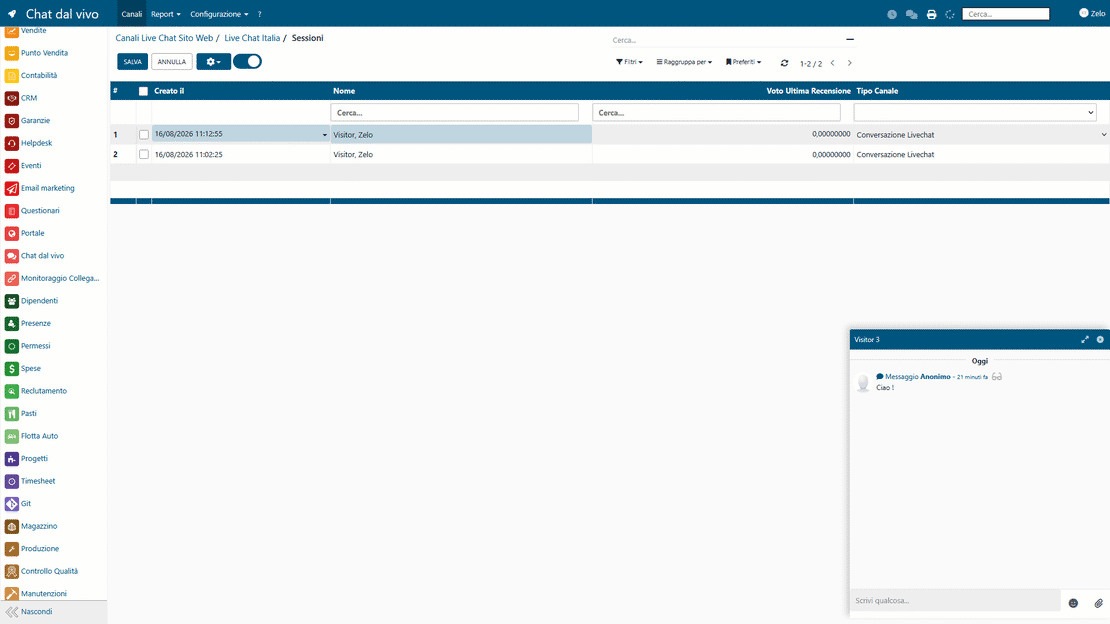
  • Complete history of every chat session
  • Operator statistics and average response times
  • Custom surveys and predefined replies built in
Fast answers from the people who already know the customer

Customers do not want to wait and repeat the same story twice. When the chat is integrated with the ERP, they get answers from people who can already see their history, documents and orders. Less frustration for them, fewer fires to put out for you.

  • Fast replies, with the customer history already on screen
  • One stable point of contact
  • Real-time updates on orders and tickets
  • A short satisfaction survey, filled in with a few clicks
  • Every conversation tracked, no detail forgotten

From setup to analysis in three steps

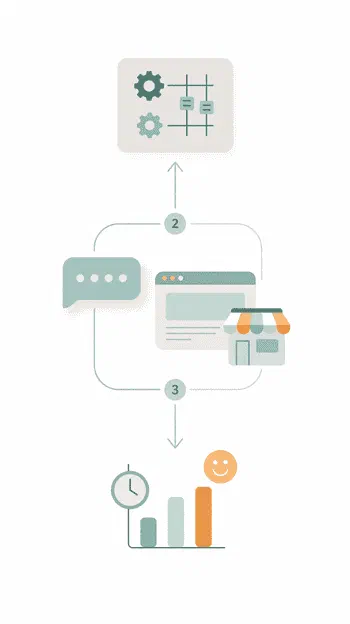
Configure the channels, connect the chat to your website, then analyze the results: every conversation becomes data you can work with.

1. Configure

Set up live chat channels for the website and the Customer Portal, define routing rules, automatic actions and custom surveys, all inside the Zelo ERP interface you already use every day.

2. Connect

Every live chat plugs into your website, customer portal or online shop with a simple embed code. CRM, Helpdesk and after-sales share the same data, so nothing has to be re-entered by hand.

3. Analyze

Open the full session history to review operator statistics and customer ratings. You can spot bottlenecks, see which hours get busy and which channels work best, and adjust sales and support accordingly.

Live Chat in Zelo ERP: channel setup, website connection and analysis of chat sessions

Native integration

Messaging runs inside the Zelo ERP interface, with no external software or third-party plugins. The operator answers website visitors from the same environment used for invoicing and logistics, and chat data sits under the same company-wide settings as the rest of the ERP.

Live chat built into the Zelo ERP backend: one operator managing several chat sessions in the same interface
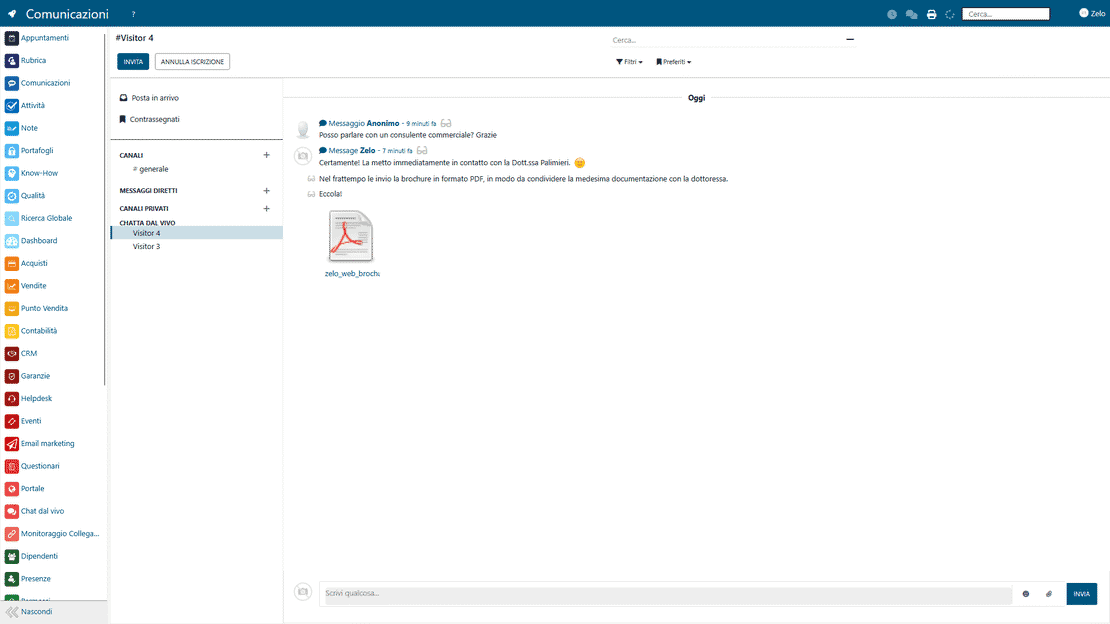
Chat data stored in Zelo ERP: every chat session recorded on the customer card in the CRM

Data centralization

Zelo saves every conversation on the customer’s card in the CRM. Any department can open the history when it needs it, and whoever replies starts with the previous exchanges already at hand, so answers get more precise.

Lead automation

One command turns a chat session into a sales opportunity or a support ticket, and pre-set rules can do the same automatically. Zelo fills in the fields of the sales or support modules with the information collected during the chat, from first contact to the handled request, with nothing typed twice.

Lead automation in Zelo ERP: a chat session turned into a sales opportunity or a support ticket
Multichannel support in Zelo ERP: several live chat channels, one console for all of them

Multichannel support

Requests from web pages, landing pages and other contact points all arrive in one console, so you answer every channel from the same place. Each domain or section of the site can have its own chat widget, tuned to the people who use it.

Performance monitoring

The module reports average response times, session durations and interaction volumes for each operator, so the team’s workload and productivity are right there in the numbers. The history also shows the peak hours, which helps you plan who covers the chat and when.

Live chat performance in Zelo ERP: response times, session durations and conversation volumes per operator

5 questions about the
Live Chat module

Straight answers on features, integrations and costs.

The Zelo ERP live chat works in the Customer Portal and integrated into any external website. You are not locked into the website created with Zelo: you can add the chat widget to your current company site, to a product minisite or to a dedicated landing page. All the conversations still flow into Zelo ERP, where they are linked to contacts, leads, opportunities or helpdesk tickets, so you keep a single database and stay free to choose the technology of your website. For an Italian SME this means starting to use a live chat integrated with ERP and CRM on the site you already have, without redoing it from scratch.

Yes. The live chat tool in Zelo ERP was designed to manage one or more distinct channels. You can create channels dedicated to pre-sales, technical support, administration or external partners, and assign each one specific operators and rules. The requests are routed automatically based on the channel, the user or other conditions you define. You also get a clear picture of the performance of each channel: session history, average response times, customer ratings per team and per operator. This helps you size your resources correctly, avoid overload and keep the service consistent, even in companies with few staff members who wear multiple hats.

Every live chat session is saved and archived inside Zelo ERP. If the contact already exists, the conversation is handled through the chatter attached to their profile in the CRM, which records it as a new event; if it is a new visitor, you can generate a lead or an opportunity with a few clicks. You can create helpdesk tickets, after-sales requests or other linked activities the same way. The chat history remains available at any time, so important information does not get lost and anyone in the company can understand what happened without re-reading scattered emails or personal notes.

Yes, the live chat integrated with the ERP includes a satisfaction survey you can configure. At the end of the session you can offer the customer a short questionnaire: overall rating, response times, clarity of the information and a free-text field for comments. You can change the questions, the texts and the rating scale to fit your industry and the way your company speaks. The answers are saved together with the chat history and can be analyzed by operator, channel or period, which makes them useful for training, reviewing processes and improving the service over time.

Beyond the classic live chat window, Zelo ERP provides a system of predefined replies. You can write standard answers for recurring questions (shipments, payments, manuals, access to the Customer Portal, software updates) and organize them by channel or by department. The operator picks the reply from the library and adapts it to the individual customer on the fly, instead of rewriting it every time. Response times drop sharply and the messages stay consistent with the company’s tone of voice. Since everything is in the ERP, the operator can also insert links to documents, orders, tickets or quotes during the chat, keeping the conversation concrete.

Tools integrated with the
Live Chat

See all the tools that come with Zelo ERP.
No license costs for installed modules, number of users or enabled workstations

call to action

Add live chat to your website and manage it in Zelo ERP

Book a free demo: see how conversations, leads and tickets land in Zelo ERP without copy-paste.
Request a free demo