Email marketing and mass mailing built into your ERP

Zelo ERP’s Email Marketing module keeps the whole mailing workflow in one place, from writing the email to segmenting contacts and sending the campaign. Mailing lists support advanced filters, each campaign stage has its own kanban view, and reports track opens, bounces and clicks.

Request a free demo
The Mass Mailing module in Zelo ERP for building email campaigns and tracking opens and clicks

Email marketing you can measure, messages customers actually open

Lists, content and reports sit in one workflow: you spend less time on sends and your customers get fewer useless emails.

Why treat email marketing as a measurable process?

If you send newsletters with no segmentation and no reports, you waste time and opportunities. Zelo ERP’s Email Marketing treats mass mailing campaigns as a process, with measurable results and click tracking built in.

  • Visual editor for quick emails
  • Mailing lists with advanced filters
  • Customizable kanban views
  • Reports on opens, reads and bounces
  • Link tracker to measure clicks

Relevant emails build customer trust

Your customers get clearer, more relevant messages, at better times, with less noise in between. Every send is based on segmentation and real goals, so replies arrive faster and you can track them.

  • Messages targeted to each segment
  • Fewer repeated or useless emails
  • Clearer and more consistent communications
  • Faster and trackable replies
  • Links whose clicks you can measure

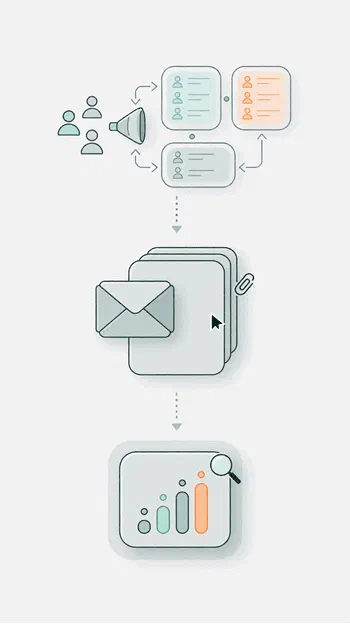
Email marketing in three measurable steps

Segment your contacts, write targeted messages in the visual editor, then measure opens, bounces and clicks before you plan the next campaign.

1. Segment

Select contacts and build mailing lists with advanced filters and targeted segments. No more “send to everyone” blasts that waste your time and your sender reputation.

2. Create

Write the email in the visual editor: pick a template or start from scratch, add tracked links, then set attachments and sending options.

3. Measure

Send it, schedule it, or run an A/B test on part of the list. Then analyze opens, bounces and clicks to fine-tune the content and timing of the next campaign.

Three-step email marketing workflow in Zelo ERP: segment contacts, create the message, measure results

Advanced segmentation

Build dynamic mailing lists from advanced filters and criteria pulled from the CRM, so each send reaches contacts whose goals, interests and relationship stage match the message.

Advanced filters in the Zelo ERP Mass Mailing module to segment campaign recipients precisely
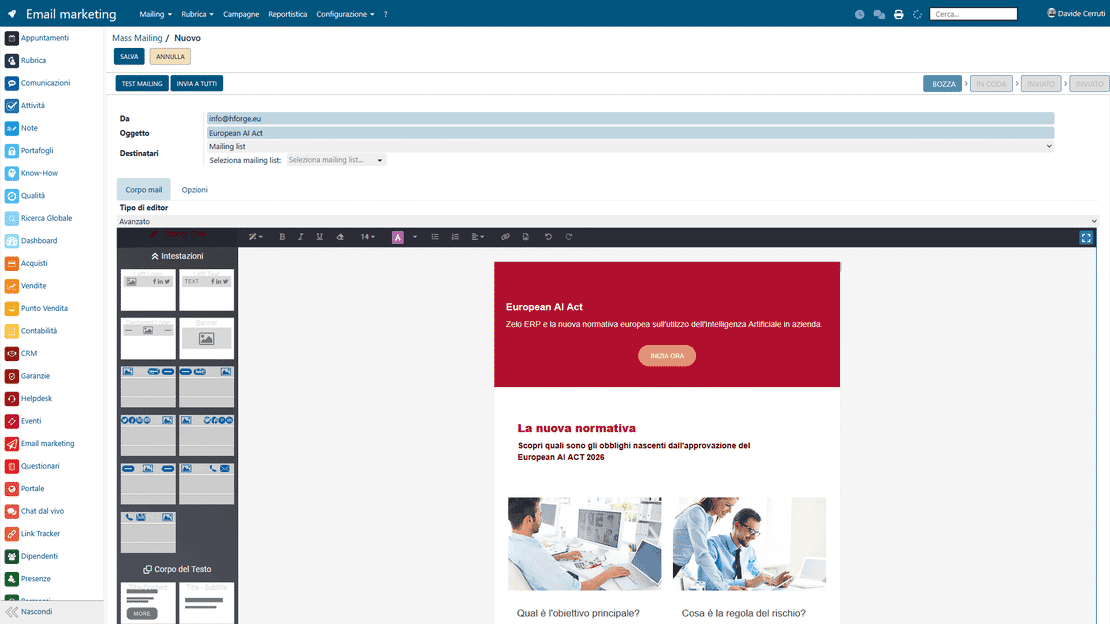
The visual email editor in Zelo ERP's Email Marketing module, with drag-and-drop blocks

Visual editor

Build professional emails with the block-based editor. Change layout and content without technical skills, and every email keeps your company’s communication style.

Campaign management and kanban

Organize campaigns and mass mailings in a customizable kanban view that follows planning, creation, review and sending, and gives you an immediate read of progress.

Kanban view of mass mailing campaigns in Zelo ERP showing every stage from planning to sending
Email campaign reports in Zelo ERP with opens, reads and bounces for every mailing sent

Performance analysis

Monitor opens, bounced emails, messages read and interaction quality. The detailed reports show which campaigns work best and where to intervene.

Data synchronization

Contacts, lists and campaigns stay in the company database. Zelo keeps them up to date together with their history and targeting, with no manual steps between separate tools.

Mass mailing data in Zelo ERP linked to CRM contacts and sales results for ROI tracking

5 questions about the
Mass Mailing module

Answers to the most frequent questions about features, integrations and costs.

Yes. Mass mailing campaigns in Zelo sit in an editable kanban view, so planning, design and sending read as a single flow. You can also customize the stages in the configuration, adding or reordering columns to match your internal process.

No. You work in a block-based visual editor: pick a template, adapt it, drag blocks into place, edit the text and layout, and save. It is designed to be usable even in SMEs that have no technical team.

Yes. Zelo lets you build mailing lists dedicated to mass mailing, and the contacts on a list do not need to be in the address book. You can also combine lists, segments and filters to direct each communication more precisely.

Check the reports: they show details on emails delivered, opened and bounced. If you add tracked links, you can also measure the quantity and quality of clicks, which ties email marketing to concrete results such as visits and actions.

Yes. You can send a test mailing to check how the email looks, and you can run an A/B test on a percentage of the contacts. Zelo makes sure the same recipients are not contacted twice between the test and the final send.

Tools integrated with the
Mass Mailing module

See all the tools that come with Zelo ERP.
No license costs per installed module, per user or per enabled seat

call to action

Stop sending at random. Start measuring every campaign.

Our Business Analysts walk you through the module using your own scenario, with segments, kanban and reports set up for your case.
Book your demo