Plan production in Zelo ERP: bills of materials, orders and real margins

The Manufacturing Management tool in Zelo ERP runs the whole production cycle of an SMB, from bills of materials to production orders. Inventory, work centers, times and OEE share the same data, so you always have a complete picture of efficiency and margins.

Request a free demo
The Manufacturing module of Zelo ERP showing production orders, bills of materials and shop floor monitoring

Keep production times and costs under control, deliver on time

With Zelo ERP you cut waste and downtime. Your customers get their orders when you promised them, with consistent quality and full traceability of every production order.

Where do your production margins go? Zelo ERP shows you

Zelo ERP combines production planning with multi-level bills of materials and OEE monitoring, so you cut machine downtime, scrap and delays, and see the real cost of every production order in your SMB.

  • Multi-level bills of materials with by-products and outsourced services.
  • Production orders linked to warehouses, lots and due dates.
  • Work centers with standard times and OEE targets.
  • Tracking of times, machine downtime and productivity losses.
  • Real margins per order based on costs and times.
On-time deliveries and consistent quality that keep customers loyal

When manufacturing management is under control, customers get their products when you promised them, with consistent quality and full traceability of lots, semi-finished products and operations.

  • Delivery times you can actually keep.
  • Fewer production errors and costly rework.
  • Higher quality thanks to process control.
  • Full traceability of lots, serial numbers, scrap.
  • Clearer communication on order status and progress.

Manage production in three steps

From the first bill of materials to real-time monitoring. Planning orders and checking actual production margins is simpler than you think.

1. Set up

Define the products to produce, the multi-level bills of materials, work centers and production routes, following your actual workflow.

2. Plan

Generate production orders, check material availability, and assign warehouses, lots and due dates to each operation.

3. Control

Track times, machine downtime, scrap and work-in-progress. Zelo ERP calculates OEE and the real margin of every production order

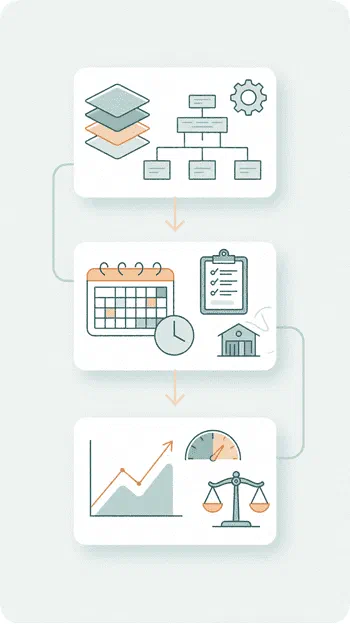
How to manage production in Zelo ERP in three steps: setup, planning and control

Production and Processing

Keep production management in one ERP tool. It supports the typical workflows of SMBs and micro-enterprises, and the operational data stays consistent. You follow progress and priorities without information scattered across systems.

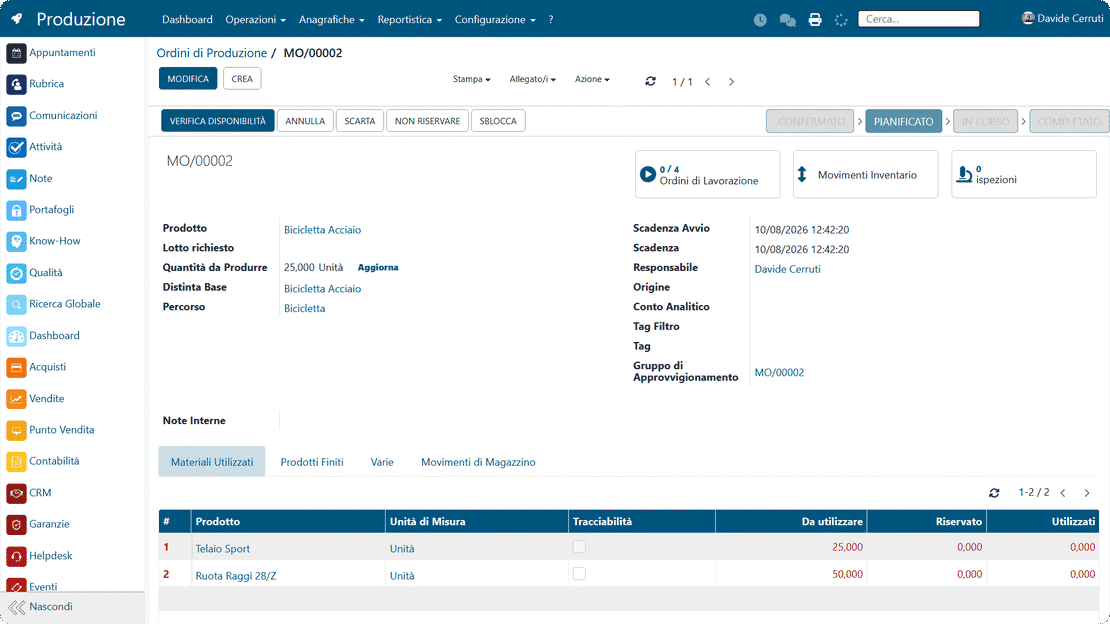
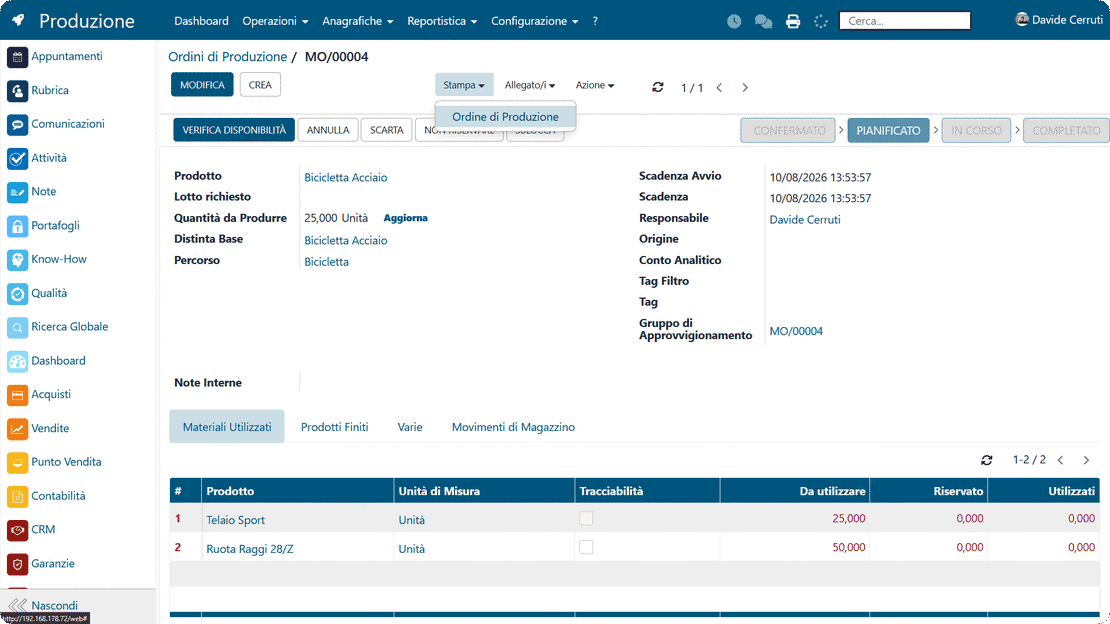
Production and processing orders in Zelo ERP, integrated with inventory and management accounting
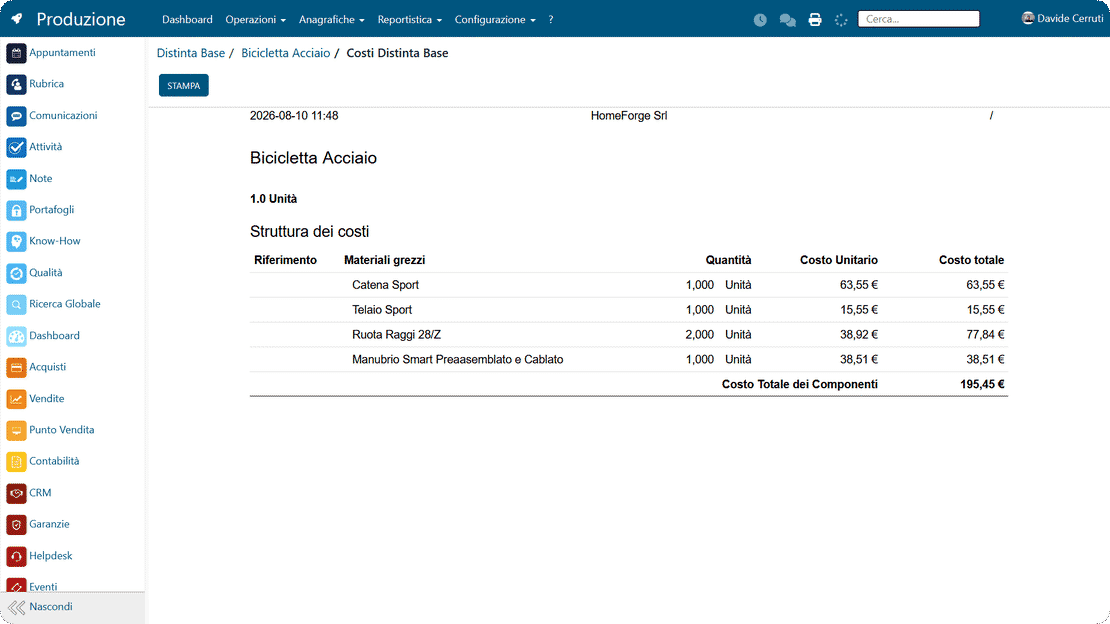
A multi-level bill of materials in Zelo ERP: components, raw material availability and costs

Multi-level bills of materials

Create multi-level bills of materials for finished and semi-finished products. Variants, by-products and service-type components for subcontractors are supported too. Materials and quantities stay connected to the operational logic of production.

Work centers and routes

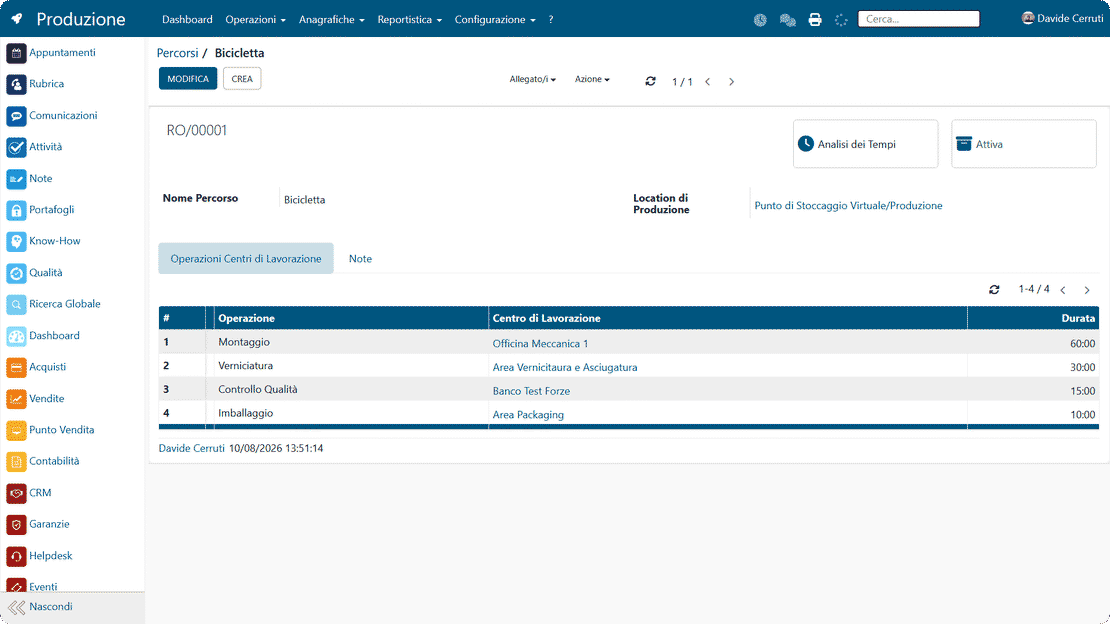
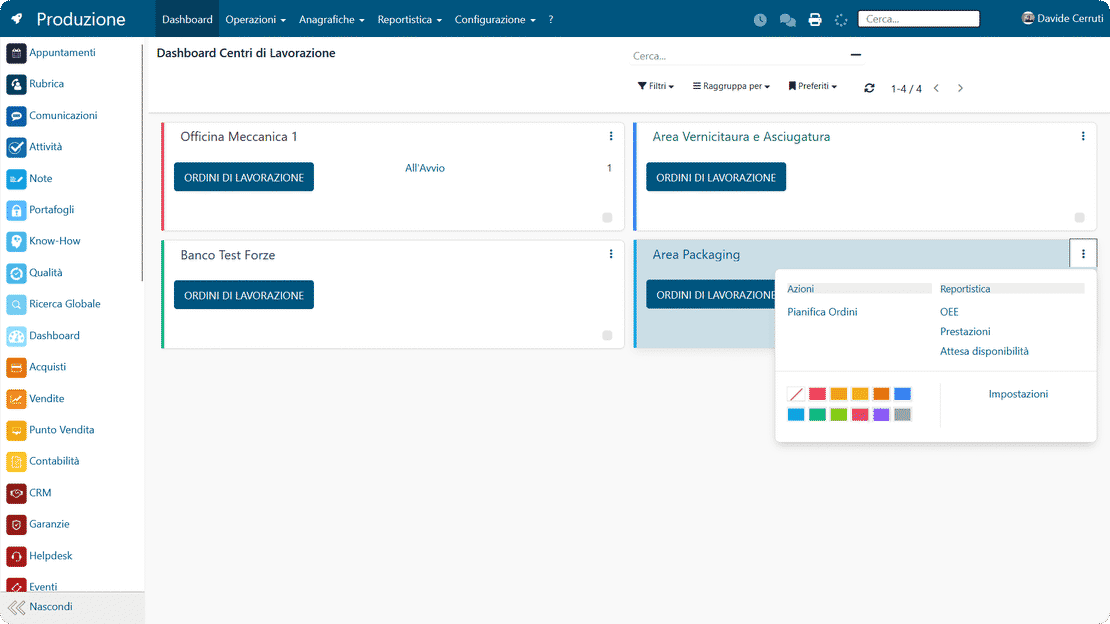
Configure work centers with schedules, capacities and operational parameters. Define routes with operation sequences and standard times per phase. What you plan then matches the real work on the shop floor.

Work centers and production routes in Zelo ERP, with automatic times for each phase
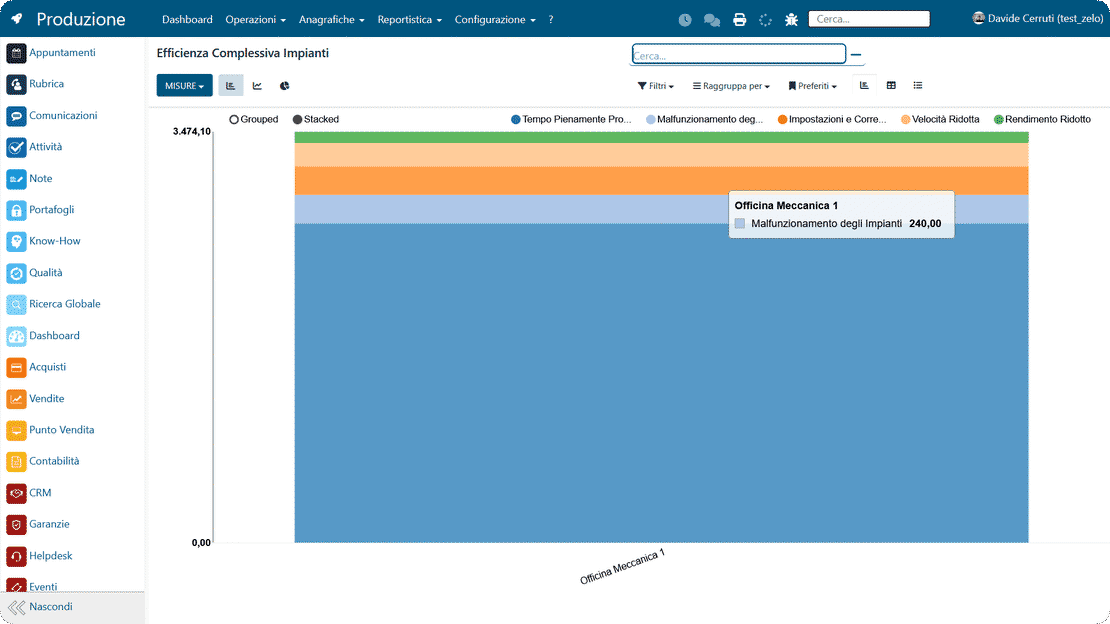
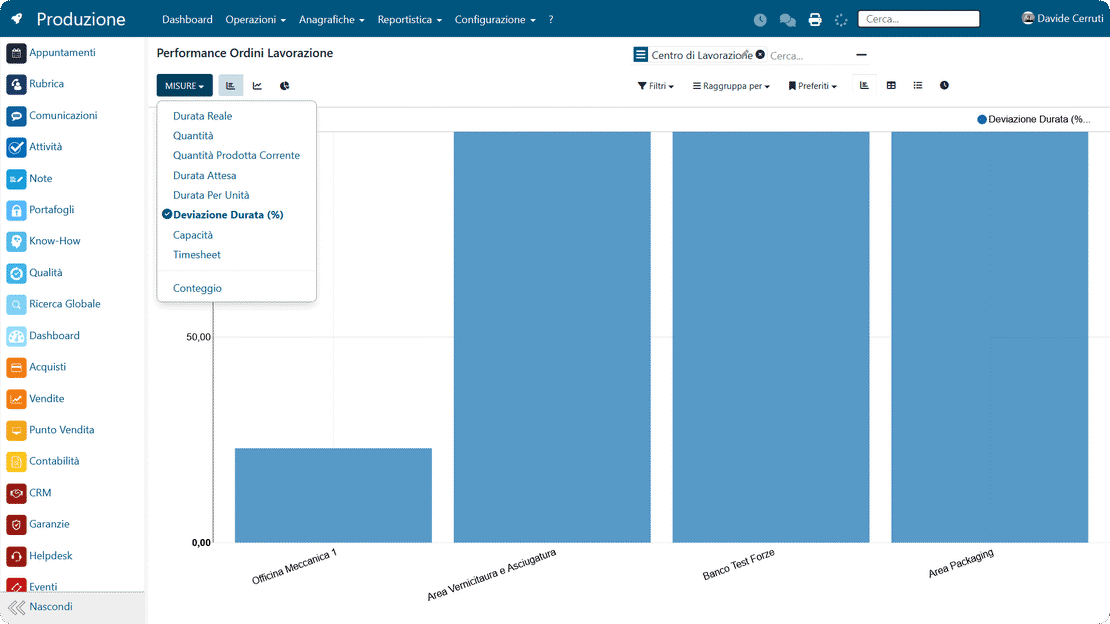
OEE monitoring in Zelo ERP: real times, machine downtime and equipment efficiency

OEE monitoring of work centers

Track the real times of operations as they run. Record machine downtime and productivity losses, each with a configurable reason. The OEE index tells you how efficient your production resources actually are.

Control of orders and materials

Manage the full cycle of production orders, from creation to completion. The order checks availability and guides picking from warehouses, locations and lots. Lot and serial number traceability is included, along with scrap and disassembly.

Material control in production orders in Zelo ERP: availability and issue from warehouse
Production margin analysis in Zelo ERP: consumption, times and profitability of job orders

Analysis of margins and real costs

Get a per-order analysis based on actual consumption and operations. Raw material costs are cross-referenced with the times and activities performed in work centers, so you can see real margins and deviations from what you planned.

5 questions about the
Manufacturing Management module

Straight answers about how the module works, its integrations and its costs.

Yes. You can start with just production orders and basic bills of materials, without work centers or complex routes. Even at that level you get structured manufacturing management: material picking from warehouses and receipt of finished and semi-finished products. As the company grows you enable work centers, routes, time tracking and OEE monitoring, without changing software. You get a light setup today, and you will not outgrow it.

Processing orders let operators start, pause, block and complete operations. Zelo ERP tracks actual times, records machine downtime and links each loss to a configurable reason. From this data it calculates the OEE index per work center and compares it with the target you set. You see where inefficiencies concentrate and how much setup, post-production or breakdowns weigh on output, so you can act on facts instead of impressions.

Yes. You can configure finished products with multi-level bills of materials and designate other products to produce as components. Set the procurement methods “Manufacture” and “Just in Time” on these components, and Zelo ERP creates the necessary production orders automatically whenever the finished product is needed. You stop creating manual orders for semi-finished products and keep material requirements under control. Stock of semi-finished products stays low, yet the parts are there when the finished product needs them.

Zelo ERP provides dedicated scrap orders and disassembly orders. Scrap orders remove defective or unsellable products from the warehouse, tracking lot, quantity and location. Disassembly orders take a product apart and put its components back in stock, based on the bill of materials you already configured. Every movement is tracked and consistent with manufacturing management, so you avoid inventory discrepancies and always know how much you scrapped and how much you recovered.

The introduction can be gradual. You start by configuring products, bills of materials and warehouses, then move to production orders. In a second phase you enable work centers, routes and processing orders for OEE monitoring. Zelo ERP is designed for SMBs and micro-enterprises, so the interface is guided and the processes are already structured. Your team keeps working while the new features come in step by step.

Tools integrated with the
Manufacturing Management

See all the tools integrated in Zelo ERP.
No licensing cost per installed module, per number of users or per enabled workstation

call to action

Less waste, real margins on every order

Request a personalized ERP analysis. Free and with no obligation!
Get your free analysis