Digital notes and post-its your whole team can see

Zelo ERP Notes gathers the team’s reminders and small tasks on a shared kanban board. Each note stays in one place, where colleagues can see it and follow its progress.

Request a free demo
The Notes module of Zelo ERP with a shared kanban board holding the team's colored post-its in columns

Every idea in its place,
every answer on time

Notes, tags and documents live on one shared board, so the team answers faster and customers get accurate information on time.

Why a digital board beats the usual paper post-its

Paper post-its get lost and handwriting becomes unreadable. Zelo ERP Notes keeps your ideas in a shared digital space instead.

  • Adapt the board to your workflow
  • Filter and categorize notes in seconds
  • Documents stay linked to their note
  • Work on notes together in real time
  • See every change, and who made it
The organization your customers notice

When information is organized, your team responds faster and makes fewer mistakes. Customers notice the difference in shorter waits and answers that arrive on time.

  • Find what you need without digging through email
  • Notes stay current because everyone works on the same one
  • The team moves together instead of duplicating work
  • Nothing slips through the cracks
  • Customer details available the moment you need them

From idea to action
in three simple steps

Create a note, place it on the board, share it with whoever needs to act on it. In three steps an idea becomes an activity you can follow.

1. Create

Open the Notes and Post-It board and click to create a new note. Write the content, add tags, and attach any documents that help.


2. Organize

Drag notes between the columns you prefer. Set the board up around your own workflow and priorities, not the other way around.


3. Share

Add colleagues as followers so they can work on the note with you. Plan activities and keep track of every change in the chatter history.

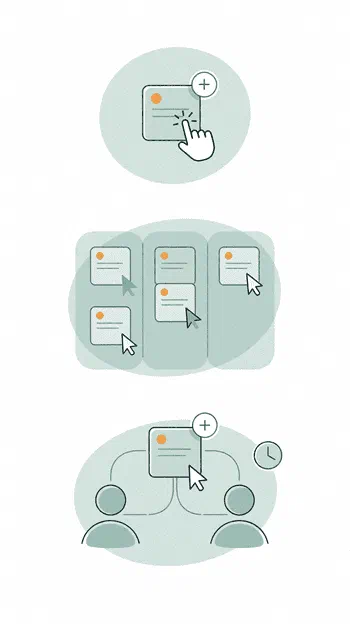
How the Notes module of Zelo ERP works: create a note, organize it on the kanban board, share it with the team

Kanban Board

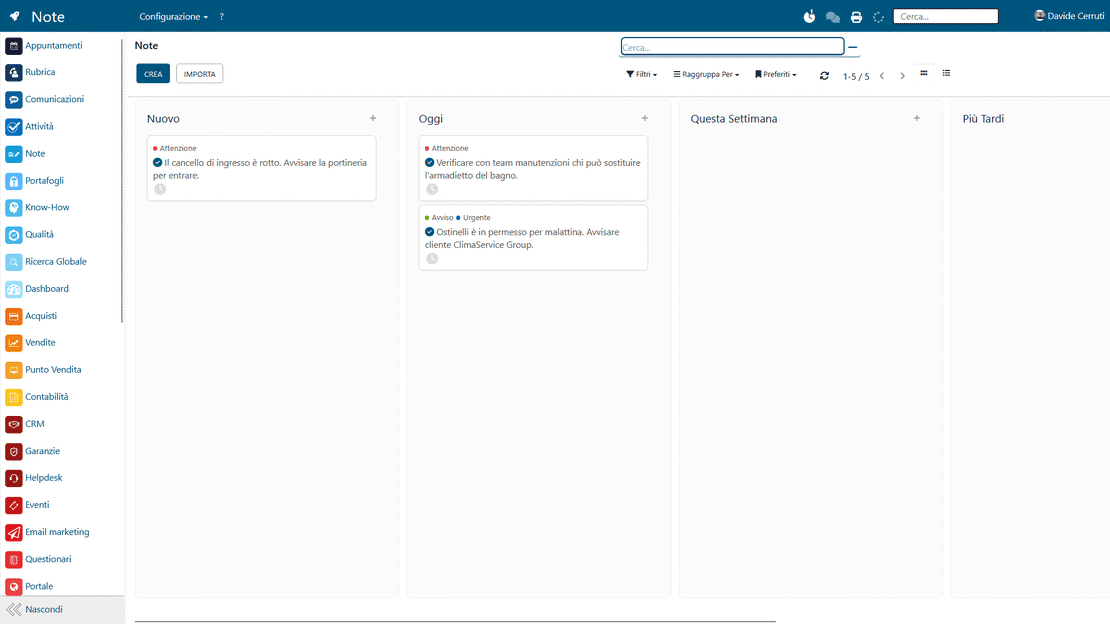
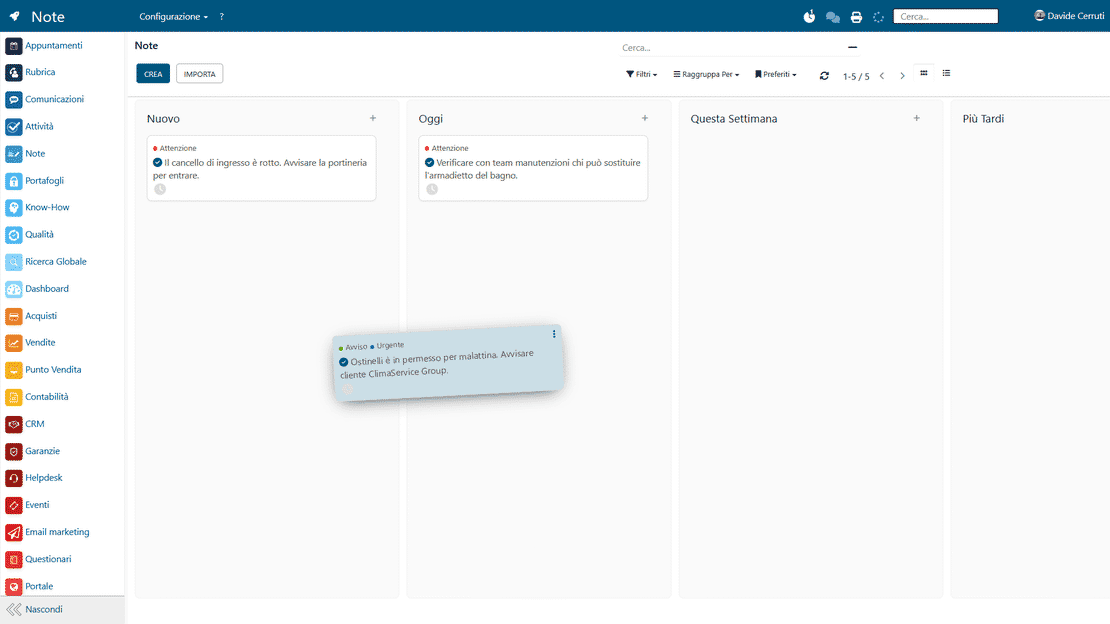
The board is divided into columns that mirror the stages of your workflow, and you decide what those stages are. Each note moves from column to column with a drag, so the whole team can see current priorities and which tasks are in progress.

The kanban board of the Notes module in Zelo ERP with customizable columns and the team's post-its
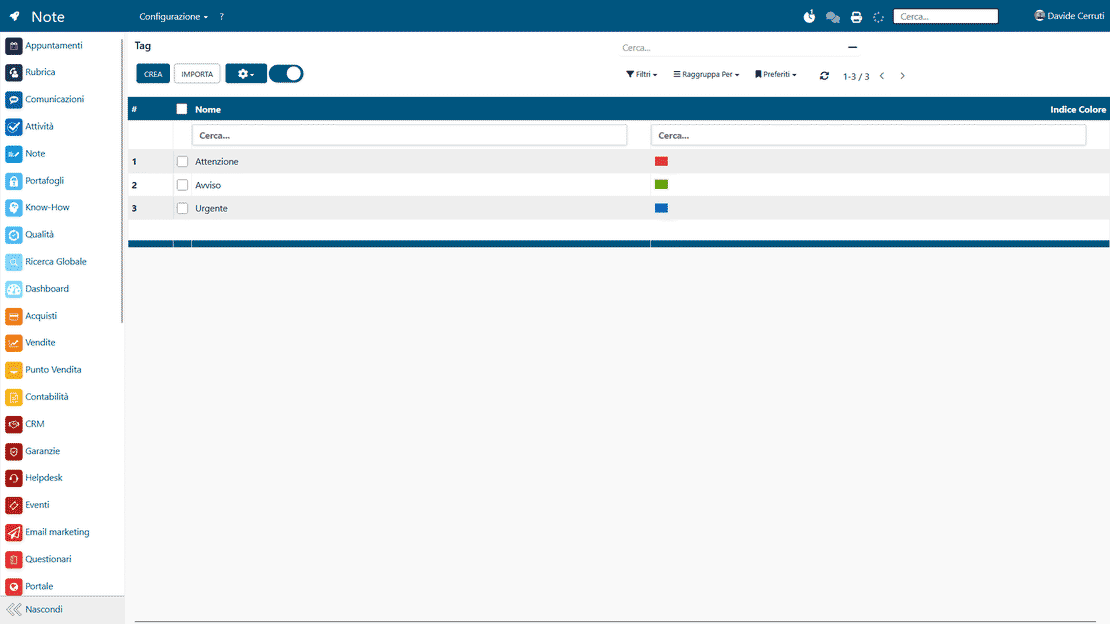
Colored tags in the Notes module of Zelo ERP used to filter and group post-its on the board

Tags and Categories

Every note can carry colored labels that say what it is about: its type, its priority, or the project it belongs to. Tags make searching and filtering fast. You see only the notes relevant to one work area, and the archive stays organized as it grows.

Attachments and Documents

Upload files of any format to a note: images, spreadsheets, contracts, whatever the discussion needs. The useful resources sit in one place, so nobody hunts through folders or old email threads to find them. The context around each note stays complete.

Attachments and documents linked to a note in the Notes module of Zelo ERP
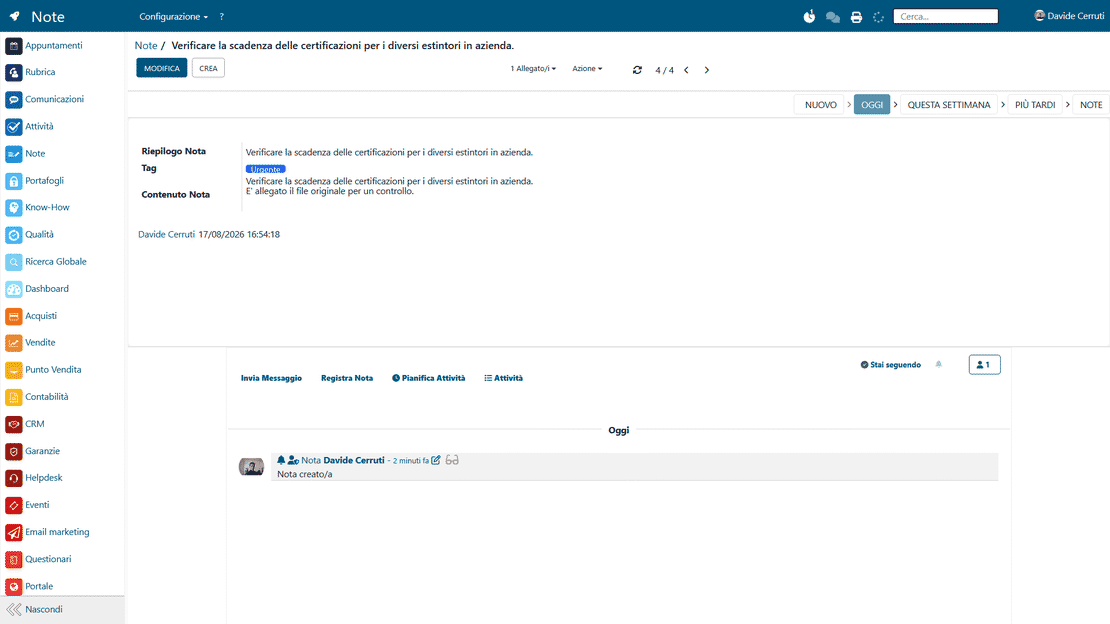
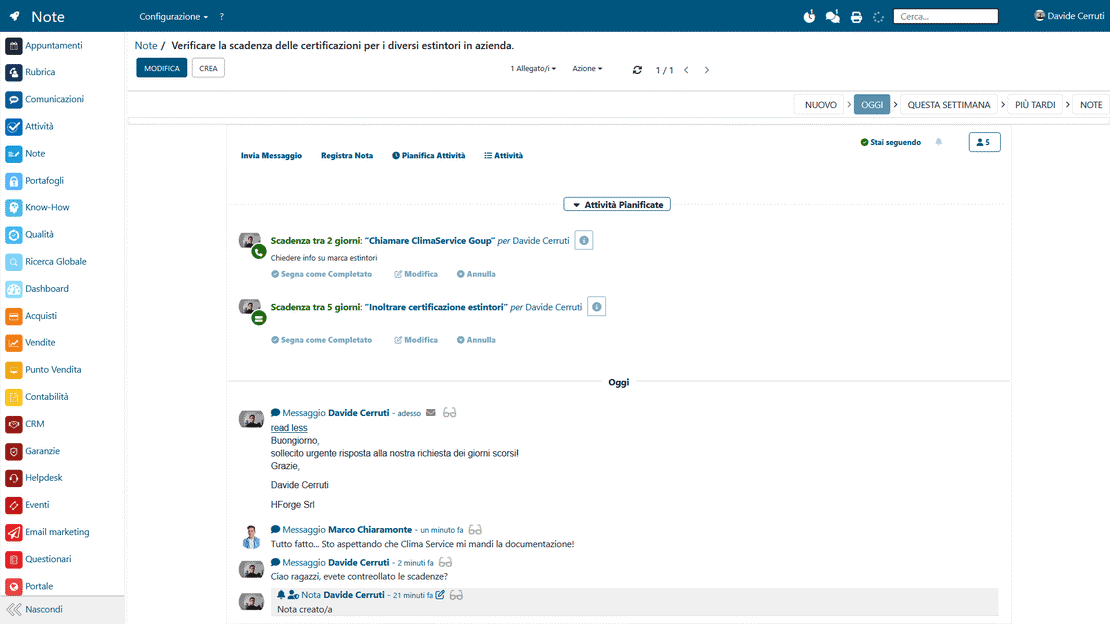
The chatter of a note in the Notes module of Zelo ERP showing the history of changes and messages

Chatter System

Each note records its own history automatically: changes, comments and interactions over time. The chronological log shows how an activity developed and explains the decisions taken along the way. When someone new opens the note, they understand it without asking around, and misunderstandings shrink.

Followers and Sharing

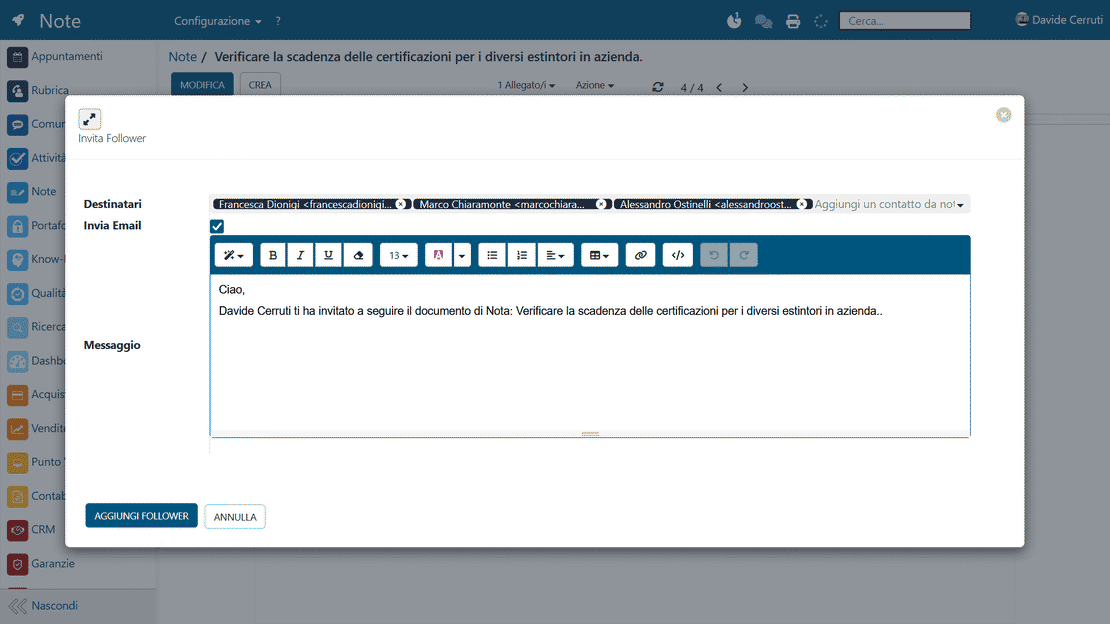
Add colleagues as followers of a note and they hear about every change or new comment automatically. Nobody has to check the status of an activity by hand to stay current, and answers go out sooner.

Followers and sharing options on a note in the Notes module of Zelo ERP
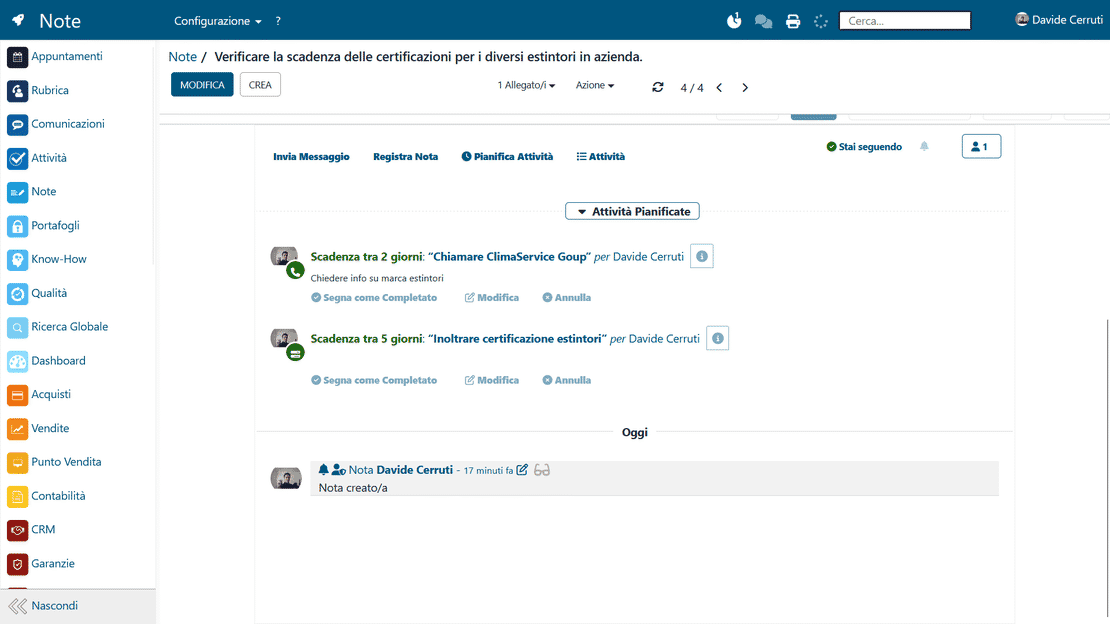
Scheduled activities with deadlines on a note in the Notes module of Zelo ERP

Activity Planning

From the note itself you create activities with firm deadlines, assign them to specific people and set automatic reminders. A note becomes a task with an owner and a due date. Since notes and calendar live in the same tool, deadlines actually get met.

5 questions about the
Notes and Post-It Management module

Straight answers on how the module works, what it integrates with, and what it costs.

Yes. In the Notes and Post-It tool you can create, rename, move and delete the columns of the kanban view as you like. Organize the board by priority, by project, by deadline or by any other criterion that fits your way of working. Each user can also keep a personal arrangement of their own.

Through the follower system built into Zelo ERP. Add a colleague as a follower of the note and they receive a notification for every change or message. You can also add an entire discussion channel as a follower, which is handy for sharing with work groups. Internal notes stay visible only to authorized users.

Any type: PDFs, spreadsheets, images, presentations, whatever the discussion needs. Attachments stay linked to their note and open with a click, so the related material sits in one place instead of scattered across different folders.

Yes. Every note has a chatter that records the full history automatically: creation, changes, exchanged messages, planned activities. You can always see who did what and when, which is what allows you to trace how an important note developed months later.

Yes. From any note you can plan activities with a due date, assign an owner and get automatic reminders. Planned activities appear both in the note and in the general activities menu of Zelo ERP, so an idea becomes a concrete action with a date attached.

Tools that integrate with the
Notes and Post-Its module

Discover all the tools integrated in Zelo ERP.
No license cost: not per installed module, not per user, not per enabled workstation

call to action

From scattered notes to an organized board

Talk to our Business Analysts about bringing the team’s notes, documents and activities together in one digital space that everyone can reach.
Book a free demo