Global Search: one keyword for everything in Zelo ERP

Omnisearch is the global search function of Zelo ERP: one place to find data and documents from any area of the system. Type a keyword and it queries CRM, sales, accounting and projects at the same time, then collects the results in a single view.

Request a free demo
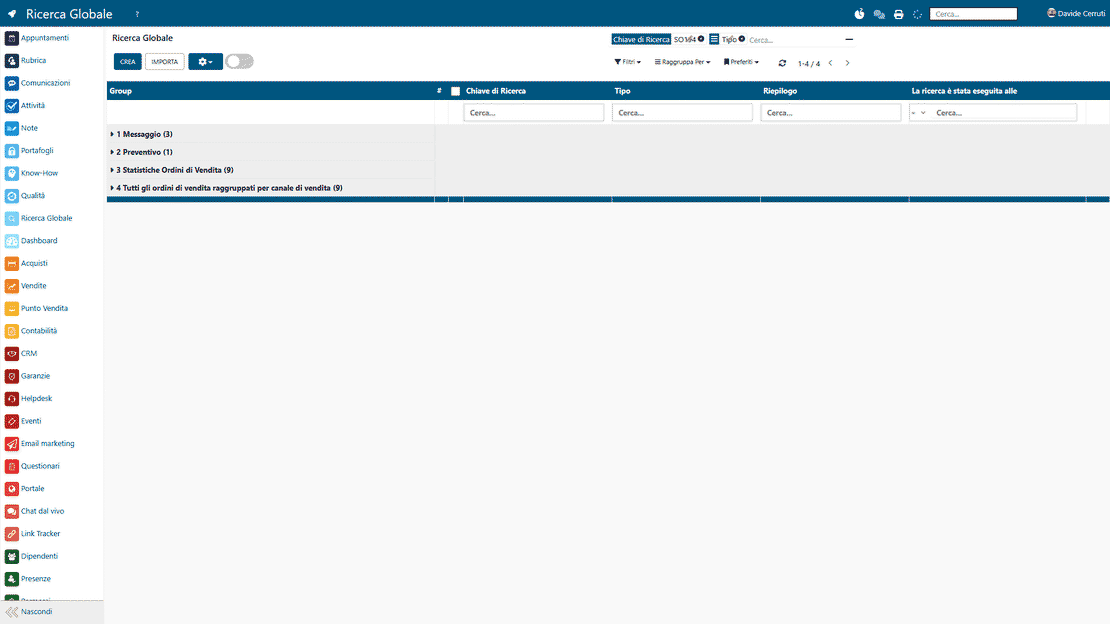
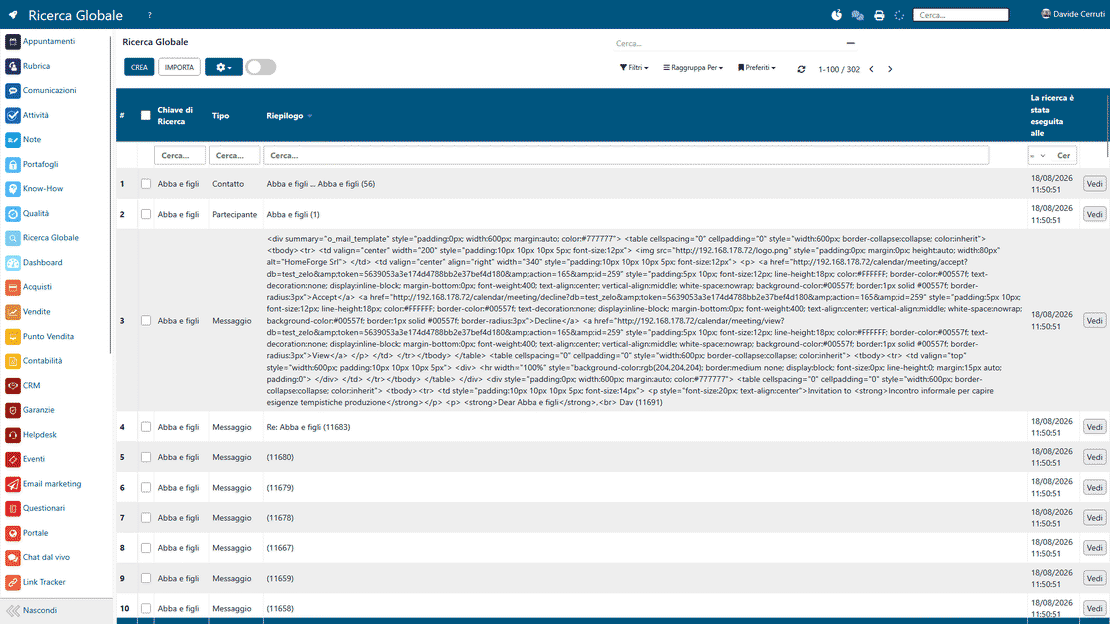
Zelo ERP Global Search (Omnisearch) showing results from CRM, sales, accounting and projects in one view

Less time searching, more time running the business

One search covers CRM, sales, accounting and projects. Your team finds every document in seconds, and customers get accurate answers without the wait.

Find every document without digging through menus

Global Search does away with “memorized” searches through menus and modules. You pull up information even when it sits far from your current context, and reopen the searches you run often without redoing the work.

  • Cross-area search across multiple modules
  • Filters and grouping on results
  • Quick searches reopenable from cache
  • Advanced filters adjustable on the fly
  • Recovery of documents linked to partners
Happier customers, faster answers

When documents and history are one search away, you answer customers quickly and accurately. There is less waiting and less “let me check” on the phone. Customers notice, and that reliability is part of the service.

  • Fast answers on orders and invoices
  • More precision on history and details
  • Fewer errors from poorly retrieved data
  • Quick updates on projects and timelines
  • Clearer, more consistent communication

From keyword to operational data

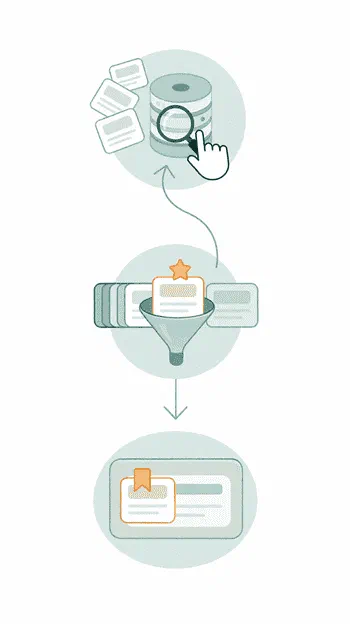
Three guided steps take you from keyword to working data: search all areas at once, refine the results, then reuse the searches you run often. No jumping between menus and modules.

Type a term in the global search bar. Zelo ERP queries all areas at the same time and returns a unified view of master records, documents and related activities within a few seconds.

2. Refine

Apply dynamic filters and logical groupings to the aggregated list until only the relevant records are left. There is no need to navigate manually between the software’s modules or screens.

3. Reopen

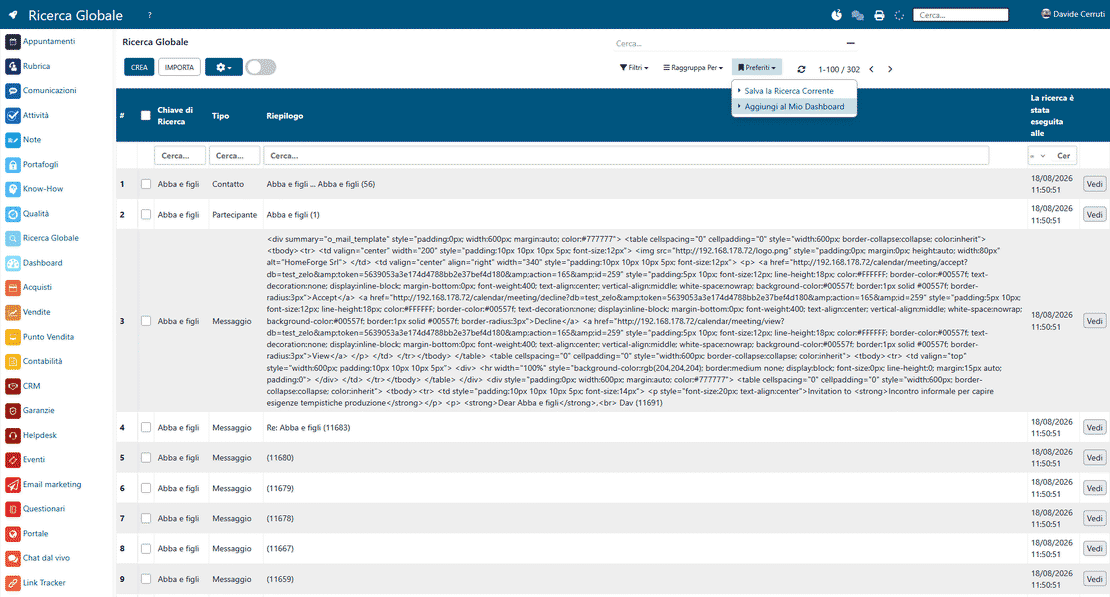
Save the most useful configurations to favorites and recall them quickly, or embed them as widgets in the Dashboard. The search criteria stay up to date as your needs change.

Global search in Zelo ERP: type a keyword, refine the results, then reopen the search from favorites

Cross-area search

Type one keyword and Zelo queries every operational area at once: CRM, sales, accounting and project management. You don’t have to open each section of the software one by one. Results coming from different databases are collected in a single interface, so there are no separate searches across the various menus.

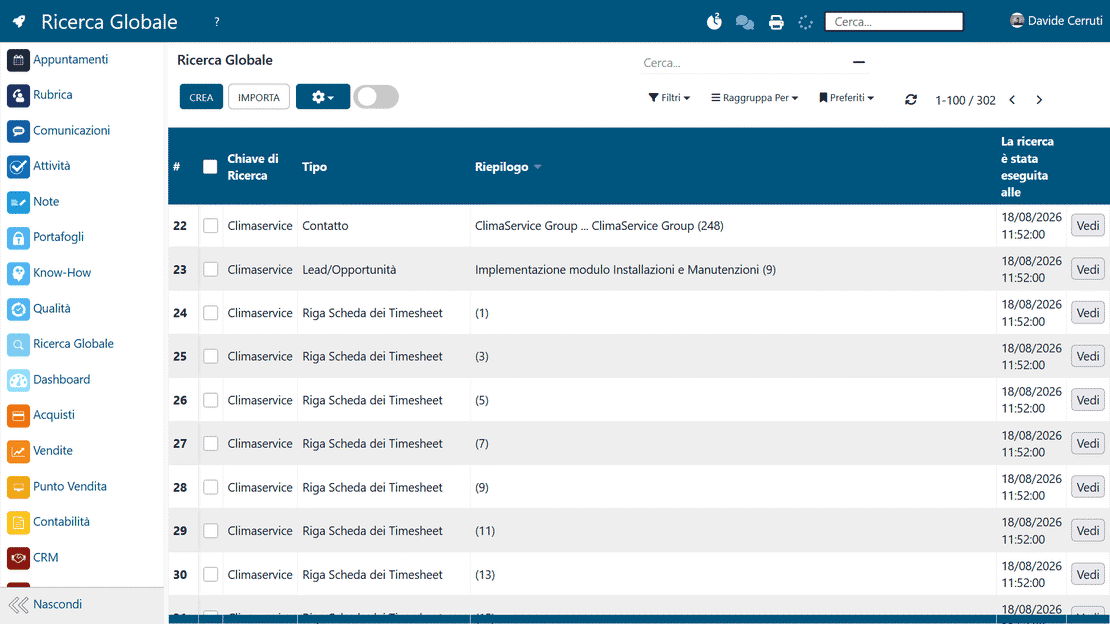
Global search in Zelo ERP returning records from every area of the system in one results list
Global search in Zelo ERP showing all documents aggregated and linked to each partner

Document aggregation

The results give you a complete picture: the partners’ master records plus every linked document, such as sales opportunities, quotes, orders, invoices and timesheets. One search term is enough to reconstruct the entire document history of a customer or supplier, with the link between administrative records and operational activities in plain view.

Dynamic filters

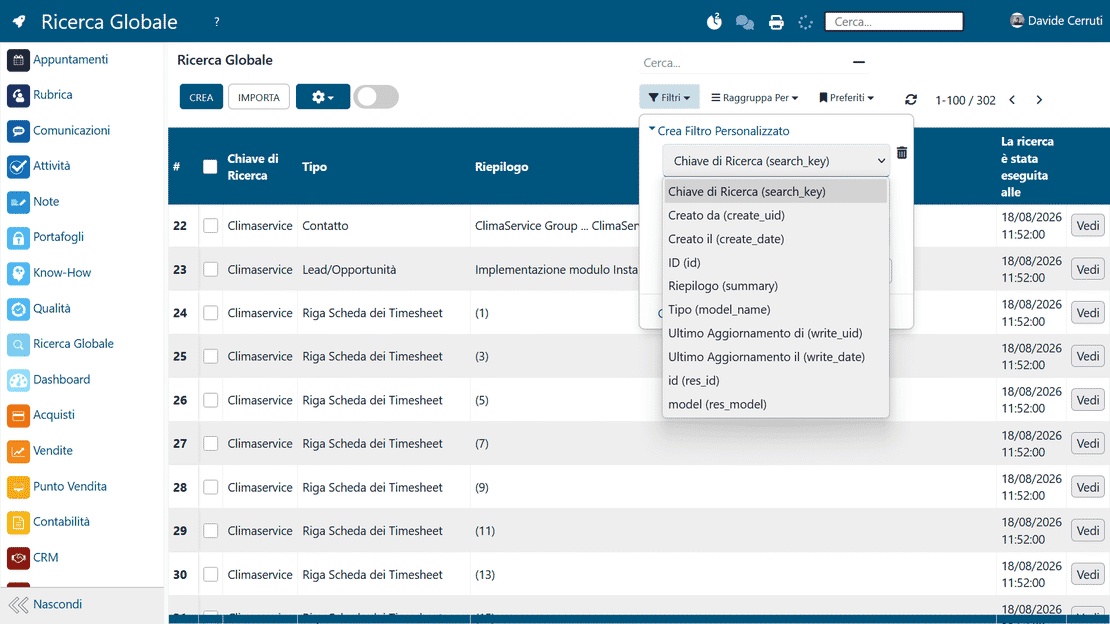
After the first list of results, a series of selection criteria narrows the scope step by step according to specific parameters. The filters work on the list in real time, so you keep only the data that matters for the task at hand. Consulting large volumes of business information takes far less time.

Global search in Zelo ERP with dynamic filters narrowing down the list of results in real time
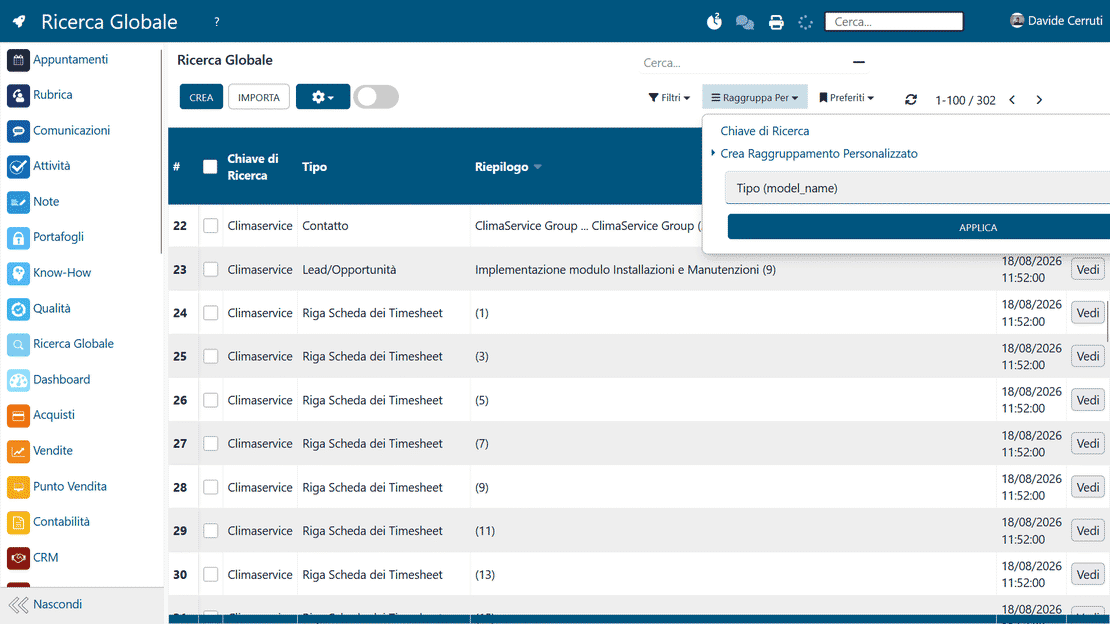
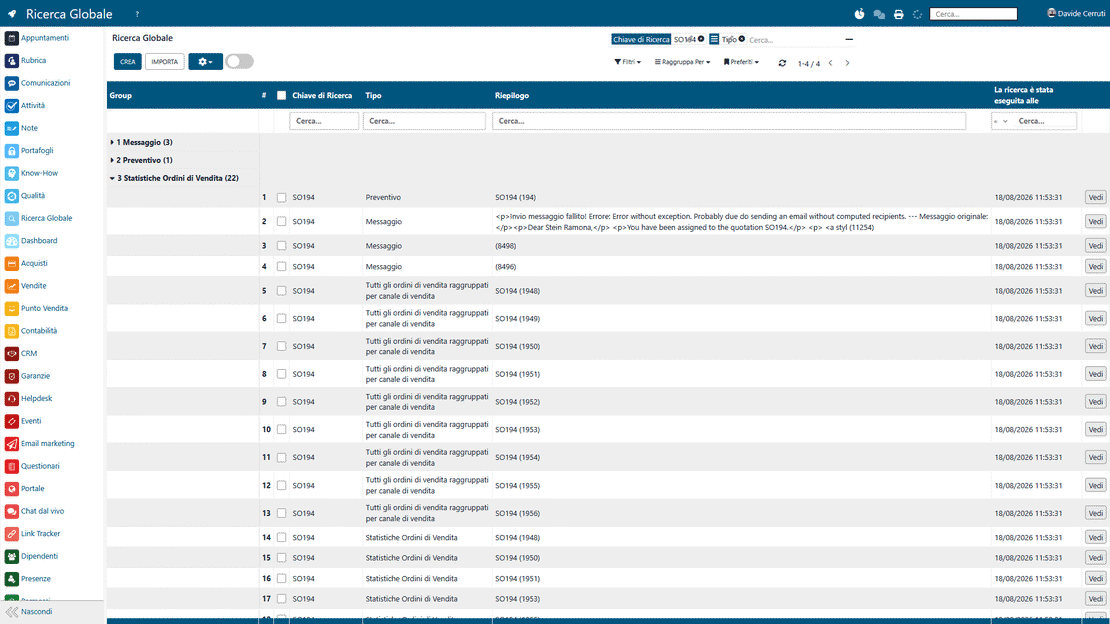
Global search in Zelo ERP grouping results by criteria such as document type or creation date

Data grouping

Beyond the plain list view, the system organizes the records it finds according to predefined or custom logical categories. This structured reading makes it easier to see how data is distributed across projects or business areas, so the analysis of results is more immediate for the operator.

Saved searches

Every search configuration, filters and groupings included, is stored in a dedicated favorites section and recalled instantly in later work sessions. Recurring tasks get faster. You no longer reset the same parameters each time you monitor the evolution of specific data or documents.

Global search in Zelo ERP with recent searches saved in favorites for quick reuse
Global search in Zelo ERP displayed as live, automatically updated widgets on a personalized dashboard

Dashboard integration

Saved and filtered searches become dynamic widgets you can place in your personal Dashboard. Custom views turn into monitoring tools that update on their own, so the most critical information stays under control without manual searches.

5 questions about the
Global Search module

Answers to the most frequent questions about features, integrations and costs.

Yes. Omnisearch is built to find what you need no matter which area you’re in. It’s most useful when the information is “scattered” across CRM, sales, accounting or projects and you’d otherwise keep switching modules to rebuild the context.

Yes. A typical use case is searching for everything about a partner: CRM opportunities, quotes and orders, invoices, activities and other linked items. You retrieve the history faster and answer better, whether you’re in a commercial or administrative phase.

Yes. Once the results are in, you can filter and group them until you get to exactly the data you need. That’s the step that turns a “generic” search into an operational one you can decide and act on.

No. You can save or modify filters and conditions without starting from scratch, even when they’re advanced or customized. This matters in SMEs, where real cases often change: dates, customers, statuses, departments.

Yes. You can save searches and recall them quickly, which cuts the time spent on repetitive tasks. The goal is to make “standard” what is today a waste of time: finding and verifying information.

Tools integrated with the
Global Search

Discover all the tools integrated in Zelo ERP.
No licensing cost for installed modules, for the number of users, or for enabled workstations

call to action

Stop searching from memory. Start finding.

Bring us a real case among customers, orders and invoices, and we’ll show you how to find everything in seconds.
Book your demo