Quotation requests, purchase orders and blanket agreements in one ERP

Zelo ERP runs the inbound cycle: quotation requests, orders, blanket agreements and supplier price lists in one place. Reports and pivot tables show how purchasing costs move over time and how each supplier performs.

Request a free demo
Zelo ERP Purchasing module: quotation requests, purchase orders and blanket agreements with suppliers

Suppliers, price lists and purchase orders in one flow

Keep requests, orders and price lists together, with deliveries and costs in view. Errors and delays drop, spending stays inside budget, and the whole team works from the same purchasing data.

Why choose this tool?

Zelo ERP replaces the scattered files and the outdated prices. You get automatic reordering on dynamic criteria, negotiation tracking, supplier price lists and SLAs, so less of the budget leaks into inefficiencies. The process stays light even as purchase volumes grow.

  • Multi-supplier quotation requests in a few clicks
  • Purchase tenders with automatic comparison of offers
  • Purchase agreements with quantities and deadlines under watch
  • Supplier price list import and product cost updates
  • Purchasing reports with cost analysis and supplier performance
Concrete benefits for your customers

Accurate purchasing removes a good deal of uncertainty: delivery times become reliable and prices hold steady. Your customers find what they ordered, when they ordered it. Well-run purchasing lets your business answer the market quickly.

  • Products available when the customer asks for them
  • Delivery times you can predict and rely on
  • Fewer errors on orders and quantities
  • Steadier prices through purchase agreements
  • Clearer communication on lead times and deliveries

How corporate purchasing works,
step by step

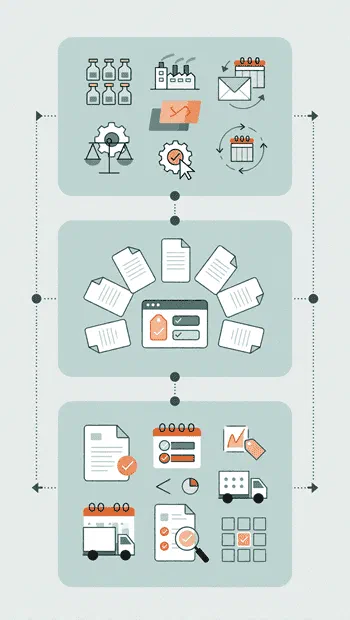
It starts with a quotation request and ends with an order confirmation. Supplier price lists and blanket agreements cut errors, speed up procurement and keep costs and delivery dates in check.

1. Plan

Set up products, suppliers and purchase agreements in Zelo ERP. Turn on supplier quotation requests and define your reordering rules.

2. Compare

Send quotation requests to several suppliers, run purchase tenders, and compare prices and terms on one screen. The most convenient supplier for each product is easy to spot.

3. Monitor

Confirm purchase orders, follow deliveries and agreements, update price lists and analyze purchasing performance with built-in reports, charts and pivot tables.

How corporate purchasing works in Zelo ERP: plan, compare supplier offers and monitor orders

Quotation Requests

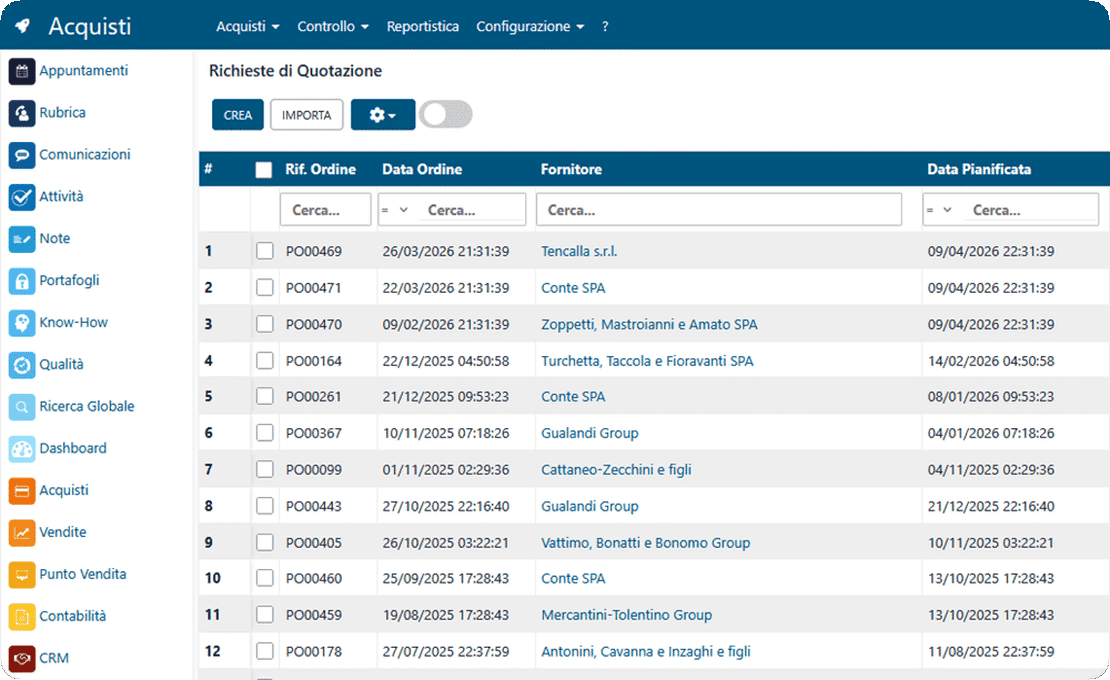
Quotation requests go out to several suppliers at once, so you can compare commercial terms and delivery times side by side. Replies arrive in the same interface, and you pick the best offer without digging through your inbox. Every interaction is tracked in order, and the history of negotiations and quotations stays available. One command turns the winning quotation into a final purchase order, with no transcription errors.

Quotation requests in Zelo ERP: compare offers from several suppliers and turn the best one into an order
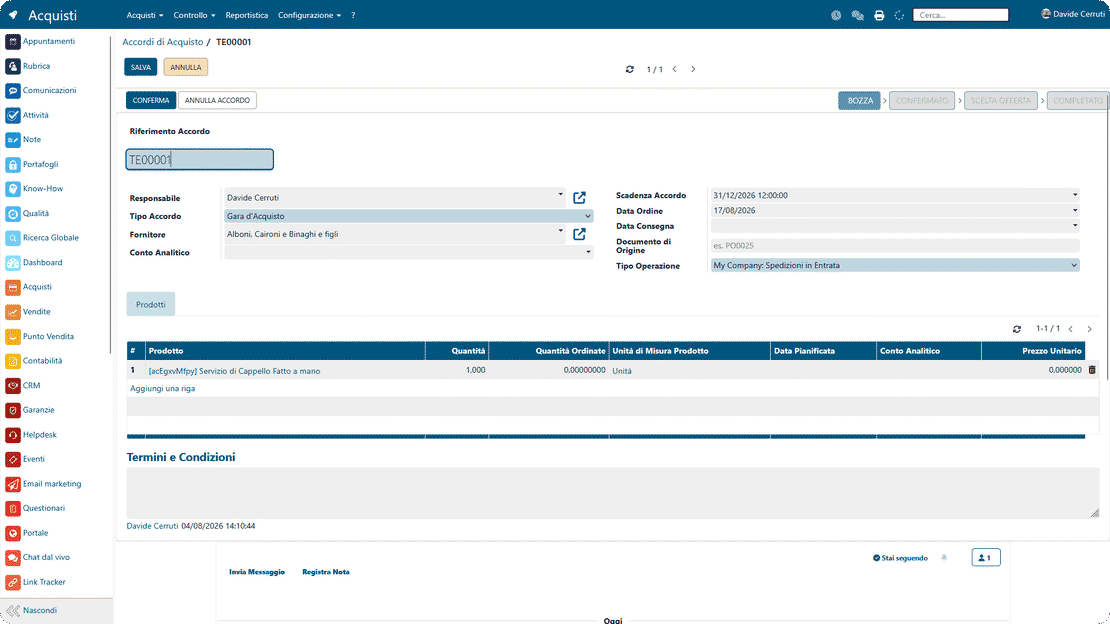
Orders and purchase tenders in Zelo ERP: compare offers and link every order to its requirement

Orders and Tenders

The platform covers the whole purchase order flow, including heavier procedures such as tenders for strategic supplies. You define the selection criteria and the deadlines for partners to submit their offers. Every order stays linked to the business requirement behind it, so purchasing and production remain aligned. Integrated document management attaches technical specifications and contracts directly to each purchase transaction.

Blanket Agreements

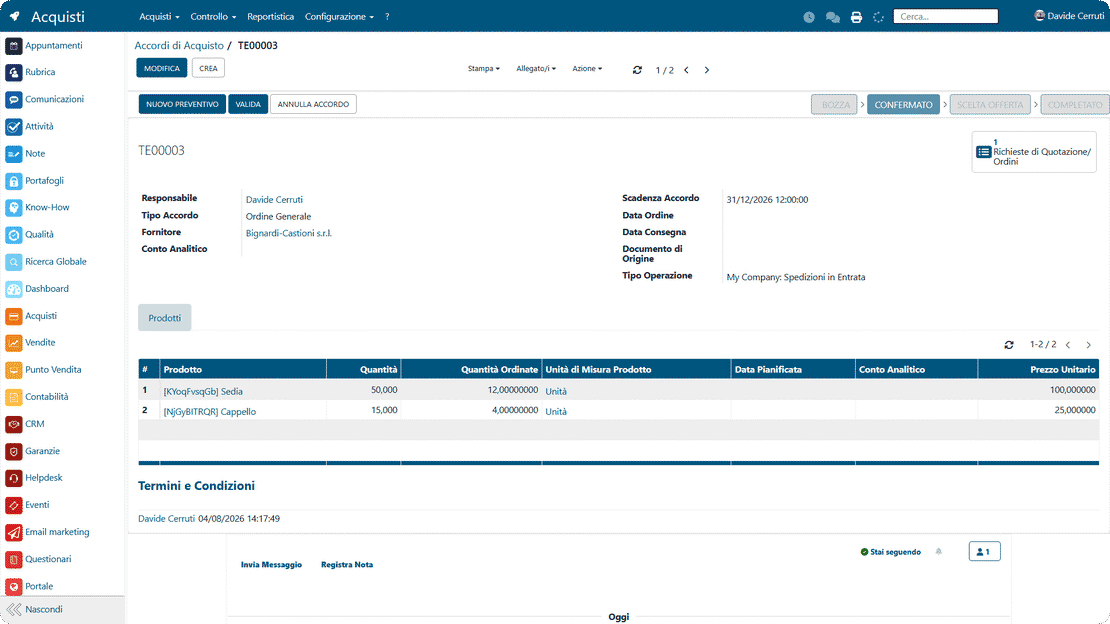
The feature monitors long-term agreements and continuously checks that the prices and quantities drawn down match what was agreed. When a threshold set in the contract is reached, the system alerts you, so renewals and renegotiations are handled in advance. Blanket agreements also help with financial planning: future spending commitments and the preferential terms obtained are always visible. Every drawdown is traceable against the agreement, so partial orders comply with the terms of the master agreement.

Blanket agreements in Zelo ERP: committed quantities, discounted prices and renewals under control
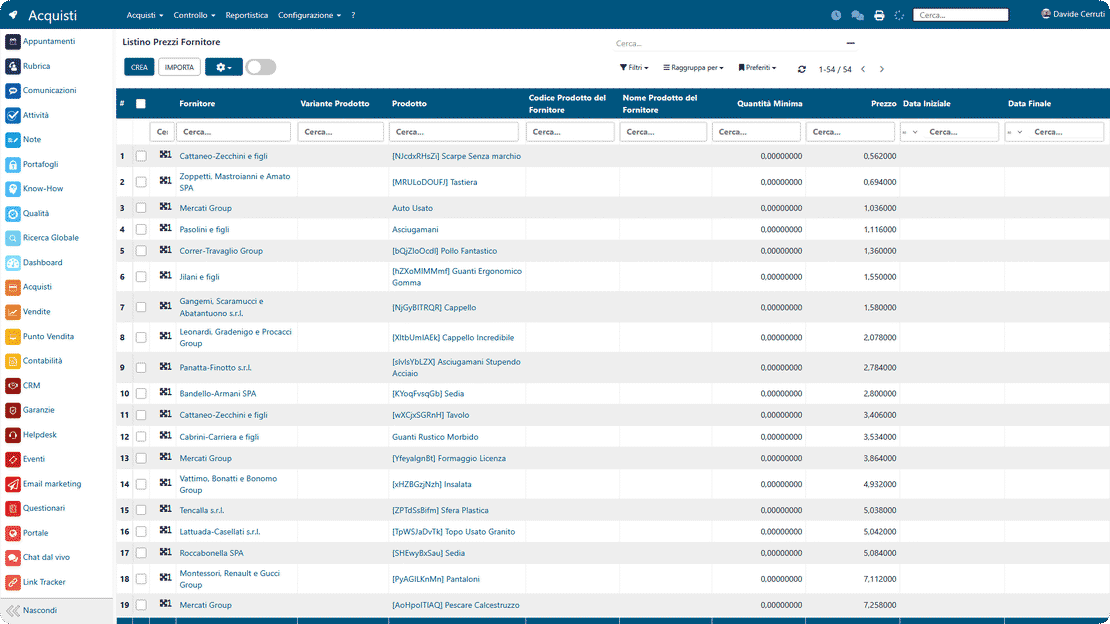
Supplier price lists in Zelo ERP: import lists, keep costs up to date and track price changes

Price List Management

Supplier price lists import in various formats, and the business database picks up current costs. You can keep several price lists for the same product and apply priority or validity-period rules, so the cheapest supplier is selected automatically. Price changes are calculated against previous purchases, and the deviations that could eat into the margins of finished products are flagged. The automation cuts manual data entry and the risk of errors in the accounts payable cycle.

Performance Analysis

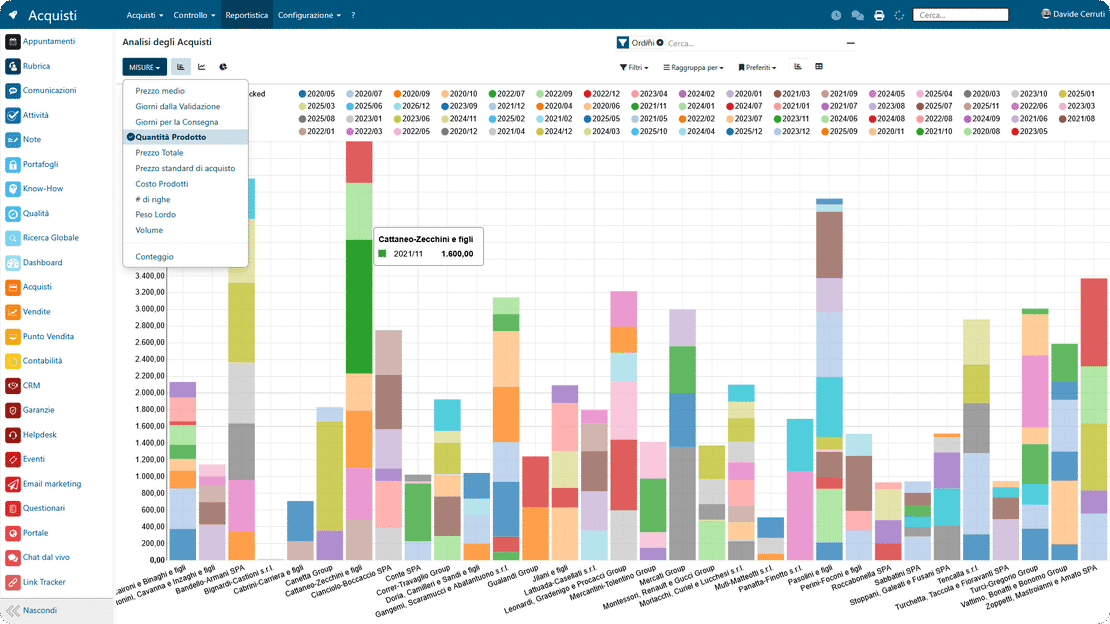
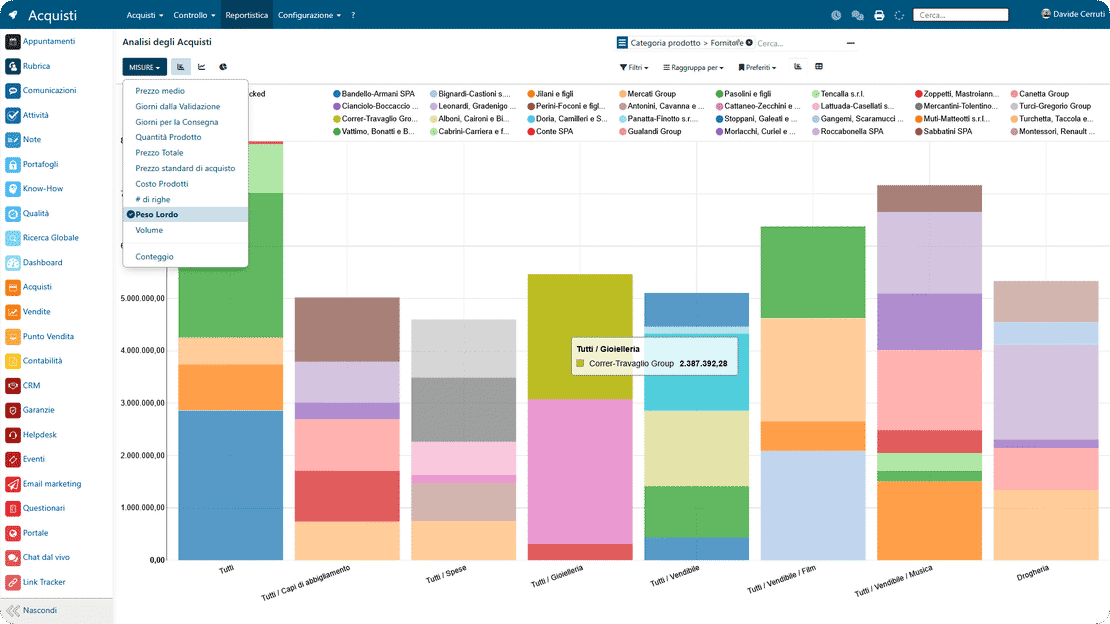
Pivot tables and dynamic charts show purchasing performance and supplier reliability in a single view. You can analyze the historical cost of each item, purchase volumes by product category and how well suppliers respect the agreed delivery times. The data points to inefficiencies and savings opportunities using objective operational metrics. Reports are exportable and dashboards customizable, so the numbers also serve management control and procurement strategy.

Purchasing performance analysis in Zelo ERP: historical costs, volumes and supplier reliability

5 questions about the
Purchase Management module

Answers to the questions we hear most about features, integrations and costs.

Yes. Zelo ERP’s purchasing management is built for micro, small and medium-sized businesses. If you run purchasing today with Excel and email, you know how easy it is to lose track of quotation requests, agreed terms and current prices. In Zelo ERP, suppliers, price lists, orders and purchasing analysis sit together in one system. Start with the essentials (quotation requests and purchase orders) and turn on the rest later: purchase agreements, tenders, supplier price list import. The interface stays clear even for people who don’t use complex software every day, and underneath it is still a full purchasing management system for SMEs.

You create a quotation request by selecting supplier, products and quantities in a guided flow. Send it by email straight from the system, print it or duplicate it. To compare offers, turn a purchase agreement into several quotation requests, one for each supplier, and update them as proposals arrive. Once the best offer is clear, one click converts the request into a purchase order: Zelo ERP carries over products, prices, terms and, if one was used, the link to the purchase agreement. The agreed price is stored and can update the supplier price lists, which makes the next order faster to place.

Yes. Besides editing prices manually in the Purchasing tab of the product card, Zelo ERP has a Supplier Price List feature for importing complete lists. Upload the file your supplier provides (tabular format, for example) and turn it into a structured price list associated with your products, so purchasing costs update without touching each product individually. The Product Price Editing feature then shows the last update, cost, selling price and price/cost ratio in one overview. Current costs matter both for purchasing management and for analyzing margins: fewer price errors on orders, and a clear picture of what you actually pay.

Purchase agreements (general orders and purchase tenders) are managed directly in the Purchasing area. For each agreement you define the owner, the supplier, start and expiry dates, included products, total quantities and agreed prices. Quotation requests and orders generated from the agreement stay tied to the main contract. The system calculates what has already been ordered and what is left to order, so you can check whether you are meeting your commitments and getting the expected discounts. The reports also show volumes purchased and costs by supplier and by product over time.

The reporting section looks at purchases from several angles: historical product cost, quantities purchased per period, spending by supplier, product category or project, average delivery times. Charts, tabular reports and pivot tables help you answer the usual questions of purchasing analysis. Which suppliers have the biggest impact on total spending? How have prices changed over time? Which products saw the largest increases? With those numbers, purchasing becomes something you can negotiate with: better terms, fewer surprise price increases, more predictable cash flow.

Tools integrated with
Purchase Management

See all the tools integrated in Zelo ERP.
No license costs per installed module, per user or per enabled workstation

call to action

Suppliers under control, purchasing costs in view

Track orders in real time and keep the budget under control, with a purchasing flow connected to inventory and accounting.
Request your free demo