Every nonconformity and quality risk, centralized in the ERP

Zelo ERP’s Quality Management module keeps quality and business risks in one place: nonconformities and mitigation plans are tracked and linked to the sales, purchasing and production processes. Every department works to the same standards, and continuous improvement becomes measurable.

Request a free demo
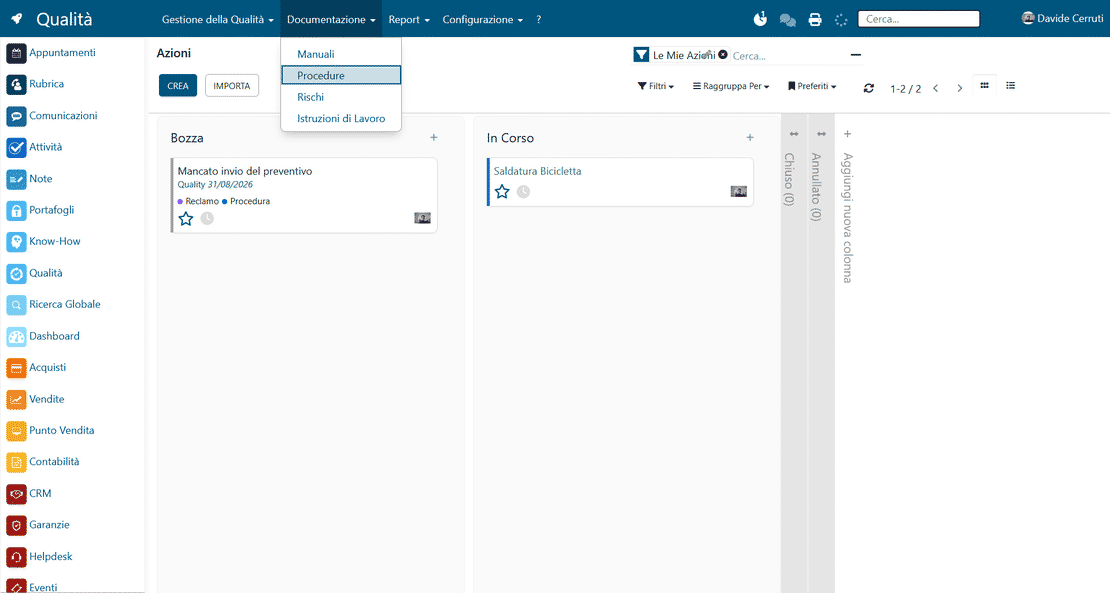
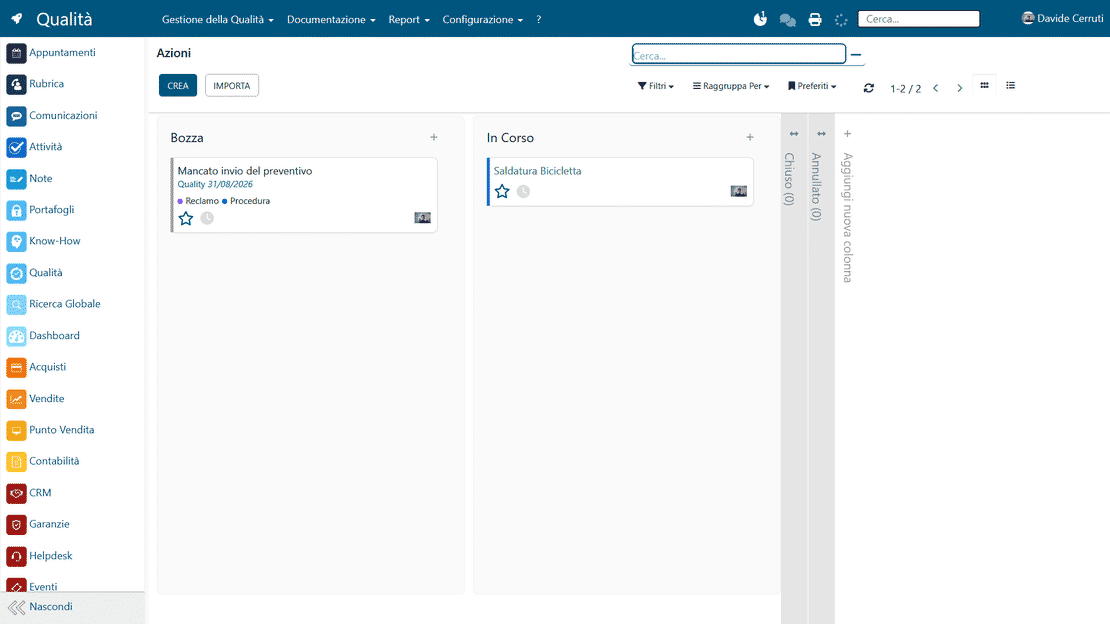
Zelo ERP Quality module: nonconformities, risks and corrective actions in a Kanban view

Fewer errors in your processes, more trust from your customers

The quality manual, nonconformities and risks are tracked in one system, which means fewer errors and delays: more solid processes inside the company, more reliable deliveries for your customers.

Quality and risks, finally in one place

Zelo ERP’s quality and risk tool replaces the usual spreadsheets and email threads with a single system for the quality manual, nonconformities, corrective actions and verifications. You get fewer errors and production stoppages, and fewer disputes when an audit or a customer raises a question.

  • Quality manual integrated with Knowledge and company procedures
  • Nonconformity management with statuses, priorities and owners
  • Customizable quality and business risk Kanban
  • Recording of preventive and corrective actions linked to risks
  • Quality reports, verifications and nonconformity trends
Deliveries your customers can count on

A quality and risk system that works cuts errors, complaints and delays. Customers feel the difference at every delivery, and the certificates confirm it.

  • Fewer errors in the products and services you deliver
  • Faster response when a problem shows up
  • A clear record of every action and verification
  • Open communication about complaints and nonconformities
  • More trust in your certified quality system

From the quality manual to continuous improvement

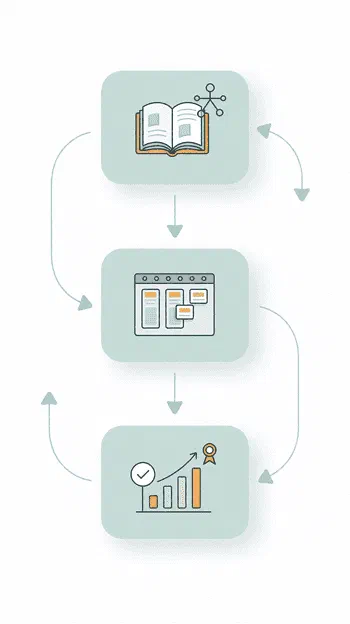
Three guided steps take you from mapping quality and risks to improving them, with everything centralized and visible in Zelo ERP. No spreadsheets on the side.

1. Map

Define the quality manual, procedures, risks, nonconformity types and their origins directly in Zelo ERP, and connect them to the business know-how you already have.

2. Manage

Record nonconformities, plan verifications and inspections, assign corrective and preventive actions, and follow all of it in the dedicated Kanban view.

3. Improve

Analyze the reports on risks, nonconformities and actions to find your critical areas, then update the quality system, so improvement stays continuous and audits get calmer.

Zelo ERP Quality module workflow: the three steps Map, Manage and Improve, from quality manual to continuous improvement

Document integration

The quality manual and the operating procedures link directly to your operational processes. Every document or instruction is available in the context where people actually work, in the version that matches your defined standards.

Quality manual in Zelo ERP: Knowledge documents integrated into the quality system
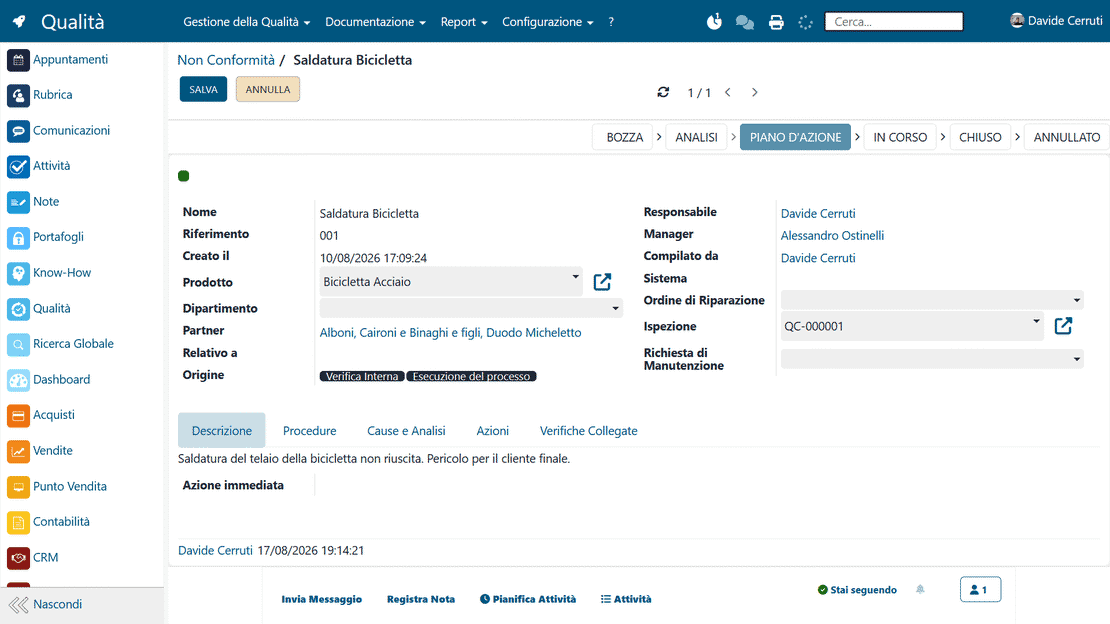
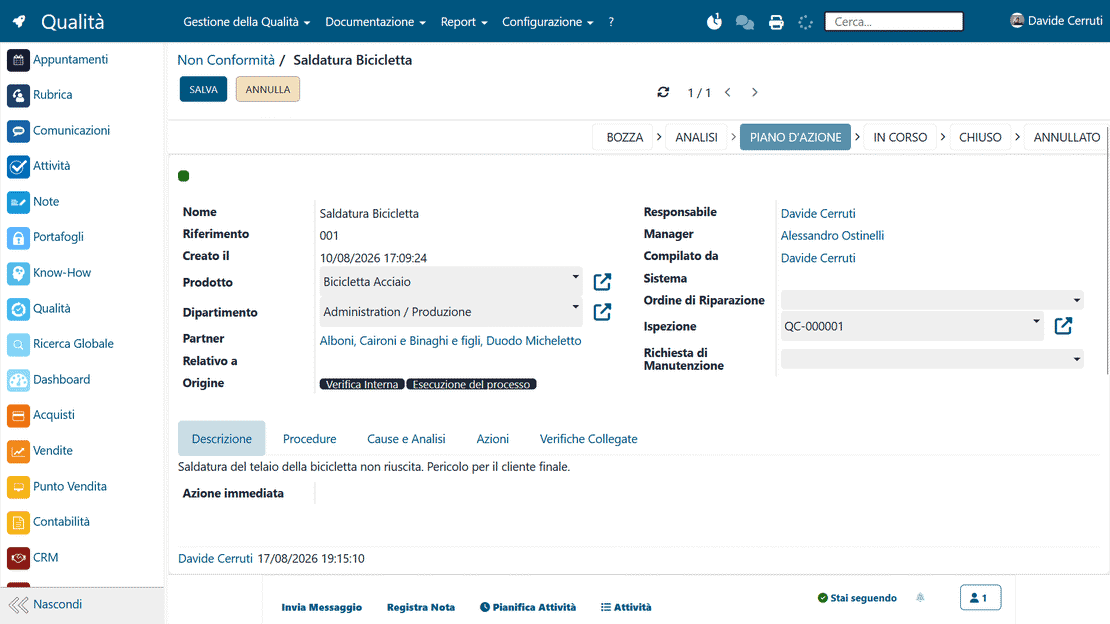
Nonconformities in Zelo ERP: recording, statuses and the person in charge of resolution

Nonconformity tracking

Each anomaly found is recorded precisely and assigned to a specific owner right away. That owner follows the whole resolution cycle and puts in place the corrective actions that keep the problem from coming back.

Risk assessment

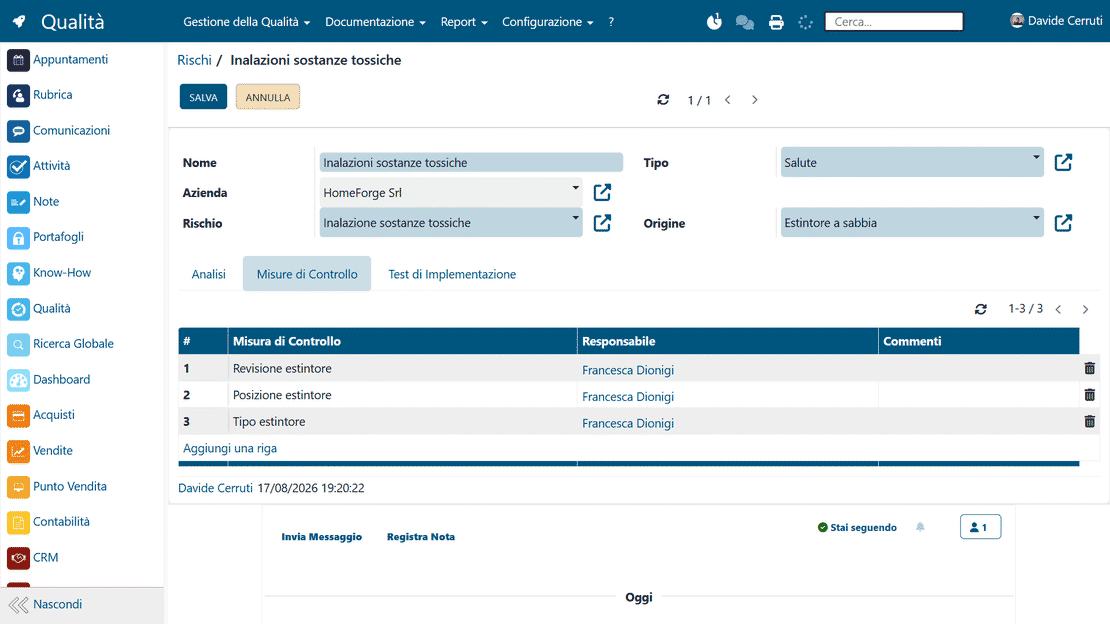
The system maps your potential business risks and calculates a criticality index for each one, based on probability and impact. On that basis you plan prevention activities and mitigation measures that protect the value and continuity of the business.

Risk assessment in Zelo ERP: criticality index by probability and impact
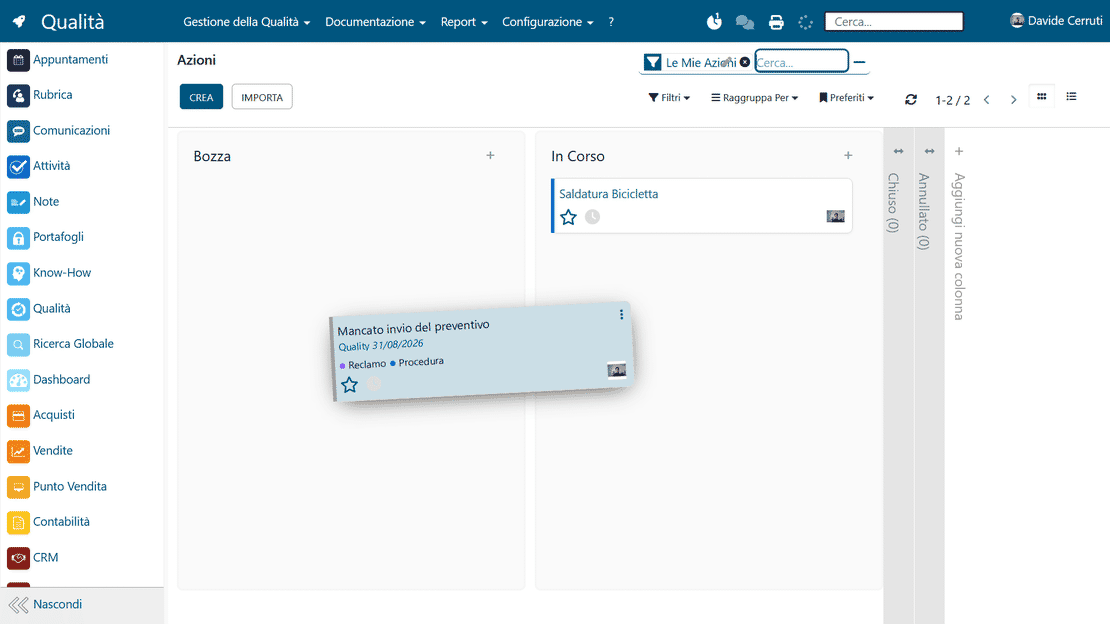
Quality Kanban view in Zelo ERP: statuses, priorities and workloads

Visual Kanban monitoring

Quality and risk activities are organized in column boards. The progress status, the priorities and each collaborator’s workload are visible at a glance.

Connection between departments

Quality reports are natively linked to supplier cards, customer orders, ongoing projects and technical support tickets. Information moves between departments, the silos come down, and internal communication improves.

Connection between departments in Zelo ERP: quality across production, sales and warehouse
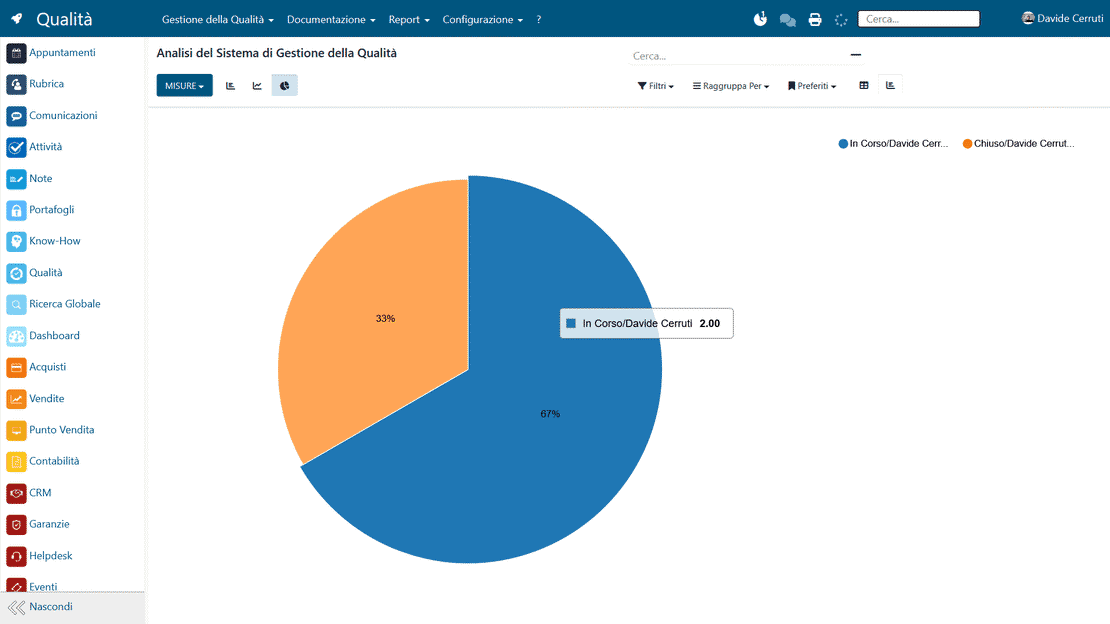
Quality reporting in Zelo ERP: nonconformity and verification trends

Data analysis

Dynamic dashboards and detailed analytical reports give an overall view, updated in real time. Management can watch the trends of nonconformities and judge objectively whether the improvement actions are working.

5 questions about the
Quality Management module

Straight answers to the most common questions about features, integrations and costs.

Yes. Quality and risk management in Zelo ERP is designed for SMEs and micro businesses that have no structured quality department. The interface is simple and guided. You can start small, with a nonconformity register and corrective actions, then grow over time by adding the quality manual, risk management, verification planning and reports. The flows are clear, with essential fields and Kanban views that help owners and functional managers see “who has to do what and when”, without overloading the organization.

Yes. The main advantage of Zelo ERP over an Excel spreadsheet is exactly this integration. A nonconformity can be linked to a customer (CRM), a sales order, a warehouse batch or a supplier. In the same way, risks can be associated with specific processes, products or departments. You quickly see where the problems arise and which customers or suppliers are the most critical; over time you also see which corrective actions really worked. Reports cross quality data with sales, purchases and production, so management gets a complete view.

The quality manual in Zelo ERP is integrated with the Knowledge tool. You build a structure of chapters, sections and sub-sections, linking procedures, operating instructions and attached documents. Every page can keep a revision history with date, author and reason for the change. Important content can be recalled in the submenus of the operational areas (warehouse, production, sales and so on), so users find it in the context where they work. You reduce the risk of working with obsolete versions, and in an audit it is much simpler to show how the documentation of the quality system is managed.

Yes. The Kanban dashboard for quality and business risk is configurable. You define the stages of the process (Reported, Under analysis, Action defined, Under verification, Closed), the colors, the filters and the saved views by nonconformity type, business area, customer or supplier. The cards can show the type of problem, the risk level, the owner and the due date. The board then reflects your way of working instead of forcing you into a rigid model, and it is easier to involve the teams in continuous improvement activities.

The tool is built on Zelo ERP’s reporting engine. You can get reports on the number and severity of nonconformities by period, customer, supplier or product line, plus analysis of recurring causes, average closing times of corrective actions, and the status of verifications and audits. For risks you can analyze the distribution of probability and severity, the residual risk level after the actions, and trends over time. All of it can be viewed as charts, pivot tables or widgets on personal dashboards, and exported to Excel or CSV for sharing or presentations to management.

Tools integrated with the
Quality Management

Discover all the tools integrated in Zelo ERP.
No licensing costs for installed modules, number of users or enabled workstations

call to action

Know where you stand before the next audit.

Tell us how you handle quality and risks today. In a guided demo we’ll show you how to bring the quality manual, nonconformities and corrective actions into one system.
Request a free demo