From open position to new hire: the whole selection in one place

The Recruitment module collects applications from email and the company website, then follows each candidate on a kanban board, with questionnaires and structured interview forms. When you pick a candidate, their record becomes an active employee in Zelo ERP and the data passes intact from recruiting to administration.

Request a free demo
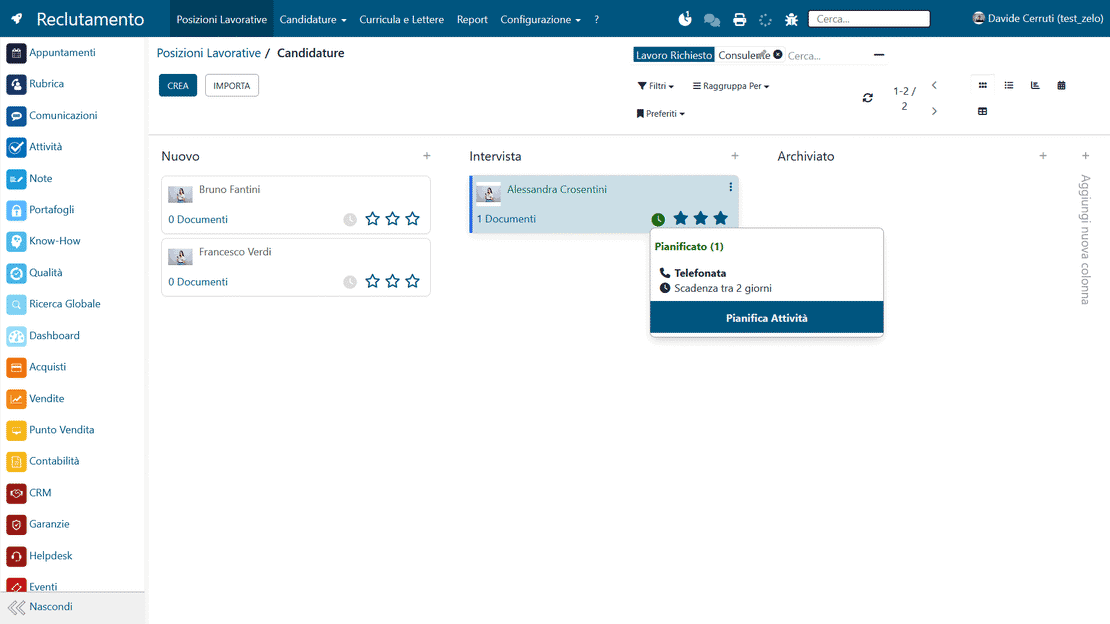
Zelo ERP Recruitment module: applications and selection stages at a glance on the hiring kanban board

Better hiring, for the company and for your customers

Positions, applications and interviews stay in order in Zelo ERP, so selections run faster and more accurately and your customers get better answers.

A selection process you can track and measure

Zelo ERP’s personnel recruitment tool puts an end to scattered files, lost emails and disconnected apps. Positions, applications, questionnaires and interviews live in one kanban view, so the whole process stays visible and measurable.

  • Job positions defined with required skills and an HR owner
  • Applications collected automatically from email and the company website
  • A kanban view adapted to your selection stages
  • Built-in questionnaires for comparable interviews
  • Employee profile created straight from the selected application
The right people in the right place, and customers who notice

Hire people who really fit the role and your customers notice: response times get shorter and quality holds steady. Good personnel recruitment management in Zelo ERP makes your service more reliable for the people who choose you.

  • People suited to the role and to your customers
  • Less turnover and more continuity in your contacts
  • Faster, better organized answers to requests
  • Service that stays consistent no matter who answers
  • Motivated teams that handle urgent requests better

From candidate to employee in three steps

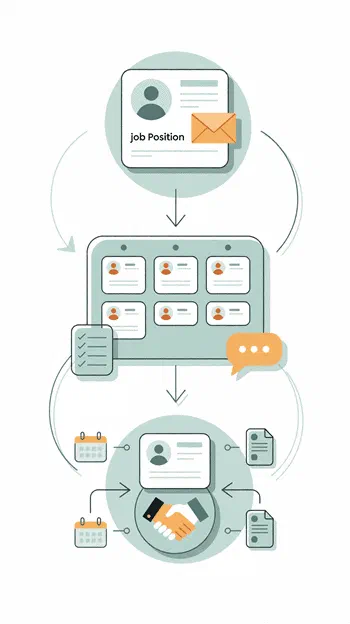
Create the position, evaluate candidates with structured tools, then turn the best application into an active employee. Everything stays connected.

1. Create

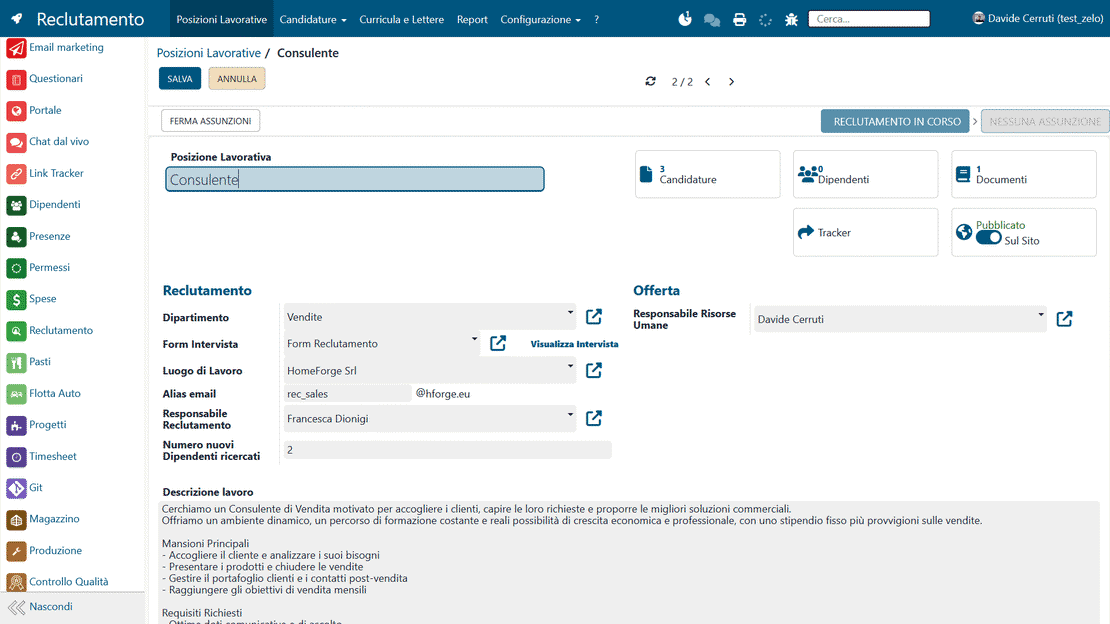
Define the job position, the skills it requires, the email alias and the department. Zelo ERP then gathers applications, CVs and personnel recruitment data in one place, ready for selection.

2. Evaluate

Follow applications, run online interviews with your own forms, collect structured feedback and compare candidates at a glance on the human resources recruitment kanban view.

3. Hire

When the choice is made, turn the application into an employee in a few clicks: the profile links to contracts, human resources and the rest of Zelo ERP’s HR software.

Zelo ERP Recruitment module workflow: creating a position, evaluating candidates and hiring

Data centralization

All open positions, received profiles and attached documents are archived in one protected database. Nothing gets dispersed across channels: each HR manager can open the complete history of a candidate at any moment. Keeping everything in one place also makes it easier to comply with privacy regulations and to search archived resumes for specific skills.

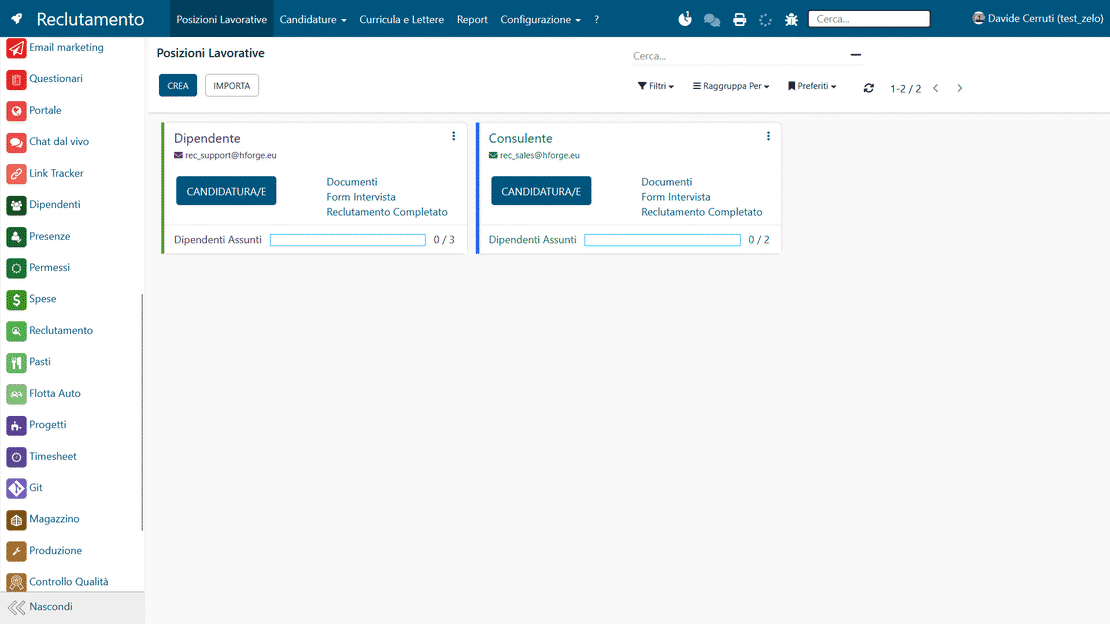
Data centralization in Zelo ERP: applications, CVs and documents shared with the HR team
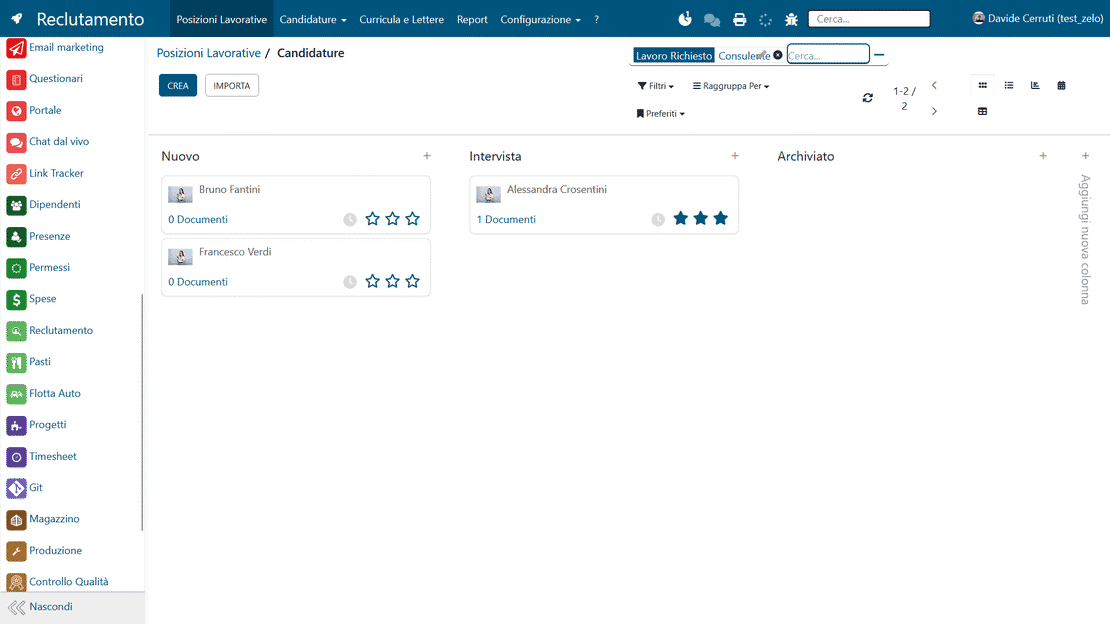
Kanban view of recruitment in Zelo ERP: applications in the stages of the selection pipeline

Kanban monitoring

Each column is a stage of the process, so you can follow a candidate from first screening to hiring just by looking at the board. You move candidate cards from one stage to the next, and the board shows the workload and priorities of the recruitment team at any moment. Because everything is visible, response times get shorter and no application sits forgotten at a critical stage of the selection.

Technical evaluation

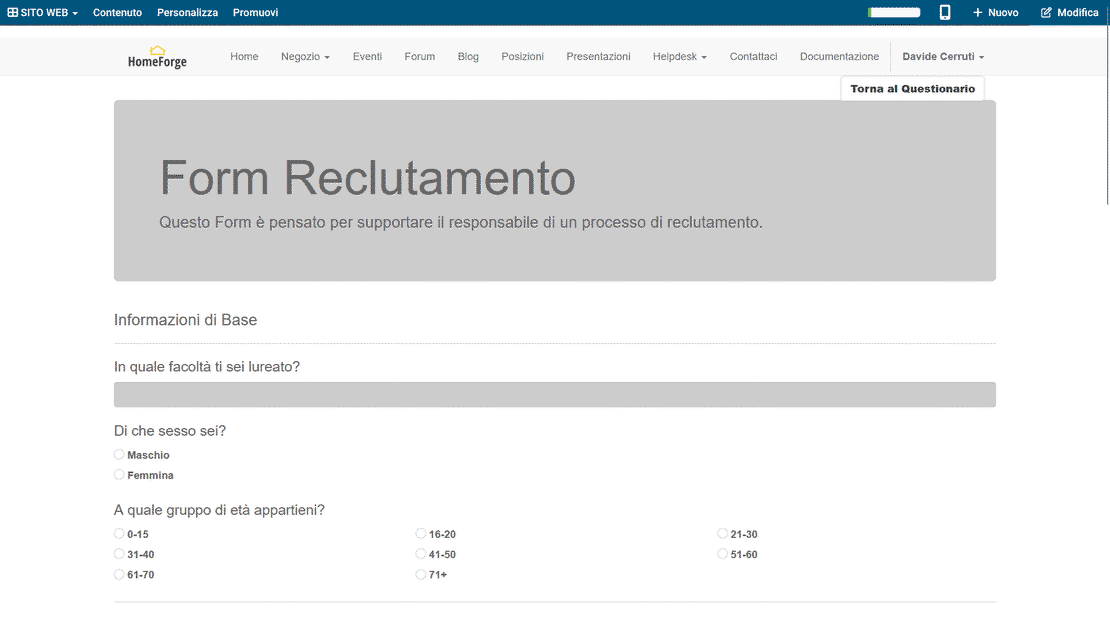
You can build custom questionnaires and structured interview forms, so every evaluator judges candidates against the same criteria. Pre-interview tests filter profiles on objective skills and take some of the guesswork out of the early stages of the staff search. And because technical feedback is collected systematically, the final choice rests on comparable data and on a fair evaluation of everyone involved.

Technical evaluation in Zelo ERP: questionnaires and scores for comparable interviews
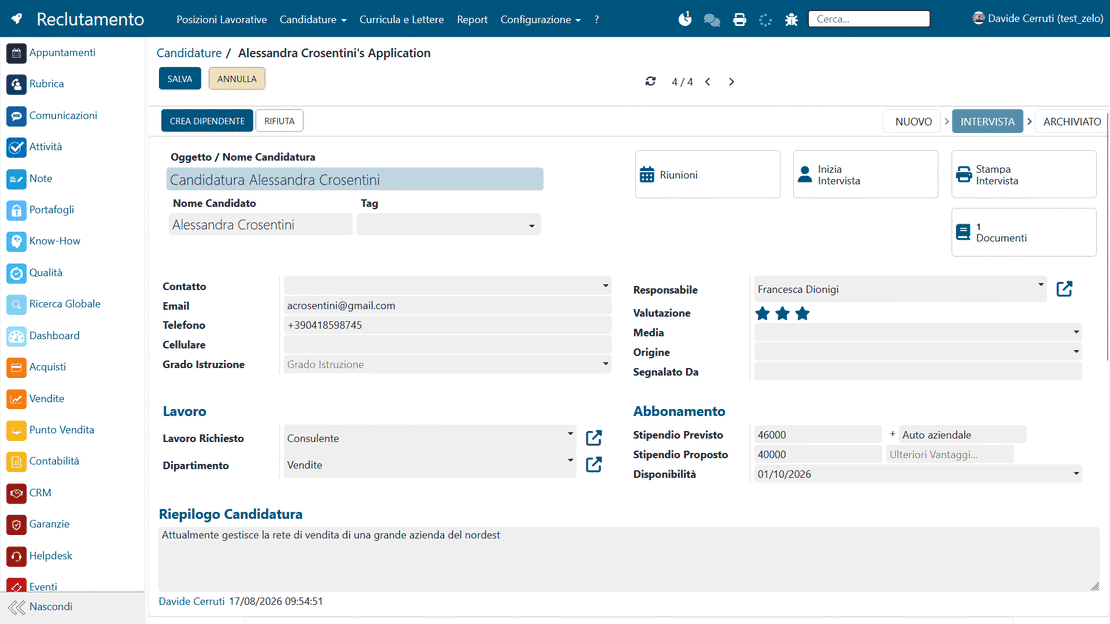
Employee data automation in Zelo ERP: from the accepted application to the new employee's record

Employee data automation

At the end of a successful selection, all of the new hire’s information moves straight into the personnel management and administration modules. Nobody re-types data or re-uploads documents that were already collected, so transcription errors practically disappear. The same digital workflow carries the person from recruiting into the company staff.

Operational traceability

The software records every interaction, comment and piece of feedback recruiters enter, and keeps a complete history of the search. With that history you can see which recruitment channels actually work and track the performance of your selections over time through detailed reports. Past searches make the next one easier, because you start from experience and data you already have.

Operational traceability in Zelo ERP: history of interviews, decisions and interactions with candidates

5 questions about the
Personnel Recruitment module

Straight answers on how the module works, what it connects to and what it costs.

Yes. Zelo ERP’s personnel recruitment tool is built for exactly that kind of company: micro, small and medium businesses with no structured HR department that still need to manage open positions, applications and interviews in an orderly way. You can start small: create the essential job positions, enable an email alias to receive CVs and use the human resources recruitment kanban view to follow a few applications at a time. As the company grows, you can add departments, interview questionnaires, custom kanban stages and reports. Everything stays inside Zelo ERP, connected to employees, contracts and the other management areas, so you never need a second HR software just for recruiting.

Two ways, mainly. The first is email: for each job position you define a dedicated mail alias (e.g. jobs@yourcompany.com), and Zelo ERP creates the applications automatically, attaching the CV it receives. The second is the website: you publish job offers online from the Recruitment module and candidates apply through a form, attaching their CV. Either way, applications land in the same personnel recruitment management area, with consistent data, linked documents and the same kanban stages. Human resources does less manual work, and important emails or documents stop going missing.

Yes. The kanban view for human resources recruitment in Zelo ERP is fully configurable. You define the stages you need (for example: New applications, First selection, Technical interview, Final interview, Offer, Hired) and the order of the columns. Each time an application moves between stages, you can also trigger automatic actions such as sending a preset email or requesting a specific interview form. The tool adapts to the way you already work. Everything stays visible on the board: moving an application updates its status, triggers any linked workflows and keeps the process transparent for managers and HR owners.

Yes. Zelo ERP includes the Questionnaires module, which lets you build an interview form for each job position. You define the open and closed questions, the evaluation criteria and the scores. Once the form is linked to the position, you open it during the interview straight from the application card, fill in the answers together with the candidate and save everything in the history. Profiles become comparable, you depend less on scattered notes, and the personnel recruitment process stays consistent. The feedback is still there after hiring, useful for training and future evaluations.

When you decide to hire someone, you can create the employee profile in Zelo ERP directly from their application card. The system reuses the data already collected (personal details, contacts, job position, department) and links it to the Employees area. From there you continue with the contract, set the working hours, assign badges and permissions, and connect attendance. In practice, the recruitment module is where an employee’s life in the company begins: HR software, accounting, projects and the other management functions of Zelo ERP are already connected.

Tools integrated with
Personnel Recruitment

Discover all the tools integrated in Zelo ERP.
No license cost tied to the number of installed modules, users or enabled workstations

call to action

Hire the right people, without losing time or good candidates

Bring order to your selections: our experts help you digitalize recruitment, free of charge.
Request a free demo