Repair Management in Zelo ERP: from quote to invoice

Repair Management in Zelo ERP follows each repair from the quote to the invoice and keeps components and labor separate from warranty coverage. When a component is out of stock, you can issue a disassembly order to recover parts from a finished product; the warehouse and production modules stay in sync.

Request a free demo
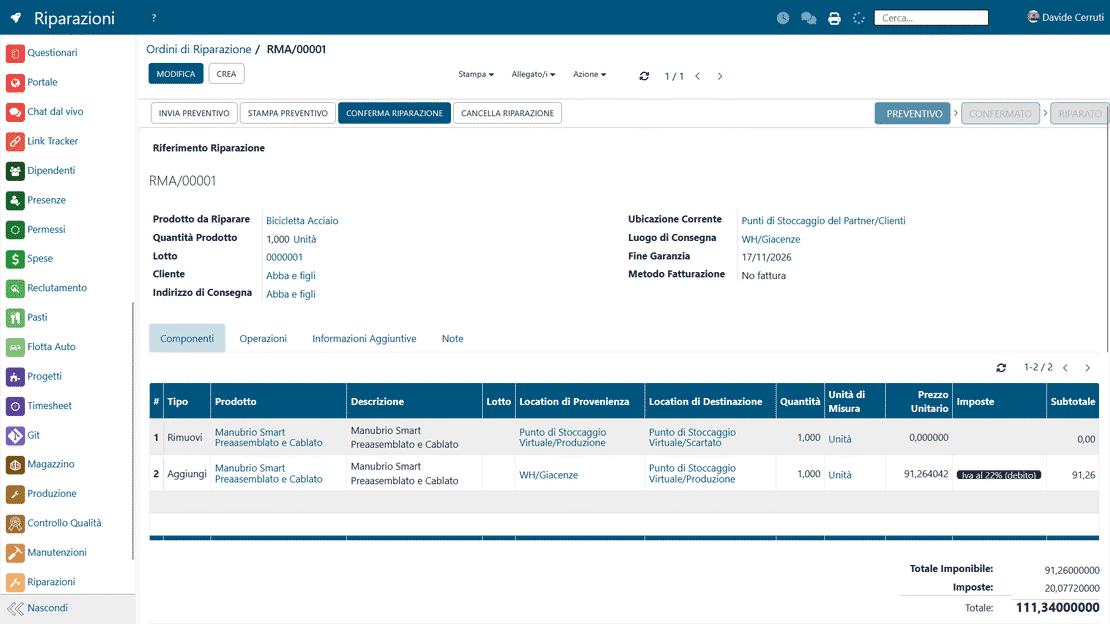
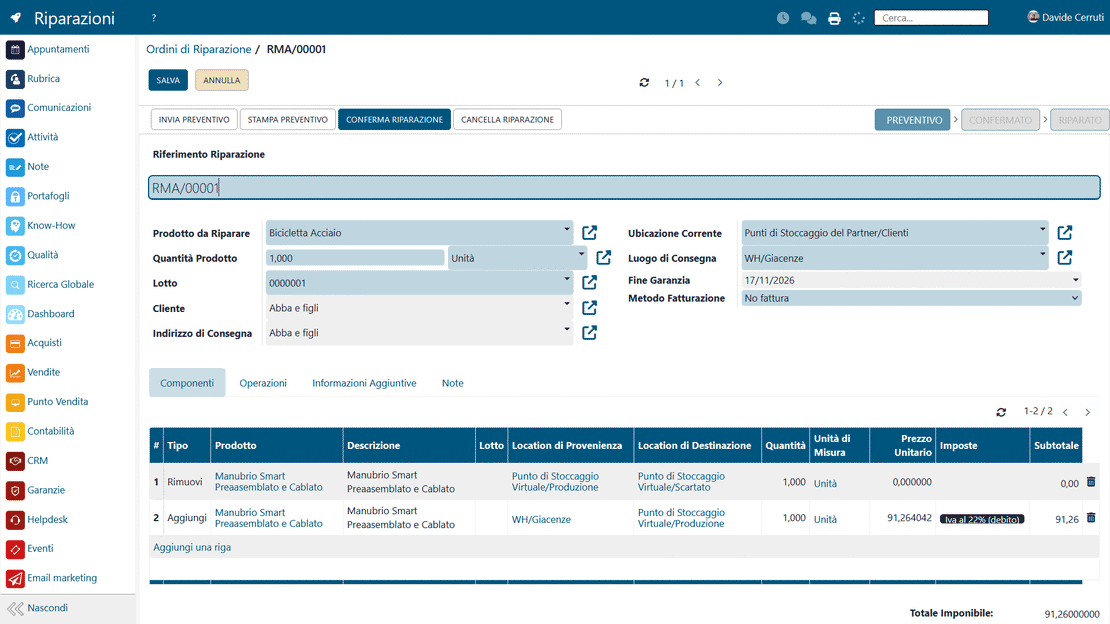
A repair quote in the Zelo ERP Repair Management module, with components, labor and warranty lines

Clear quotes for the customer,
fewer disputes for you

Every repair starts with a quote and ends with an invoice. In between, warranty coverage stays on one side and components and labor on the other, so the customer knows what they’re paying for and you know what to invoice.

One workflow for quotes, disassembly, warranties and invoices

Repair management in Zelo ERP keeps quotes, disassembly orders, warranty checks and invoicing in one workflow. That means fewer manual errors and no components forgotten on the quote. It also means fewer disputes with customers over what is billable and what the warranty covers.

  • Quotes the customer can read without a technical dictionary.
  • Each line marked as warranty-covered or billable.
  • Invoices that show components and labor separately.
  • Repair times you quote and then meet.
  • Fewer disputes and more trust in the service
No surprises for the customer

Your customer gets a clear quote up front and updates while the repair is under way, and knows when the product will be back. The final invoice matches the quote, with warranty lines and billable lines already separated, so nothing on it comes as a surprise.

  • Product repaired and delivered on the promised date.
  • Repair times your customer can count on.
  • Components and labor listed separately.
  • Warranty coverage kept apart from chargeable work.
  • More trust in your service.

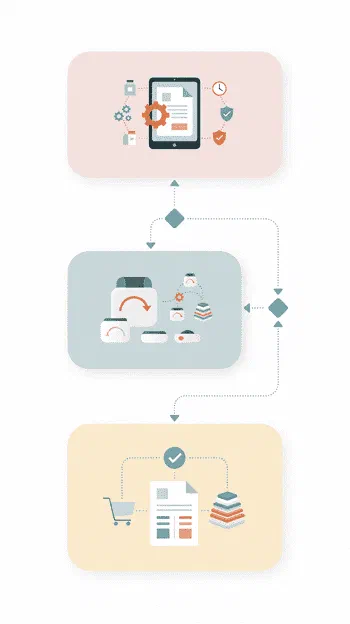
The repair workflow, step by step

From the first quote line to the final invoice, Zelo ERP keeps the repair on track.

1. Create

Build the repair quote directly in the module, choosing the product, its components, labor and warranty coverage.

2. Disassemble

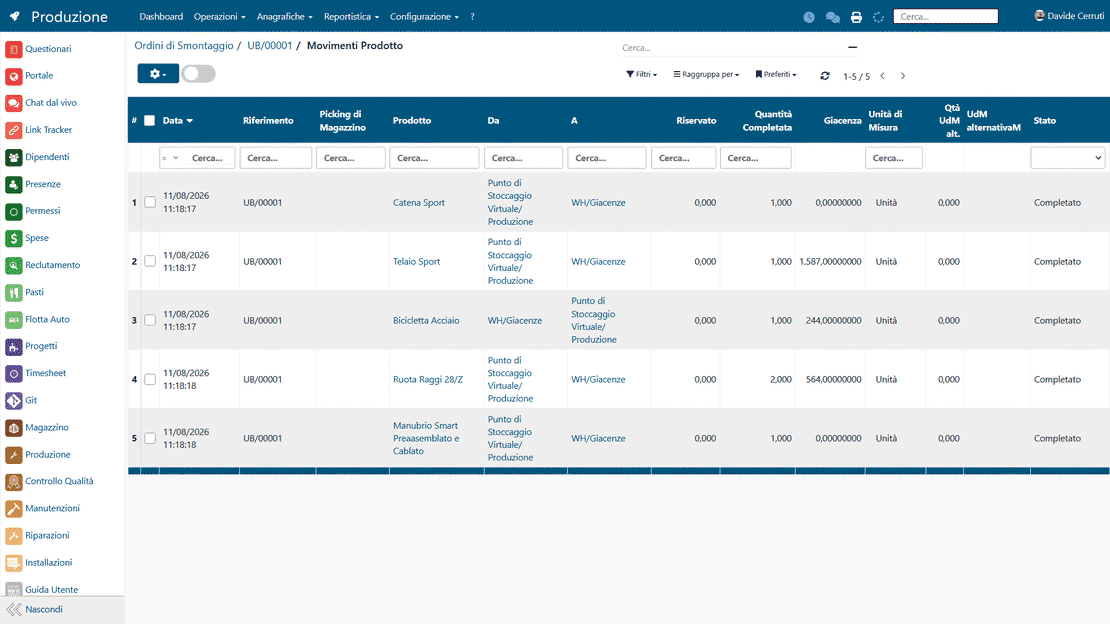
If a component is missing, generate a disassembly order from a finished product to recover the part you need. The order stays linked to the repair.

3. Invoice

Confirm the repair, link it to sales and warehouse, then generate the invoice. Zelo ERP separates the warranty lines from the billable ones automatically.

Repair Management in Zelo ERP: quote, disassembly order and invoice for the repair job

Managing repair quotes

Create, organize and send repair quotes, whether the product is in warranty or not

Creating a repair quote in Zelo ERP with product, components, labor and warranty coverage
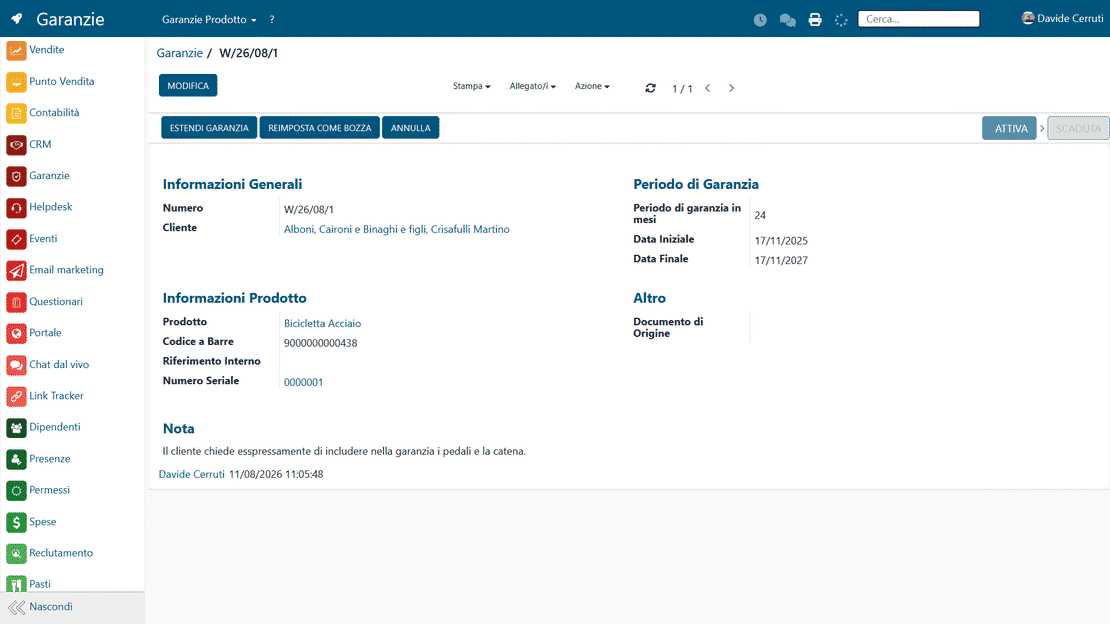
Warranty check in Zelo ERP: validity status and extensions before sending the quote

Checking warranty status

Before issuing the quote or starting the repair, check the warranty’s validity and any extensions in real time

Disassembly orders

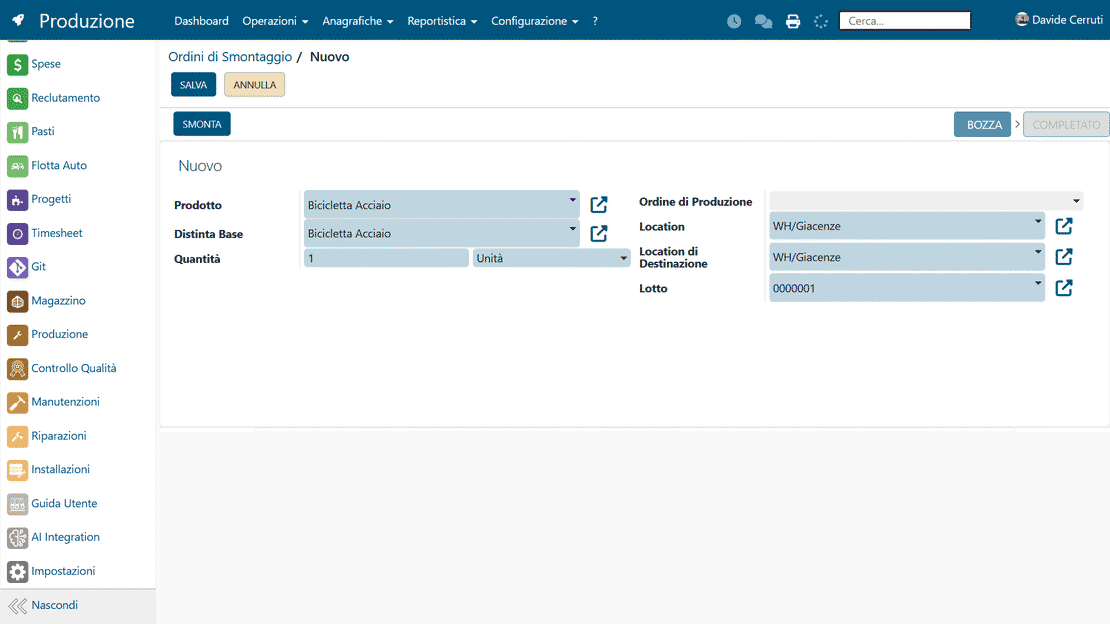
When a component is missing, generate a disassembly order and recover parts from a finished product you already have in stock. The warehouse updates the stock levels automatically.

Disassembly orders in Zelo ERP: recovering components from finished products and updating the warehouse
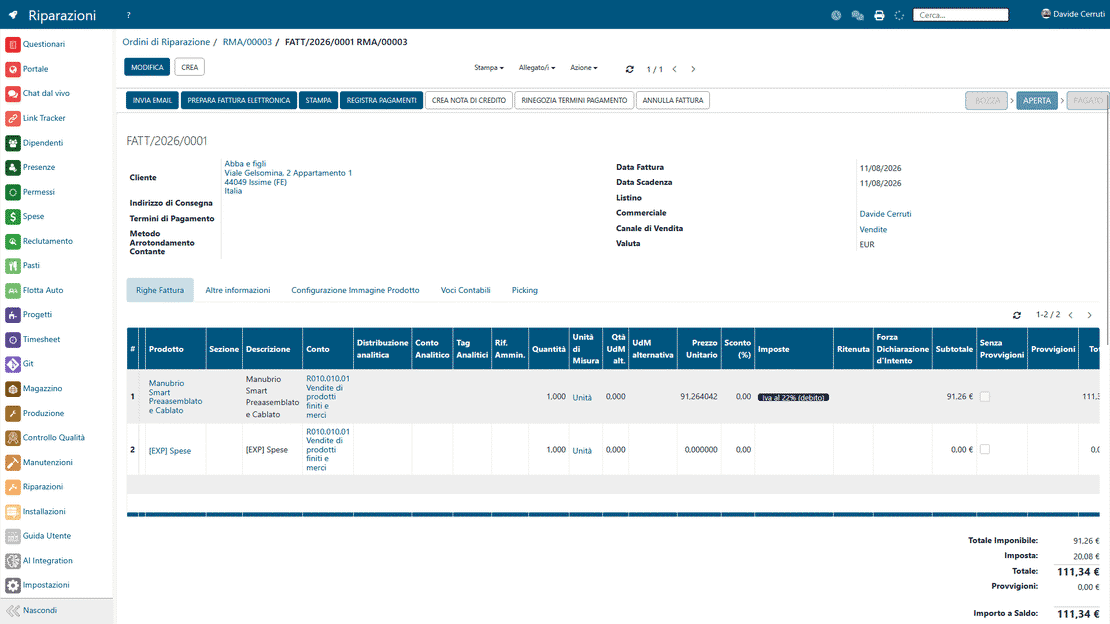
Repair invoicing in Zelo ERP: invoice draft with warranty lines and billable materials

Automated invoicing

One command turns the repair order into a sales document. Quote and invoice stay aligned line by line, and accounting stops re-entering data.

In sync with warehouse and production

Every operation updates warehouse availability in real time, and disassembly and replacements are tracked in the production flows. The repair, the warehouse and the production plan read the same data, so nothing drifts out of alignment.

Warehouse and production updates in Zelo ERP: component movements and disassembly orders from repairs

5 questions about the
Repair Management module

Answers to the questions we hear most about integrations and costs.

Zelo ERP links every repair to the product record and its warranty. When you open a repair, the system checks whether the product is covered, and on which components. While you prepare the quote, you can mark each line as warranty-covered or billable, with components and labor separated. As the job proceeds, the module records the operations performed and, at completion, produces the sales document and invoice with the same structure as the quote. The result is fewer errors and fewer discussions with the customer.

Yes. Disassembly orders exist for exactly this case: you keep finished products in stock and can take them apart to recover components. If a part is missing during a repair, create a disassembly order linked to that repair. The system takes the product being disassembled out of stock, puts its components back in, and makes them available for the job. Repair, warehouse, production and sales all work from the same movements.

Invoicing starts from the quote and the repair order, and Zelo ERP generates the sales document from there. Component, labor and warranty lines carry over automatically, with the correct financial terms. Nobody re-enters data in accounting or in the sales module, because it is all one system. Invoices go out faster and with fewer errors, and the customer can see at a glance what is billable and what the warranty covers.

Yes. The tool is built for small and medium businesses, including micro-businesses that want a simple but structured system. You can start with a few users and only the features you need, say quotes, warranty checks and invoicing. As the business grows, add modules such as production, advanced warehouse, CRM or accounting, all in the same work environment. You never switch platforms, and your data and repair history stay put.

Repair management is part of Zelo ERP, so the integration is native. A repair can generate disassembly orders in production, warehouse movements for replaced components, and the sales document that invoices the job. The warranty module holds coverages and conditions, while CRM tracks customer requests. Everything sits in one system: no double data entry, and no misalignments between the technical office, warehouse, administration and sales.

Tools integrated with
Repair Management

Every tool below is included in Zelo ERP.
No license costs for installed modules, for the number of users or for enabled workstations

call to action

See Repair Management in action

Book a demo and see how Zelo ERP runs a repair, from the first quote to the final invoice.
Request a free demo