From quote to collection: the sales cycle in a single ERP

The Sales tool in Zelo ERP follows the active commercial cycle: documents, commercial terms and transaction status. Products, prices and stock availability stay aligned, so every quote you send is deliverable and no order gets lost.

Request a free demo
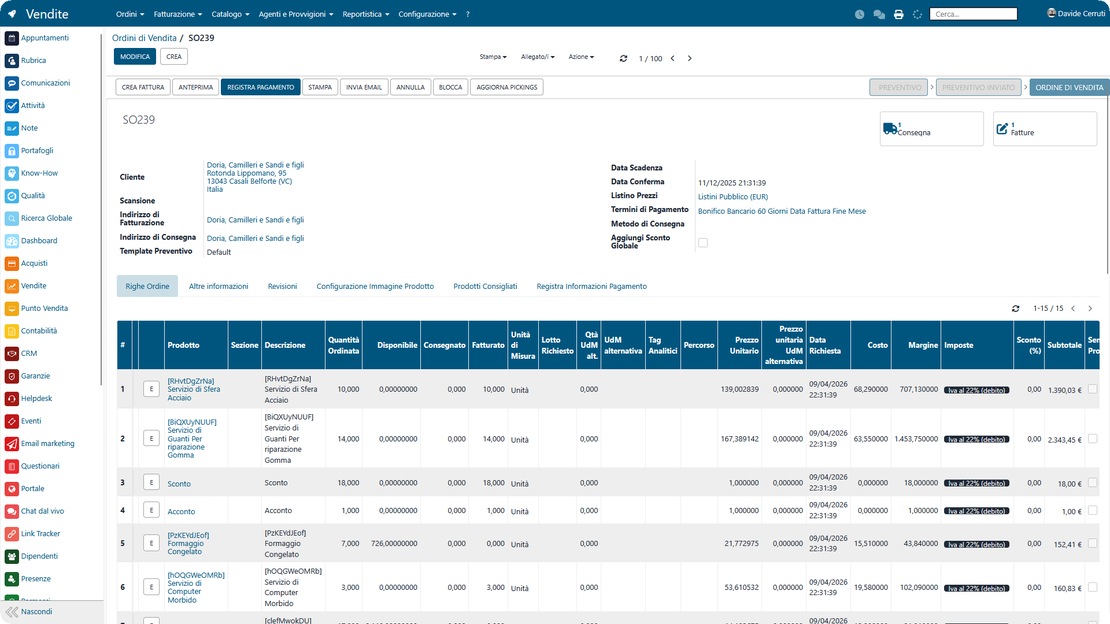
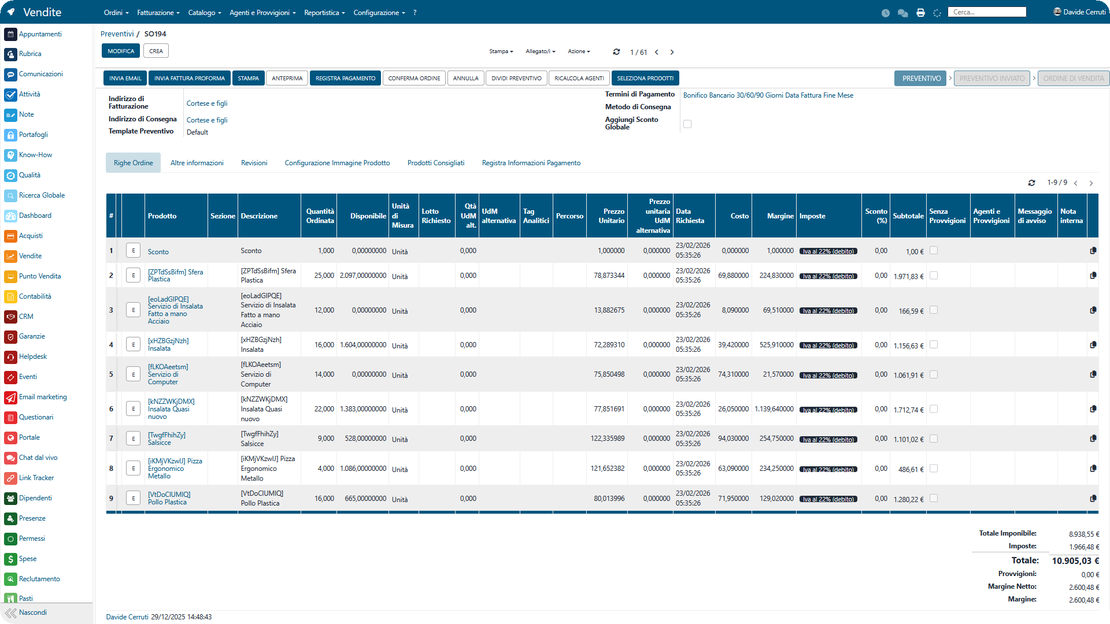
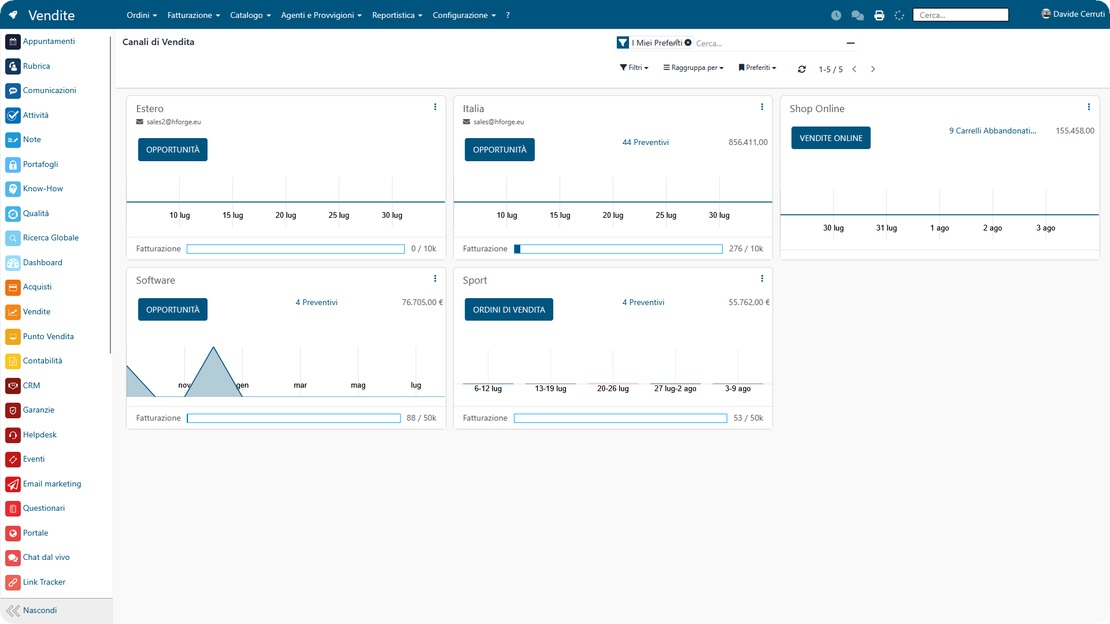
The Sales module of Zelo ERP: the commercial cycle from quote to order to collection, shown in a single screen

Sales quotes and orders under control

Zelo ERP keeps quotes, orders and collections in one flow. Your customers get offers that match the catalogue, deliveries within the promised timeframes, and correct invoices.

Quotes, orders and collections in a single process

If your quotes currently live in emails, Excel files and your salespeople’s memory, opportunities are already slipping away. In Zelo ERP the sale runs through a single process: quotes, orders, recurring collections and reports that draw on the same data.

  • Fast quotes with up-to-date price lists and variants.
  • Sales orders and documents to invoice, linked to each other.
  • Automated recurring collections for contracts and subscriptions.
  • Up-selling and cross-selling suggestions while you build the quote.
  • Sales reports by channel, salesperson, product and customer.

Clear offers and on-time deliveries for your customers

When orders and quotes follow a structured process, your customers receive clear offers, on-time deliveries and correct invoices. Fewer errors and less waiting also make buying from you a better experience.

  • Quotes generated from the catalogue with up-to-date price lists and variants
  • Order confirmed by converting the quote with one click
  • Invoicing documents and deliveries always linked to the order
  • Recurring collections managed for contracts and subscriptions
  • Customer history with proposals, deliveries and invoicing

The sales flow in 3 steps

From setting up the catalogue and price lists to measuring results: how Zelo ERP keeps the sales flow together, step by step.

1. Create

Set up your product catalogue, price lists and variants once. From there, Zelo ERP feeds quotes, orders, recurring collections and sales reports, and nothing gets retyped.

2. Sell

Manage the whole sales flow in a single ERP: quote, order confirmation, documents to be invoiced, recurring collections, with up-selling and cross-selling suggestions during every negotiation.

3. Analyze

Monitor margins, targets and channel-by-channel performance with reports, pivot tables and charts. In a few clicks you can see what actually works in the way you manage quotes and orders.

The sales flow of Zelo ERP in three steps: set up the catalogue, sell, then analyze the results

The sales cycle, document by document

The document flow of the sales cycle in Zelo ERP: quotes, revisions and orders linked to invoicing and collections
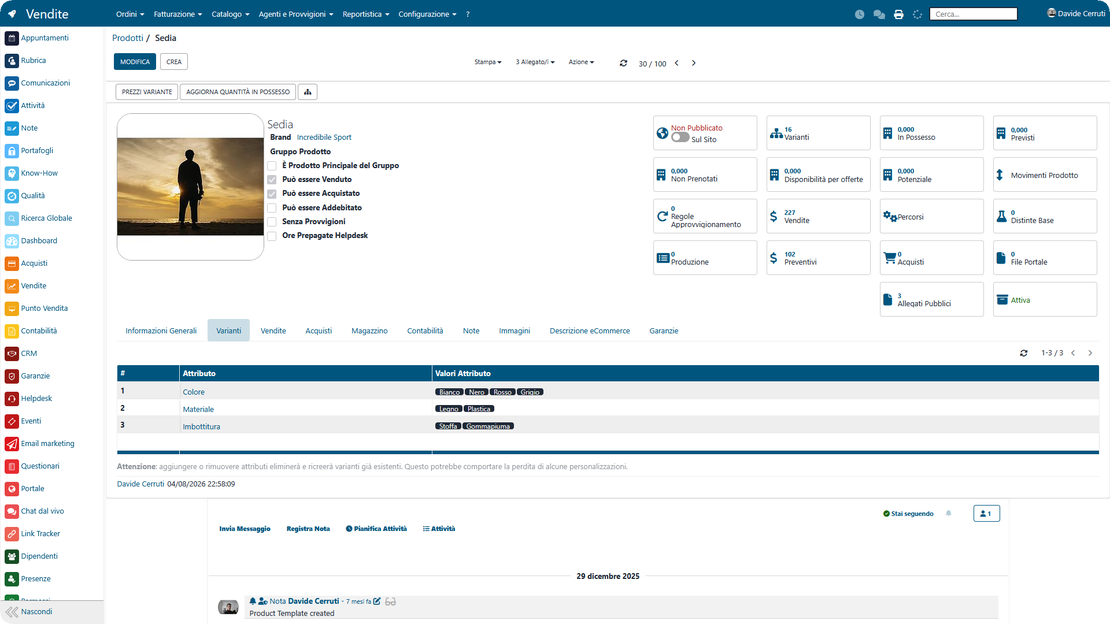
Product configuration in Zelo ERP: variants, kits, units of measure and services

Advanced product configuration

Prices, price lists and discounts

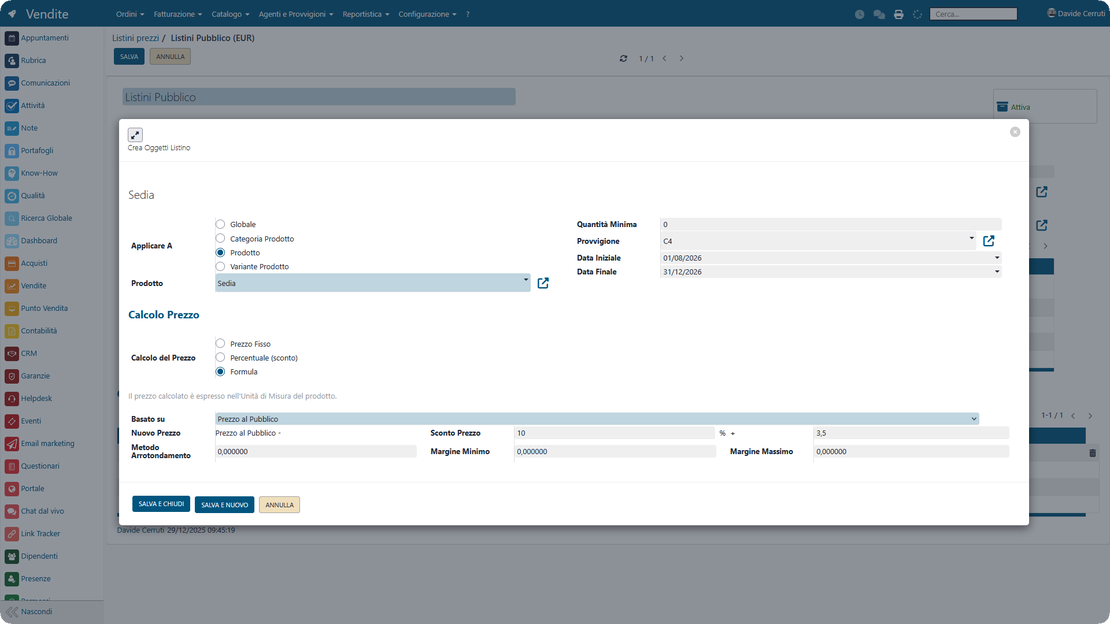
Price lists in Zelo ERP: multi-level discounts, minimum margin rules, rounding and expiration
Stock availability and lot traceability in Zelo ERP, checked on every product and sales order

Warehouse alignment and traceability

Analysis and reporting

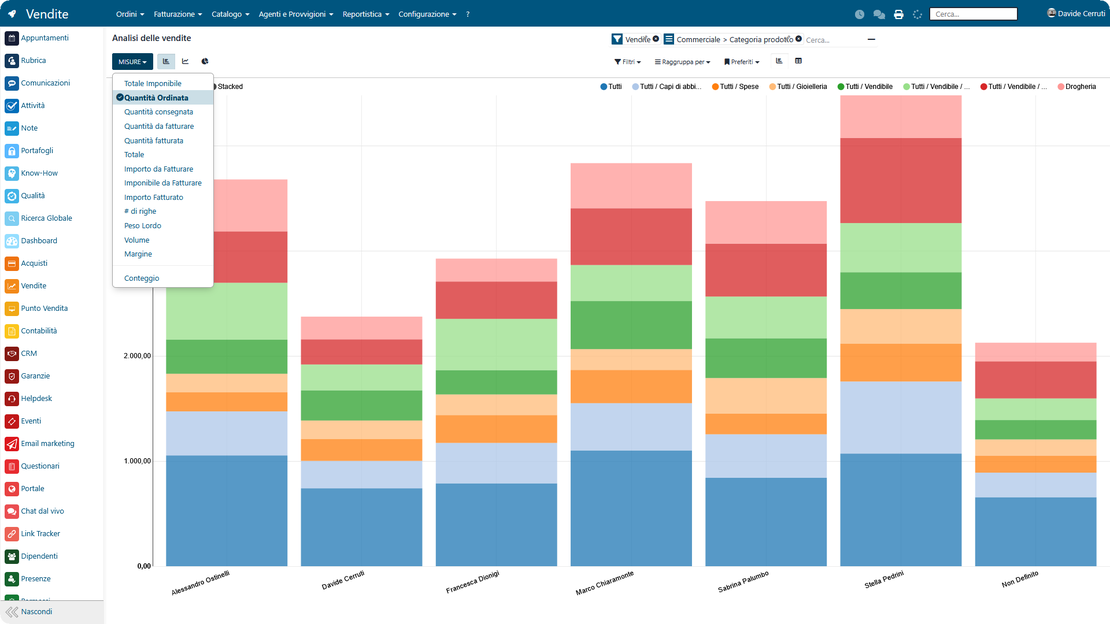
Sales reports in Zelo ERP: performance, forecasts and revenue targets for each sales channel

5 questions about the
Sales Management module

Answers to the most frequent questions on features, integrations and costs.

A classic CRM focuses on contacts and commercial activities. The sales management in Zelo ERP brings CRM, quotes, orders, recurring collections, warehouse and accounting together. Because warehouse and purchasing are integrated, what a salesperson promises in a quote is technically deliverable; because accounting is aligned, it gets invoiced correctly. Advanced reporting then measures targets and performance by product, customer, channel and salesperson, which is what turns the Sales module into a tool for running the business.

In Zelo ERP you create quotes directly from the product catalogue and price lists, send the offer to the customer, and turn the quote into an order with one click when they confirm. From there, documents to be invoiced, deliveries and recurring collections are managed. The whole history stays linked to the customer, so you always know what was proposed, what was accepted, what was delivered and what still needs invoicing. Errors, duplicate entries and misunderstandings inside the team or with customers drop as a result.

Yes. For each product you can define accessories and alternatives that Zelo ERP suggests automatically at the quote or order stage. This lets you propose up-selling (more profitable products) and cross-selling (related accessories) without depending on your salespeople’s memory. Since the module links to the website and to sales reporting, you can also see which combinations sell best and adjust your sales strategy over time.

Yes. The sales management in Zelo ERP is designed for Italian micro, small and medium enterprises. You can start simple, with just the catalogue, price lists, quotes and orders, and switch on the advanced features later: recurring collections for contracts and subscriptions, up-selling and cross-selling suggestions, reports by channel and salesperson. The interface stays clear even for people who are not used to complex software, while the structure remains that of a real sales ERP for SMEs, one where quotes, documents to be invoiced and collections stay connected as the business grows.

By centralizing quotes, orders, invoices and recurring collections, Zelo ERP gives you a single view of the pipeline, expected revenue and actual results by channel, area, salesperson, customer or product family. Pivot tables and charts show which products are growing, where margins are eroding, which customers have up-selling potential and which channels are underperforming. Sales management stops being purely operational and becomes a basis for planning campaigns, commercial investments and product choices.

Tools integrated with the
Sales Management module

See all the tools integrated in Zelo ERP.
No license costs: you pay per module installed, per number of users or per enabled workstations

call to action

Fewer errors on quotes and orders, faster sales

Zelo ERP reduces errors and duplicate entries on quotes and orders, from the offer to the collection. Request a demo and see how it works on your own sales.
Request a free demo