Questionnaires and online surveys connected to your business processes

Build business questionnaires in Zelo ERP and collect the answers where the work happens. Responses sync with CRM, projects, recruiting and other operational areas. Set up forms with questions, scoring, progress states and reports: every response lands where someone needs it, ready for activities, assessments and aggregate statistics.

Request a free demo
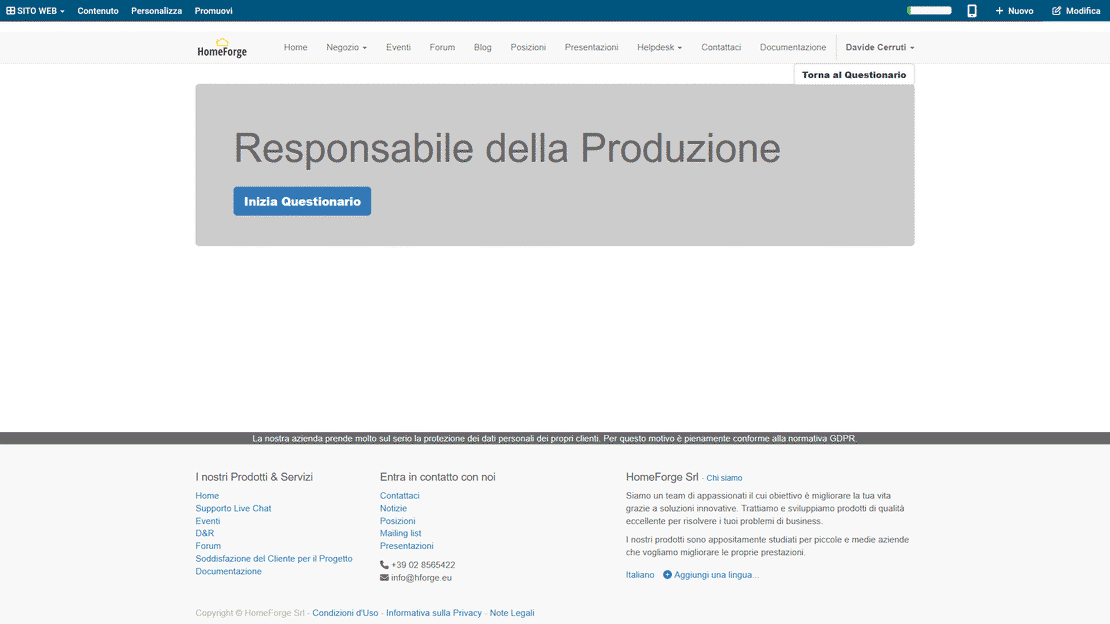
Zelo ERP Survey module: multi-page survey with scoring and response reports

From customer feedback to candidate scores,
in one environment

One environment gathers opinions from customers and collaborators and puts them to work. Scores classify candidates and projects, reports stay readable, and the response data feeds CRM, projects and HR.

Questionnaires that turn answers into processes

An online questionnaire integrated into Zelo ERP does real work when it comes back. Each response generates activity across CRM, projects, recruiting and marketing, and the analytics and reports update on their own.

  • Multi-area questionnaires: marketing, projects, HR, quality.
  • Automatic scoring for quick, objective assessments.
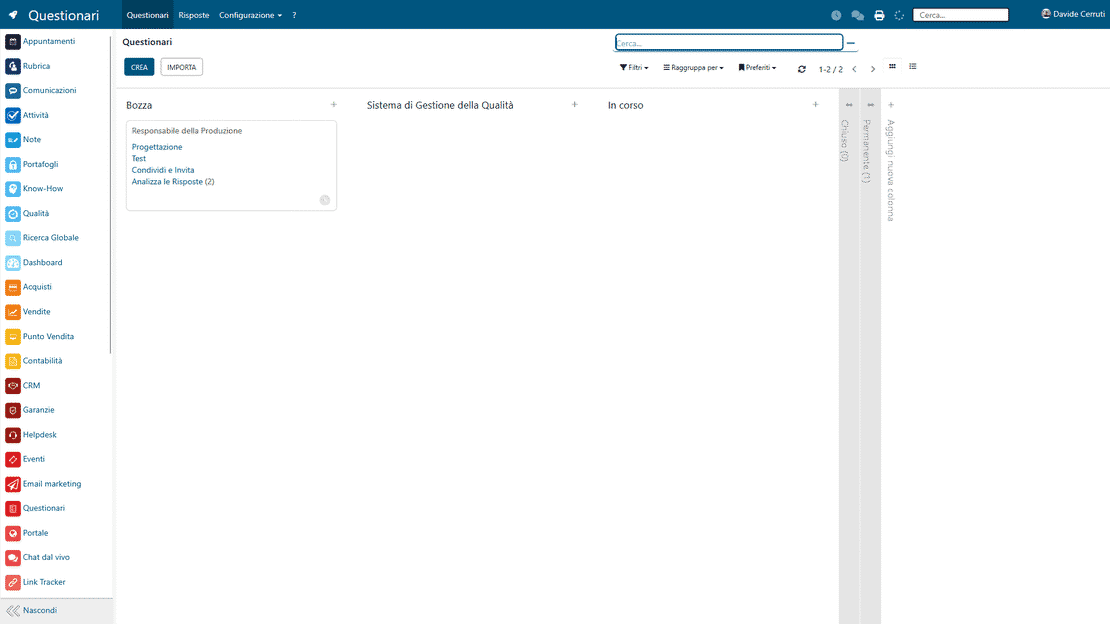
  • Kanban view to control states and priorities.
  • Instant PDF reports for each completed questionnaire.
  • Aggregate statistics to compare campaigns and periods.
Short, clear questionnaires that customers finish

Nobody wants to slog through a complicated questionnaire that goes nowhere. Zelo ERP keeps completions quick and pre-fills the data you already have, so customers answer fewer repeated questions and you get more complete responses.

  • Short, clear questionnaires that work on every device.
  • Zero repetition: known data is pre-filled automatically.
  • Feedback that drives visible improvements in your services.
  • Personalized communications based on the responses given.
  • Greater trust thanks to structured, transparent processes.

From questionnaire to action in three steps

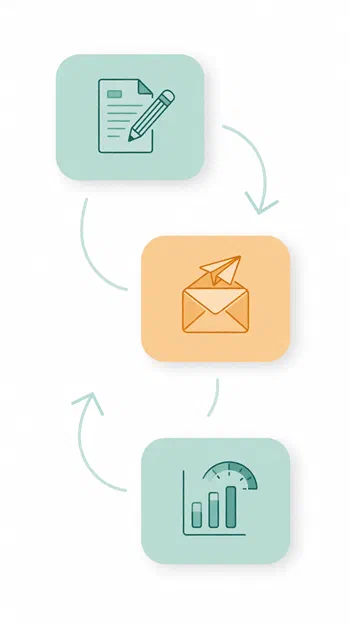
Design, distribution and analysis follow each other in a guided flow. Data stays current, and every area of the business can act on it quickly.

1. Design

Set up multi-page business questionnaires, define sections, question types and scores. Save reusable templates for email marketing, projects, recruitment and customer questionnaires integrated with the CRM.

2. Distribute

Send online questionnaires via email marketing, connect forms to your website or to internal projects, and track every completion in real time inside Zelo ERP.

3. Analyze

View responses, scores, questionnaire analytics and automatic PDF reports. Monitor aggregate statistics and turn results into concrete actions for sales, support, HR and process improvement.

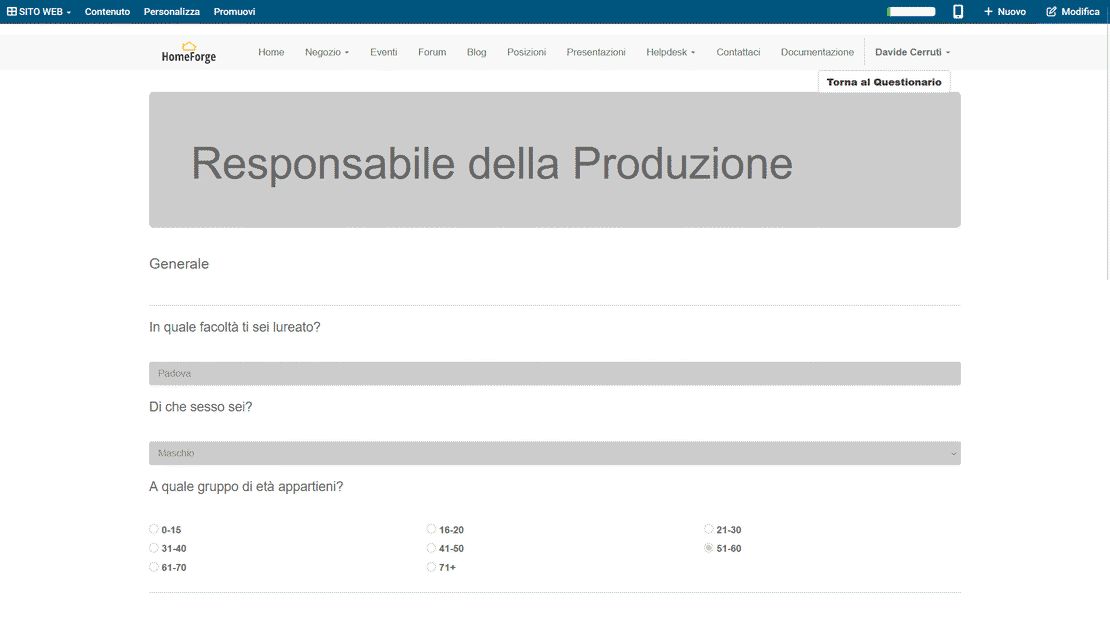
Questionnaires in Zelo ERP: multi-page design, email distribution and response analysis

ERP Integration

Native integration with Zelo ERP means data is collected in an orderly, consistent way with the records already in the system. Responses are registered in a single flow that involves CRM, projects, support and other business processes, so nothing sits isolated in an external tool. Less manual entry, fewer fragments, and fewer misunderstandings between departments.

Questionnaire integration in Zelo ERP: responses linked to CRM, projects, recruiting and support
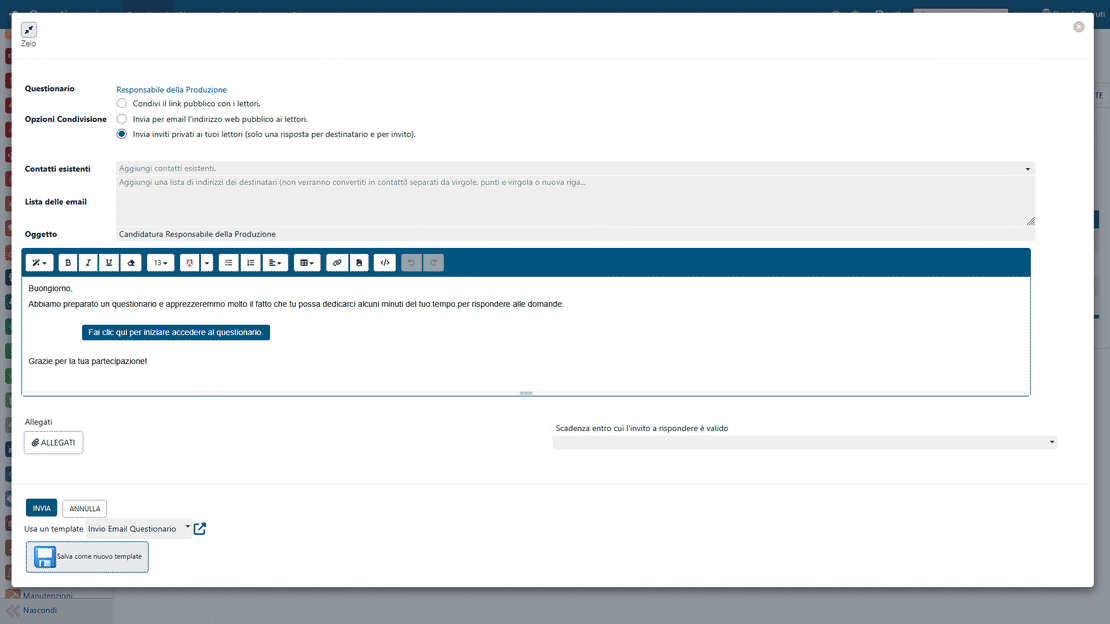
Distributing questionnaires in Zelo ERP: targeted sending to contacts or public sharing of the link

Automated sending

Distributing questionnaires can be done in a structured way, linking every data collection to processes already active in the ERP. The company can run campaigns, internal checks, feedback collections and assessments without moving information between different platforms, and every step stays traceable from start to finish.

Flexible customization

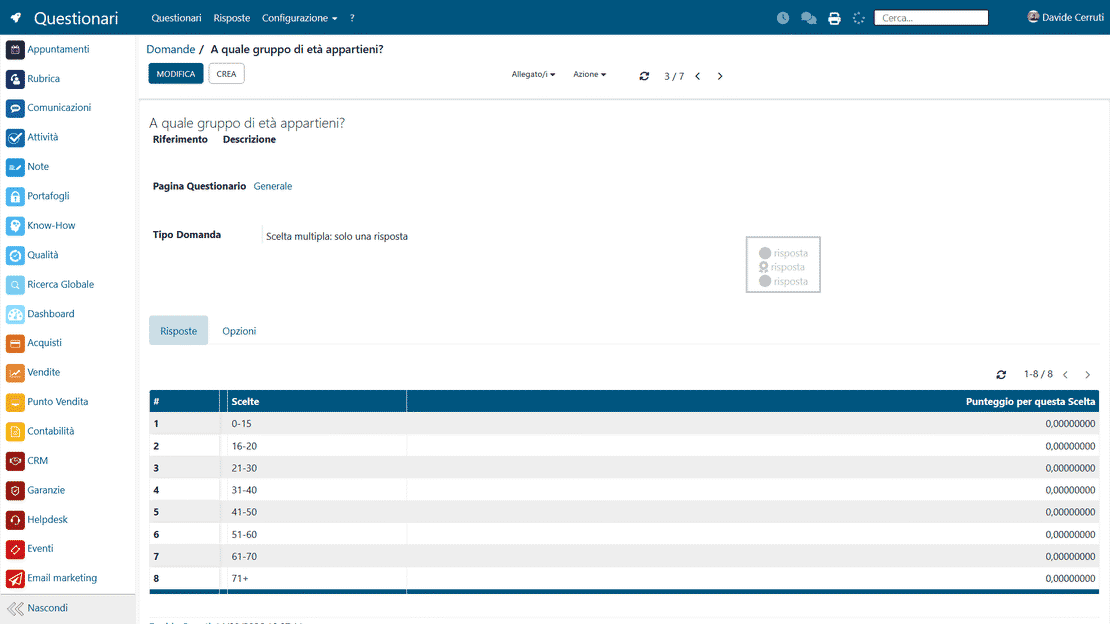
Build each questionnaire from open questions, closed questions, selections and scores attached to the answers. Organize it into pages and sections so it fits marketing, recruiting, quality or customer management. The same structure works for business processes that look nothing alike.

Customizing questionnaires in Zelo ERP: sections, pages and question types with scoring
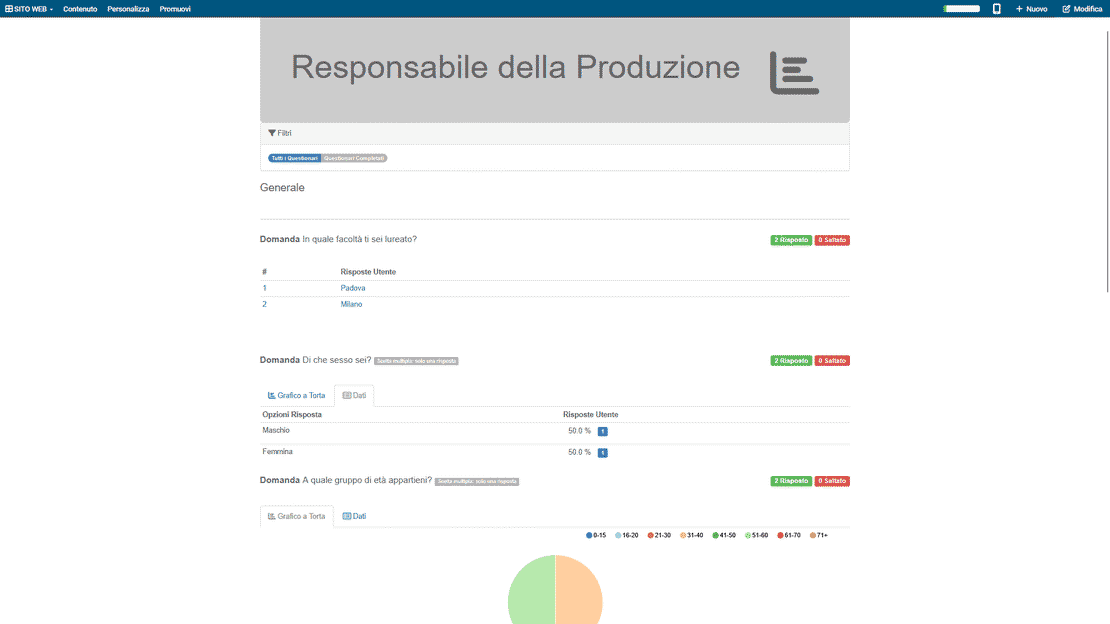
Real-time questionnaire analysis in Zelo ERP: dashboards and response summaries

Real-time analysis

Results are analyzed in real time through dashboards, visual summaries and numerical indicators already available in the system. That makes it easier to read completion trends, compare periods or groups, and spot issues before they grow. Analysis stays accessible to teams that need to make a quick call on reliable numbers.

Operational workflows

Collected responses feed operational flows already present in Zelo ERP, linking data to records, activities and assessments. Scores classify results objectively, and kanban states make it easy to see where each questionnaire stands. Departments share one measurable view of the work instead of their own separate spreadsheets.

Questionnaire workflows in Zelo ERP: kanban view of states and custom pipeline

5 questions about the
Survey Management module

Answers to the most common questions about features, integrations and costs.

Zelo ERP’s Surveys tool lets you design, distribute and analyze business questionnaires in one place, without separate tools. You can create multi-page questionnaires with sections, multiple-choice, open-ended or selection questions, and assign scores to get objective evaluations. Questionnaires integrate with CRM, email marketing, projects, recruitment, helpdesk and events, so every response automatically updates leads, opportunities, activities or HR records. You can also manage the operational state of each questionnaire through a kanban view, and get automatic PDF reports on the individual questionnaire plus aggregate statistics on campaigns, periods or specific targets. Collecting feedback becomes a structured, repeatable process, which is what SMBs need when they want to base decisions on data.

Yes. Zelo ERP’s Surveys tool was designed to cover different scenarios in one environment. You can create questionnaires for personnel selection, with structured questions and scores that help compare candidates quickly. You can set up customer satisfaction questionnaires linked to CRM, helpdesk or events, so every response updates the records and commercial analysis. And you can design internal questionnaires for projects, audits, quality or training, assigning the completions to the responsible people and turning the outcomes into project tasks. Everything stays inside Zelo ERP: one consistent dataset and a single view of the results of your business questionnaires.

For each question in the questionnaire you can define one or more scores associated with the possible answers. At completion time, Zelo ERP automatically sums the scores obtained and calculates the overall result. You can set custom thresholds and evaluation criteria, for example to define an “eligible” application, an “at-risk” project or a customer satisfaction level that is “high” or “critical”. These results can then be used to filter completions, trigger specific actions in CRM or projects, generate automatic reports and compare performance over time. The qualitative answers of business questionnaires become clear, comparable numbers, which makes decisions simpler and faster when many participants or repeated campaigns are involved.

There are two levels of analysis. The first is the automatic PDF report for each completed questionnaire, useful for archiving the single response or sharing it with colleagues, HR or sales managers. The second is aggregate statistics: answer distributions, average scores, comparisons between periods, campaigns, teams or customer segments. The data is displayed with charts and tables, designed for SMBs that want an immediate overview without exporting to other tools. You can see the trends, strengths and issues that emerge from business questionnaires, and build concrete improvement actions on products, services, internal processes or commercial strategies.

No. The goal is to make both creation and day-to-day management simple. The interface for building questionnaires is guided and visual: choose the type of question, define the options and, if you want, assign a score. The kanban view lets the people following marketing, projects, HR or support see at a glance which questionnaires are in progress, open or completed, without technical details getting in the way. Integration with CRM, email marketing and the other areas of Zelo ERP also cuts out manual tasks and steps between systems, so internal users pick it up as part of their daily workflow, with no long training and no advanced technical skills.

Tools integrated with
Survey Management

These tools are all part of Zelo ERP.
No license costs, per installed module, per user or per enabled workstation

call to action

Put questionnaires next to the processes they measure

Book a free demo and see how surveys, recruiting and internal assessments stay inside Zelo ERP.
Request a free demo