Every hour accounted for, from timesheet to invoice

Each employee logs the hours worked on projects and tasks, even starting from what was planned. The actuals are collected into approvable timesheets and, when needed, the hours can be invoiced with full detail.

Request a free demo
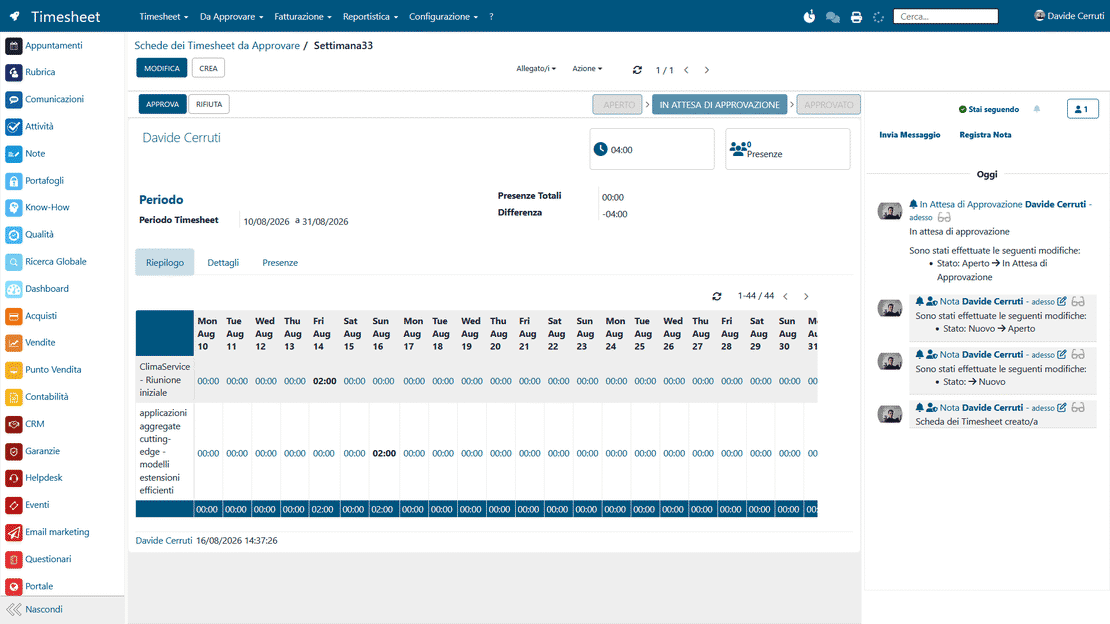
The Timesheet module in Zelo ERP, where employees log the hours worked on projects and tasks

Hours you can measure, invoices clients trust

Track hours where the work happens: on projects and tasks. The actuals are collected into approvable timesheets, and the validated hours feed your costs, margins and invoices.

From estimates to data: know where the hours go

Without timesheet software, hours become estimates and debates. With Zelo you log time where it happens, from the task, the project or the calendar, get it approved and use it to understand costs, progress and profitability without chasing the data down.

  • Log hours on tasks and projects
  • Start/stop for real-time tracking
  • Periodic timesheets ready for approval
  • Billable/non-billable for cost control
  • Invoice detail with descriptive line items
Clear hours, fewer disputes

When hours are tracked and described, the client understands what you’re delivering. If you bill on actuals, the invoice can show the time and activities behind each charge, which makes disputes rare and the working relationship smoother.

  • Clear details on activities performed
  • Invoice line items with times and specifics
  • Periodic actuals that are easy to understand and share
  • More reliable forecasts on delivery times
  • Fewer disputes on hours and costs

From time tracking to invoicing

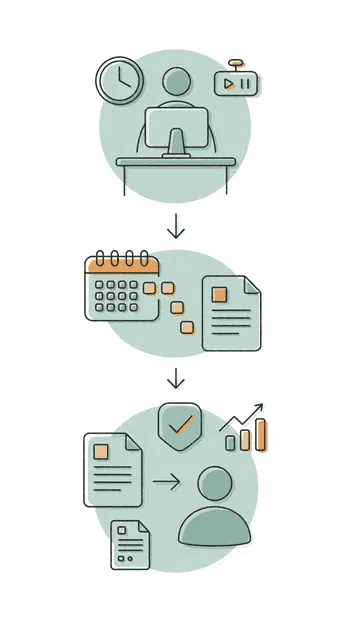
Log hours as you work, collect them into a periodic timesheet and get them approved. The validated data is then ready for reports, margins and invoicing.

1. Log

Log hours from the Timesheet area, from a task or from the project, also with start/stop.

2. Collect

Group your entries into a weekly or monthly timesheet, ready for review.

3. Approve

Send the timesheet to the supervisor for approval. The validated hours feed reports, margins and invoicing.

Workflow of the Zelo ERP Timesheet Module from logging hours to timesheet approval

Time logging (multi-channel)

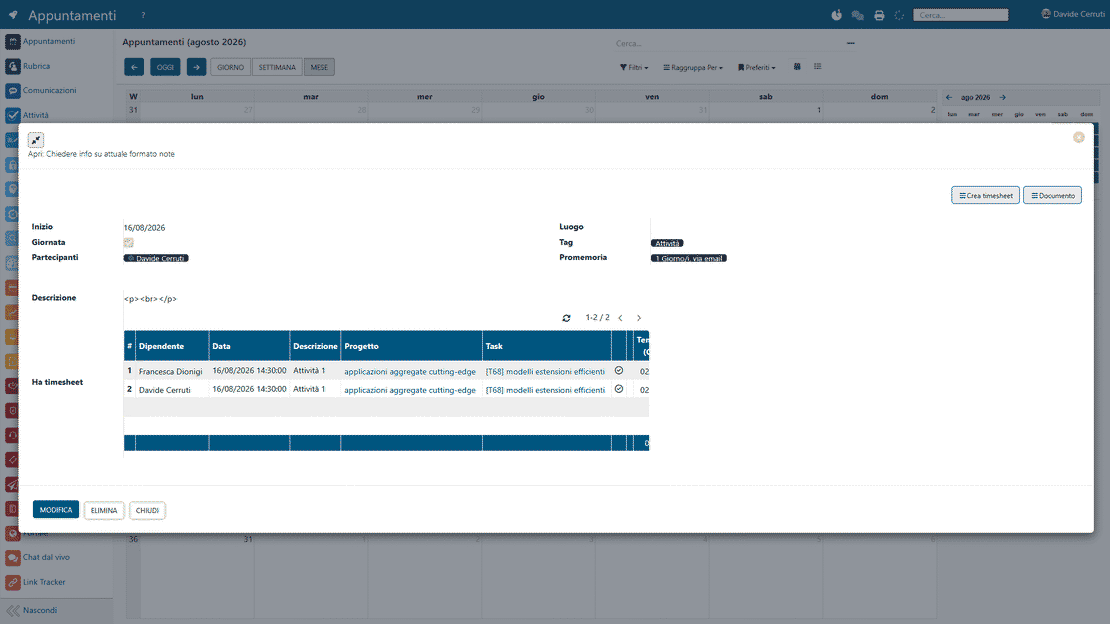
Log hours where it suits you: in the dedicated area, directly inside the task, or by converting events from the calendar. The system prevents duplicates and keeps what you enter consistent.

Time logging in Zelo ERP: timesheets from the dedicated area, the calendar or a project task
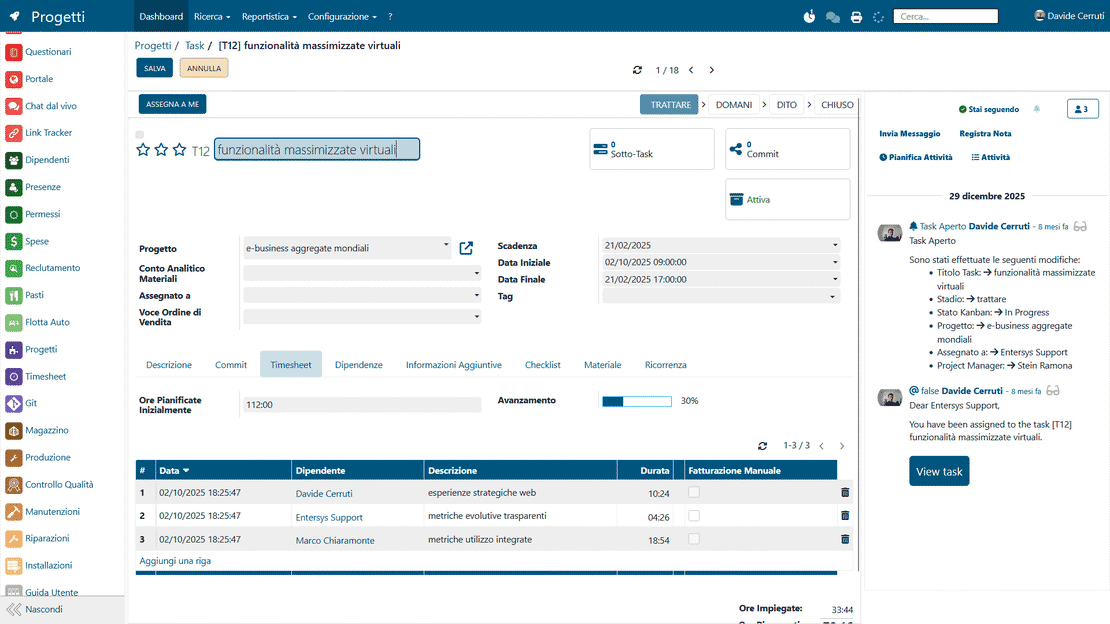
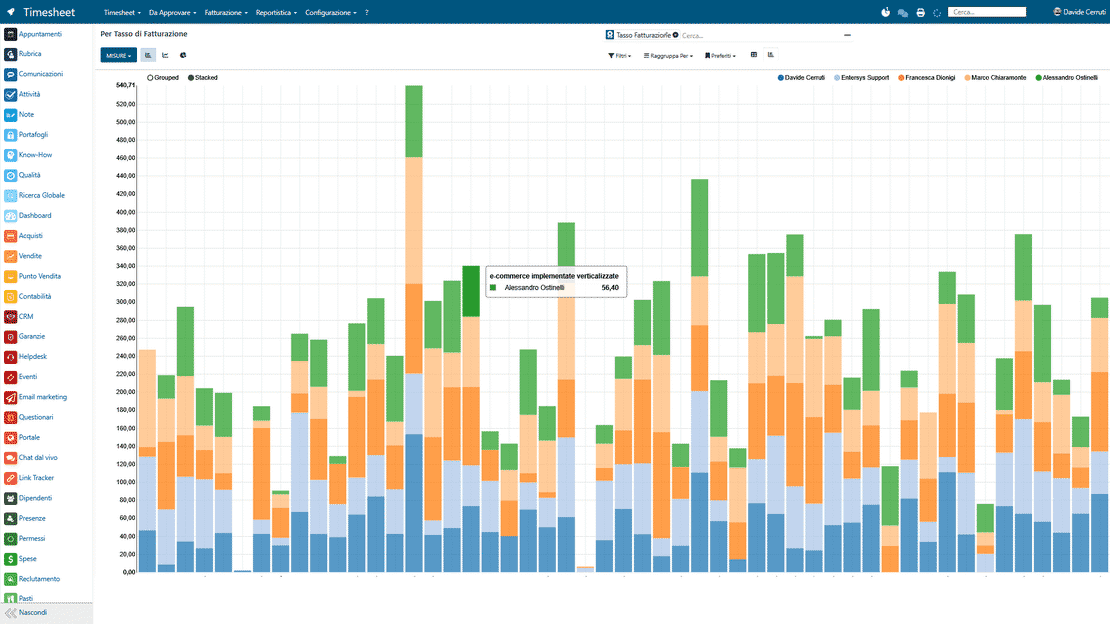
Variance control in Zelo ERP: comparison between planned and actual hours per task

Variance control

Planned and actual hours are compared continuously, so deviations show up early and you can step in before time and costs get out of hand.

Visual progress

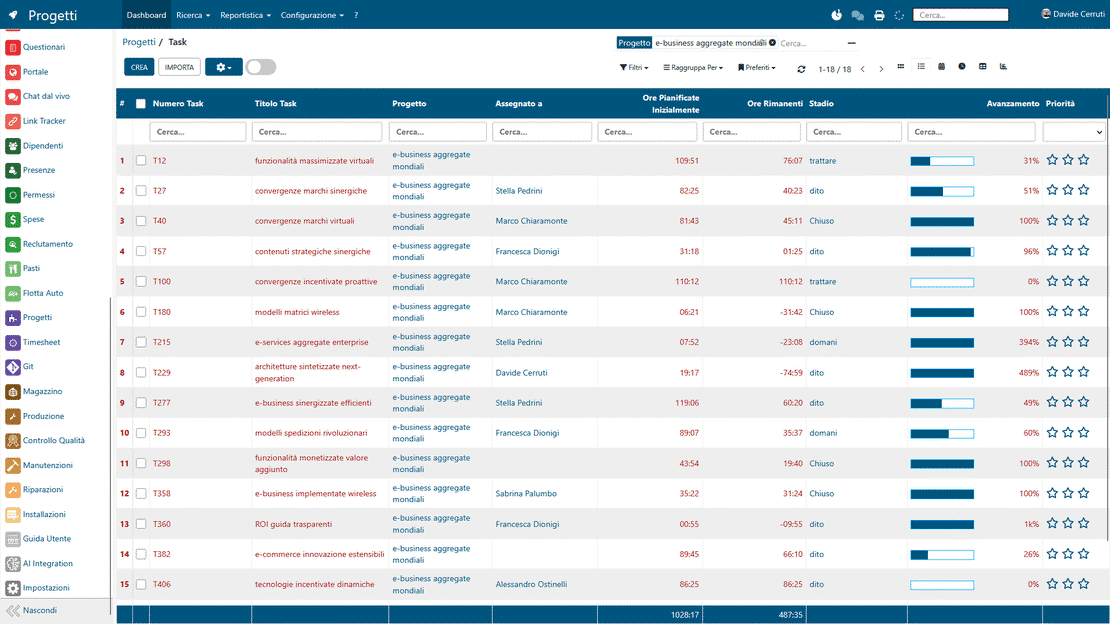
Visual indicators based on the logged hours show the status of each activity at a glance, so you can tell whether the work is on track with the original forecasts.

Visual progress in Zelo ERP: list of project tasks with status and time overruns
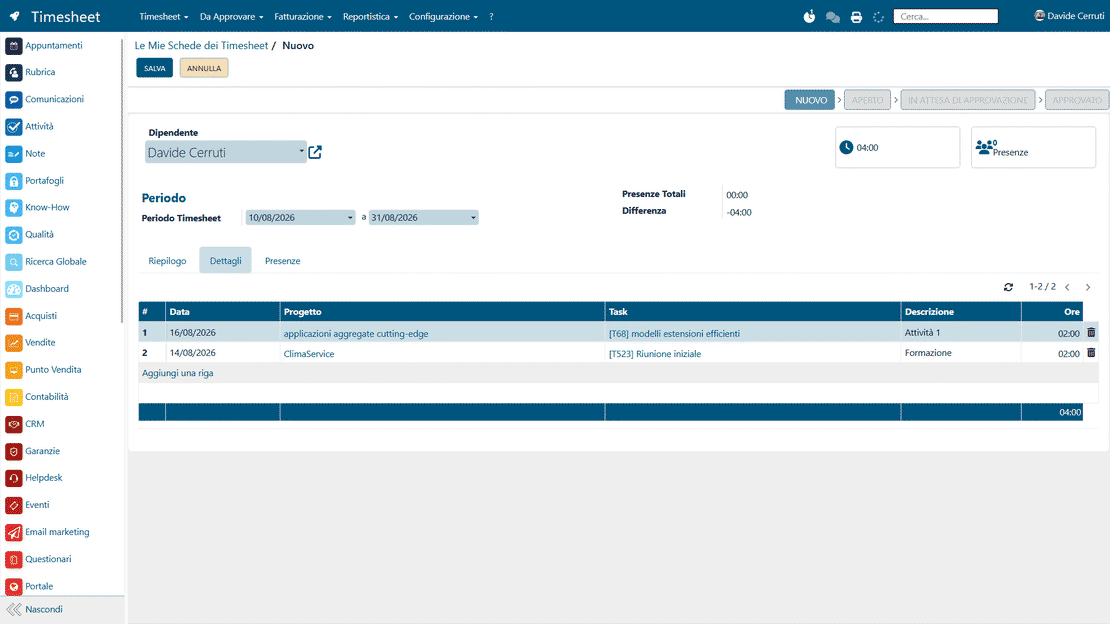
Periodic timesheets in Zelo ERP: weekly or monthly summary of hours per user

Timesheets by period

Entries are grouped into weekly or monthly summary timesheets, so time management stays organized and the view per user or per project stays clear.

Supervisor approval

Timesheets go to the supervisor for validation, so control is centralized and the logged hours are verified before any further use.

Supervisor approval in Zelo ERP: an employee's timesheet reviewed before its hours are used
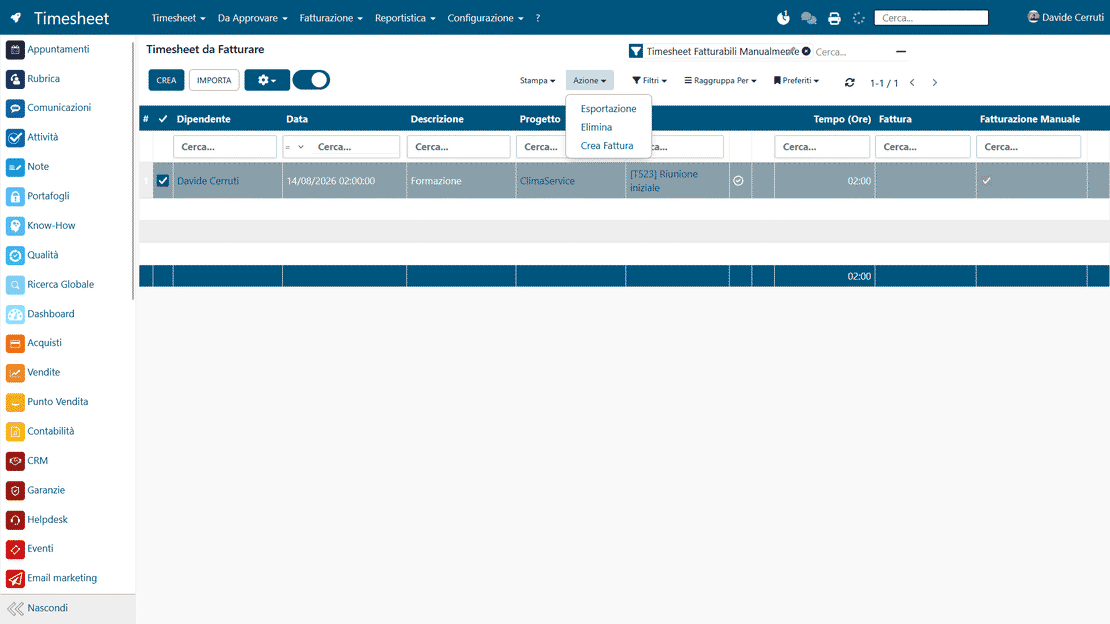
Actuals-based invoicing in Zelo ERP: invoice line items from timesheets and the project's analytic margin

Actuals-based invoicing and analytic margin

Timesheets marked as billable automatically generate detailed invoice line items with times and descriptions of the activities performed.

5 questions about the
Timesheet Management module

Straight answers to the questions we hear most often about the module.

Yes. In Zelo you can log a timesheet directly inside a task (Timesheet tab), from the project (menu or Timesheet smart button), or from the Timesheet area in the main menu. You record the actuals when it suits you, without leaving the work you’re doing.

No. You can assign hours to a project without naming a specific task; the hours then count toward the project as a whole. It’s handy for cross-cutting activities, or when you want to log the actuals now and add detail later.

In the task you enter an initial estimate (planned hours) and then log the actual hours. Zelo also shows a progress bar based on the time spent, so an overrun is visible right away and you can step in before the project loses margin.

Yes. Each user collects their entries into a timesheet for a given period, a week or a month for example, and submits it to the supervisor for approval. You review one document instead of isolated line items.

Yes, if you use billable timesheets, the usual setup for actuals-based hourly invoicing. You can issue invoices directly from the timesheets, and each line item can carry the time plus a description of the work, so the client can check what they’re paying for.

Tools integrated with the
Timesheet Management

Discover all the tools integrated in Zelo ERP.
No license costs, regardless of installed modules, users or enabled seats

call to action

Turn hours worked into measurable margin

Talk to our Business Analysts: we’ll show you how hours on projects and tasks get logged, approved and invoiced.
Request a free demo