The Zelo ERP manual and user guide, built into the system

The User Guide opens the Zelo ERP user manual right inside the system, organized in sections and business areas. You get practical examples, screenshots, tooltips on key fields and an introductory tutorial on the main workflows.

Request a free demo
The Zelo ERP User Guide module showing the manual's sections, examples and screenshots

Instant answers inside the system, real benefits for your customers

Examples and explanations sit next to every operation, so the team works with more confidence and customers get faster, more precise service.

Every operational answer, right when you need it

The Zelo ERP guide means fewer doubts, fewer mistakes and less downtime. Instead of asking the “expert colleague”, you find procedures and examples directly in the system, from first startup to working as a team.

  • Sections by business area
  • Step-by-step practical examples
  • Screenshots taken from the real interface
  • Tooltips on key fields
  • End-to-end introductory tutorial

Team efficiency your customers can see

When the team uses Zelo well, end customers see the difference: fewer delays and more accurate data in every document. The guide helps everyone work the same way, so there are fewer mistakes on deliveries and invoicing.

  • More accurate quotes and orders
  • Faster response times
  • Fewer document errors
  • Clearer operational traceability
  • Service that stays consistent over time

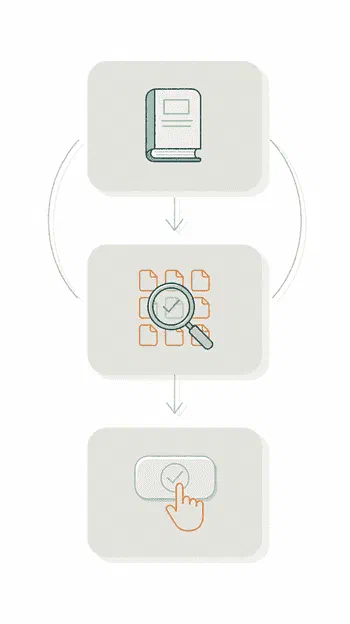
From question to solution in three steps

Open the guide from the menu, find the right section, apply the steps it describes. The task gets done correctly the first time, without trial and error or interruptions.

1. Open

Access the Zelo ERP manual from the menu, from any area of the system.


2. Find

Select the right section and go straight to the answer, with examples and screenshots.


3. Apply

Follow the steps and complete the task without trial and error.

The three steps of the Zelo ERP User Guide: open the manual, find the section, apply the steps

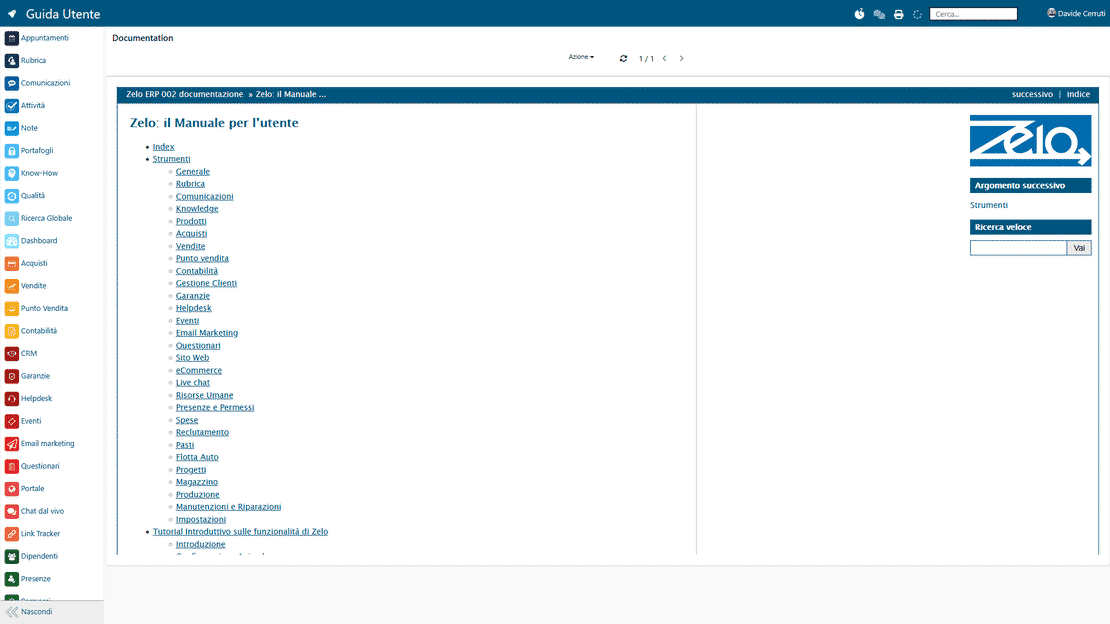
Organized by business area

The manual is organized in logical sections that mirror your company’s departments: CRM, sales, inventory, production, accounting. The answer you need is tied to the task you are working on, with no digging through generic documents.

The user guide in Zelo ERP, with the manual organized by business area
Practical examples in Zelo ERP: step-by-step procedures for real use cases

Practical, operational examples

The step-by-step procedures are based on real, everyday use cases. Follow them and you complete the operation correctly in the system; the team also cuts its learning time considerably.

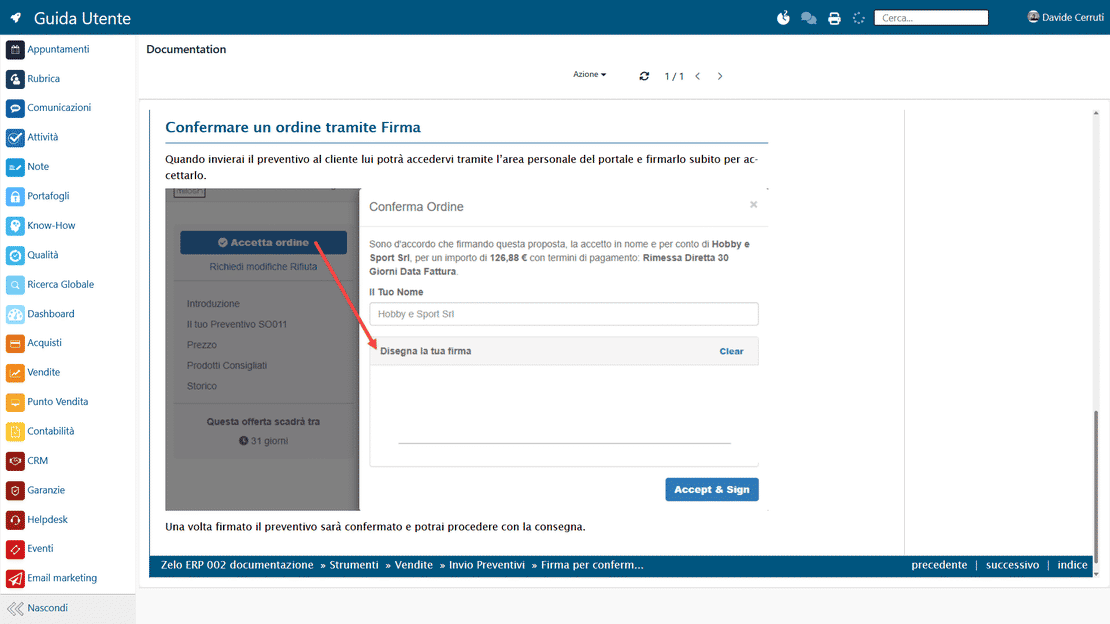
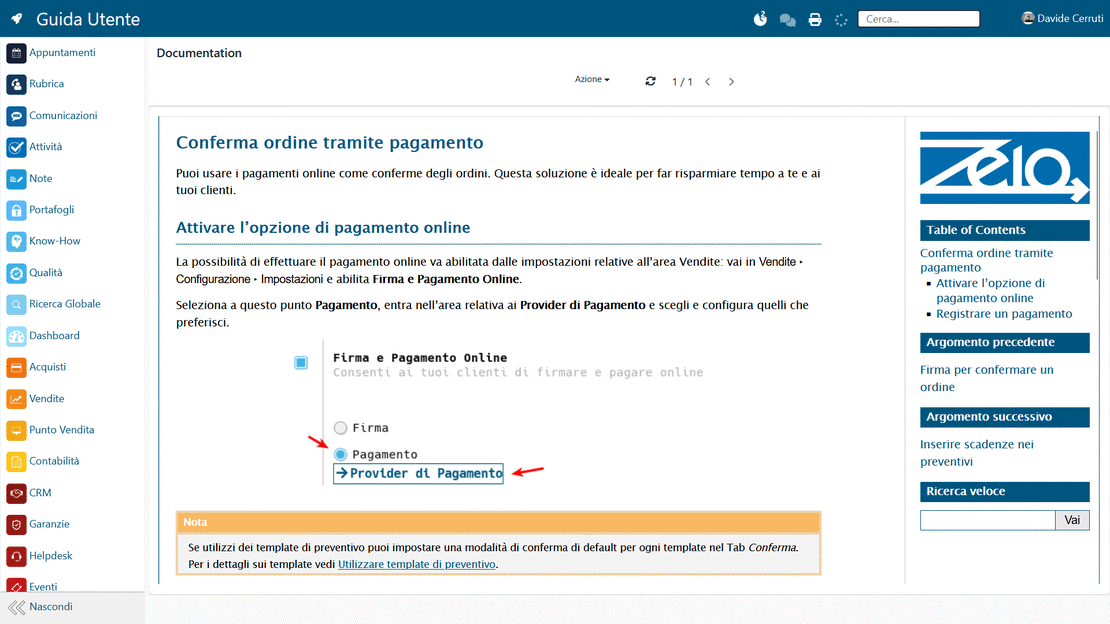
Constant visual support

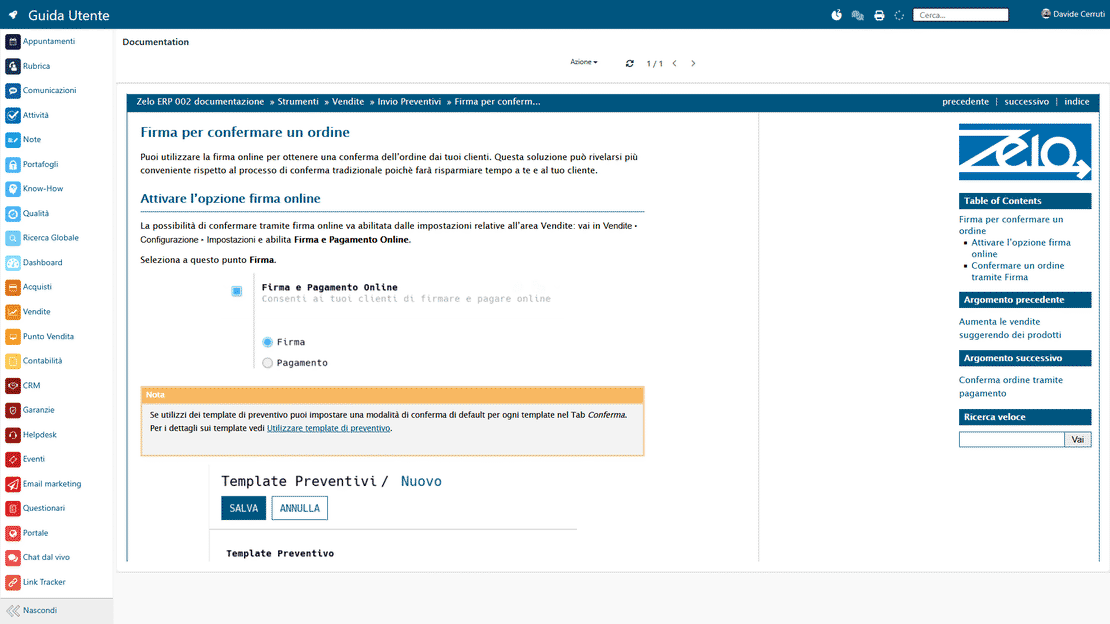
The documentation includes screenshots and images captured from the Zelo ERP interface. You see exactly where to click and how to fill out each form. Less ambiguity means fewer input mistakes, and users become self-sufficient quickly.

Screenshots in Zelo ERP showing the system interface and its fields in operation
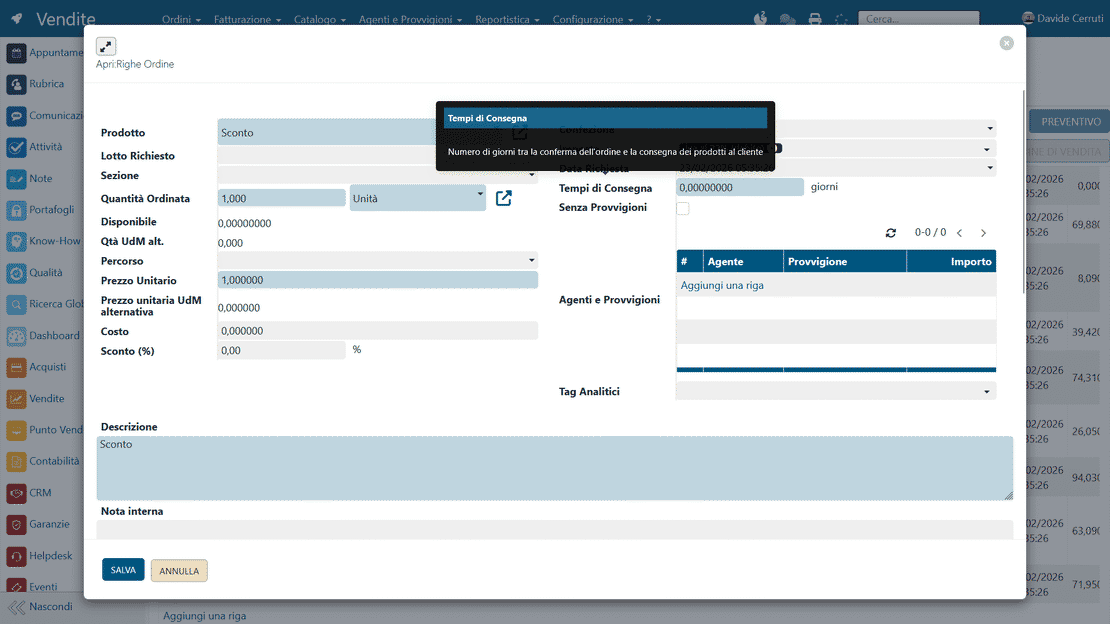
Field tooltips in Zelo ERP with contextual explanations on form labels

Informative field tooltips

In the various views of Zelo, the most important fields carry tooltips with short, contextual explanations. You learn what the requested data means without leaving the screen you are working on.

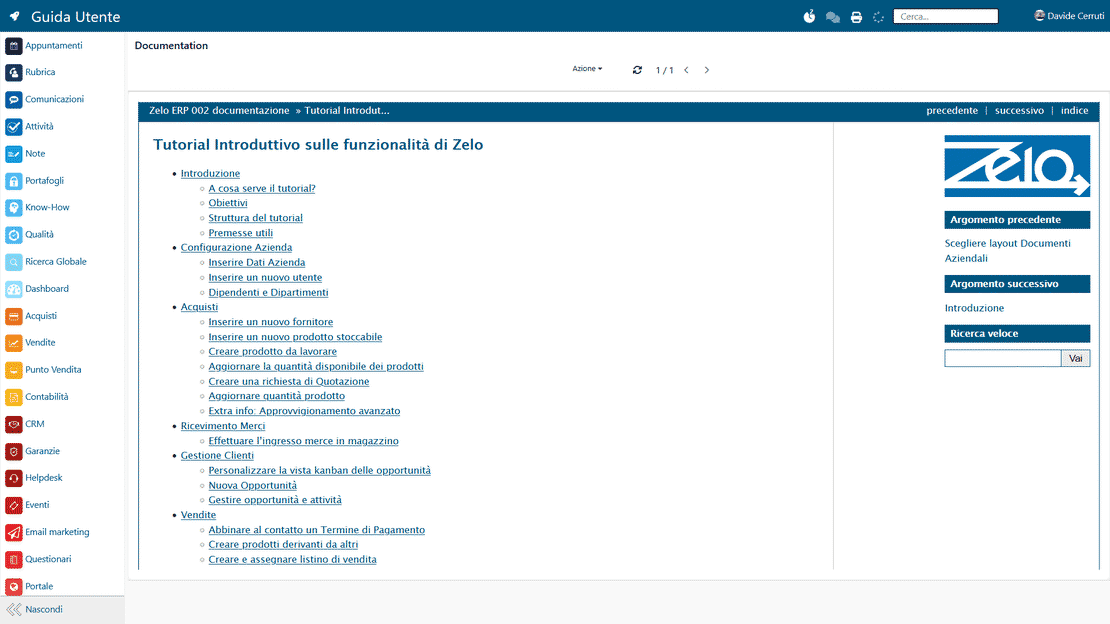
Introductory end-to-end tutorial

A guided path runs through the system’s main workflows and connects the modules to each other. Starting from the initial configuration, the tutorial shows how a sale generates inventory movements or production orders, up to invoicing and payment management.

The introductory tutorial in Zelo ERP covering the flow from sale to invoicing

5 questions about the
User Manual

Answers to the questions businesses ask us most about the User Manual.

It is inside. The guide is part of Zelo ERP and opens from the menu in every area: no external documents, no PDFs to download. Because it sits next to the screens you use (CRM, sales, inventory, accounting), you stop losing time searching elsewhere and can apply the steps right away.

Yes, because you skip “learning one module at a time”: the manual and the tutorial show you how the areas connect (configuration, sales, inventory, production, accounting). It also helps align the team on a single way of working.

Practical examples, images and screenshots that show where to go and what to enter. The Zelo views also carry field tooltips: for many doubts a quick explanation is enough, and when you want to go deeper you switch to the manual.

Yes. The section-based structure lets you read only what you need, when you need it, and the introductory tutorial gives you a guided overview so you can start working faster. No long theoretical paths.

It covers a complete “end-to-end” flow: from system configuration to commercial management, through inventory and production, up to accounting and payments. The point is to show how everyday tasks fit together.

Tools integrated with the
User Manual

See all the tools integrated in Zelo ERP.
No license costs for the modules you install, the number of users or the workstations you enable

call to action

Fewer doubts, fewer mistakes, more operational capacity right away.

Talk to our Business Analysts and switch on the guide in your company.
Request a free demo