Your business passwords, safe in one encrypted vault

The Vault is a password manager built into Zelo ERP. It keeps business credentials and secrets encrypted in one place, and only the people you authorize can see them.

Request a free demo
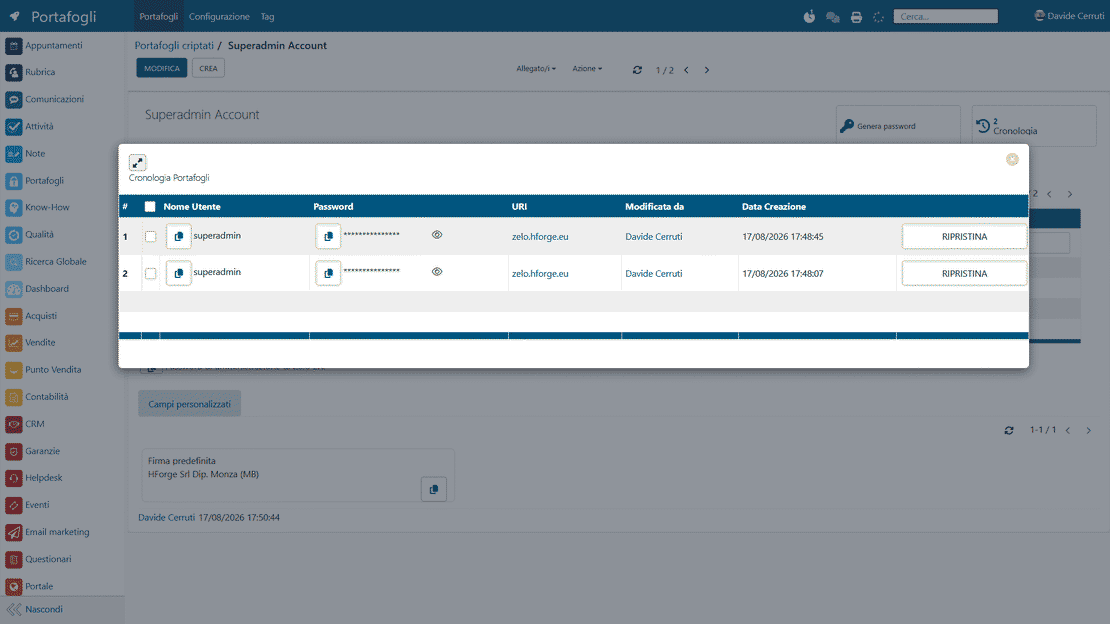
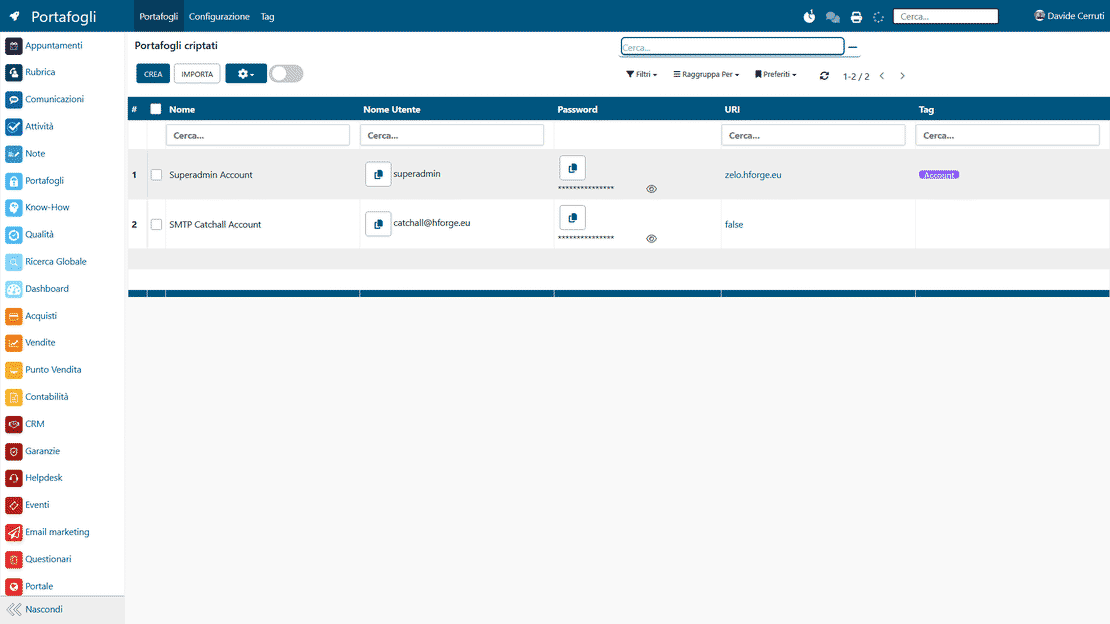
Vault module of Zelo ERP: encrypted storage for business credentials, with granular permissions and access history

Credentials under control, clients at ease

Every password and token sits in one encrypted place. That lowers the risk of a breach and shows clients their credentials are managed professionally.

Fewer risks, more control over your credentials

Scattered passwords and shared logins leave critical information unmonitored. The Encrypted Wallet of Zelo ERP gathers every password and token into one encrypted tool: daily work speeds up, and the risk of a breach goes down.

  • Passwords, tokens and sensitive data stored fully encrypted
  • Different permissions for each user, role and department
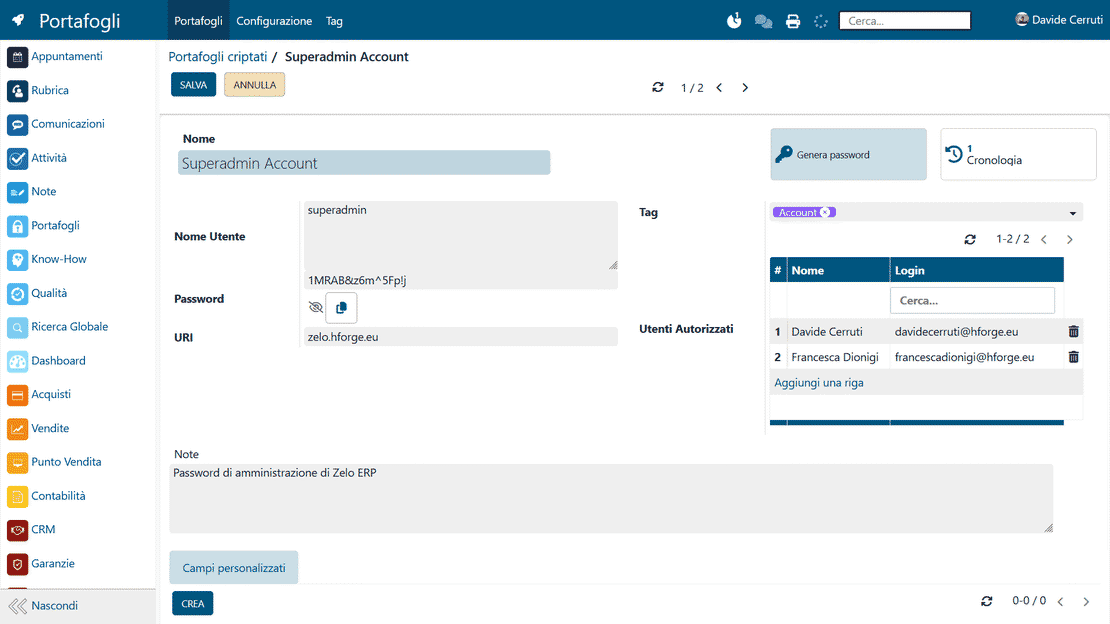
  • A built-in generator of strong passwords
  • Tags and custom fields on every credential
  • A history of every access and change
Data security your clients notice

Clients give you the keys to their portals and their systems. When those credentials live in an encrypted wallet, they see a supplier that takes their security seriously.

  • Sensitive data handled to clear, professional standards
  • Fewer errors when someone accesses their systems
  • Work that keeps going even when staff change
  • Clear communication about the security measures in place
  • More trust in you as a strategic supplier

Three steps to protected credentials

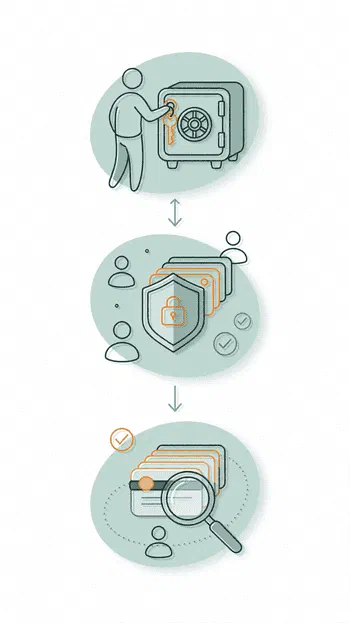
Create the wallet, protect each credential with granular permissions and strong passwords, then retrieve anything in seconds.

1. Create

Set up your encrypted business password wallet in a few clicks: add credentials, tokens and sensitive data, create custom fields and decide who can access what.


2. Protect

Give each user granular permissions, turn on complex system-generated passwords and keep credential management centralized, with minimal risk to business data security.


3. Retrieve

Use Zelo ERP’s tags, filters and global search to pull up any credential in seconds. The Vault records who last modified or updated each item.

Vault module of Zelo ERP: the Create, Protect and Retrieve steps for encrypted credentials

Centralized Storage

All business credentials, from passwords to access keys, sit in one secure, structured environment. Nothing stays scattered across local files or unprotected tools, so you keep control and stop losing access data.

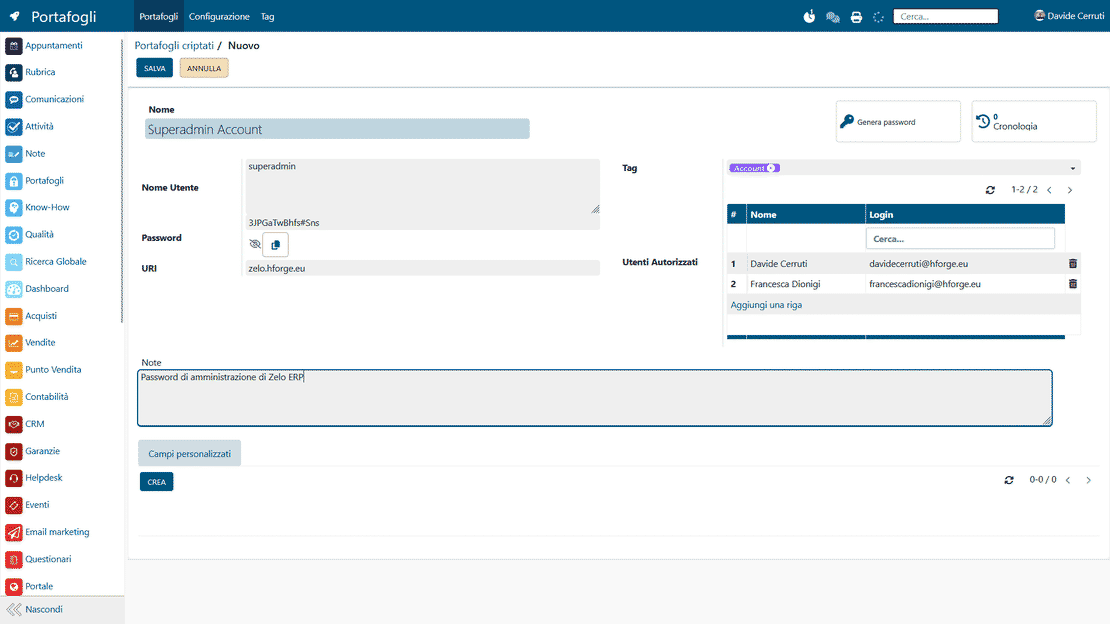
Vault in Zelo ERP: business passwords and credentials encrypted in one centralized archive
Password encryption in Zelo ERP: protected sensitive data and built-in generator

Advanced Encryption

Sensitive data is encrypted so unauthorized people cannot read it. Storage follows security standards designed for business contexts, so data stays intact and confidential even in case of unexpected external access.

Granular Permissions

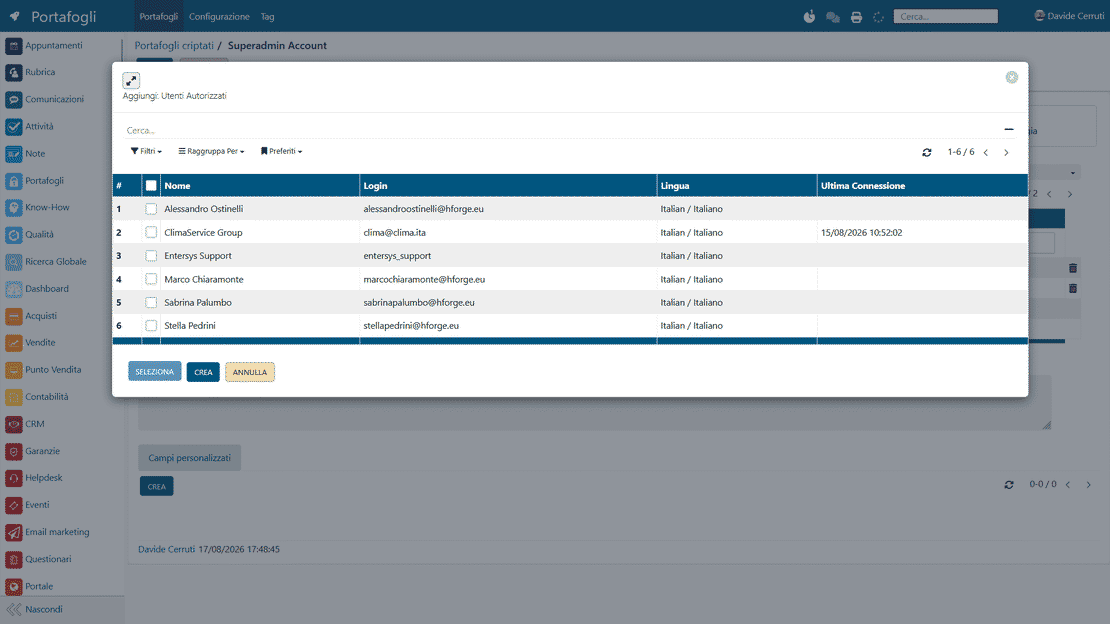
You decide, record by record, who can view or modify each piece of information. Access is set per user or per group, following your business roles. You keep operational control without giving up security.

Granular permissions in Zelo ERP: view or edit access set per user, group and role
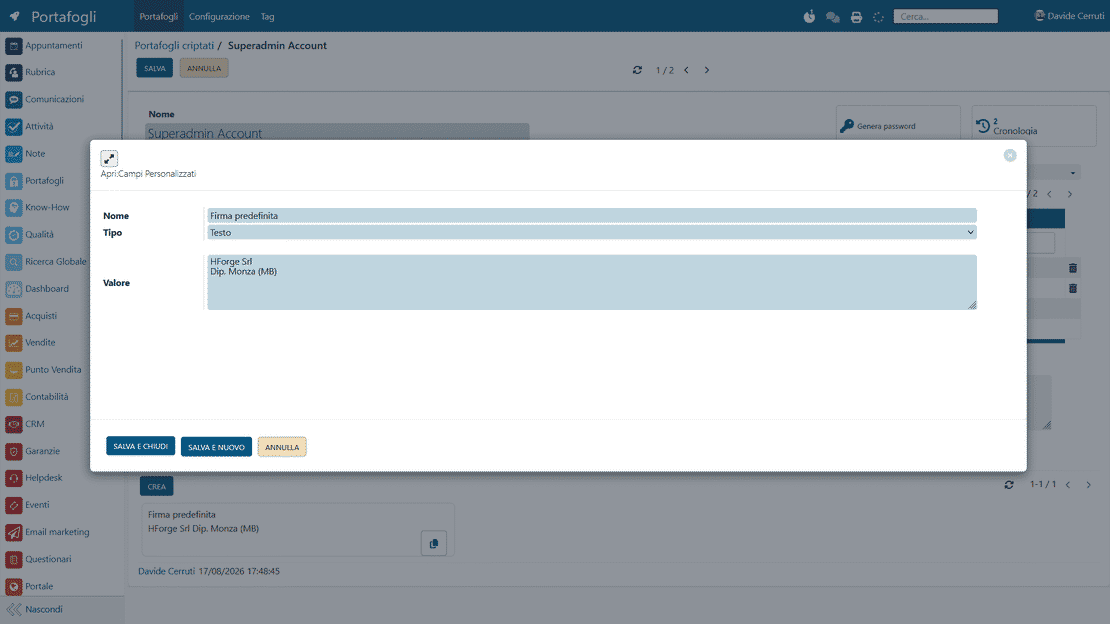
Custom fields in Zelo ERP: tags and modifiable default values for each credential

Flexible Organization

Custom tags and extra fields organize credentials around the way your business works. Classification stays clear and consistent, and the entry you need turns up faster in search.

ERP Integration

The Vault connects to the other modules of Zelo ERP, so credentials show up in the right operational context, from technical support to the helpdesk. Daily work moves without interruptions and security standards stay high.

ERP integration in Zelo ERP: helpdesk access to credentials and full access history

5 questions about the
Encrypted Wallets Management module

Answers to the most frequent questions about features, integrations and costs.

Really encrypted. Passwords and tokens in Zelo ERP’s Encrypted Wallets are stored encrypted, with roles and permissions kept separate, so the data stays protected even if someone gains unauthorized access to the ERP. Only the users you grant the specific permission to can view or use a credential. Information travels over secure connections, and access to Zelo ERP can be further protected with OTP and strong password policies.

Yes. Every record in the Encrypted Wallet can have different permissions per user or per role. You decide who can view a password, who can only use it through automations or links, and who can modify it. Credential management for SMEs then follows your company’s actual organization: IT sees and manages everything, sales uses only certain portal passwords, administration accesses the bank credentials it needs. Exposure of sensitive information stays minimal, and internal audits get simpler.

Open the generator inside the Encrypted Wallet and set the length and criteria: uppercase, lowercase, numbers, special characters. It suggests strong passwords that are hard to guess, a different one for each service. The password is saved directly in the encrypted business wallet, so nobody has to memorize it or write it on a sticky note. You can enforce stricter security policies without making things harder for your users.

Yes. Every entry can carry free-form tags (for example “Client A”, “Cloud Provider”, “Bank”) and custom fields designed for your context: operational notes, contract references, the environment (test or production), the related project or support contract. Whoever has to intervene on a client finds all the connected information right away, with no digging through emails or scattered documentation.

A file, even an encrypted one, is static: it is hard to keep updated and it tends to multiply into many versions. The Encrypted Wallets are part of the whole ERP, with history of accesses and changes, granular permissions, advanced search, complex password generation and links to contacts, projects and helpdesk. Business data security stops depending on one user’s behavior and rests on central rules you define once. That is the gap between a shared document and a real encrypted business password manager.

Tools integrated with the
Encrypted Wallets Management module

See all the tools integrated in Zelo ERP.
No license costs for installed modules, for number of users or for enabled workstations

call to action

Stop relying on someone’s memory for your passwords

Talk to our Business Analysts and bring order and security to the way your company manages its credentials.
Request a free demo